How to Get Started With JavaScript Projects
TL;DR
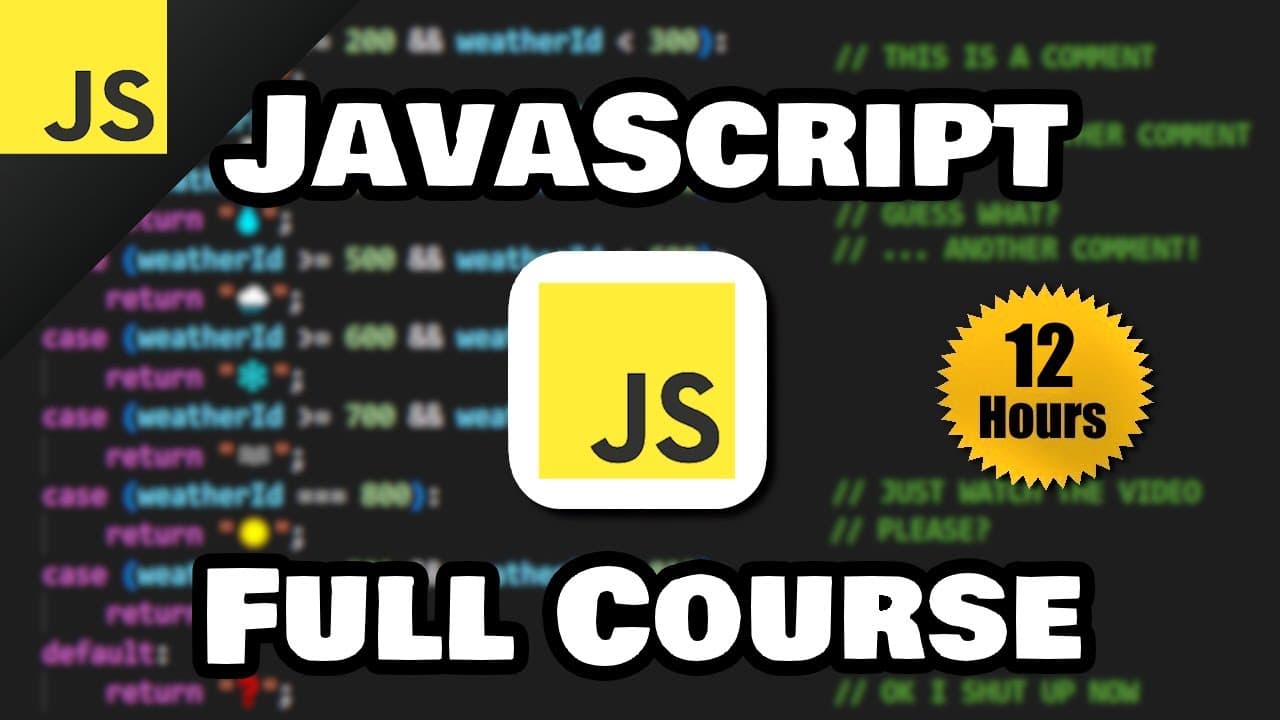
JavaScript adds actions and interactivity to web pages, including responding to users, transforming input, updating text, and powering tools such as calculators. Start with linked HTML, CSS, and JavaScript files in VS Code, preview changes with Live Server, and practice foundational concepts before progressing to functions, arrays, objects, classes, callbacks, and portfolio projects.
Transcript
hey everybody today I decided I'm going to teach you everything you need to know to get started working with JavaScript throughout this course we'll be working on a few projects you could add to your portfolio which include but are not limited to a digital clock a stopwatch a functioning calculator a game of rock paper scissors an image slider and ... Read More
Key Insights
- JavaScript is a programming language used to create dynamic and interactive web pages. It runs in a web browser and can respond to user actions, transform user input, update displayed content, and make an otherwise static interface, such as the demonstrated calculator, functional.
- A basic web project is organized into three connected files: index.html provides the structure, style.css controls appearance, and index.js supplies actions and interactivity. The HTML document must link the stylesheet with a link element and load the JavaScript file through script tags.
- VS Code and its Live Server extension provide the demonstrated development environment. Opening index.html with Live Server displays the page in a browser and automatically refreshes saved changes, allowing the editor and browser to remain side by side throughout development.
- The script element belongs at the bottom of the document body in the demonstrated setup. This placement allows the HTML elements to render before JavaScript runs and helps preserve visible page content if an error occurs in the JavaScript file.
- JavaScript output can be inspected with console.log through the browser's developer tools console. Browser pop-ups can be created with window.alert, while strings may use double quotes, single quotes, or backticks, which the course identifies as template literals useful for inserting variables.
- Comments are developer notes that do not appear as program output. Two forward slashes create a single-line comment, while a slash and asterisk begin the demonstrated multiline form, making it possible to document code or temporarily prevent selected statements from running.
- Page content can be changed by selecting an HTML element with document.getElementById and assigning a string to its textContent property. The demonstration uses this process to add text to an initially empty heading and paragraph identified as myH1 and myP.
- The course combines foundational topics with practical projects suitable for a portfolio. Its projects include a digital clock, stopwatch, calculator, rock paper scissors game, image slider, counter, number guessing game, temperature converter, dice roller, password generator, and weather app that fetches API data.
Install to Summarize YouTube Videos and Get Transcripts
Explore YouTube Video Summarizer or Get YouTube Transcript Extractor
Questions & Answers
Q: How do you set up a beginner JavaScript project?
Create a project folder in VS Code, then add index.html, style.css, and index.js. Use a link element in the HTML file to connect style.css, and add script tags whose source is index.js. Install Live Server, save the files, right-click index.html, and open it with Live Server so browser changes refresh automatically.
Q: What does JavaScript do on a web page?
JavaScript controls the actions and interactivity of a web page. It can respond when someone interacts with the site, transform user input, change the text inside HTML elements, display alerts, and make interfaces functional. In the course example, HTML supplies a calculator framework, CSS styles it, and JavaScript enables it to perform calculations.
Q: Why should the script element be placed at the bottom of the body?
The course recommends placing the script element at the bottom of the HTML document body so the page's HTML elements can render before JavaScript begins running. If the JavaScript file contains an error, this arrangement helps ensure that the HTML content has at least been rendered instead of delaying the visible structure while the script executes.
Q: How can JavaScript display output for beginners?
JavaScript can display basic output in several demonstrated ways. Use console.log with text inside parentheses to send a message to the browser developer tools console. Use window.alert to create a pop-up alert. To display text directly on the page, select an HTML element by its ID and assign the desired text to its textContent property.
Q: How do you change HTML text with JavaScript?
First create an HTML element, such as a heading or paragraph, and give it a unique ID. In the JavaScript file, call document.getElementById with that ID inside quotes. Follow the selected element with .textContent, then assign the text you want. The demonstration uses this method to place text into initially empty heading and paragraph elements.
Q: What should you know before starting this JavaScript course?
Knowing HTML and CSS is recommended because the projects use all three web technologies together. HTML supplies page structure, CSS controls fonts, colors, positioning, and other visual details, while JavaScript provides interactivity. The course says viewers without prior HTML or CSS knowledge can probably still follow because those technologies are addressed as the examples progress.
Q: Which JavaScript topics are covered after the initial setup?
The listed lessons move through variables, arithmetic operators, user input, type conversion, constants, the Math object, random numbers, conditional statements, strings, logical operators, strict equality, loops, functions, scope, arrays, spread and rest syntax, callbacks, array methods, function expressions, arrow functions, objects, constructors, classes, static members, inheritance, super, getters, setters, destructuring, and nested objects.
Q: What projects can you build while following the course?
The course introduces projects that apply JavaScript concepts in practical interfaces and programs. They include a counter, number guessing game, temperature conversion program, dice roller, random password generator, digital clock, stopwatch, functioning calculator, rock paper scissors game, and image slider. The final announced project is a weather app that fetches its data from an API.
Summary & Key Takeaways
-
JavaScript is presented as the action layer of a website, complementing the structure supplied by HTML and the appearance controlled by CSS. The initial setup uses index.html, style.css, and index.js files in VS Code, with the stylesheet and script connected to the HTML document for browser execution.
-
The introductory exercises demonstrate console output, browser alerts, comments, and page updates. Developers can inspect console.log results through browser developer tools, display pop-up messages with window.alert, and select HTML elements by ID with document.getElementById before assigning new text through the textContent property.
-
The broader course progresses from variables, operators, user input, conversions, conditions, strings, and loops to functions, arrays, callbacks, array methods, objects, constructors, classes, inheritance, and destructuring. Practice projects include a counter, guessing game, temperature converter, dice roller, password generator, calculator, clock, stopwatch, image slider, and API-powered weather app.
Read in Other Languages (beta)
Share This Summary 📚
Summarize YouTube Videos and Get Video Transcripts with 1-Click
Try YouTube Summary with ChatGPT & Claude or YouTube Transcript Generator
Explore More Summaries from Bro Code 📚
Summarize YouTube Videos and Get Video Transcripts with 1-Click
Try YouTube Summary with ChatGPT & Claude or YouTube Transcript Generator