How to Build React Apps with Components and Hooks
TL;DR
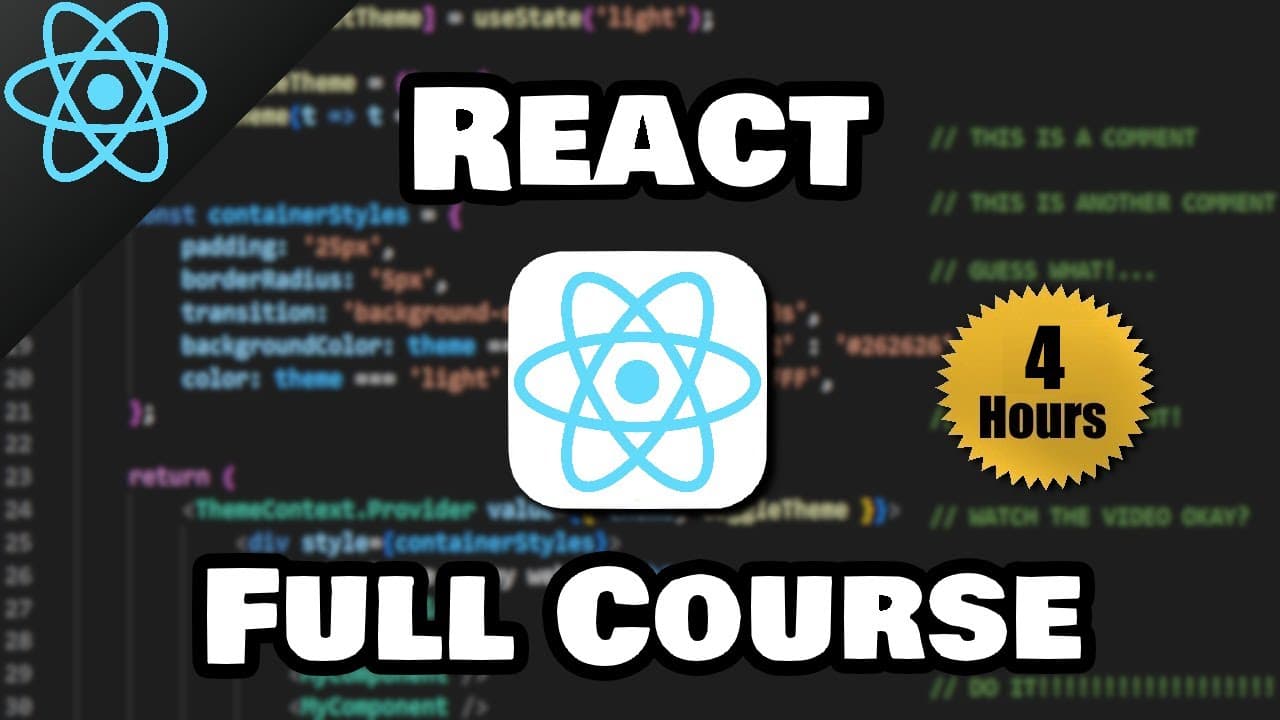
Build a React application by creating a Vite project, organizing the interface into reusable JSX components, and managing interactive data with hooks such as useState, useEffect, useContext, and useRef. The course starts with project setup and component fundamentals, then applies rendering, events, state updates, and hooks through projects including a color picker, to-do list, digital clock, and stopwatch.
Transcript
hey what's going on everybody it's your bro hope you're doing well and in today's video I'm going to show you everything you need to know to get started working with reactjs so why don't you go ahead and sit back relax and enjoy the show react is a JavaScript library not framework that's used to easily build and arrange user interfaces for web appl... Read More
Key Insights
- React is a JavaScript library, not a framework, that organizes web application interfaces into reusable components. Each component is a self-contained section of JavaScript and HTML-like code that can be combined with other components to construct a more complicated interface.
- JSX is a JavaScript syntax extension called JavaScript XML that permits HTML-like code inside JavaScript files. Function-based React components use JSX in their return statements, and each component can return one enclosing element containing multiple nested child elements.
- The virtual DOM is a lightweight representation of the web page's real DOM. React tracks changes to this representation and applies the specific changes to the real DOM, avoiding the need to refresh the entire page when only one section changes.
- React preparation requires JavaScript knowledge through arrays, classes, objects, arrow functions, and other ES6 features. HTML is mandatory because components render HTML elements, while CSS is used to apply visual styling to the rendered interface.
- Vite is used as the development server and is described as a modern replacement for the outdated Create React App approach. The setup selects React with plain JavaScript, installs project dependencies with npm install, and starts the server with npm run dev.
- The source folder is where most application work occurs, while node_modules contains external libraries and packages. Public assets are available through URLs and are not bundled, whereas files placed in the source assets folder are bundled in the final output.
- The App component serves as the root component that ties additional components together. A Header component is created in a JSX file, exported as the default value, imported into App, and rendered with either paired component tags or self-closing syntax.
- React interactivity is developed through props, conditional rendering, lists, click events, onChange handlers, and state-related hooks. The course applies these ideas to state updates for objects and arrays, then introduces useEffect, useContext, and useRef through practical applications.
Install to Summarize YouTube Videos and Get Transcripts
Explore YouTube Video Summarizer or Get YouTube Transcript Extractor
Questions & Answers
Q: What is React and how does it build web interfaces?
React is a JavaScript library used to build and arrange user interfaces for web applications. It divides an interface into self-contained, reusable sections called components. These components can contain JavaScript and HTML-like JSX, and they are combined inside a root component to form a more complicated application, much like individual Lego pieces forming a larger structure.
Q: What is JSX in React and how is it used?
JSX means JavaScript XML and is a syntax extension that allows HTML-like code to be written inside JavaScript files. A function-based component returns JSX using a return statement. The component can return only one enclosing element, but that element may contain multiple children, such as headings, navigation elements, unordered lists, list items, links, and horizontal rules.
Q: How do you create and start a React project with Vite?
Install Node.js to obtain the Node Package Manager, then open a terminal inside the intended project folder. Run npm create vite@latest, enter a project name, select React as the framework, and choose plain JavaScript. Change into the generated application directory, run npm install to install dependencies, and run npm run dev to start the development server.
Q: How do you restart the Vite development server?
Open a new terminal and make sure its current directory is the React application folder. If necessary, use cd followed by the application's folder name, such as my-react-app. Once the terminal is inside that directory, run npm run dev. Vite will provide the development server address, which can be opened or refreshed in a web browser.
Q: What do the main folders and files in a Vite React project do?
The node_modules folder contains external libraries and packages required by the project. The public folder stores assets that remain unbundled and are generally accessed through URLs. The source folder contains application code and bundled assets. main.jsx creates the root and includes App, index.html supplies the root element, and package.json records project metadata, build details, and React version information.
Q: How do you create and render a React component?
Create a JSX file in the source folder, define a capitalized function such as Header, and return one enclosing JSX element from that function. Export the component as the default value. In App.jsx, import Header from its file location and place the component inside App's return statement. It may use paired tags or the shorter self-closing component syntax.
Q: What React topics are covered after component basics?
The course continues with card components, CSS styles, props, conditional rendering, list rendering, click events, the useState hook, and onChange event handlers. It then addresses updater functions and state updates involving objects, arrays, and arrays of objects. Later sections introduce useEffect, useContext, and useRef, providing a broad beginner-level foundation in React interaction and state management.
Q: What applications are built to practice React concepts?
The course includes a color picker application after introducing the onChange event handler, followed by a to-do list after lessons on updating objects and arrays in state. Later hook sections support a digital clock and a stopwatch. These applications provide practical contexts for handling user input, maintaining changing values, working with effects, and using references.
Summary & Key Takeaways
-
React is presented as a JavaScript library for building web application interfaces from reusable components. The course introduces JSX, the virtual DOM, and the required JavaScript, HTML, and CSS foundations before showing how to install Node.js, create a React project with Vite, install dependencies, and run the development server.
-
The project walkthrough distinguishes node_modules, public assets, bundled source assets, main.jsx, App.jsx, index.html, CSS files, and package.json. It then demonstrates a function-based Header component, its export and import process, JSX return syntax, the single-root-element requirement, nested HTML elements, navigation links, and component composition inside the root App component.
-
Later lessons progress through card components, CSS styling, props, conditional rendering, list rendering, click and onChange events, and state management. The course also covers updating objects, arrays, and arrays of objects, followed by useEffect, useContext, and useRef, with practical color picker, to-do list, digital clock, and stopwatch applications.
Read in Other Languages (beta)
Share This Summary 📚
Summarize YouTube Videos and Get Video Transcripts with 1-Click
Try YouTube Summary with ChatGPT & Claude or YouTube Transcript Generator
Explore More Summaries from Bro Code 📚
Summarize YouTube Videos and Get Video Transcripts with 1-Click
Try YouTube Summary with ChatGPT & Claude or YouTube Transcript Generator