How to Get Started with C++ Programming for Free?
TL;DR
To get started with C++ programming for free, download Visual Studio Code as your text editor and install a suitable compiler for your operating system, like GCC for Windows/Linux or Clang for Mac. Learn the basics including variables, data types, arithmetic operations, user input, and control structures such as if and switch statements using a simple calculator program as a reference.
Transcript
hey guys in this video you're going to write your first c plus program so sit back relax and well enjoy the show hey if you wouldn't mind please like comment and subscribe one like equals one prayer for the youtube algorithm i'm gonna tell you why you need to learn c plus plus c plus plus is a fast language like really fast it's commonly used in ad... Read More
Key Insights
The content discusses various topics including the use of C++ programming language, the benefits of learning C++, the characteristics of middle-level programming languages, the importance of using a text editor and compiler in programming, the process of downloading and setting up VS Code for C++ programming, the creation of variables and the use of data types, the declaration and assignment of variables, the use of constants, the use of namespaces, the use of typedefs and type aliases, the acceptance of user input, the use of arithmetic operators, the use of math-related functions, the use of if statements, the use of switch statements, the use of the ternary operator, and the use of logical operators (and, or, not).
- 💡 C++ is a fast language that is commonly used in advanced graphics applications and video game development.
- 💻 C++ is considered a middle-level programming language, allowing for both low-level and high-level programming functionalities.
- 🖥️ Visual Studio Code (VS Code) is a popular text editor and Integrated Development Environment (IDE) for C++ programming.
- 🔧 VS Code can be downloaded and installed on various operating systems, and it provides useful developer tools and extensions for C++ programming.
- 🗄️ Proper use of a text editor and compiler is important for parsing and executing C++ source code.
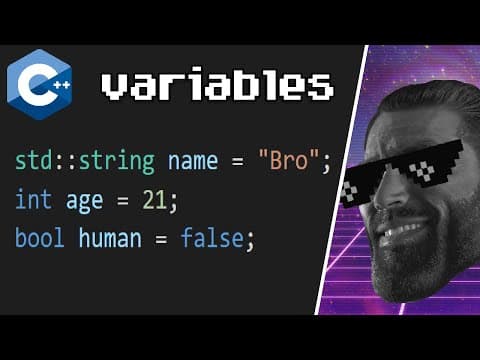
- ♾️ Variables are used to store and manipulate data in C++, and they can be assigned values and data types.
- 🔤 Constants are used to store values that cannot be changed throughout the program.
- 🧱 Namespaces are used to prevent naming conflicts and organize code in C++.
- ☑️ Typedefs and type aliases provide alternative names for existing data types, improving readability and reducing typos.
- 📥 Accepting user input in C++ involves using the "cin" stream for character input and the getline function for string input.
- ➕ Arithmetic operators in C++ are used for mathematical calculations, and they include addition, subtraction, multiplication, and division.
- 📈 Math-related functions in C++ provide useful functionalities such as power, square root, absolute value, rounding, and more.
- 🎯 If statements in C++ allow for conditional branching based on the truth or falsehood of a condition.
- 🔀 Switch statements in C++ provide an efficient way to perform multiple comparisons using matching cases.
- ❓ The ternary operator in C++ provides a concise replacement for simple if-else statements, making code more readable.
- 🔢 Logical operators in C++ (and, or, not) are used to evaluate multiple conditions and determine the truth or falsehood of a combined condition.
- ⚠️ Proper spacing and indentation are important for code readability and minimizing syntactical errors.
Install to Summarize YouTube Videos and Get Transcripts
Explore YouTube Video Summarizer or Get YouTube Transcript Extractor
Questions & Answers
Q: What are the two main types of conditional statements used in the calculator program?
The two main types of conditional statements used in the calculator program are if statements and switch statements.
Q: How does the and logical operator work in the calculator program?
The and logical operator checks if both conditions specified are true. If both conditions are true, the program executes a specific block of code.
Q: What is the purpose of the switch statement in the calculator program?
The switch statement is used as an alternative to if statements to compare a variable against multiple cases and perform different actions based on each case.
Q: How can the ternary operator be used in the calculator program?
The ternary operator can be used to write a conditional expression using the ? and : symbols. It provides a shorthand way to write if-else statements in a single line.
Summary & Key Takeaways
-
Learn the basics of C++ programming through a simple calculator program.
-
Understand how to use if statements to perform different tasks based on conditions.
-
Learn how to use switch statements as an alternative to if statements to perform tasks based on various cases.
Read in Other Languages (beta)
Share This Summary 📚
Summarize YouTube Videos and Get Video Transcripts with 1-Click
Try YouTube Summary with ChatGPT & Claude or YouTube Transcript Generator
Explore More Summaries from Bro Code 📚
Summarize YouTube Videos and Get Video Transcripts with 1-Click
Try YouTube Summary with ChatGPT & Claude or YouTube Transcript Generator