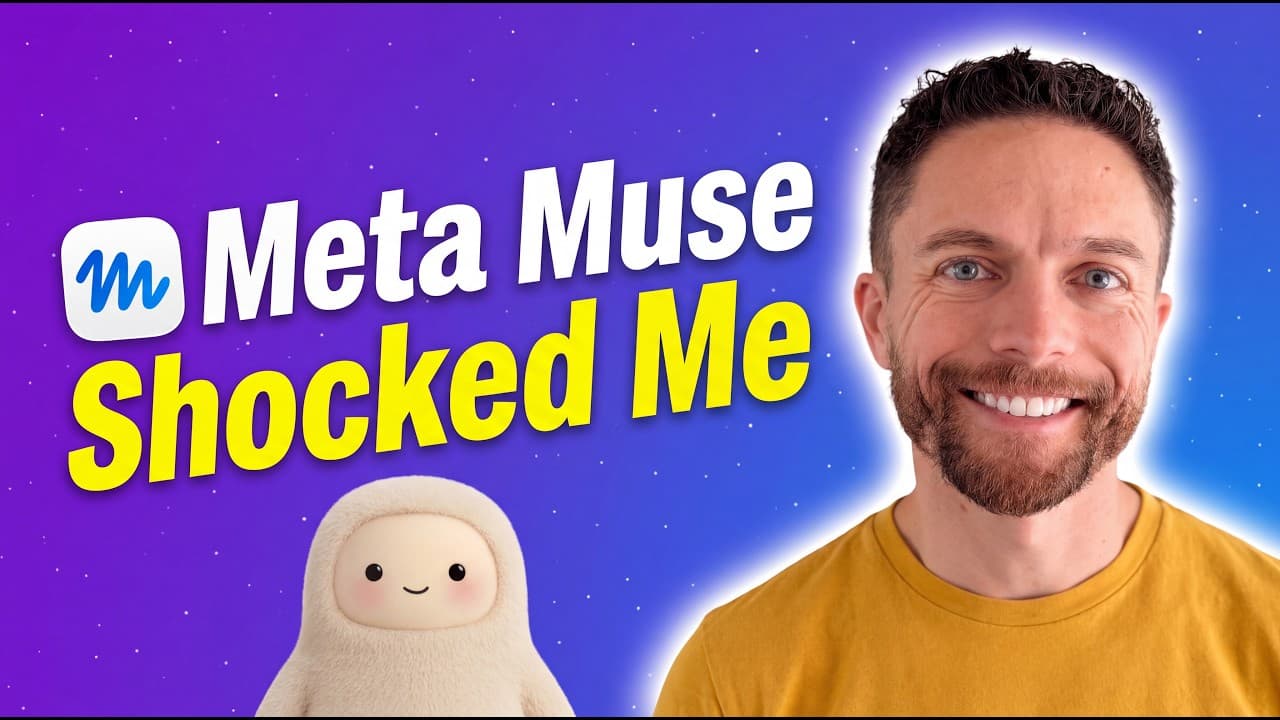
How to use MetaMuse five standout features
TL;DR
MetaMuse shines with a simple main chat and supporting features that automate shopping, voice replies, and content creation. It offers a built in browser and payment for shopping, the ability to convert responses into voice memos or podcasts, and options for phone calls and remote computer access in the near future. These capabilities expand what an AI agent can do beyond text chat.
Transcript
MetaMuse is without a doubt the easiest AI agent I've ever used. But don't let its simplicity fool you. Under the hood, it is incredibly powerful. In fact, there are five particular things about Muse that are absolutely incredible and make it well worth trying. So, let's jump in and I'll show you what all five are and how you can use them yourself.... Read More
Key Insights
- MetaMuse uses a single main chat as its primary interface, reducing task juggling across multiple chats.
- The browser and built in payment system enable practical personal shopping and checkout with guardrails for login and purchases.
- Voice memo generation is a key feature that converts text responses into audio summaries for on the go use.
- Podcast creation from a research topic demonstrates Muses ability to produce longer formatted content.
- Side chats exist to handle specific tasks while keeping the main chat focused on your primary conversation.
- The ideas tab automatically surfaces potential uses for Muse based on past conversations, helping users discover new tasks.
- The goals tab tracks user projects and can help remind you to follow up on ongoing work.
- Future features include phone calls to official US businesses, expanding Muse from a chat tool to a multi channel assistant.
Install to Summarize YouTube Videos and Get Transcripts
Explore YouTube Video Summarizer or Get YouTube Transcript Extractor
Questions & Answers
Q: What is MetaMuse primarily focused on in its interface?
MetaMuse emphasizes a single main chat as its core interaction point, with optional side chats and tabs such as ideas and goals to support expansion of tasks. This design aims to keep conversations streamlined and centered, reducing the need to juggle multiple chats for different tasks.
Q: How does MetaMuse facilitate shopping and purchasing?
MetaMuse includes its own browser and a built in payment system, enabling it to browse, compare options, and add items to a cart. It uses secure login prompts for websites and can perform purchases using saved payment information, while safety guardrails prevent unwanted actions.
Q: What can Muse do with voice and audio outputs?
Muse can convert text responses into voice memos, providing a quick audio summary of information. It can also generate longer audio content like podcast episodes from a research topic, making it useful for creating digestible, spoken content from written interactions.
Q: What is the potential use of Muse for daily reports or updates?
Muse can be configured to create daily podcasts or summaries based on trending tools and topics, delivering a regular, voice or audio based brief. This feature supports staying informed about consumer AI tools and other topics of interest in a consistent, hands free format.
Q: How does Muse handle task management through its features?
Muse offers goals and ideas tabs that are automatically generated from user conversations. These features help track projects, surface new use cases, and provide a structured way to revisit and complete tasks, supporting ongoing productivity beyond simple chat interactions.
Q: What upcoming capability expands Muse beyond chatting?
Upcoming capabilities include making phone calls to official US businesses for customer side tasks, enabling tasks like making outreach calls or personal errands. This expands Muse from a chat based assistant to a multi channel tool that can initiate real world actions.
Q: How does the dictation feature benefit mobile users?
The dictation feature allows users to quickly dictate queries or responses, which is especially useful on mobile. This speeds up interactions, enables hands free operation, and supports generating voice memos or summaries without typing.
Q: What is the relationship between Muse and WhisPrompt in the video?
The video includes a sponsor segment for WhisPrompt, which is described as a handheld AI workflow controller that complements Muse by helping manage AI tools, route tasks, and provide voice dictation. This sponsorship illustrates a workflow powered by multiple AI tools working together.
Summary & Key Takeaways
-
MetaMuse centers on a single main chat, with side chats and a suggestions tab for ideas based on user conversations.
-
It includes a built in browser and secure login flow to shop on sites and add items to carts, with optional payment through linked services.
-
It can generate voice memos and full podcast episodes from responses, and soon enable phone calls and remote computer access for tasks.
Read in Other Languages (beta)
Share This Summary 📚
Summarize YouTube Videos and Get Video Transcripts with 1-Click
Try YouTube Summary with ChatGPT & Claude or YouTube Transcript Generator
Explore More Summaries from Paul J Lipsky 📚


Summarize YouTube Videos and Get Video Transcripts with 1-Click
Try YouTube Summary with ChatGPT & Claude or YouTube Transcript Generator