How to Optimize a Website for SEO and AI Search
TL;DR
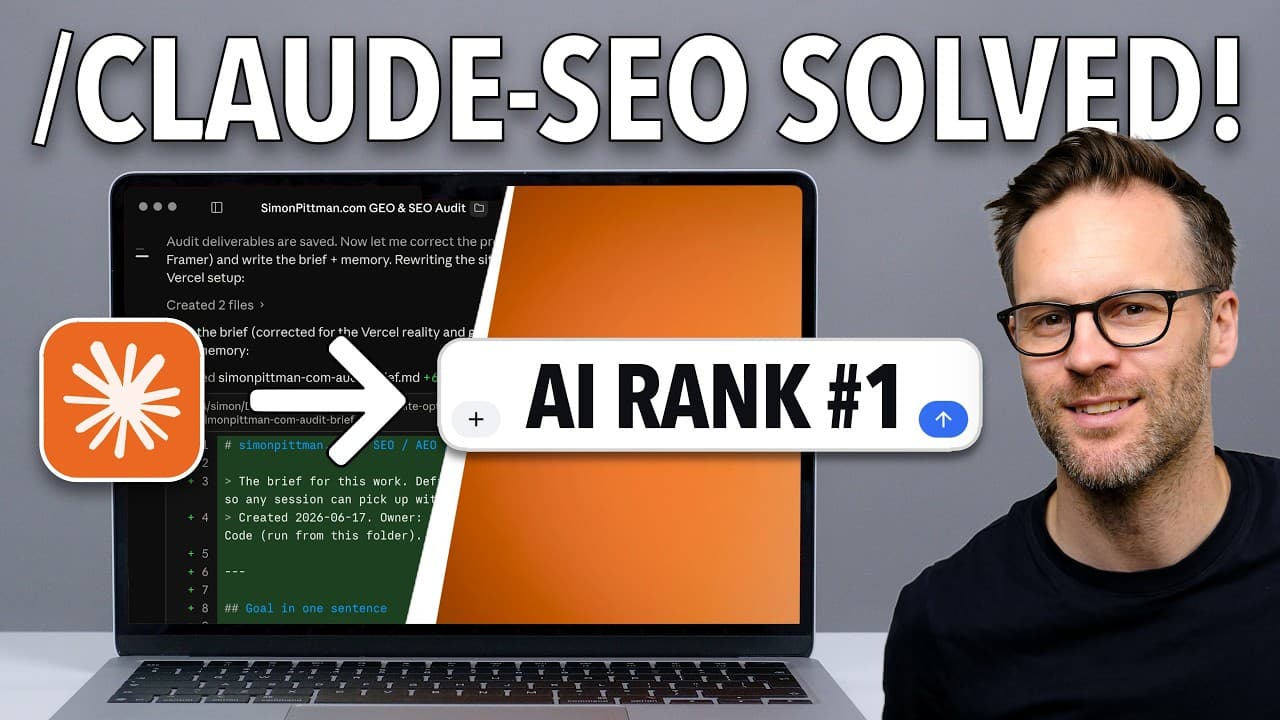
Install the free Claude SEO plugin, give Claude clear information about your identity and positioning, then connect Google Search Console through OAuth so it can audit search performance and recommend changes. The workflow can produce reports for hosted sites or directly modify coded sites, while targeting traditional SEO, answer engines, and generative AI recommendations.
Transcript
We can now get Claude code to optimize an entire website to get recommended, yes, by SEO, but also GEO, also known as AI search. And right now there's a tiny window where as normal businesses can jump in there before the big brands get to it, exactly like the early days of SEO. That window is open again, only this time it's AI search, and I'm about... Read More
Key Insights
- AI-generated recommendation lists function as a new discovery surface because users can ask ChatGPT, Gemini, or Google AI features for direct recommendations instead of browsing conventional results. These answers mention only a small selection of sites, making inclusion in that selection a central optimization goal.
- SEO, AEO, and GEO address related but distinct discovery channels. SEO targets conventional search results, AEO focuses on answer engines, and GEO focuses on generative engines. The demonstrated workflow uses Claude Code to prepare a website for all three rather than treating AI search as a separate manual project.
- The Claude SEO plugin is a free, open-source package that expands Claude Code with 25 skills and 18 specialist agents. Once installed through the marketplace process described on its GitHub page, it provides commands for auditing and improving a site's conventional search and AI-search visibility.
- Google Search Console contains evidence about how a website performs in Google, including which searches produce clicks and which do not. Connecting it to Claude gives the assistant data for audits, ongoing monitoring, and reports instead of forcing it to base recommendations only on visible page content.
- OAuth is the recommended method for giving Claude programmatic access to Google Search Console. The one-time setup involves creating a Google Cloud project, enabling the necessary APIs, creating an OAuth client, and authenticating as the account that has access to the verified Search Console property.
- Domain verification establishes control of a website before Search Console data becomes available. In the demonstration, the presenter adds a custom DNS text record through Squarespace, returns to Google Search Console, completes verification, and then asks Claude to confirm that it can read the property.
- Identity and positioning information make the optimization process specific to the person or business. The presenter warns that a generic tool can return unfocused keyword suggestions, while AI recommendation systems are attempting to decide whom to recommend, making clear expertise and positioning important inputs.
- Claude can support both report-based and direct-edit workflows. For a hosted site such as one built with Framer, it can prepare audits and change lists for manual implementation. For a coded site available inside the project, it can potentially write the approved improvements directly into the website files.
Install to Summarize YouTube Videos and Get Transcripts
Explore YouTube Video Summarizer or Get YouTube Transcript Extractor
Questions & Answers
Q: How can Claude optimize a website for SEO and AI search?
Claude can combine a site's positioning information, website files, and Google Search Console data with the free Claude SEO plugin. The plugin adds specialist skills for SEO, AEO, and GEO audits. Claude can then identify visibility problems, prepare a precise list of recommended changes, create reports for manual implementation, or modify a coded site directly when its files are available.
Q: What is the Claude SEO plugin used for?
The Claude SEO plugin turns Claude Code into a broader search optimization assistant. According to the demonstration, the free, open-source plugin contains 25 skills and 18 specialist agents covering traditional SEO and AI-oriented optimization. After one marketplace installation, its commands can support audits, project planning, Search Console analysis, reports, and recommendations designed for both search engines and AI answer systems.
Q: How do you install the Claude SEO plugin?
Open the plugin's GitHub page, locate its installation guide, and use the listed marketplace command with Claude Code. The presenter recommends completing the process in a terminal. If the command or desktop installation does not work, start a new Claude Code terminal session, provide the marketplace links, and ask Claude to guide you through each installation step.
Q: Why should Claude connect to Google Search Console?
Google Search Console shows how a site performs in Google, including which queries bring visitors, which queries fail to generate clicks, and the property's broader search performance. Giving Claude read access lets it use this evidence during audits, monitor later changes, and generate reports. Without that connection, its assessment has less direct information about actual Google search behavior.
Q: How do you give Claude access to Google Search Console?
First verify the website as a Google Search Console property, such as by adding the supplied text record to the domain's DNS settings. Then ask Claude to set up OAuth access. The demonstrated process requires a Google Cloud project, enabled APIs, an OAuth client, and a login that grants a token for programmatic access to the Search Console account.
Q: Why is OAuth recommended for the Search Console connection?
OAuth lets the assistant authenticate as the user and pull authorized Search Console data through Google's API. The presenter also notes that Google Workspace accounts using an address at a custom domain can have secure-by-default restrictions that block downloaded robot password files. In that situation, OAuth is presented as the correct route for establishing ongoing, programmatic access.
Q: What information should you give Claude before an SEO and GEO audit?
Provide a clear brief covering your identity, expertise, audience, and market positioning before asking Claude to audit the site. The workflow creates a dedicated project folder, project brief, and memory file to preserve that context. This helps Claude produce recommendations aligned with who should discover and recommend the business, rather than returning a generic collection of loosely related keywords.
Q: Can Claude directly fix every website it audits?
Claude's implementation options depend on how the website is managed and whether its source files are available. For a coded site inside the working project, Claude can potentially write changes directly into the files. For a separately hosted or visually managed site, such as the presenter's Framer example, Claude can instead produce audit reports and an exact list of changes for manual implementation.
Summary & Key Takeaways
-
AI search creates another discovery channel alongside traditional Google results. ChatGPT, Gemini, Google AI Overviews, and similar tools provide short recommendation lists, so appearing as a named source can matter. The presenter argues that smaller businesses have an early opportunity because many established brands have slow, bloated sites that are not structured for AI reading.
-
The demonstrated setup begins with a free, open-source Claude SEO plugin available through GitHub and its marketplace installation instructions. The plugin provides 25 skills and 18 specialist agents covering SEO and answer engine optimization. If installation through the desktop app fails, the presenter recommends opening Claude Code in a terminal and requesting step-by-step guidance.
-
Google Search Console supplies search performance information, including the queries that lead people to a site and those that do not. After verifying domain ownership with a DNS text record, Claude can receive programmatic access through Google OAuth. The setup requires a Google Cloud project, enabled APIs, an OAuth client, and user authentication.
Read in Other Languages (beta)
Share This Summary 📚
Summarize YouTube Videos and Get Video Transcripts with 1-Click
Try YouTube Summary with ChatGPT & Claude or YouTube Transcript Generator
Explore More Summaries from Systems Made Better 📚
Summarize YouTube Videos and Get Video Transcripts with 1-Click
Try YouTube Summary with ChatGPT & Claude or YouTube Transcript Generator