How to Generate Ready-to-Use n8n Agents with Manus AI
TL;DR
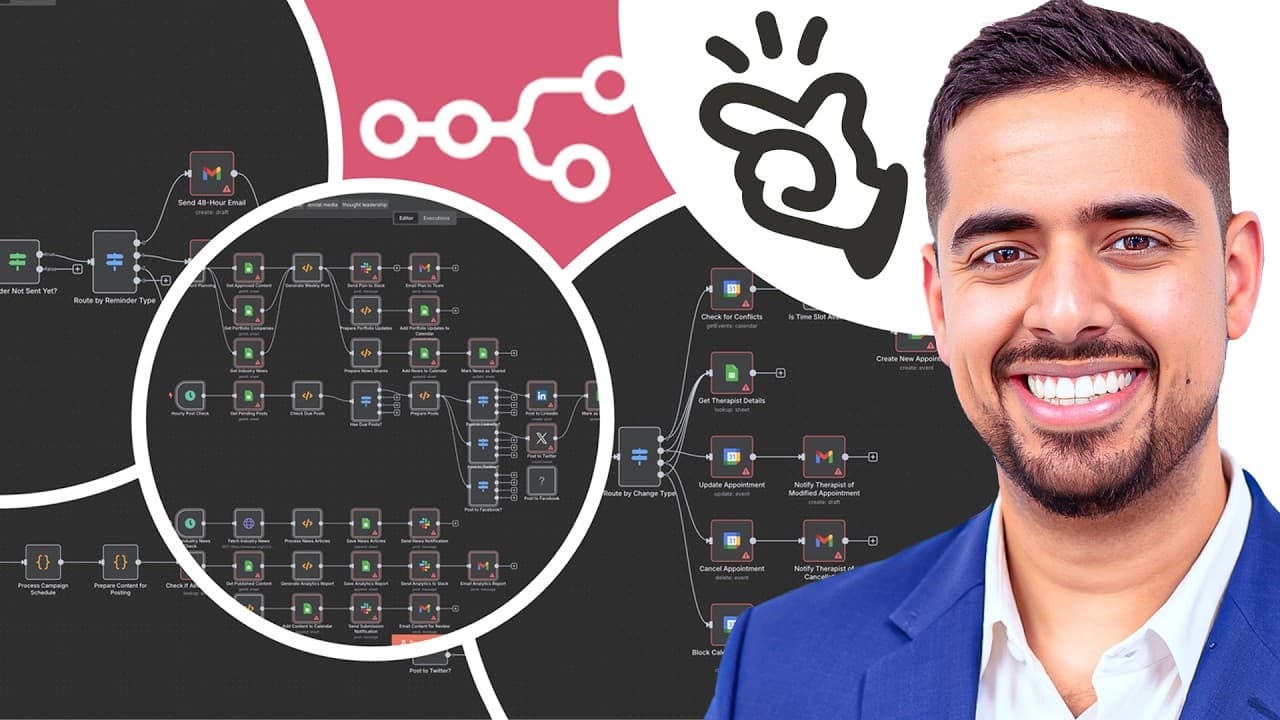
Manus AI can generate multiple ready-to-import n8n workflows in one go without coding. It analyzes prompts, executes tasks, and returns detailed documentation plus JSON workflow files, enabling bulk automation setup and faster deployment while providing setup instructions and rationale for each workflow.
Transcript
forget paying for templates and struggling to build end automations purely from scratch i just use Manis AI to generate multiple readytouse end workflows in bulk all at once no coding no complex setups and most importantly no wasted hours just trying to understand where to get started i simply send a prompt run a few errands in the meantime and the... Read More
Key Insights
- Manus AI acts as an autonomous multi-agent system that plans, executes, and refines automation tasks with minimal human input.
- The core value is the ability to generate comprehensive, ready-to-import JSON workflows accompanied by setup instructions and documentation.
- Prompt design is crucial; high-quality prompts lead to more accurate and useful automation outputs.
- The system can create multiple workflows in bulk, not just a single template, enabling scalable automation across a business.
- Documentation is generation-focused, including readme files and rationale to help users import and adapt workflows.
- The output includes validation steps and actionable steps to import and configure in n8n, reducing guesswork for users.
- High effort mode offers more powerful results at a higher cost, reflecting a trade-off between depth and resource use.
- The example in the video centers on a massage therapy clinic, demonstrating practical industry-specific automations and how to adapt prompts to different domains.
- More videos from this channel:
- More from this channel: Mark Kashef
Install to Summarize YouTube Videos and Get Transcripts
Explore YouTube Video Summarizer or Get YouTube Transcript Extractor
Questions & Answers
Q: How to prompt Manus AI to generate a full set of n8n workflows for a business area
To prompt Manus AI for a full set of n8n workflows you start with a clear business context and goals, specify the tools you use such as Google Sheets, Gmail, and calendar apps, and request a batch of workflows covering key processes like lead capture, scheduling, reminders, and client follow-up. The system then analyzes the context, selects relevant modules, and produces a complete JSON workflow for each task along with a detailed explanation file and setup instructions. This approach ensures the output is coherent, reusable, and ready for import, reducing manual configuration time.
Q: What makes Manus AI different from standard automation tools
Manus AI is described as an autonomous multi-agent system that not only designs workflows but also executes tasks, browses for relevant information, performs deep research, and refines its outputs iteratively. This capability is designed to generate end-to-end automation with minimal human input, producing files, documentation, and validation data that can be imported directly into n8n, which is a departure from traditional, hand-built templates.
Q: What does the output include besides JSON files
The output includes a detailed readme that explains what each workflow does, a setup and credential instruction file, and a documentation folder that presents a step-by-step explanation of each workflow. This documentation helps users understand the purpose of each node, the data flow, and any business logic applied, enabling easier modification and troubleshooting when importing into n8n.
Q: Can Manus AI generate multiple workflows for different business domains
Yes, Manus AI can generate multiple workflows across different business domains by adapting prompts to reflect domain-specific processes and tools. The video demonstrates a massage therapy clinic, and the prompts can be customized to other areas by listing relevant apps, data sources, and desired outcomes. The system then produces a bulk set of JSON files, each with its own explanation, ready to import.
Q: What is the cost consideration when using high effort mode
High effort mode is described as more powerful and capable of producing richer, more complex outputs, but it comes at a higher cost in terms of credits. The video notes that this mode is expensive and should be used thoughtfully, depending on the user’s needs and budget. Users must decide whether the added depth justifies the additional credits for their specific automations.
Q: How is the quality of the generated workflows ensured
Quality is improved through explicit prompts that define deliverables, including a detailed workflow explanation file, a complete and validated JSON workflow, and a setup instruction file. The workflows are designed with business context, tool integration, and error handling in mind. The system also produces rationale for each node to help users understand why certain steps exist, aiding accuracy and adaptability.
Q: What types of documentation accompany the JSON files
The JSON files are accompanied by a readme file that summarizes the workflows, a documentation folder that describes the automation logic, and setup instructions that guide credential configuration and installation steps. This bundle makes it easier to import into n8n, understand the purpose of each workflow, and begin operating the automations with minimal additional research.
Q: Is there a practical demo use case shown in the video
Yes, the video uses a massage therapy business as a practical use case to show how Manus AI can generate 10 to 15 end-to-end workflows covering lead generation, appointment scheduling, reminders, client intake, re-engagement, and analytics. The demonstration includes exporting a zip file containing all JSON workflows and readme files, then importing and organizing them in n8n to illustrate real-world applicability and scalability.
Summary & Key Takeaways
-
Manus AI automates workflow creation by analyzing prompts and producing complete JSON workflows with documentation, ready to import into n8n.
-
The process includes a detailed readme, setup instructions, and rationale for each node, making complex automations easier to understand and implement.
-
The video demonstrates generating multiple end-to-end automations for a massage therapy business as a concrete example to show practicality and scale.
Read in Other Languages (beta)
Share This Summary 📚
Summarize YouTube Videos and Get Video Transcripts with 1-Click
Try YouTube Summary with ChatGPT & Claude or YouTube Transcript Generator
Explore More Summaries from Mark Kashef 📚




Summarize YouTube Videos and Get Video Transcripts with 1-Click
Try YouTube Summary with ChatGPT & Claude or YouTube Transcript Generator