How to Build a Claude Skills Factory at Scale
TL;DR
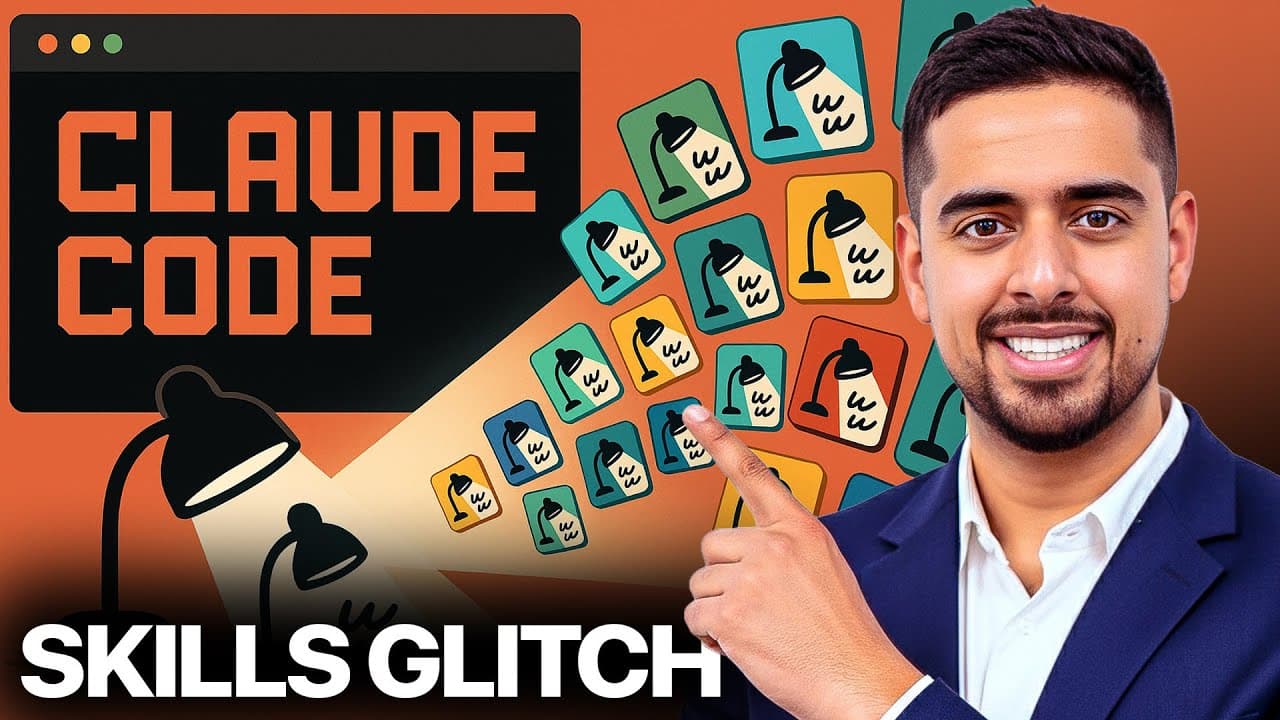
Create skills at scale by loading Claude Skills documentation and example files into a project, running /init to generate a claude.md reference, and using Plan Mode to design a reusable generator prompt. The prompt can accept variables such as business domain, use cases, skill count, overlap, and complexity, then produce import-ready folders with skill.md, optional Python, sample prompts, test data, and ZIP archives.
Transcript
In my last video, I walked you through a brand new feature from Claude called Claude Skills. But in this video, I'm going to show you how you can take it to the next level and crank out skills not in ones, not in tens, but maybe even hundreds using this unbelievably simple system that you can implement in any AI editor. Now, I'm specifically going ... Read More
Key Insights
- A skills factory is a project that combines Claude Skills documentation, example skill.md files, and supporting code so an AI editor can infer the required structure and generate many new skills from a reusable prompt.
- Claude Skills documentation can be scraped into Markdown with Firecrawl, which formats the webpage as text that an LLM can read. The resulting file can also retain links that help the editor navigate toward deeper documentation when necessary.
- Example skill repositories provide concrete references for generation. A skill.md file demonstrates the expected name, description, and instructional breakdown, while accompanying Python files show how a skill can include functional behavior without requiring the user to understand every implementation detail.
- The /init command familiarizes Claude Code with the files already stored in the project. It produces a claude.md file that summarizes the repository and serves as a command center containing learned conventions for skill architecture, supporting scripts, and future generation tasks.
- Plan Mode prevents Claude from immediately creating files while the user and model align on requirements. It allows the model to propose a plan, ask clarifying questions, and refine details such as packaging, test data, complexity, and naming before generating the factory prompt.
- A reusable meta-prompt can expose variables for the business type, intended use cases, number of skills, acceptable overlap, and desired complexity. Changing these variables allows the same generation process to serve different domains and produce either complementary or mutually exclusive skills.
- Python files are optional because not every skill requires functional processing. Skills that primarily add instructions or prompting behavior may only need skill.md, while workflows that perform calculations, transform data, or handle other functional tasks can include supporting Python code.
- Each generated skill folder can include skill.md, optional Python files, a sample invocation prompt, compact test data, and a succinctly named ZIP archive. This packaging supports testing and makes the skill easier to import into Claude through the browser interface.
Install to Summarize YouTube Videos and Get Transcripts
Explore YouTube Video Summarizer or Get YouTube Transcript Extractor
Questions & Answers
Q: How do you build a Claude Skills factory?
Create a new project folder in an AI editor, add Claude Skills documentation in Markdown, and collect several example skill.md files with any accompanying Python files. Run /init so Claude Code can study the repository and create a claude.md reference. Then use Plan Mode to design a reusable generator prompt that produces structured skill folders from variables describing the intended business and use cases.
Q: What files should be added before running /init?
The project should contain documentation describing Claude Skills and several representative examples from Claude's GitHub repository. The examples should include skill.md files, which show names, descriptions, and instructional structures. Supporting Python files should also be included when available because they demonstrate how functional capabilities can accompany a skill, even if the person assembling the project does not understand the code in detail.
Q: What does the /init command do in Claude Code?
The /init command familiarizes the current Claude Code session with the documentation, examples, and other artifacts stored in the project. After reviewing the repository, Claude creates a claude.md file that summarizes its understanding of the codebase. That summary covers subjects such as repository organization, skill architecture, and supporting Python files, giving Claude a central reference for subsequent generation work.
Q: Why should Plan Mode be used when creating the generator prompt?
Plan Mode stops Claude from immediately creating files before the requirements are settled. Instead, Claude returns a proposed plan and can ask questions about ambiguous instructions. In the demonstrated workflow, this process clarifies what the ZIP archive should contain, how much test data to create, how complexity should be controlled, and how generated outputs should be organized and named.
Q: What variables should a Claude skill generator prompt include?
The generator prompt should expose variables for the kind of business being served, the use cases that require skills, and the number of skills to generate. It should also let the user choose whether skills may overlap or should remain mutually exclusive. A complexity variable can further control how simple or deep the generated skills and their supporting assets should become.
Q: When does a Claude Skill need a Python file?
A Python file is useful when the skill needs functional behavior, such as processing information or performing an operation represented by the example implementations. It is not required for every skill. If the capability is primarily an additional prompt or a set of instructions, skill.md may be sufficient. The generator prompt should explicitly support both structures instead of forcing code into every generated folder.
Q: What should each generated Claude Skill folder contain?
Each folder should contain a properly structured skill.md file in the format inferred from the documentation and examples. When functionality requires it, the folder can also include Python files. Additional outputs can include a sample prompt showing how to invoke the skill, one compact test case such as a CSV file for an analysis task, and a clearly named ZIP archive containing the skill.md file.
Q: How can generated Claude Skills be prepared for browser import?
The workflow should create a separate skill.md file and place that file inside a succinctly named ZIP archive, because the browser import process described in the source accepts the skill.md file in ZIP format. The folder should also provide a sample invocation prompt and limited test data so the capability can be imported, called in the expected form, and checked without creating an unnecessarily large test set.
Summary & Key Takeaways
-
The workflow begins with a new project folder in an AI editor such as Cursor. Claude Skills documentation is scraped into Markdown, while example skill.md and Python files are downloaded from Claude's GitHub repository. These materials give the model both formal instructions and practical reference implementations for learning the required skill structure.
-
Running /init familiarizes Claude Code with the documentation and example assets inside the project. It then creates a claude.md file that summarizes the codebase, skill architecture, Python components, and relevant conventions. This file becomes a central reference that Claude can use when planning and generating additional skills consistently.
-
Plan Mode is used to design a reusable meta-prompt before Claude creates any assets. Its variables can describe the business, use cases, desired skill count, overlap, and complexity. Each generated folder can include skill.md, optional Python, an invocation prompt, compact test data, and a clearly named ZIP archive for browser import.
Read in Other Languages (beta)
Share This Summary 📚
Summarize YouTube Videos and Get Video Transcripts with 1-Click
Try YouTube Summary with ChatGPT & Claude or YouTube Transcript Generator
Explore More Summaries from Mark Kashef 📚

Summarize YouTube Videos and Get Video Transcripts with 1-Click
Try YouTube Summary with ChatGPT & Claude or YouTube Transcript Generator