How to Create Vertical Shorts With NotebookLM
TL;DR
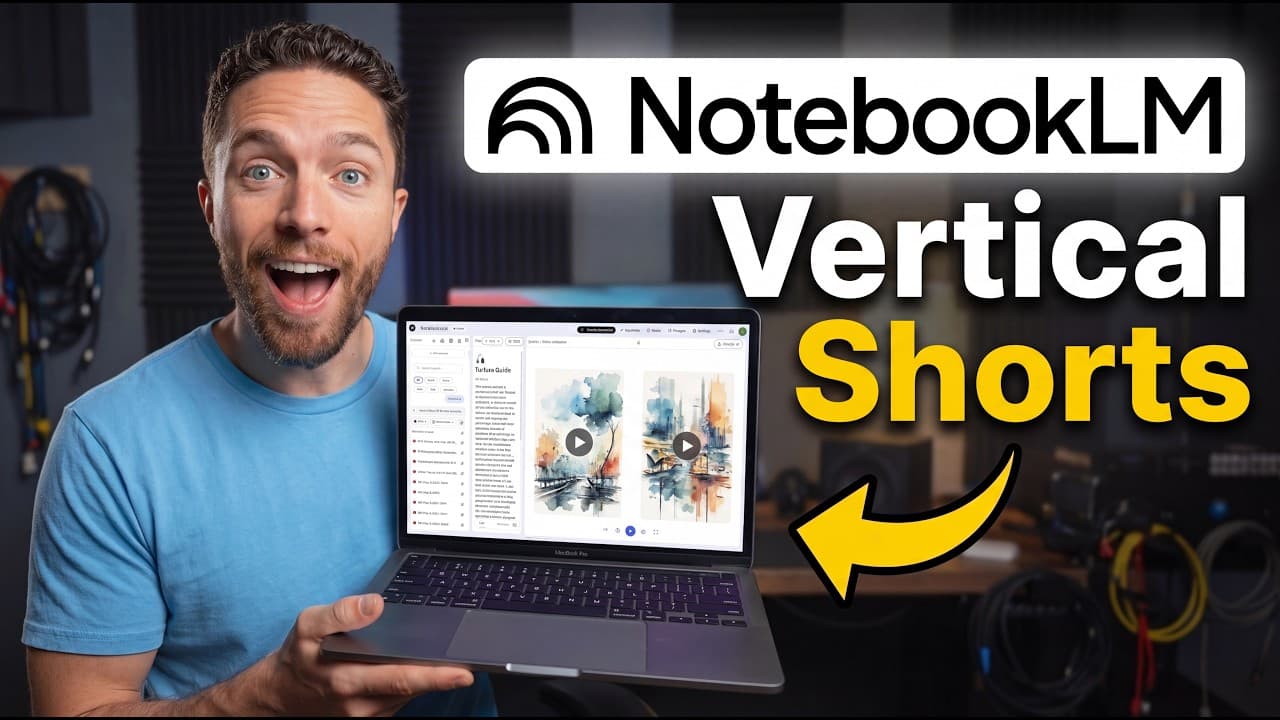
NotebookLM can create roughly 60-second vertical video overviews from notebook sources at no charge, including on the free plan. Select Shorts under Video Overview, choose relevant sources, and use a suggested focus or custom topic. The results combine narration, on-screen text, generated images, charts, and motion graphics, although generation can take a long time and personal data may be framed too abstractly.
Transcript
Google has done it. They've given us short video overviews for Notebook LM. This was just announced and it is rolling out for all users. So, there's no limit. You don't have to have a certain plan for it. You're going to have this brand new feature from Notebook LM, which are these shorts. These are both shorter in length and they are vertical so t... Read More
Key Insights
- NotebookLM Shorts are vertical video overviews that generally run for about one minute and are formatted for phone screens. They are available to all users without requiring a particular paid plan, unlike the cinematic video option described in the demonstration.
- Short creation starts inside the Video Overview tool, where users select the Shorts format and either accept an automatically suggested focus or provide a custom topic. The generated narrative remains grounded in the sources that were added to the notebook.
- NotebookLM Shorts use on-screen text because mobile viewers may watch without sound in public places. This text-first presentation distinguishes them from the other demonstrated video overview formats and makes their narration easier to follow on a phone.
- The visual style combines generated images with motion graphics, depending on the subject. The World Cup example relied mostly on images, while the Supreme Court example used more motion graphics that aligned closely with the timing and content of the narration.
- Nano Banana 2 Light powers the image generation used in the roughly 60-second vertical overviews. The presenter described the model as fast and inexpensive while still producing strong images, which was given as the reason Shorts could be offered free.
- Generation time remains a practical limitation despite the image model's speed. The demonstrated Shorts still took a long time to finish, matching the presenter's broader experience with NotebookLM video overviews rather than delivering noticeably faster completion.
- The NotebookLM mobile app supports the full Shorts workflow, including selecting sources, choosing a suggested focus, entering a custom topic, and viewing generated results. Its completion alerts are especially useful because users do not need to remain at their computers while generation runs.
- Personal data can produce useful charts and motivational narratives, but NotebookLM may describe that data too abstractly. In the pull-up example, it treated first-person progress like an external case study instead of consistently recognizing that the uploaded records belonged to the user.
- More videos from this channel:
- More from this channel: Paul J Lipsky
Install to Summarize YouTube Videos and Get Transcripts
Explore YouTube Video Summarizer or Get YouTube Transcript Extractor
Questions & Answers
Q: How do you create a vertical Short in NotebookLM?
Open a notebook, add the sources that should ground the result, and go to the Studio area. Open Video Overview, select the Shorts format, and choose the sources to include. NotebookLM can suggest several possible focuses, or you can enter a custom topic. After selecting the desired focus, start generation and wait for the vertical video overview to finish.
Q: Are NotebookLM Shorts available on the free plan?
NotebookLM Shorts are available to all users and do not require a particular paid plan, according to the announcement described in the source. The presenter confirmed access on the free plan. This differs from the cinematic video option, which was available on the presenter's Ultra plan but was not provided to free-plan users in the demonstrated comparison.
Q: What content can NotebookLM Shorts generate?
NotebookLM Shorts can turn notebook sources into focused explainers, histories, instructional pieces, and data-driven summaries. Demonstrations covered finding river gold, positioning the arms while rock climbing, the history of the World Cup, changes to the number of Supreme Court seats, and progress from a personal pull-up log. Suggested topics or custom instructions can narrow each Short's subject.
Q: How are NotebookLM Shorts different from cinematic videos?
NotebookLM Shorts are vertical, roughly one minute long, and heavily use images, motion graphics, and text placed directly on the screen. The demonstrated cinematic video was about five minutes long and provided more detail, with an underlying model generating the storyline and video. Cinematic access was also limited by plan, while Shorts were available to all users.
Q: How are NotebookLM Shorts different from explainer videos?
The demonstrated explainer format resembled a slideshow accompanied by narration, while Shorts presented a more compact vertical composition with on-screen text, generated imagery, and motion graphics. Both formats were available broadly, but the presenter thought Shorts looked better. Shorts were also designed specifically for phone consumption and for situations in which viewers might keep their sound turned off.
Q: Why do NotebookLM Shorts include text on screen?
NotebookLM Shorts include on-screen text because they are intended for mobile viewing, similar to the vertical formats used by YouTube Shorts or TikTok. People often watch phone videos without sound when they are in public and cannot play audio aloud. The text allows viewers to follow the explanation even when the narration is muted.
Q: Can you create NotebookLM Shorts from a phone?
NotebookLM Shorts can be created in the NotebookLM mobile app. Open a notebook, tap Studio at the bottom right, and choose Video Overviews. Shorts are selected by default in the demonstrated interface. You can then select sources, choose a suggested focus or enter a custom topic, start generation, and receive an alert when the video is ready.
Q: What are the main limitations of NotebookLM Shorts?
The main limitations shown were long generation times, a recurring dotted background, and imperfect handling of first-person data. The presenter could not prompt away the dotted design, making NotebookLM output recognizable. When given a personal pull-up log, the system produced a strong chart and narrative but described the progress abstractly instead of consistently treating it as the user's own experience.
Summary & Key Takeaways
-
NotebookLM Shorts turn grounded notebook sources into vertical, roughly one-minute video overviews designed for phone viewing. The option appears under Video Overview and is available to all users, including those on the free plan. Users can accept one of the suggested subjects or enter a custom topic to control the focus.
-
The demonstrated shorts used narration, prominent on-screen text, generated images, charts, and synchronized motion graphics. Examples covered gold panning, climbing technique, World Cup history, Supreme Court seats, and personal pull-up progress. The presenter preferred their appearance to NotebookLM's longer cinematic videos and its more slideshow-like explainer videos overall.
-
Shorts can be generated through both the desktop interface and the NotebookLM mobile app. The app supports source selection, suggested focuses, custom topics, playback, and completion notifications. Important limitations include slow generation, a recurring dotted visual background, and difficulty recognizing that uploaded personal records describe the notebook owner directly.
Read in Other Languages (beta)
Share This Summary 📚
Summarize YouTube Videos and Get Video Transcripts with 1-Click
Try YouTube Summary with ChatGPT & Claude or YouTube Transcript Generator
Explore More Summaries from Paul J Lipsky 📚

Summarize YouTube Videos and Get Video Transcripts with 1-Click
Try YouTube Summary with ChatGPT & Claude or YouTube Transcript Generator