How to Edit a YouTube Video with ChatGPT
TL;DR
ChatGPT or Claude can automate most of a talking-head video edit when connected to Borumi through its MCP support. The demonstrated workflow removes pauses, false starts, repeated takes, spoken instructions, and dead air, while also selecting layouts, adding zooms, and creating Remotion graphics, although the creator still manually fine-tunes the final 20 percent.
Transcript
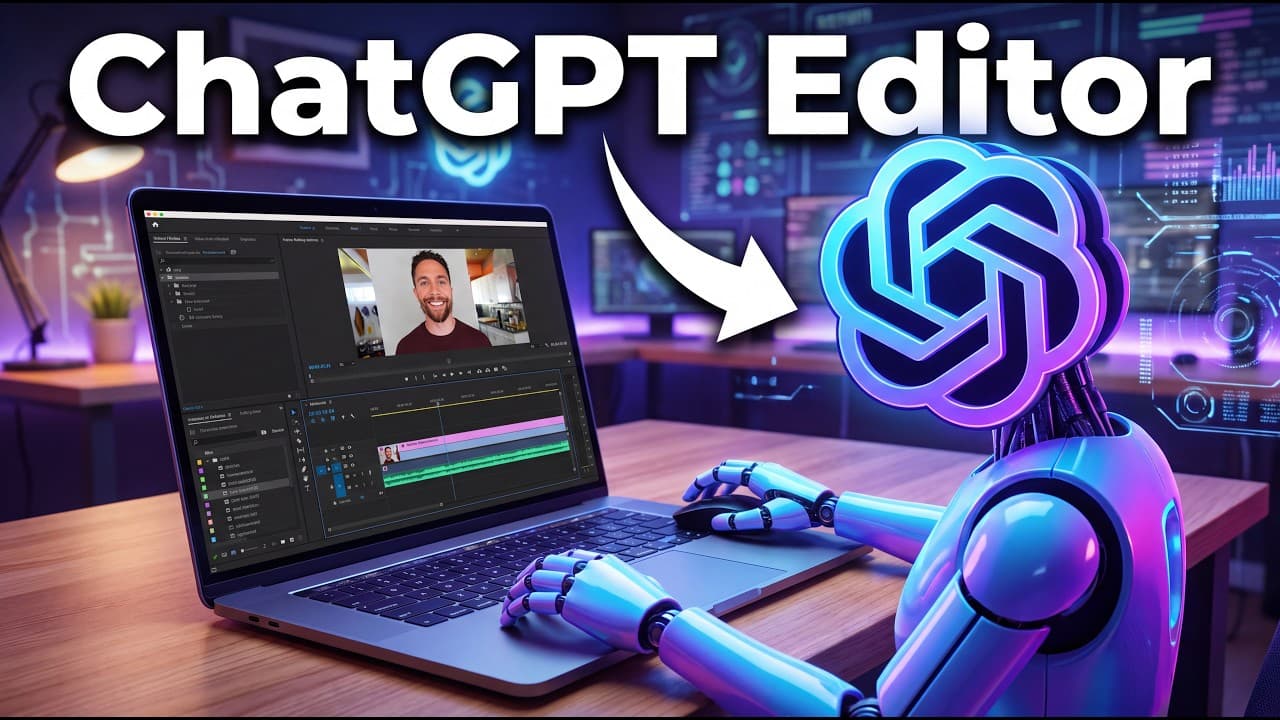
Everything you're watching right now was edited by Chachib. The video of me is real and I made all these screen recordings myself, but Chachib chose what cuts to make, all the layout choices, and when to zoom in. It even created all of these motion graphics. A month ago, this was impossible. But thanks to some new software and better models, you ca... Read More
Key Insights
- AI video editing is practical when a language model controls purpose-built editing software instead of attempting to manipulate video directly. The demonstrated combination uses ChatGPT or Claude for editing decisions, Borumi for the video timeline, and Remotion for generated motion graphics.
- Remotion is available as a plugin in the ChatGPT desktop app and can generate motion graphics from a written request. The resulting animation can be previewed in the conversation, modified through follow-up instructions, rendered in the Remotion interface, and downloaded as an MP4.
- Borumi is a paid desktop application designed for talking-head YouTube production. The stated price is a one-time payment of $79 with future updates included, and the creator says the recommendation is neither sponsored nor connected to an affiliate link.
- Scene-based recording is a central part of the Borumi workflow because scripts can be divided into separate sections. Camera, microphone, and screen are recorded for those scenes, allowing a failed section to be recorded again without restarting the entire presentation.
- Borumi's editor keeps the talking-head footage and screen recording linked on separate timeline rows. It also supports layouts such as a face-only view, a circular presenter overlay, or a screen-only view, giving the AI several presentation formats to select during editing.
- Spoken editing cues can replace manually typed instructions when the presenter says “Hey, Borumi” while recording. The reusable editing prompt tells ChatGPT to remove those spoken directions from the finished video while carrying out requests such as adding an adoption graphic.
- ChatGPT reduced the example recording from 2 minutes and 45 seconds to 1 minute and 26 seconds. It achieved that reduction by removing false starts, repeated takes, spoken editing instructions, and dead air, then added formatting, zooms, layouts, and a motion graphic.
- AI editing completes about 80 percent of the creator's workflow successfully after several weeks of use, but the remaining 20 percent still needs manual fine-tuning. The demonstrated system can also misunderstand a request, as when it initially produced an image instead of a motion graphic.
Install to Summarize YouTube Videos and Get Transcripts
Explore YouTube Video Summarizer or Get YouTube Transcript Extractor
Questions & Answers
Q: How can ChatGPT edit a YouTube video?
ChatGPT can edit a YouTube video by controlling Borumi, a purpose-built desktop editor with MCP support. The user selects the Borumi AI workspace folder as the project, identifies the video by name, and supplies editing instructions or a reusable skill prompt. ChatGPT can then remove pauses, false starts, repeated takes, spoken directions, and dead air while selecting layouts, adding zooms, and creating motion graphics.
Q: How do you create motion graphics with ChatGPT and Remotion?
Open the ChatGPT desktop app, select Plugins, and install Remotion. In a new conversation, type the at symbol, choose Remotion, and describe the motion graphic you want. ChatGPT generates a preview in the conversation. You can request changes, open the side panel to view the Remotion interface, render the animation there, or download the completed video as an MP4.
Q: What software lets ChatGPT or Claude edit videos?
Borumi is the editing software used in the demonstrated workflow. It supports MCP, which allows ChatGPT and Claude to control edits inside the application. Borumi includes script preparation, scene-based recording, synchronized camera and screen tracks, timeline editing, and selectable layouts. The creator had used it for almost a year before its AI capabilities were added and recommends it independently of sponsorship.
Q: How much does Borumi cost?
Borumi is described as costing a one-time payment of $79 at the time of the demonstration. That purchase includes full future updates, with no later upcharge mentioned by the creator. The price may eventually increase, according to the transcript. The video also states that Borumi did not sponsor the coverage and that the download link is not an affiliate link.
Q: How do spoken instructions work during AI video editing?
The presenter records editing directions directly into the footage by beginning them with “Hey, Borumi.” A reusable editing prompt tells ChatGPT to recognize those passages as instructions, perform the requested changes, and remove the directions from the final cut. In the example, the presenter requested an infographic showing AI adoption rising over time without requiring specific numerical data.
Q: What edits can ChatGPT perform inside Borumi?
ChatGPT can remove dead air, pauses, false starts, repeated takes, and spoken editing instructions from a Borumi project. It can also choose among available layouts, add zooms, and create a Remotion motion graphic when the content calls for one. In the example, these operations shortened the recording from 2 minutes and 45 seconds to 1 minute and 26 seconds.
Q: Does ChatGPT completely replace manual video editing?
ChatGPT does not completely replace manual review and fine-tuning in the workflow described. After using the system for several weeks, the creator estimates that it successfully edits about 80 percent of a video and leaves roughly 20 percent for manual completion. It can make appropriate cuts and zooms, but some decisions still need correction or refinement by the editor.
Q: How do you connect ChatGPT to a Borumi video project?
In the ChatGPT desktop app, select ChatGPT Work or open Codex, choose to create a new project, and add a specific folder from the computer. The folder used in the demonstration is named Borumi AI workspace and is located inside Documents. After granting access to that folder, identify the video project by name and provide the desired editing instructions or reusable prompt.
Summary & Key Takeaways
-
ChatGPT created the demonstrated video's cuts, layouts, zooms, and motion graphics, while the creator supplied the real camera footage and screen recordings. The workflow became practical because ChatGPT and Claude improved at producing motion graphics and gained access to editing software they can control, reducing the creator's editing work from hours to minutes.
-
Remotion enables ChatGPT to generate motion graphics inside the desktop app. After installing the plugin, users can invoke it with the at symbol, describe the desired graphic, preview the result in the chat or Remotion interface, request revisions, render it, and download the finished animation as an MP4 file.
-
Borumi provides scene-based recording, linked camera and screen tracks, multiple layouts, and an editor that ChatGPT or Claude can control through MCP. A reusable prompt directs the AI to remove mistakes and pauses, obey spoken cues beginning with “Hey, Borumi,” adjust layouts, add zooms, and generate supporting graphics.
Read in Other Languages (beta)
Share This Summary 📚
Summarize YouTube Videos and Get Video Transcripts with 1-Click
Try YouTube Summary with ChatGPT & Claude or YouTube Transcript Generator
Explore More Summaries from Paul J Lipsky 📚

Summarize YouTube Videos and Get Video Transcripts with 1-Click
Try YouTube Summary with ChatGPT & Claude or YouTube Transcript Generator