How to build a cinematic site with GPT-6 Astra
TL;DR
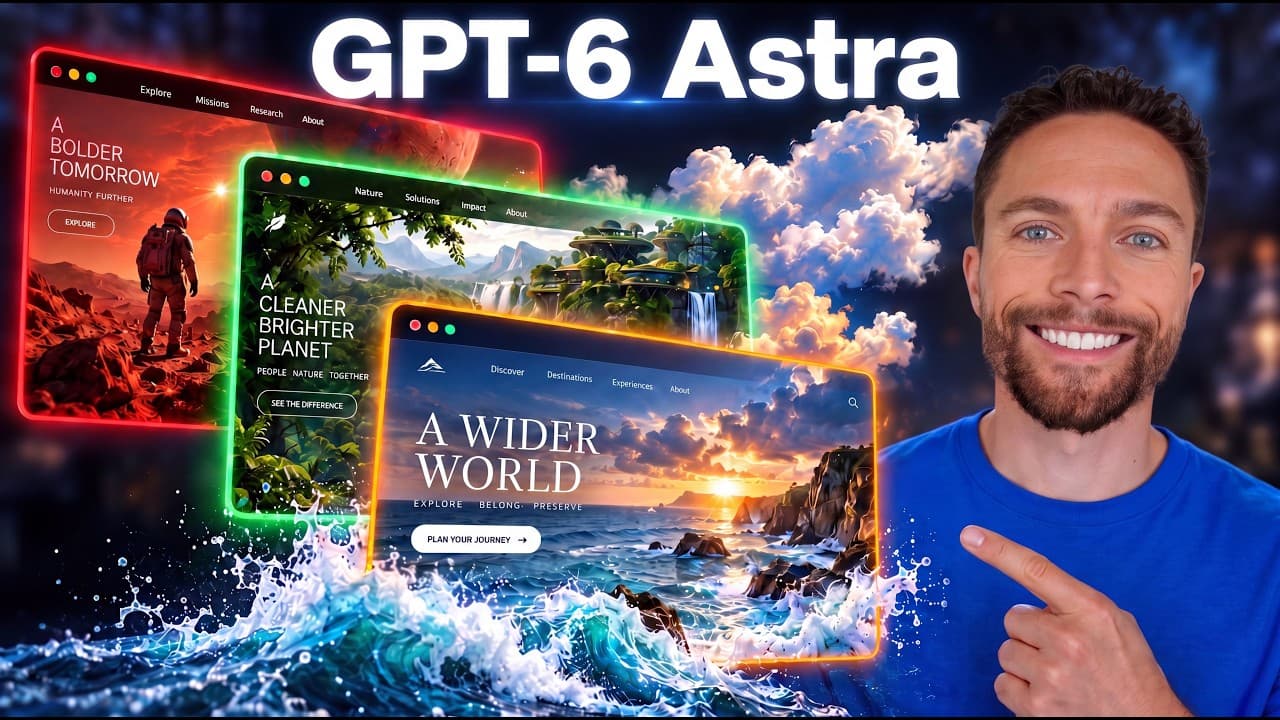
GPT-6 Astra is used to describe and generate a complete cinematic website layout, media, and animations. The workflow starts in a desktop ChatGPT app, selects GPT-6 Astra, then iteratively refines design with Higsfield for images and video, plus scroll scrubbing, custom icons, and color matching to the hero image. The result is a dynamic, scroll driven landing page.
Transcript
In this video, we're going to use GPD6 to create a cinematic website with custom images, a moving video background, and animations as you scroll down the page. When I first tried to create a website like this, I was very disappointed in the results. But I've learned a lot since then and discovered that you can create a really nice looking website v... Read More
Key Insights
- GPT-6 Astra is selected in the ChatGPT desktop app to generate a tailored website layout
- Higsfield is used to create media assets including still images and a short cinematic video for the hero section
- The design workflow includes making the hero an immersive background with scroll scrubbing that plays the video based on scroll position
- Custom icons are generated to match the site color palette and branding from the hero image
- Layout and media are iteratively refined, shifting from a boxed image to a full background hero for visual impact
- Scroll animations are added to reveal content as users move through the page, enhancing interactivity
- Color palette is derived from the hero media to maintain a warm cabin aesthetic across UI elements
- The process emphasizes planning content, audience, and actions to drive bookings or inquiries from the start
Install to Summarize YouTube Videos and Get Transcripts
Explore YouTube Video Summarizer or Get YouTube Transcript Extractor
Questions & Answers
Q: A real search query question about the video (e.g. 'How to...', 'What is...', 'Why does...', 'When should...'). Question 1
Q1 describes how to set up GPT-6 Astra in ChatGPT desktop and connect Higgsfield to generate a cinematic website for a cabin retreat. The answer explains choosing GPT6 Astra, selecting high thinking level, then describing the site’s purpose, audience and goals, such as booking or inquiries, and finally iterating on media and layout to achieve a visually engaging hero with a video background.
Q: Question 2
Q2 covers generating a hero image with a mountain cabin and lake, then refining it to include glass in the front and epic mountains. It discusses adjusting lighting to warm evening tones, ensuring no people or text appear in the image, and using a wide photorealistic style suitable for a background. The goal is a strong opening visual that anchors the page design.
Q: Question 3
Q3 explains how to create a short cinematic video from the hero image using Higgsfield. It describes extracting a starting frame, preserving layout and lighting, and producing a roughly 10 second clip that can be used for scroll scrubbing. The process includes reviewing the video and confirming it matches the desired cinematic look.
Q: Question 4
Q4 focuses on implementing scroll scrubbing where the video plays in sync with user scroll, stays pinned during the transition from first to last frame, and reverses when scrolling back up. It clarifies that the video should be actual footage, not autoplay or looping, and serves as a full screen opening section that transitions to the next content.
Q: Question 5
Q5 covers designing icons with Higgsfield to replace default ones, ensuring they visually harmonize with the hero colors and wood tones. The answer notes updating the top left icon, plus three icons in a section, and a matching bottom icon, all aligned with warm color accents derived from the hero image.
Q: Question 6
Q6 discusses applying scroll animations to the rest of the site and updating the color palette away from green toward warm cabin hues. It mentions using rounded buttons and smooth transitions between sections, as well as adding a photo collage to enrich the visual storytelling while maintaining usability.
Q: Question 7
Q7 explains the iterative refinement loop where media, icons, and colors are adjusted for cohesion. It highlights verifying layout changes in real time, refining typography and button shapes for better usability, and ensuring the overall aesthetic remains consistent with the hero image even as content grows.
Q: Question 8
Q8 outlines finalizing the design with a cohesive booking and gallery flow, ensuring the hero video and images smoothly lead visitors toward booking or inquiry actions. It emphasizes a practical, readable structure, descriptive yet concise content, and a polished end state ready for demonstration or sharing.
Summary & Key Takeaways
-
This summary describes a step by step approach to creating a cinematic website using GPT-6 Astra and Higgsfield, starting from project setup and model selection, through media generation, to implementing scroll driven animations and icons. It emphasizes a clean hero visual and interactive elements to enhance user engagement.
-
The process includes defining target audience and goals, generating a hero background image and a moving cabin video, and integrating icons and color palettes that match the imagery to create a cohesive aesthetic across the site.
-
The tutorial culminates with refinements to typography, button shapes, and a photo collage, ensuring accessible navigation and a polished, immersive user experience from first view to scrolling interactions.
Read in Other Languages (beta)
Share This Summary 📚
Summarize YouTube Videos and Get Video Transcripts with 1-Click
Try YouTube Summary with ChatGPT & Claude or YouTube Transcript Generator
Explore More Summaries from Paul J Lipsky 📚

Summarize YouTube Videos and Get Video Transcripts with 1-Click
Try YouTube Summary with ChatGPT & Claude or YouTube Transcript Generator