How to Master NotebookLM in 2026: Free Course and 3-Step System
TL;DR
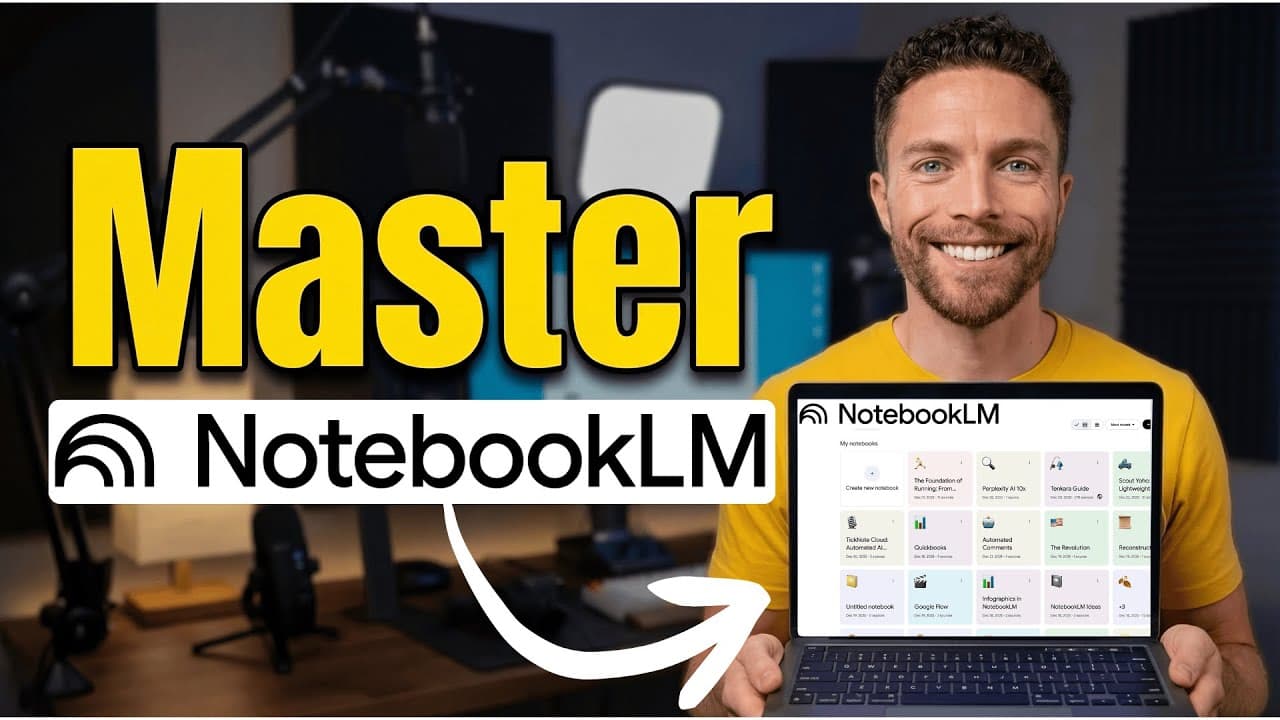
To master NotebookLM, follow the three-step system: curate reliable sources, learn with its chat and studio features, and act on what you discover. Its chat is grounded in the sources you provide, while notebooks can include files, websites, YouTube videos, Google Drive material, copied text, images, and voice files. Read on to build a trustworthy knowledge base and turn information into useful work.
Transcript
So, Notebook LM is without a doubt one of the most powerful free AI tools that has ever been created. But I just figured out why some people are getting incredible results with Notebook LM and others are just left disappointed. It really comes down to how you understand and use it. Today, I'm going to give you a full walkthrough of Notebook LM, and... Read More
Key Insights
- Notebook LM is a powerful AI tool designed for organizing and learning from curated information.
- Unlike traditional chatbots, Notebook LM's chat feature is grounded in user-uploaded sources, reducing misinformation.
- The tool supports a variety of source types, including files, links, and even voice memos, enhancing flexibility.
- A critical step is curating sources carefully to ensure reliable and relevant information is used.
- Notebook LM offers various learning aids like chat, studio features, and interactive podcasts for deeper engagement.
- Studio features include audio and video overviews, mind maps, reports, and more, catering to different learning styles.
- The tool integrates with Google Gemini for expanded capabilities but may include non-curated information.
- Acting on the knowledge gained is crucial, whether by creating content, building a business, or sharing insights.
Install to Summarize YouTube Videos and Get Transcripts
Explore YouTube Video Summarizer or Get YouTube Transcript Extractor
Questions & Answers
Q: What is the three-step system for mastering NotebookLM?
The three steps are curate, learn, and act. Carefully select trustworthy sources, explore them through NotebookLM’s chat and studio features, and then apply the resulting knowledge through content creation, business development, or sharing insights.
Q: How do you use NotebookLM effectively?
Create a new notebook and upload carefully vetted sources to form its knowledge base. Use the notebook chat and studio features to study that material, then act on what you learn instead of stopping at information collection.
Q: Why should you curate sources in NotebookLM?
NotebookLM’s chat is grounded in the sources you provide, so the quality of its responses depends on what you upload. Adding random search results weakens this advantage, while vetted sources create a more reliable and relevant knowledge base.
Q: How do you create a knowledge base in NotebookLM?
Click “create new notebook,” then add the sources you want NotebookLM to use. Supported inputs described on the page include files, websites, YouTube videos, Google Drive material, copied text, images, and voice files.
Q: Can you add multiple website or YouTube links to NotebookLM at once?
Yes. Paste multiple links into the source field, separating each one with a space or a new line, and then click “insert.” The added sources appear on the left side of the notebook as part of its knowledge base.
Q: How is NotebookLM different from ChatGPT?
The notebook chat is grounded only in the sources selected by the user, whereas the transcript says ChatGPT draws from sources chosen for its training. NotebookLM also has a massive context window, allowing a large amount of information to be uploaded into a notebook.
Q: What learning features does NotebookLM provide?
NotebookLM’s studio features include audio and video overviews, mind maps, reports, and interactive podcasts. These formats support different learning preferences and provide multiple ways to engage with the curated material.
Q: What is the biggest mistake people make with NotebookLM?
The main mistake described is collecting random YouTube results or other links and uploading them without vetting. That undermines the benefit of source-grounded chat, so every uploaded source should be deliberately selected for reliability and relevance.
Summary & Key Takeaways
-
Notebook LM is a versatile AI tool that allows users to organize and learn from carefully curated information. It stands out by grounding its chat feature in user-uploaded sources, minimizing misinformation. The tool supports various source types, providing flexibility in building a reliable knowledge base.
-
Users can enhance their learning experience with Notebook LM's studio features, which offer audio and video overviews, mind maps, and reports. These tools cater to different learning preferences, allowing users to engage with content more deeply and effectively.
-
To maximize the benefits of Notebook LM, users should follow a three-step system: curate, learn, and act. This approach ensures that the knowledge gained is not only absorbed but also applied, whether through content creation, business development, or sharing insights with others.
Read in Other Languages (beta)
Share This Summary 📚
Summarize YouTube Videos and Get Video Transcripts with 1-Click
Try YouTube Summary with ChatGPT & Claude or YouTube Transcript Generator
Explore More Summaries from Paul J Lipsky 📚


Summarize YouTube Videos and Get Video Transcripts with 1-Click
Try YouTube Summary with ChatGPT & Claude or YouTube Transcript Generator