How to Create Videos Faster With AI Tools
TL;DR
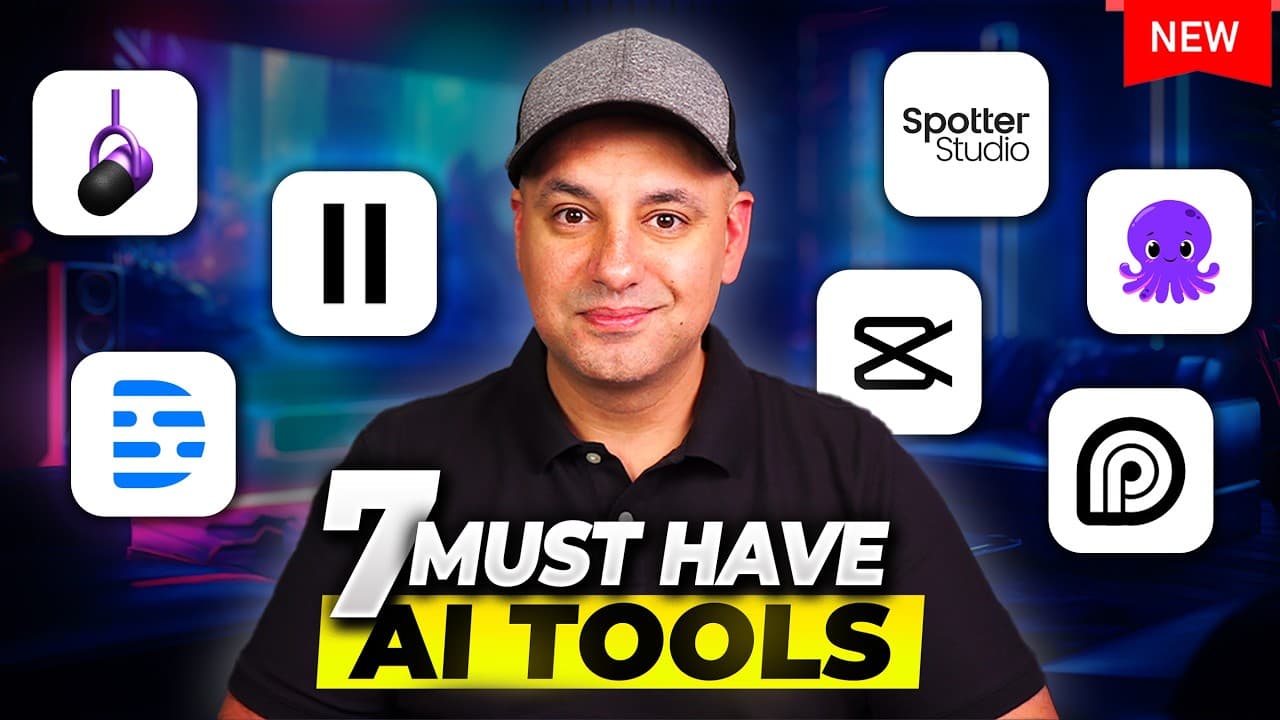
Use specialized AI tools at each stage of production: Spotter Studio for planning, ElevenLabs for narration, Descript for text-based editing, Opus Clip for social repurposing, and Pictory for video creation. Together, these tools can reduce manual work across brainstorming, recording, editing, localization, and distribution, although the provided transcript only demonstrates the first four tools in detail.
Transcript
I've got a list of seven AI tools that will make video content creation a whole lot faster and easier and I wish I had some of these way back in the day I've been creating videos professionally for over 15 years and I've been on YouTube for over eight years and in the last couple years as these new tools came about I pretty much started testing all... Read More
Key Insights
- Opus Clip is an AI repurposing tool that transforms long-form videos into short clips for TikTok, YouTube Shorts, and Instagram Reels. It works from a video link and uses the transcript to identify segments that can stand alone in shorter formats.
- Opus Clip scores generated clips according to factors such as hook strength, flow, value, and trend potential. These ratings help creators prioritize promising clips without manually reviewing every generated option, while the built-in editor supports layout, transition, caption, and B-roll adjustments.
- Descript is an audio and video editor built around automatic transcription. A creator can remove a section of a recording simply by deleting its corresponding transcript text, making basic media editing accessible to people who do not know a traditional editing workflow.
- Descript's Underlord suite is a paid set of AI editing features that can edit for clarity, remove filler words, eliminate weaker retakes, and tighten gaps between words. These automated actions can turn an unpolished recording into a more concise edit with less manual cutting.
- Descript's AI green screen can remove a recorded background even when the creator did not use a physical green screen. A replacement can then be selected from stock visuals or supplied by the creator and placed as a new background track.
- Spotter Studio is an AI creative suite designed for YouTube creators. After linking a channel, users can brainstorm titles, generate thumbnail directions, develop the first 10-second hook, organize projects on a calendar, and preserve prior ideas within the same working history.
- Spotter Studio's research features identify videos performing above a channel's usual level and show content watched by a creator's audience. Creators can also track selected channels, compare performance, and turn successful or trending subjects into ideas without manually reviewing hundreds of videos.
- ElevenLabs is a text-to-speech platform that converts pasted scripts into humanlike synthetic voices selected from a voice library. Generated narration can be downloaded for other projects, while its dubbing studio can translate video speech into languages the original creator does not speak.
Install to Summarize YouTube Videos and Get Transcripts
Explore YouTube Video Summarizer or Get YouTube Transcript Extractor
Questions & Answers
Q: How can AI turn a long video into short social clips?
Opus Clip accepts a long-form YouTube link or another video link, analyzes the transcript, and generates multiple short videos for platforms such as TikTok, YouTube Shorts, and Instagram Reels. The clips can vary in length and receive scores based on their hook, flow, value, and trend potential. Creators can then revise transitions, captions, layouts, and automatically generated B-roll in the editor.
Q: How does text-based video editing work in Descript?
Descript automatically transcribes an uploaded audio file, video, or podcast and connects the transcript to the underlying media. When a creator deletes a paragraph, sentence, or smaller text selection, Descript removes the matching section from the recording. This approach allows someone without conventional video or audio editing experience to make cuts through familiar document-style text editing.
Q: What can Descript's AI editor remove automatically?
Descript's paid Underlord suite can edit a recording for clarity by removing filler words, obvious cuts, unwanted pauses, and weaker retakes. When a creator makes a mistake and records another attempt, the software can identify and remove the worse take. It can also reduce gaps between words, producing the tighter pacing often desired in edited online videos.
Q: How can Descript replace a video background without a green screen?
Descript includes an AI green-screen option that can separate a person from the recorded background even when no physical green screen was used. After the original background is removed, the creator can choose a replacement from the stock library or add a custom visual. The replacement is placed on another track and becomes the new background for the edited recording.
Q: How does Spotter Studio help creators plan YouTube videos?
Spotter Studio lets a creator link a YouTube channel and develop titles, thumbnail concepts, and opening hooks from an initial topic. It can rephrase a promising title, generate alternatives with a different tone, and preserve previous ideas in the same history. Its thumbnail tool balances the creator's established style with YouTube best practices, while its hook tool focuses on the first 10 seconds.
Q: How can Spotter Studio help find YouTube content ideas?
Spotter Studio can show channels and videos watched by the creator's audience, highlight videos that perform better than a channel's regular content, and monitor selected creators in the same niche. These signals help identify tools or topics that may be trending. A creator can click into the research results and generate brainstorming ideas without manually reviewing hundreds of individual videos.
Q: How can ElevenLabs create narration for videos?
ElevenLabs turns a typed or pasted script into synthetic speech. The creator opens the text-to-speech area, selects a voice from the available library, generates the narration, and downloads the resulting audio file for use elsewhere. The demonstrated voices sound humanlike, making the tool useful for creators who do not want to appear on camera or who need voices other than their own.
Q: How can AI dubbing make videos available in other languages?
ElevenLabs includes a dubbing studio that can convert a video into another language. The creator described using it to produce versions in Spanish, Hindi, and other languages they do not speak. Those dubbed versions could then be posted on separate channels or provided to viewers who wanted access to the same material in a different language.
Summary & Key Takeaways
-
Opus Clip repurposes an existing long-form video into short clips for TikTok, YouTube Shorts, and Instagram Reels. It selects moments from the transcript, produces clips of different lengths, scores their hooks, flow, value, and trend potential, and can automatically add captions, layouts, transitions, and AI-generated B-roll.
-
Descript turns uploaded audio, video, or podcast recordings into editable transcripts. Deleting words, sentences, or paragraphs from the transcript removes the corresponding media. Its paid Underlord suite can improve clarity, remove filler words, retakes, and gaps, while its AI green screen can replace a recorded background without physical green-screen equipment.
-
Spotter Studio supports YouTube planning with title variations, thumbnail concepts, opening hooks, project scheduling, and channel research. ElevenLabs converts scripts into humanlike synthetic narration and can dub videos into other languages. Pictory is identified as an all-in-one AI video creation platform, but its detailed demonstration is cut off in the supplied transcript.
Read in Other Languages (beta)
Share This Summary 📚
Summarize YouTube Videos and Get Video Transcripts with 1-Click
Try YouTube Summary with ChatGPT & Claude or YouTube Transcript Generator
Explore More Summaries from Skill Leap AI 📚





Summarize YouTube Videos and Get Video Transcripts with 1-Click
Try YouTube Summary with ChatGPT & Claude or YouTube Transcript Generator