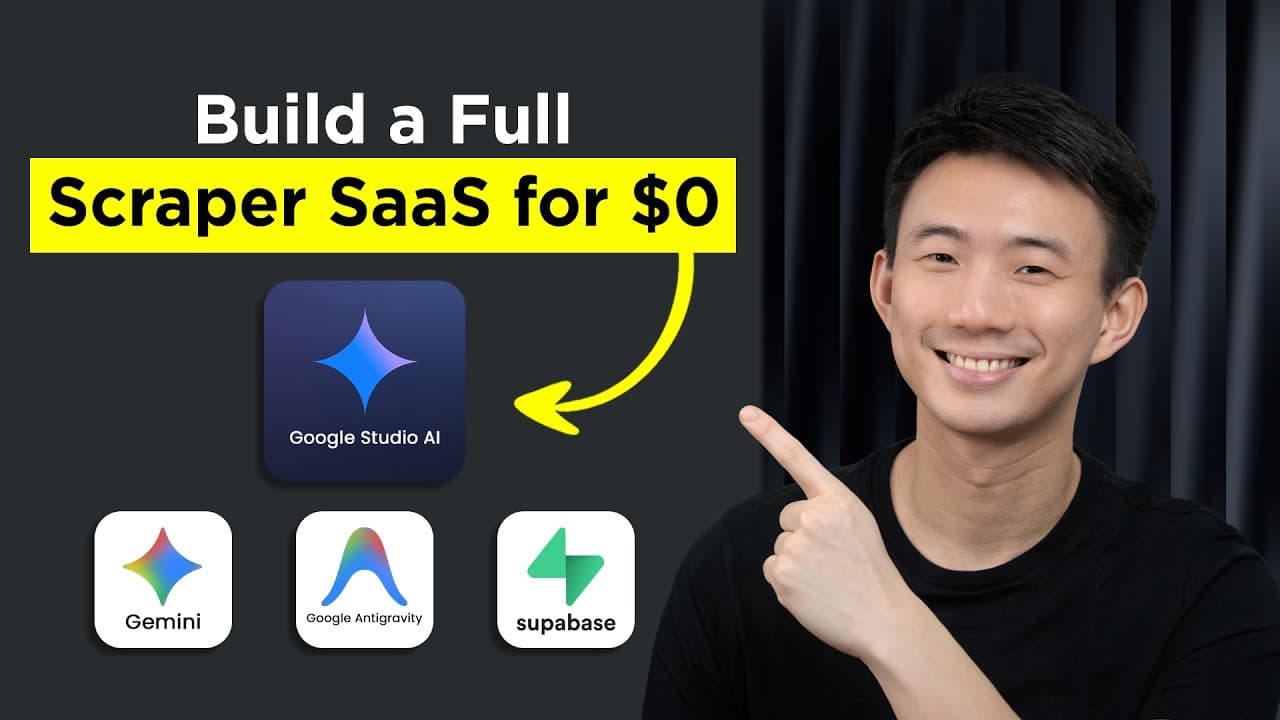
How Did I Build a Lead Scraper SaaS in 15 Minutes with 3 Free Google AI Tools: Gemini, Stitch, and Antigravity?
TL;DR
Build the lead scraper SaaS by creating and refining a PRD in Gemini, generating its interface in Google Stitch, and implementing and testing it with Google Antigravity. The resulting app populates a dashboard with projects and leads, pulls contract and company details, and presents latest news and developments. Read on for the specific prompts, review checkpoints, and refinement process behind the build.
Transcript
Take a look at the app we built. When I click this button, the dashboard starts populating with projects and leads. And if we click them, details get automatically pulled. So if you think that's it, we also get access to tons of information and insights like project or contract informations [music] and companies profiles, even latest news and devel... Read More
Key Insights
- A clear PRD is the blueprint for the application because it defines what the product does, how it should behave, and what features belong within its scope before coding begins. Gemini can generate the first structured version from plain-English product details and notes.
- PRD quality depends on the clarity of the supplied inputs, including the product name, development phase, goals, features, behavior, and existing ideas. The generated document should be reviewed and refined rather than accepted immediately, especially when APIs or missing requirements must be identified.
- Google Stitch converts the PRD and a UI prompt into an initial set of web screens. The interface only needs to be simple and usable at this stage because its purpose is to establish layout, navigation, and feature placement before detailed implementation begins.
- A generated interface can be refined through direct natural-language requests after selecting the web aspect ratio. Reviewing each screen and requesting targeted changes produces a usable visual foundation while preserving development effort for connecting functionality and correcting behavior later.
- Google Antigravity works from expressed intent by using autonomous agents to plan and execute development tasks. The workflow still requires the builder to define outcomes, inspect generated work, approve important steps, test results, and correct the direction whenever implementation diverges from the intended product.
- The implementation plan is a critical checkpoint because it reveals what the agent intends to build before it writes the first front-end pass. The plan should include most required interface features while excluding backend tasks during the front-end stage to keep the work focused.
- Local testing exposes the gap between generated screens and a functional product. The agent starts the development server with the front-end project, after which the builder reviews the application in a browser, fixes syntax errors, adjusts the interface, and adds features incrementally.
- The lead scraper is organized around two result types: projects or opportunities, and companies. Its evolving dashboard includes dedicated filters, a scraping page, project-detail sidebars, company and contracting-agency profiles, and a latest-news card with an AI summarizer.
Install to Summarize YouTube Videos and Get Transcripts
Explore YouTube Video Summarizer or Get YouTube Transcript Extractor
Questions & Answers
Q: How do you build a lead scraper SaaS with Gemini, Google Stitch, and Google Antigravity?
Start by describing the app in plain English and asking Gemini to turn its product name, development phase, goals, features, and behavior into a PRD. Paste the refined PRD into Google Stitch to generate and improve the interface, then export those screens to Google Antigravity for implementation. Review the agent’s plan, approve its actions, test the app, and correct its direction as needed.
Q: How do you create a useful product requirements document with Gemini?
Replace the prompt’s placeholders with the product name and development phase, then add notes about the app’s features, goals, and basic behavior. Gemini generates a structured first version of the PRD. Read it carefully and request changes or additions, such as a list of APIs that could support the app.
Q: Why is a PRD important when building an app with AI tools?
A PRD defines what the app is, what it does, and how it should be built before development begins. It becomes a single source of truth that can be refined, shared, and used throughout the build. Clear inputs matter because fuzzy intent produces fuzzy output.
Q: How is Google Stitch used to design the lead scraper interface?
Select the web aspect ratio, paste in the basic UI and UX prompt, enter the app name, and include the full PRD. Google Stitch then generates an initial set of screens for review. You can select any screen and describe the changes you want directly before settling on the final UI snapshot.
Q: Does the initial Google Stitch interface need to be complex?
No, the initial interface only needs to be simple, usable, clean, and functional. Its purpose is to give the app idea a visible shape and clarify where features belong. The interface can still be adjusted later in the IDE during development.
Q: What does Google Antigravity do during development?
Google Antigravity uses autonomous agents to execute the builder’s expressed intent. It helps turn the generated screens into a functional app by planning and carrying out development work. The builder still needs to review results, approve actions, test how the parts connect, and correct the direction.
Q: What can the completed lead scraper SaaS do?
Clicking a button starts populating its dashboard with projects and leads, and selecting an item automatically pulls its details. The app also provides project or contract information, company profiles, and latest news and developments. These functions are presented within a single lead-scraping app.
Q: Why is human review necessary in this AI-assisted workflow?
The tools cannot reliably infer an app when the builder’s intent is unclear. The builder must refine the PRD, inspect and edit generated screens, review execution, test whether the connected parts work, and redirect the system when needed. The workflow is based on defining the outcome, reviewing the result, and correcting the direction.
Summary & Key Takeaways
-
The workflow begins in Gemini, where the app idea, desired features, goals, behavior, product name, and development phase are converted into a product requirements document. Reviewing and expanding this PRD is essential because it becomes the shared source of truth that guides interface design and development decisions.
-
The refined PRD is pasted into Google Stitch with a basic UI and UX prompt. Stitch generates web interface screens that can be reviewed and edited through natural-language instructions. These screens establish navigation and layout before development, give the product idea visible structure, and reduce uncertainty during implementation.
-
The Stitch export is opened in Google Antigravity, where the PRD and a front-end prompt guide an autonomous agent. After reviewing its implementation plan, the creator approves development steps, launches the project locally, tests the generated interface, fixes errors, and iteratively adds lead scraping, project details, company profiles, agency information, and summarized news.
Read in Other Languages (beta)
Share This Summary 📚
Summarize YouTube Videos and Get Video Transcripts with 1-Click
Try YouTube Summary with ChatGPT & Claude or YouTube Transcript Generator
Explore More Summaries from Andy Lo 📚

Summarize YouTube Videos and Get Video Transcripts with 1-Click
Try YouTube Summary with ChatGPT & Claude or YouTube Transcript Generator