How to Build an App UI With Google Stitch
TL;DR
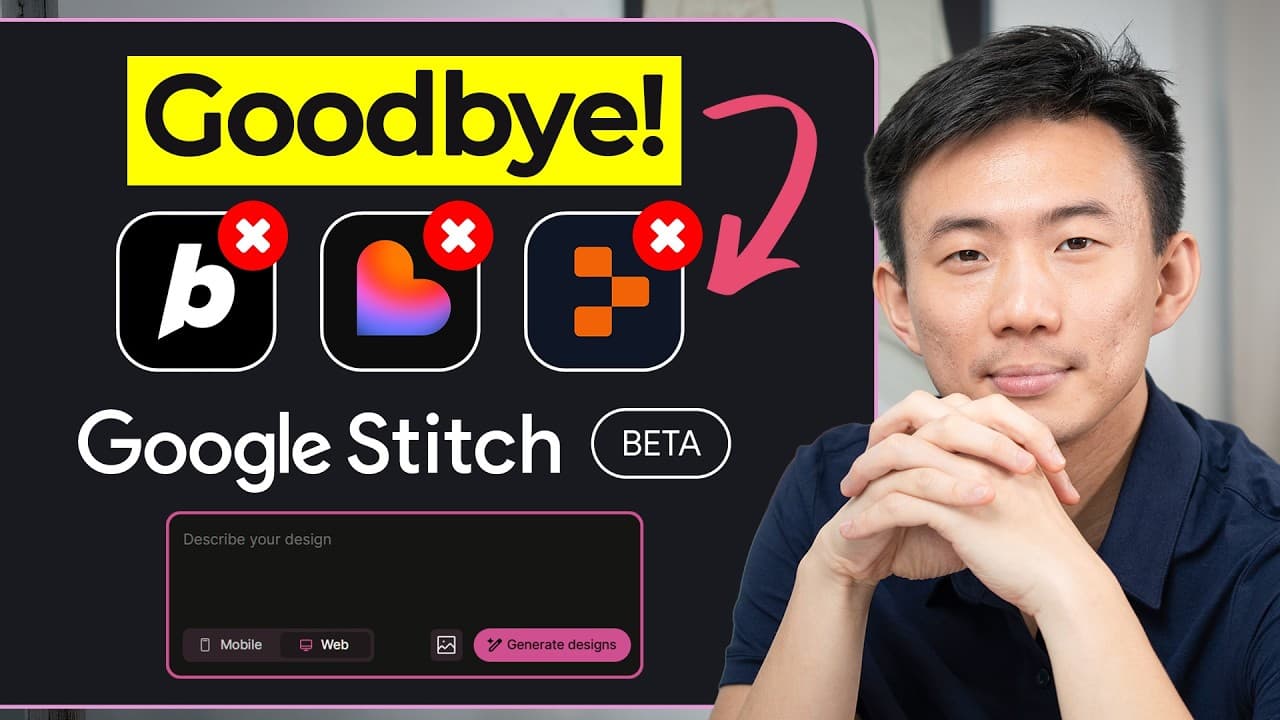
Plan the app structure in Google AI Studio with Gemini 2.5 Pro, then paste that blueprint into Google Stitch to generate polished screens and front-end code. Stitch accepts plain-English instructions, sketches, and screenshots, supports conversational revisions, and exports layouts, images, HTML, CSS, and Tailwind-ready code for deployment or developer handoff.
Transcript
Imagine a free Google owned version of Figma, but faster, smarter, and built right into Google's AI ecosystem. That's exactly what Google Stitch is becoming. It first launched in May 2025, but at that time, it was overshadowed by bigger Google AI announcements like Noble LM. Most people didn't even notice it. But in just 4 months, Stitch has quietl... Read More
Key Insights
- Google Stitch is an AI design agent that turns written instructions, sketches, or screenshots into polished user interfaces and front-end code. Its purpose is to shorten the path between an initial product idea and a visual implementation that can be refined, deployed, or transferred to a developer.
- Google Stitch runs on Gemini 2.5 Pro Experimental in the demonstrated workflow. The model is presented as producing more consistent, creative, and higher-quality results while making the interface-generation process easier for founders, creators, marketers, small businesses, and people without formal design experience.
- Google Stitch focuses primarily on UI design and front-end code rather than complete application development. This specialization addresses the visual and interaction layer that shapes how a product feels, while other tools or developers can handle the remaining application logic and supporting systems.
- Google AI Studio can create the structural blueprint before visual design begins. A detailed prompt can define the application name, theme colors, content organization, footer navigation, onboarding sequence, conversion funnel, trust elements, account settings, and specialized features such as camera-based meal logging.
- The Calatra example is structured as an AI-powered calorie-tracking application. Its planned features include calorie history for previous food logs, a camera for photographing meals, account settings, testimonials, a fitness questionnaire, progress feedback, a summary screen, and a single pro subscription tier.
- Google Stitch makes interface iteration conversational. A user can select a generated screen and request changes through chat, such as expanding a questionnaire with additional question types, rather than manually rebuilding every affected layout through a traditional design workflow.
- Google Stitch exports more than static mockups. The demonstrated export includes layouts, images, and HTML, while the broader explanation also identifies CSS and Tailwind support. These outputs can be viewed in a browser, refined, deployed, or provided to a developer for continued implementation.
- Google Stitch works best in the presented process when paired with other AI tools. Google AI Studio and Gemini first organize the product requirements into a coherent application skeleton, then Stitch transforms that structured plan into themed screens and exportable front-end assets.
Install to Summarize YouTube Videos and Get Transcripts
Explore YouTube Video Summarizer or Get YouTube Transcript Extractor
Questions & Answers
Q: How do you build an app UI with Google Stitch?
Start by defining the application structure in Google AI Studio using Gemini 2.5 Pro. Specify the app name, colors, layout, navigation, onboarding flow, conversion funnel, and core features. Copy the resulting blueprint into Google Stitch and submit it. After Stitch generates the themed screens, revise individual layouts through chat and export the layouts, images, and HTML.
Q: What inputs can Google Stitch use to generate a UI?
Google Stitch can generate an interface from a plain-English description, a structured application blueprint, an uploaded sketch, or a screenshot. In the demonstrated workflow, a detailed script from Google AI Studio supplies the screens, navigation, onboarding sequence, and features. Stitch interprets that material, applies the chosen visual theme, and turns it into complete interface layouts.
Q: What should a Google AI Studio app blueprint include?
A useful blueprint should identify the application name, primary, secondary, and tertiary colors, the organization of the main content, and footer navigation links. It should also define onboarding screens, conversion elements, trust signals, and custom features. The Calatra blueprint includes testimonials, a questionnaire, progress feedback, a subscription offer, calorie history, a camera, and account settings.
Q: How long does Google Stitch take to generate UI screens?
The demonstrated Google Stitch workflow takes approximately one to two minutes after the application blueprint is submitted. During that processing period, Stitch interprets the script, applies the selected theme, and generates populated layouts for the specified screens. The exact workflow shown moves from a plain-text application structure to styled interface screens ready for review and revision.
Q: Can Google Stitch generate usable front-end code?
Google Stitch generates front-end assets rather than limiting the result to static design mockups. The transcript identifies execution-ready HTML and CSS, including Tailwind support, and the demonstration exports layouts, images, and an HTML script. These assets can be opened in a browser, used as a starting point for deployment, or handed to a developer for further work.
Q: How can you revise a design generated by Google Stitch?
Select the screen that needs improvement and describe the requested change through Stitch's chat interface. For example, the demonstrated process suggests extending an onboarding questionnaire with more question types. This conversational approach allows layouts and flows to be refined after generation without manually recreating every screen, while preserving the broader structure and visual theme.
Q: What screens are included in the Calatra calorie-tracking app?
The Calatra plan includes a welcome screen with testimonials, a fitness questionnaire, a progress screen with a progress bar, and a summary screen leading to the pro offer. Its main navigation covers calorie-tracking history, a camera, and settings. The settings area supports changes to the username, password, and avatar, while the camera supports meal photography.
Q: Why combine Google AI Studio with Google Stitch?
Google AI Studio handles product planning by using Gemini 2.5 Pro to generate the application's backbone, including its screens, flow, navigation, onboarding, and core features. Google Stitch then handles the visual layer by applying theme colors and generating finished layouts. Combining them separates structural planning from interface production and creates a faster path from an idea to exportable UI assets.
Summary & Key Takeaways
-
Google Stitch acts as an AI design agent that converts plain-English descriptions, sketches, screenshots, or structured app plans into polished interfaces. It focuses on UI design and front-end implementation, generating usable HTML and CSS instead of stopping at static mockups. The tool was described as completely free at the time presented.
-
The demonstrated workflow begins in Google AI Studio, where Gemini 2.5 Pro creates an application blueprint containing screens, navigation, onboarding, conversion elements, and core features. For the Calatra calorie-tracking example, the plan includes testimonials, a fitness questionnaire, progress indicators, a paid tier, food history, a meal camera, and settings.
-
The generated blueprint is pasted into Google Stitch, which applies selected theme colors and produces complete UI screens within one to two minutes. Individual screens can then be revised through conversational requests. Finished layouts, images, and HTML can be exported, opened in a browser, refined further, or handed to a developer.
Read in Other Languages (beta)
Share This Summary 📚
Summarize YouTube Videos and Get Video Transcripts with 1-Click
Try YouTube Summary with ChatGPT & Claude or YouTube Transcript Generator
Explore More Summaries from Andy Lo 📚
![100+ Jobs Per Day - Full Job Search AI Automation System [Free Template] thumbnail](/_next/image?url=https%3A%2F%2Fi.ytimg.com%2Fvi%2FvfMHPb0Uayc%2Fhqdefault.jpg&w=750&q=75)
Summarize YouTube Videos and Get Video Transcripts with 1-Click
Try YouTube Summary with ChatGPT & Claude or YouTube Transcript Generator