How to Automate Threads Posts with AI and n8n
TL;DR
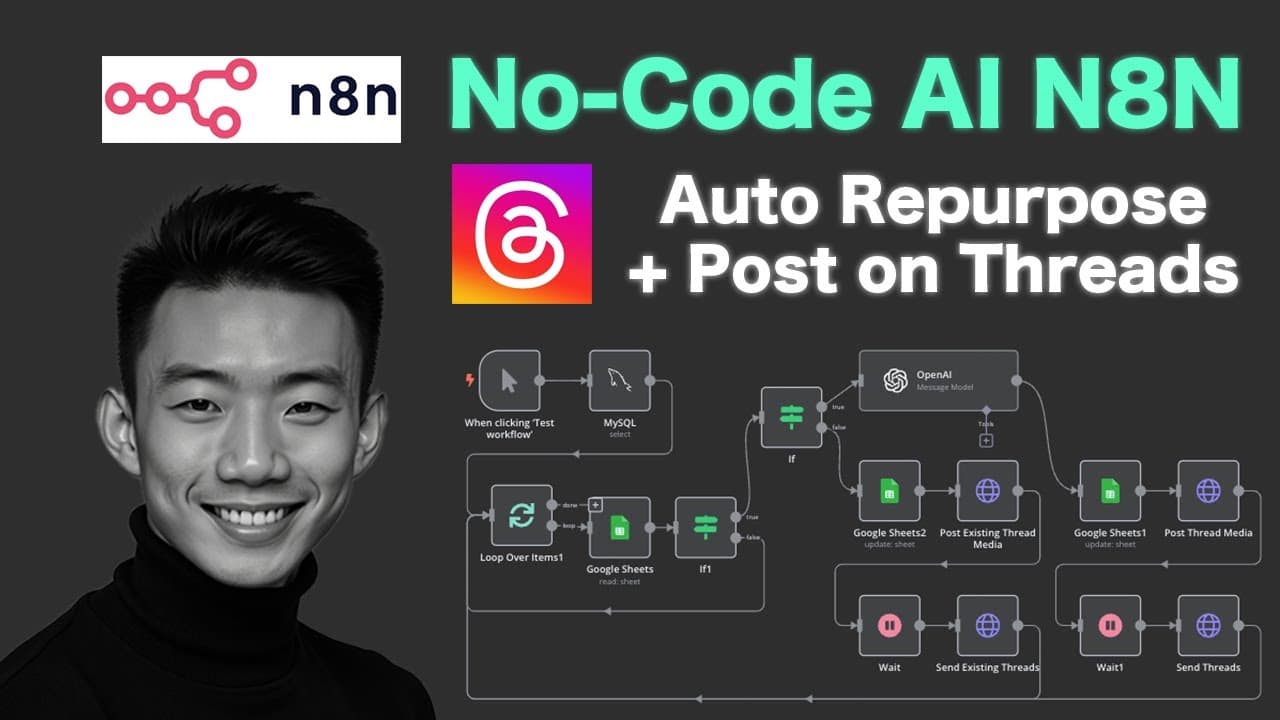
Use n8n to scan a Google Sheet, ask OpenAI to rewrite source material when needed, and publish the resulting content to Threads automatically. The workflow obtains a long-lived Meta access token, refreshes it before expiration, schedules posts, records posting results, and supports separate English and Chinese content across multiple Threads accounts through credentials stored in a MySQL database.
Transcript
hi in today's video we'll talk about how you can create the AI agents for auto repurpose and post on threats so that means that you don't need to create your own post on threats you can just get Inspirations and then we can input that Inspirations and repurpose that into your own post and we can post that into your threats and you can have more tha... Read More
Key Insights
- The automation is organized into three major sections: initial access-token generation, automatic long-lived token renewal, and scheduled content processing and publishing. Separating these responsibilities allows account authentication and routine posting to operate as distinct parts of the same n8n system.
- A Threads access token generated through Meta initially expires in one hour. The workflow exchanges that credential for a long-lived token lasting about two months, then saves it for later publishing requests instead of repeating the entire authorization process for every post.
- Automatic token renewal is triggered one day before the long-lived token reaches the end of its roughly two-month period. The renewal workflow retrieves the expiring credential, calls the refresh URL, and stores the replacement so scheduled posting can continue.
- Google Sheets functions as the workflow's content queue. Column A holds reference Threads content, while column B holds the version intended for publication. Additional columns capture the post date, post time, completion status, and any issues produced during processing.
- OpenAI rewriting is conditional on the spreadsheet contents. When column A contains inspiration and column B is empty, the workflow asks the model to repurpose the reference. When column B already contains finished copy, the workflow skips rewriting and publishes that copy directly.
- The scheduled trigger controls how frequently content is published to Threads. The creator can configure the automation to run once a day, twice a day, or at another chosen frequency, while the workflow repeatedly checks the spreadsheet for pending rows.
- Multiple Threads accounts are supported by storing different access tokens and Threads account IDs in a MySQL database. The workflow can retrieve the appropriate credentials for each destination, allowing separate content streams, including the demonstrated English and Chinese accounts, to use one automation structure.
- Successful processing updates the spreadsheet with generated content and operational results. The demonstration shows column B being filled for AI-repurposed material, the status changing to posted, and the post time being recorded before the new content appears on the connected Threads accounts.
Install to Summarize YouTube Videos and Get Transcripts
Explore YouTube Video Summarizer or Get YouTube Transcript Extractor
Questions & Answers
Q: How do you automate posting content to Threads with n8n?
Create an n8n workflow with a scheduled trigger, connect it to a structured Google Sheet, and check each pending row for publishable content. If finished copy exists in column B, send it directly to Threads. If only reference material exists in column A, use OpenAI to rewrite it first. After publishing, update the sheet with the post status, post time, and any issues.
Q: What accounts are required for the Threads automation workflow?
The demonstrated setup requires accounts for n8n, Threads, OpenAI, Google Sheets, and MySQL. Google Sheets holds the content queue, OpenAI rewrites reference posts, and n8n coordinates the scheduled processing and publishing actions. MySQL stores account-specific credentials, including different access tokens and Threads IDs, so the same workflow can publish to more than one Threads account.
Q: How do you obtain a Threads access token from Meta?
Open the Meta application dashboard, enable access to the Threads API, grant the required permissions, and copy the Threads app secret into the n8n credential settings. Add the desired Threads account as a tester, accept the invitation from that account, and use Meta's Graph API Explorer to generate the Threads access token. The account ID must also be copied into the workflow configuration.
Q: Why does the Threads workflow need a long-lived access token?
The initial access token shown in the setup expires after one hour, which is too short for an ongoing scheduled automation. The workflow exchanges that credential for a long-lived token that lasts about two months and saves it for future requests. This reduces repeated manual authorization and gives the scheduled publishing process a usable credential over a much longer period.
Q: How is the long-lived Threads token refreshed automatically?
A separate n8n process monitors the token's expiration period and triggers one day before the roughly two-month lifetime ends. It retrieves the expiring token, sends the required request to the refresh URL, and obtains a replacement credential. Automating this step prevents the user from manually generating a new access token every time the saved token approaches expiration.
Q: How should Google Sheets be structured for automated Threads posts?
Use column A for original or reference Threads content and column B for the final text to publish. Leave column B empty when OpenAI should repurpose the reference from column A. Put completed copy directly in column B when no rewriting is needed. Other columns should track the post date, post time, publishing status, and issues returned by the workflow.
Q: How does the workflow decide whether OpenAI should rewrite a post?
The decision is based on whether the relevant spreadsheet cells contain text. If column A has reference content and column B is empty, the workflow sends the reference to OpenAI for rewriting and places the generated version in column B. If column B already contains the exact desired post, the workflow bypasses OpenAI and proceeds directly to publishing on Threads.
Q: How can one n8n workflow post to multiple Threads accounts?
Store the access token and Threads account ID for each destination in a MySQL database. The automation can retrieve the appropriate credential set when processing content, then send each prepared post to its intended account. The demonstration uses this structure for separate English and Chinese Threads accounts, with each account receiving content and the spreadsheet recording its publishing result.
Summary & Key Takeaways
-
The automation requires n8n, Threads, OpenAI, Google Sheets, and a database such as MySQL. Initial setup connects the required credentials, registers each Threads account as a tester in Meta, accepts the invitation from the account settings, and obtains the account ID and access token through Meta's Graph API Explorer.
-
A short-lived Threads access token initially expires in one hour. The workflow exchanges it for a long-lived token that lasts about two months, saves the result, and runs a separate refresh process one day before expiration so the publishing automation can continue without repeated manual token generation.
-
The main workflow runs on a schedule and scans Google Sheets for pending content. If only the reference column contains text, OpenAI rewrites it and fills the prepared-content column. If finished copy already exists, the AI step is skipped. n8n then publishes the content and records its status, time, and issues.
Read in Other Languages (beta)
Share This Summary 📚
Summarize YouTube Videos and Get Video Transcripts with 1-Click
Try YouTube Summary with ChatGPT & Claude or YouTube Transcript Generator
Explore More Summaries from Andy Lo 📚






Summarize YouTube Videos and Get Video Transcripts with 1-Click
Try YouTube Summary with ChatGPT & Claude or YouTube Transcript Generator