How to Build a Chrome Extension for Prompt Engineering
TL;DR
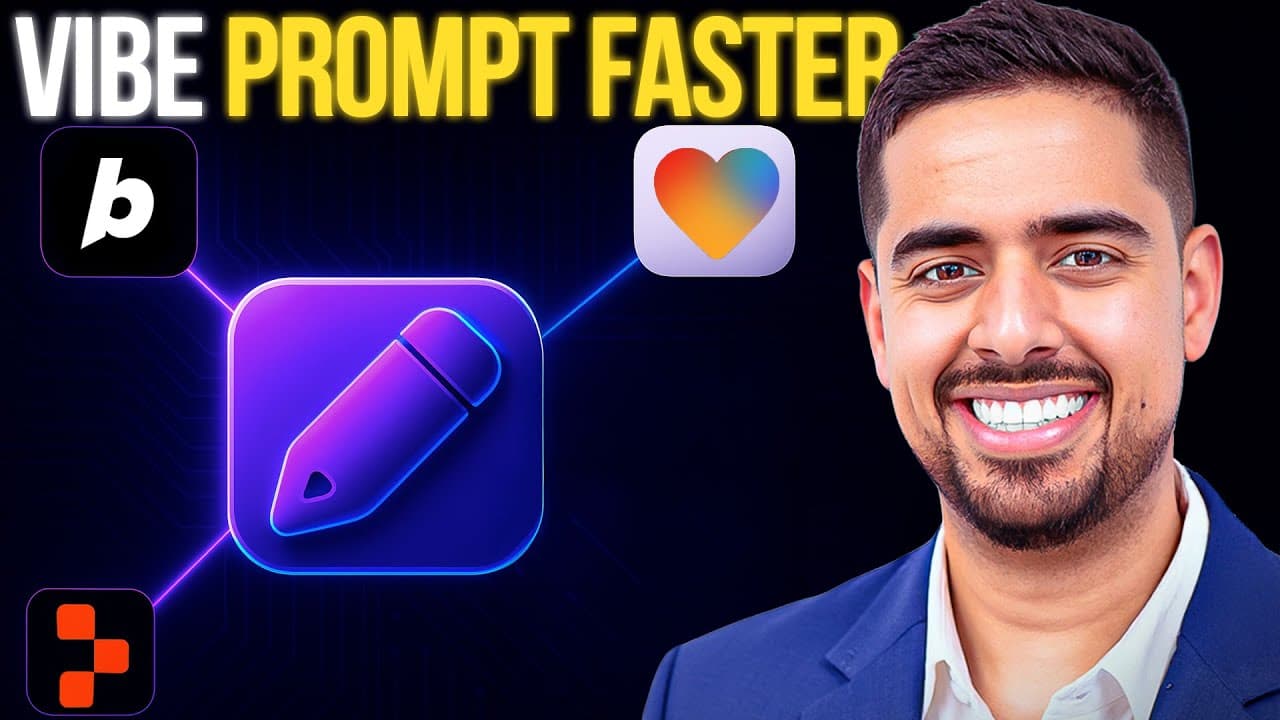
The video demonstrates Promptify, a browser extension that turns simple instructions into production ready prompts. It shows selecting models like GPT 4.1 Mini or Nano, choosing platform specific prompts, and testing in Lovable, Bolt, and Replit. It also covers architecture using Windinsurf and how to iterate prompts across apps in seconds.
Transcript
If you're tired of struggling to write prompts in bold, lovable, or replet, I've just solved your problem. I built a co-pilot that lives right in your browser so you can craft powerful prompts without needing to master prompt engineering. Just explain what you're trying to do in simple words and let AI do the heavy lifting. From setting up your fir... Read More
Key Insights
- Promptify acts as a prompt engineer inside the browser, simplifying how users craft prompts by translating plain language into detailed prompts.
- The extension supports platform specific prompts for Lovable, Bolt, and Replit, with a foundation toggle that strengthens the initial prompt for better results.
- Users can toggle an option to output prompts in markdown format, making them easier to read and reuse across different surfaces.
- The workflow emphasizes using the right tool for the job, including Windinsurf for deeper iteration and model switching to optimize prompt quality.
- The video teaches selecting models like GPT 4.1 Mini or Nano to power the prompt engine, enabling varied levels of prompt complexity.
- A live demo shows how a simple caveman prompt gets transformed into a robust instruction set suitable for development tasks.
- The extension handles both first prompt initialization and ongoing prompts mid-conversation, ensuring consistent guidance across sessions.
- The creator notes that building a functional extension benefits from rapid iteration and testing across Lovable, Bolt, and Replit rather than relying on generic prompts.
- More videos from this channel:
- More from this channel: Mark Kashef
Install to Summarize YouTube Videos and Get Transcripts
Explore YouTube Video Summarizer or Get YouTube Transcript Extractor
Questions & Answers
Q: How does Promptify generate production ready prompts from simple language?
Promptify combines a user supplied OpenAI API key, a chosen model like GPT 4.1 Mini or Nano, and a configurable system prompt to transform plain language into structured, platform tuned prompts. It can output the result directly into the target chat box or in a markdown format, enabling a cohesive workflow across Lovable, Bolt, and Replit. The approach mirrors prompt engineering by abstracting complexity, so a user only needs to describe their goal in simple terms.
Q: What platforms does the extension support and how is platform specificity achieved?
The extension works on Lovable, Bolt, and Replet, each with its own pencil icon for quick access. Platform specificity is achieved by selecting a platform variable during prompt configuration, which tailors the system prompt to that platform’s conventions. Users can further customize by editing the prompts for each platform and decide whether to keep the prompts verbose or concise depending on the app’s UI.
Q: What is the first prompt foundation toggle and why is it useful?
The first prompt foundation toggle marks the initial prompt as foundational, signaling the AI to add an extra layer to the system prompt. This makes the initial prompt more robust and sets a clearer project plan for the AI, guiding it to generate more actionable and structured prompts that align with the user goals from the outset.
Q: How does the markdown output option affect the generated prompts?
Enabling markdown output formats the generated prompt with clear sections, bolded headers, and well defined structure. This makes the prompt easier to read and reuse, particularly when sharing with teammates or pasting into different tools that benefit from structured text. The markdown version preserves organization without losing content.
Q: What is Windinsurf and why is it used in the video?
Windinsurf is used as a development environment similar to Cursor, chosen for its strong file and project management capabilities that support rapid iteration. It allows live code changes to sync with the Chrome extension project, streamlining the testing loop and reducing the friction of packaging and reloading during development.
Q: What model options are mentioned and how do they influence prompting?
The video mentions models such as GPT 4.1 Mini, Nano, and other variants, with the idea that different models bring different strengths. Using a more capable model can generate more accurate, detailed prompts, while lighter models may be sufficient for simpler guidance. Selecting the right model helps balance prompt quality and response time.
Q: How does the video illustrate testing prompts across Lovable, Bolt, and Replit?
The video demonstrates testing by applying the same prompting workflow across Lovable, Bolt, and Replit, showing how the prompt generator adapts to each UI. It also covers tweaking the prompts for each platform to account for UI differences, ensuring the generated prompts fit the target text boxes and design expectations.
Q: What does the creator say about iteration and using the right tool for the job?
The creator emphasizes rapid iteration and choosing the right tool for the right task, noting that Windinsurf supports continual updates and model switching to optimize the prompt engineering process. This philosophy underpins the approach of building and refining prompts in real time across multiple platforms, rather than relying on static, one size fits all prompts.
Summary & Key Takeaways
-
Promptify is a lightweight Chrome extension that adds a pencil icon to three platforms Lovable, Bolt, and Replit, enabling fast prompt generation from simple language.
-
The tool lets users input an OpenAI API key, pick a model, and choose a prebuilt or custom system prompt to produce structured prompts, with an option to output in markdown.
-
The video also documents the design and testing process using Windinsurf for live coding, showing how to place prompts in the right text boxes across multiple UIs and how to iterate with different models and prompts.
Read in Other Languages (beta)
Share This Summary 📚
Summarize YouTube Videos and Get Video Transcripts with 1-Click
Try YouTube Summary with ChatGPT & Claude or YouTube Transcript Generator
Explore More Summaries from Mark Kashef 📚




Summarize YouTube Videos and Get Video Transcripts with 1-Click
Try YouTube Summary with ChatGPT & Claude or YouTube Transcript Generator