How to Create an AI Generated Movie Trailer Step by Step
TL;DR
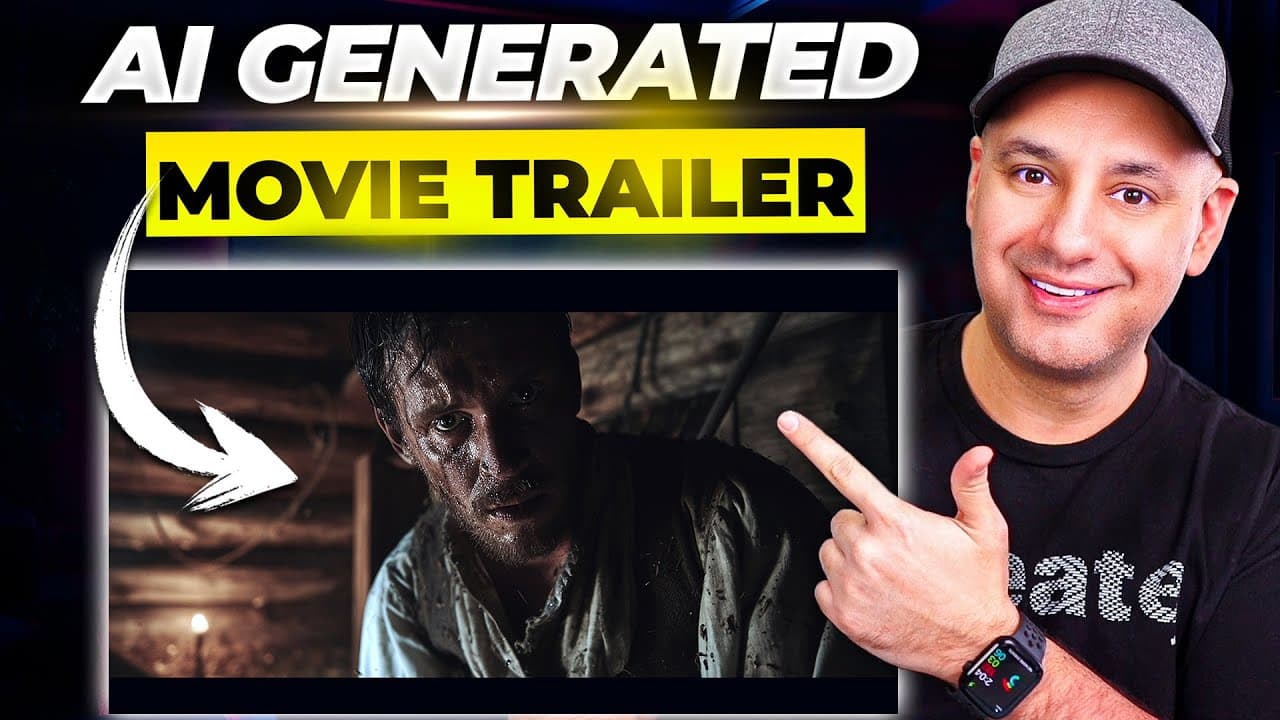
The process starts with a broad idea and a 20 shot list generated by ChatGPT. Then you create still images with Midjourney, animate them with Runway, and finally edit them in a video editor like DaVinci Resolve or CapCut. Add music and finish the trailer workflow. Each step builds toward a cinematic AI generated trailer.
Transcript
we just created an entire movie trailer using Ai and I want to show you a quick preview then I'll show you the step-by-step walkthrough on how to create one of these on your own so that was the first half of the trailer we just released a brand new YouTube channel that's all going to be AI generated movie trailers and short films so we included thi... Read More
Key Insights
- X is used to generate initial story ideas and shot lists with ChatGPT to guide the trailer concept.
- The key to scaling the trailer is turning textual prompts into visual assets using Midjourney or similar tools.
- The process includes transforming still images into motion using Runway, adding controlled camera motion for cinematic feel.
- The creator demonstrates how to tailor AI outputs with remix and brush features to refine visuals.
- The workflow purposely starts with a broad idea and iterates toward a refined shot list before image creation.
- The method advocates keeping the trailer length flexible by adjusting the number of shots to fit under a minute.
- Editing is recommended in free or accessible tools like DaVinci Resolve or CapCut to democratize production.
- Final steps include adding music and sound design to complete the trailer experience.
Install to Summarize YouTube Videos and Get Transcripts
Explore YouTube Video Summarizer or Get YouTube Transcript Extractor
Questions & Answers
Q: How do you start an AI generated trailer project according to the video
You begin by defining a broad idea for the film, such as a horror story set in the 1800s during pioneer migration. Then you ask ChatGPT to generate a list of about 20 shot ideas that will form the trailer. This establishes the core structure before creating visuals.
Q: What role does ChatGPT play in Step 1
ChatGPT is used to generate a shot list based on a simple prompt. This list serves as the blueprint for the trailer, outlining the sequence and types of shots needed. The approach keeps the process efficient by focusing on essential visuals rather than the full story.
Q: Which tools are used for image creation in Step 2
Midjourney is used to create cinematic, realistic images from text prompts. The workflow involves generating 16x9 aspect ratio prompts and applying version and style settings to achieve a movie like look, which then form the base visuals for the trailer.
Q: How is image animation handled in Step 3
Animation is performed using Runway. Images from Midjourney are uploaded, and options like camera motion and motion brush are adjusted to add subtle movement. This helps convert still frames into dynamic clips suitable for a trailer without heavy processing.
Q: What is the purpose of Step 4 in the process
Step 4 focuses on editing the generated clips in a video editor. The guide suggests using free or accessible options like DaVinci Resolve or CapCut, stressing that editing remains a manual, storytelling driven process even with AI assisted assets.
Q: Why is aspect ratio important in the workflow
The workflow emphasizes 16x9 as the standard movie size to ensure visuals translate well across platforms such as YouTube. Starting from prompts that target that aspect ratio helps maintain cinematic consistency throughout the trailer.
Q: What are the recommended tools for finishing touches
The recommended tools for finishing touches include a capable editor like DaVinci Resolve or CapCut and adding music and sound design. These elements complete the trailer by enhancing pacing, atmosphere, and emotional impact.
Q: What is the overall goal of the tutorial
The goal is to demonstrate that an AI driven process can produce a near final trailer at low cost. By combining AI planning, image generation, motion animation, and editing, the creator shows how to rapidly prototype an AI generated movie trailer while learning along the way.
Summary & Key Takeaways
-
Summary point 1: The creator outlines a five step process to produce an AI generated trailer, beginning with a story idea and ending with final editing and music to complete the trailer experience. This structure helps maintain clear progression from concept to final product.
-
Summary point 2: The workflow relies on chat based generation for planning, then image generation with AI art tools, followed by animation to bring stills to life before final editing. Each stage uses a different tool suited to its task to maximize cinematic quality.
-
Summary point 3: The video emphasizes realism and cinematic quality by preferring 16x9 aspect ratios, using motion in Runway, and selecting a subtle motion approach to keep the final trailer believable and visually engaging.
Read in Other Languages (beta)
Share This Summary 📚
Summarize YouTube Videos and Get Video Transcripts with 1-Click
Try YouTube Summary with ChatGPT & Claude or YouTube Transcript Generator
Explore More Summaries from Skill Leap AI 📚




Summarize YouTube Videos and Get Video Transcripts with 1-Click
Try YouTube Summary with ChatGPT & Claude or YouTube Transcript Generator