How to Structure Facebook Ads for Black Friday Q4

TL;DR
Add a separate promo campaign on top of your existing evergreen acquisition campaigns instead of replacing them, and never turn off ads that are already working. Build it with three ad sets: broad, hot 90, and warm 60. Broad will take most of the spend, but the warm audiences can lift overall return during big sale periods.
Transcript
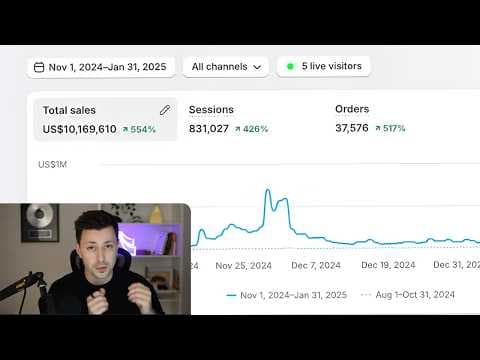
Last Black Friday, we added over $75,000 per day in spend by adding this one promo campaign to our ad account. And as a result, we ended up doing over $700,000 in a single day with that brand. And in this video, I'm going to show you the exact campaign structure that we use in order to do that. Now, I want to be clear upfront that if your ad creati... Read More
Key Insights
- The promo campaign is an add-on, not a replacement. Existing evergreen acquisition campaigns stay on during Black Friday, and any ads already performing well should not be touched or turned off while the sale runs.
- Creative quality gates everything. If the ad creatives are weak, this campaign structure will not save the account, so the Black Friday creative approach has to be sorted out before the structure matters.
- The promo campaign uses three ad sets: broad, hot 90, and warm 60. Broad is the one that will likely absorb the majority of spend, especially when the Black Friday and Cyber Monday creatives are strong.
- Warm 60 means a warm audience, people who have already seen the brand, over a 60-day window. It is built by including custom audiences in the ad set's audience section rather than relying on audience settings toggles.
- Advantage Plus audience settings do not need to be agonized over. The instruction is simply to scroll to the audience section, find where a custom audience can be included, and include it.
- Three custom audiences fill warm 60: Facebook page engagers over 60 days, Instagram engagers over 60 days, and people who viewed at least 95% of the brand's videos in the last 60 days.
- The 95% video view threshold selects the most engaged viewers, but accounts spending under $1,000 per day or running two to three minute videos can drop it to 50% or 75% when average play time is much shorter.
- Custom audience windows are rolling, not fixed from the creation date. Someone who hits 95% video view today stays in the audience for the next 59 days and drops out once they fall outside the 60-day window.
Install to Summarize YouTube Videos and Get Transcripts
Explore YouTube Video Summarizer or Get YouTube Transcript Extractor
Questions & Answers
Q: How do you structure a Facebook ads campaign for Black Friday?
Create a separate promo style campaign for the limited-time sale and run it on top of your existing campaigns rather than in place of them. Inside that campaign, build three ad sets: broad, hot 90, and warm 60. Broad will most likely take the majority of the spend, especially if your Black Friday and Cyber Monday creatives are good, while hot 90 and warm 60 add lift to overall return during a big sale period. Accounts spending less than $2,000 or $3,000 per day will mostly end up in the broad audience anyway.
Q: Should you turn off your existing campaigns during Black Friday?
No. The evergreen acquisition campaign should stay running no matter what, and the same applies if you have multiple campaigns: leave them all on. Any ads that are currently performing well should not be touched or switched off during the Black Friday period. The promo campaign described here is explicitly meant as an add-on layered onto the campaigns you already have, not a replacement for them. Turning off working campaigns to make room for the promo campaign is the mistake to avoid.
Q: What does warm 60 mean in a Facebook ads campaign?
Warm 60 is a naming convention with two parts. Warm stands for a warm audience, meaning people who have already seen you before, as opposed to cold prospects who have no prior contact with the brand. The 60 stands for 60 days, the lookback window on that engagement. So the ad set targets people who interacted with the brand within the last 60 days. It is built by including three custom audiences: Facebook page engagers, Instagram engagers, and deep video viewers, each set to a 60-day window.
Q: How do you create a Facebook page engagers custom audience?
In the ad set's audience section, find where you can include a custom audience, click create, then click custom audience, and choose Facebook page as the source. Select your specific page, and make sure the setting reads include people who meet any of the following criteria. Then enter people who have engaged with your Facebook page over the last 60 days. Name it something like FB engagers 60-day and create it. The result is an audience of everyone who engaged with your Facebook page across that 60-day window.
Q: What video view percentage should you use for a retargeting audience?
The default recommendation is people who have viewed at least 95% of the video, because the goal is to capture people who are genuinely engaged. There is room to loosen it: if you are smaller and spending less than $1,000 per day, or if you run longer videos such as two or three minute VSLs where average play time is only around 40 or 50 seconds, you can drop the threshold down to 50% or 75%. The window is still set to 60 days either way.
Q: Why do most videos show zero views when building a video view audience?
When you click select videos while building the audience, the list initially surfaces a large number of videos showing essentially zero views. The workaround is simply to keep scrolling until videos with meaningful view counts appear, then select those. In the walkthrough, videos with counts like 97,000, 117,000, 21,000, 8,000, and 100,000 views were selected, while tiny ones showing 57 or 120 views were skipped. Setting the time filter to the 60-day window also helps surface the relevant recent videos.
Q: How does the 60-day custom audience window actually work?
It is a rolling 60 days, not 60 days counted from the day you create the audience. Meta's own information tooltip on the setting notes this. In practice, if someone does not watch 95% of your videos within the last 60 days, they get removed from the audience, and if they do, they get added. So someone who watches 95% of a video ad today will still be in the audience 59 days from now and will still be shown the ads inside that ad set until they fall outside the window.
Q: Should you include influencer or whitelisted pages in your engagement audiences?
It is worth testing but requires caution. If you have multiple pages you have been running on, or influencer pages you have been whitelisting through that have performed well, you can include those pages in the Instagram engagers audience. The caveat is that someone engaging with an influencer's page does not mean the engagement came from your ad, since large influencers often have other brand deals and other advertisers whitelisting with them. Whitelisting is a higher-level strategy, so smaller accounts should ignore it until they reach roughly $3,000 to $4,000 per day in spend.
Summary & Key Takeaways
-
Last Black Friday, adding one promo campaign to an ad account brought in over $75,000 per day in additional spend and produced over $700,000 in a single day for that brand. The campaign works for Black Friday, Cyber Monday, and essentially any limited-time promo period, but only when the creatives inside it are strong.
-
The promo campaign sits alongside the account's evergreen acquisition campaign rather than replacing it. Whatever campaigns are running now stay on, and winning ads stay untouched. Although the usual advice is to go broad and ignore audiences, the Black Friday and Cyber Monday period is the exception where specific ad sets and audiences are worth building to scale hard.
-
Warm 60 is assembled from three custom audiences: Facebook page engagers over 60 days, Instagram engagers over 60 days, and viewers who watched at least 95% of selected video ads in the last 60 days. When picking videos for the view-based audience, most listed videos show zero views, so the process is scrolling until videos with real view counts appear and selecting those.
Read in Other Languages (beta)
Share This Summary 📚
Summarize YouTube Videos and Get Video Transcripts with 1-Click
Try YouTube Summary with ChatGPT & Claude or YouTube Transcript Generator
Explore More Summaries from Spencer Pawliw 📚
Summarize YouTube Videos and Get Video Transcripts with 1-Click
Try YouTube Summary with ChatGPT & Claude or YouTube Transcript Generator