How to Build Apps with Cursor Using Taskmaster AI
TL;DR
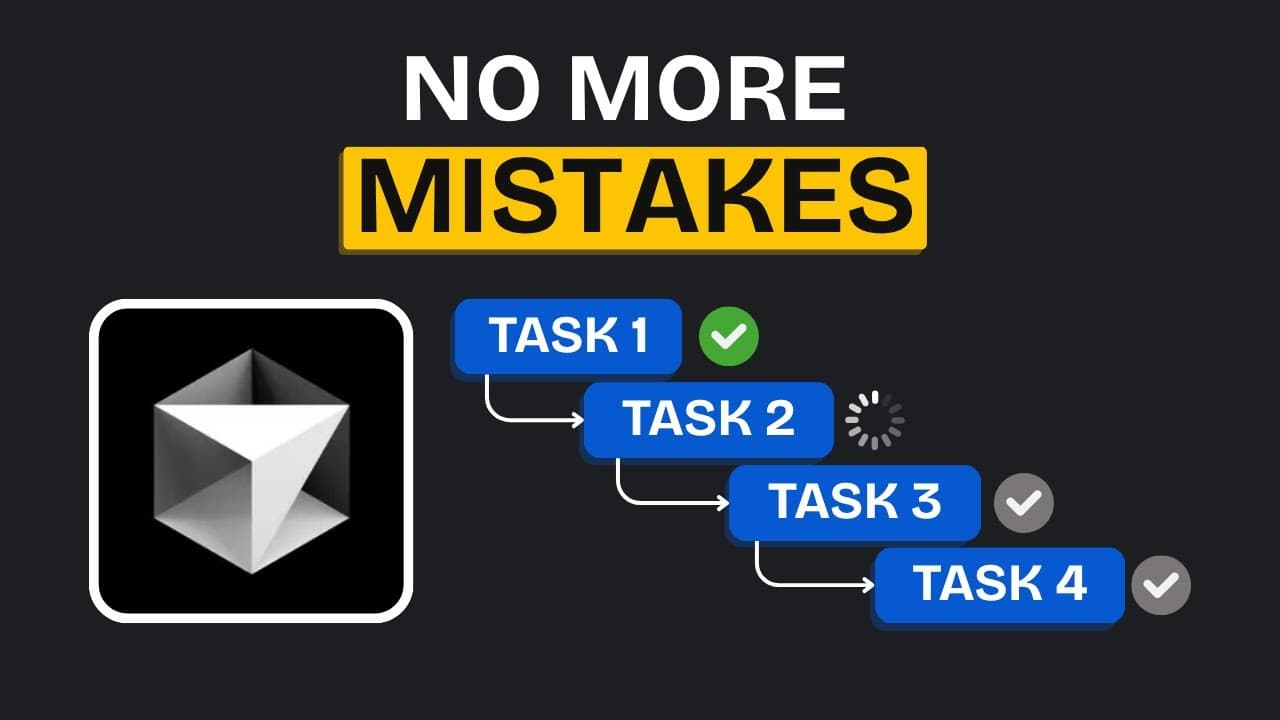
Taskmaster AI solves context window issues in Cursor by breaking tasks into manageable steps, allowing for efficient app development. It prevents errors and context overload, enabling a seamless workflow. The video demonstrates building a wallpaper app using Cursor and Taskmaster AI, highlighting installation, setup, and execution processes.
Transcript
tired of cursor messing up your app because of Claude's low context window well today I've got the solution for you this is a wallpapers app that I developed using cursor it has some pretty nice functionality and a really clean UI you can even download wallpapers as I mentioned I built this in cursor and the best part is that I didn't run into any ... Read More
Key Insights
- Taskmaster AI is designed to prevent context overload when using Cursor.
- The tool allows for efficient app development by breaking tasks into manageable steps.
- Installation can be done globally or per project, with API key setup required.
- Taskmaster AI facilitates brainstorming and planning by generating structured implementation plans.
- The tool allows for mid-development changes, adapting tasks as needed.
- Cursor agent works as a development partner, executing tasks without losing context.
- The tool supports integration with various APIs, enhancing app functionalities.
- Taskmaster AI is cost-effective, providing a structured workflow without high expenses.
Install to Summarize YouTube Videos and Get Transcripts
Explore YouTube Video Summarizer or Get YouTube Transcript Extractor
Questions & Answers
Q: How to install Taskmaster AI for Cursor?
Taskmaster AI can be installed globally or per project using the command line. For global installation, use the '-g' flag. After installation, initialize it in your project directory by entering the necessary commands and project details. This setup allows Taskmaster AI to manage tasks effectively within Cursor.
Q: What are the benefits of using Taskmaster AI with Cursor?
Taskmaster AI enhances Cursor by preventing context overload, breaking tasks into manageable steps, and allowing for efficient app development. It supports brainstorming, planning, and execution, adapting to mid-development changes. The tool integrates with APIs, providing a structured and cost-effective workflow for developers.
Q: How does Taskmaster AI prevent context overload?
Taskmaster AI prevents context overload by breaking down tasks into smaller, manageable steps and executing them sequentially. This approach ensures that the Cursor agent does not hold all information at once, reducing errors and maintaining a smooth workflow throughout the development process.
Q: What is the process for setting up API keys in Taskmaster AI?
To set up API keys in Taskmaster AI, rename the 'envample' file to 'env' and enter your API keys. The Anthropic API key is necessary for the tool to function, while the Perplexity API key is optional, used for projects requiring external data. Save the 'env' file after entering the keys.
Q: How does Taskmaster AI handle task execution?
Taskmaster AI executes tasks by generating a detailed plan and using specific commands to guide the Cursor agent. It follows a structured workflow, updating task statuses and adapting to changes. The tool manages dependencies and integrates with APIs to enhance app functionality, ensuring efficient task execution.
Q: Can Taskmaster AI adapt to changes during development?
Yes, Taskmaster AI is flexible and can adapt to changes mid-development. Developers can modify the plan by informing the agent of changes, listing modifications, and instructing it to update future tasks. The tool generates new commands and adjusts tasks accordingly, maintaining a structured yet adaptable workflow.
Q: What is the role of the Cursor agent in app development?
The Cursor agent acts as a development partner, executing tasks without losing context. It follows the structured plan generated by Taskmaster AI, managing dependencies and integrating with APIs. The agent ensures efficient task execution, allowing developers to focus on app functionality and design.
Q: How cost-effective is Taskmaster AI for app development?
Taskmaster AI is cost-effective, providing a structured workflow without high expenses. It breaks tasks into manageable steps, reducing the need for extensive resources. The tool's integration with APIs and adaptive nature further enhance its value, making it an attractive option for developers seeking efficient and affordable app-building solutions.
Summary & Key Takeaways
-
Taskmaster AI addresses the context window limitations of Cursor, enabling developers to build apps without errors or context overload. The video showcases the development of a wallpaper app, demonstrating the installation and use of Taskmaster AI to manage tasks efficiently. The tool's flexibility allows for mid-development changes, making it a valuable asset for developers.
-
The video provides a step-by-step guide to setting up and using Taskmaster AI with Cursor. It covers installation, API key configuration, and task execution, emphasizing the tool's ability to prevent context loss and streamline the development process. The demonstration of building a wallpaper app highlights the tool's practical applications.
-
Taskmaster AI enhances the development workflow by breaking down tasks and managing dependencies. The video illustrates how the tool integrates with APIs to expand app capabilities and maintains a structured approach to development. Its affordability and adaptability make it an attractive option for developers seeking efficient app-building solutions.
Read in Other Languages (beta)
Share This Summary 📚
Summarize YouTube Videos and Get Video Transcripts with 1-Click
Try YouTube Summary with ChatGPT & Claude or YouTube Transcript Generator
Explore More Summaries from AI LABS 📚


Summarize YouTube Videos and Get Video Transcripts with 1-Click
Try YouTube Summary with ChatGPT & Claude or YouTube Transcript Generator