How to Generate Endless UI Designs in Cursor
TL;DR
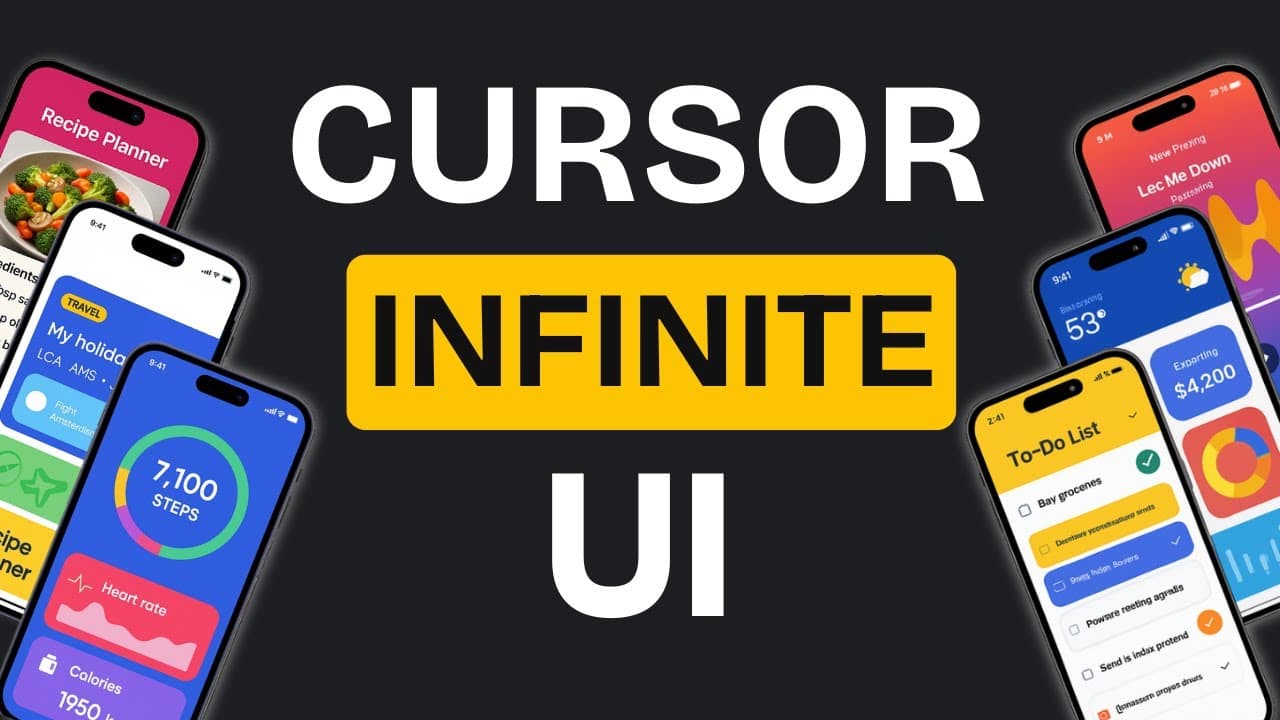
Use two kinds of manual Cursor rule files: targeted generators that adapt an existing interface for personas, devices, or locations, and an infinite design generator that rapidly produces variations of a selected design. This workflow supports repeated UI experimentation within an existing Cursor subscription, while design.json files and explicit constraints help preserve a reference image’s visual language.
Transcript
making websites and apps look good is really hard the hardest part coming up with cool ideas sure you can copy designs from other websites but guess what someone else had to think of those designs first you can find lots of design ideas online you can even grab ready-made designs and put them right in your app but what if you want to make something... Read More
Key Insights
- Cursor’s manual rule files are reusable instructions that affect how its agent behaves. By explicitly invoking a rule in a chat, users can reproduce an iterative UI workflow through their existing Cursor subscription instead of relying on additional API-based design tools.
- A design.json file captures design details extracted from a reference image. When subsequent UI generation rules reference that file, different applications can retain the original image’s color palette and broader design language while still exploring distinct layouts and component treatments.
- Targeted design generation is the first step of the method. Separate rule files can produce variations for particular personas, device types, or geographic locations, allowing each output to follow constraints and examples that are more specific than a short natural-language request.
- Persona rules can transform one responsive food ordering interface into designs aimed at chefs, students, and executives. The demonstrated outputs included a chef hub, a campus-oriented interface, and a more corporate website, showing how audience assumptions can influence presentation and structure.
- Device-focused rules can tailor interfaces for mobile, desktop, or television use. In the examples, the mobile design enlarged icons, while the television variation became a distinct Food Hub for TV concept, demonstrating that device context can guide visible interface changes.
- Geolocation rules can modify more than displayed language. The demonstrated regional variations also changed colors and layout orientation, showing how a targeted generator can coordinate several design decisions around a location-specific brief rather than merely translating interface text.
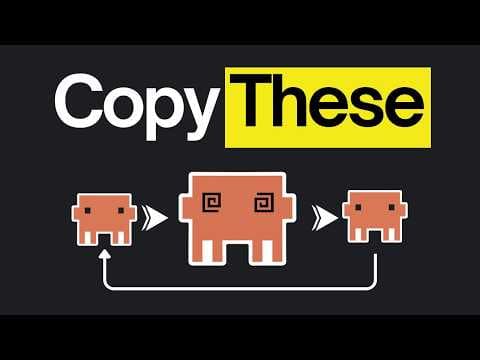
- The infinite design generator is the second step of the workflow. It copies the referenced design into source.html, creates a variations folder, and produces three alternatives that can differ in theme, styling, colors, or layout while remaining available for further iteration.
- Fresh chats help isolate each iteration from earlier conversational context. When refining a selected design, the creator references that file, invokes the infinite design rule, and states what should change, such as color and style, while preserving useful layout and animation choices.
Install to Summarize YouTube Videos and Get Transcripts
Explore YouTube Video Summarizer or Get YouTube Transcript Extractor
Questions & Answers
Q: How do you generate multiple UI designs in Cursor?
Create manual Cursor rule files that define how the agent should generate and organize interface variations, then explicitly invoke the desired rule in a fresh agent chat. A targeted rule can adapt an existing interface for a persona, device, or location. An infinite design rule can instead copy a referenced file as source.html and produce three new alternatives inside a variations folder.
Q: What are the two steps in the Cursor UI workflow?
The first step generates targeted variations through custom rule files containing use-case-specific examples, constraints, and instructions. These rules can tailor an interface for different personas, devices, or geographic locations. The second step applies an infinite design generator to an existing or basic design, producing rapid variations and allowing any preferred result to become the source for another round.
Q: How does a design.json file keep generated interfaces consistent?
A design.json file stores design details extracted from a reference image through an extraction rule. It is saved in a designs folder and referenced during later generation tasks. Cursor or Claude can then create different applications and layouts that continue using the source image’s color palette and design language, providing consistency without requiring every output to share an identical structure.
Q: Why use targeted rule files instead of one general prompt?
Targeted rule files can include detailed constraints, examples, and workflow instructions for a particular design objective. That makes them more precise than adding a brief request to a general variation prompt. The demonstrated rules addressed personas, device types, and geolocation, producing interfaces that changed audience positioning, icon sizing, language, colors, and even layout orientation according to the selected context.
Q: How do you iterate on one preferred UI variation?
Reference the specific generated HTML file you want to refine, start a fresh chat, invoke the infinite design rule, and clearly identify which properties should change. In the example, the selected rainbow design retained its structure and animations while the request focused on new colors and styling. Cursor then produced modern, ocean-themed, and eco-themed alternatives based on that chosen source.
Q: Why should you start a fresh Cursor chat before iterating?
A fresh chat prevents previous conversation context from carrying into the next generation round. According to the demonstrated workflow, this helps Cursor follow the current rule file more precisely and create genuinely fresh variations. The new chat should reference the selected source design, invoke the infinite design rule, and specify the exact qualities to preserve or change in the next outputs.
Q: How do Cursor and Claude Code differ for this workflow?
Both Cursor and Claude Code can use instructions that generate multiple interfaces from a design.json reference and preserve a consistent design language. The stated difference is that Claude Code can spin up multiple agents simultaneously, so it generates variations faster. Cursor processes them one by one, but its built-in rules can still reproduce the workflow through an existing subscription without extra API usage.
Q: How can you create effective Cursor rule files with Claude?
Describe the desired workflow to Claude in plain English, step by step, then ask it to write the rule file using English programming. The creator reports that this method produces extensive workflows with clear, direct instructions that AI agents can follow. The resulting file should be set to manual mode when it is intended to run only after explicit invocation in Cursor.
Summary & Key Takeaways
-
The workflow begins by extracting visual details from a reference image into a design.json file stored in a designs folder. Cursor can then use that file to generate interfaces with a consistent color palette and design language while varying layouts, component styling, and application types such as task trackers or calculators.
-
The first step uses targeted rule files to adapt an existing interface for defined contexts. Examples include persona-specific food ordering designs for chefs, students, and executives, plus device and geolocation variants. Detailed constraints, examples, and instructions make these generators more precise than adding a brief request to a general iteration rule.
-
The second step uses an infinite design rule to create three variations, preserve the referenced interface as source.html, and organize outputs in a variations folder. Any generated design can become the next source. Starting a fresh chat before each iteration reduces carried-over context and helps Cursor follow the selected rule more precisely.
Read in Other Languages (beta)
Share This Summary 📚
Summarize YouTube Videos and Get Video Transcripts with 1-Click
Try YouTube Summary with ChatGPT & Claude or YouTube Transcript Generator
Explore More Summaries from AI LABS 📚


Summarize YouTube Videos and Get Video Transcripts with 1-Click
Try YouTube Summary with ChatGPT & Claude or YouTube Transcript Generator