How Does Claude Cowork Work for Beginners?
TL;DR
Claude Cowork works by accessing selected workspace folders and applying persistent guidance from project-specific Claude.md files, global instructions, and saved memory. Its context window holds the active conversation, files, prompts, memories, and tool outputs, while multimodal input lets it interpret text, images, screenshots, charts, and PDFs, but not video.
Transcript
Claude Coowwork is one of the most powerful AI tools out there, but if you're new to it, it can feel extremely overwhelming. You've probably watched a bunch of different tutorials on it, and half the time you have no idea what it is they're talking about. Skills, MCPs, sub agents, connectors. Everyone throws out these words like you're supposed to ... Read More
Key Insights
- A workspace folder is the location where Claude Cowork accesses existing materials and stores generated files. It can contain documents, HTML files, Python scripts, CSV files, and other computer files, and users can select more than one folder as their work expands.
- Claude.md is a project-specific instruction file that defines how Claude should operate within a particular workspace. It is loaded at the beginning of every session and can describe the user, project context, required behaviors, prohibited behaviors, goals, pricing, or other relevant information.
- Global instructions are persistent preferences and identity information that apply across Claude Cowork sessions. They can specify who the user is, what Claude should do, and whether responses should sound friendly or professional, while Claude.md remains tied to its specific project folder.
- Memory is a collection of saved context from previous interactions, including user preferences, workflow details, and feedback. It can build over time, and the user can explicitly ask Claude to save something to memory when retaining that information is important for future work.
- The context window is the limited working space available during a conversation. It can contain Claude.md, memory files, system prompts, incoming and outgoing messages, documents, and tool outputs, with the stated capacity reaching up to 1 million tokens.
- Long conversations can require Claude to condense the context window. When the available working space becomes crowded, less relevant information may be pushed out so the conversation can continue with a refreshed and more focused set of active material.
- Multimodal capability means Claude can interpret several kinds of input, including text, files, images, screenshots, charts, and PDFs. The transcript specifically states that video is not an input format Claude can see, distinguishing supported visual materials from unsupported video input.
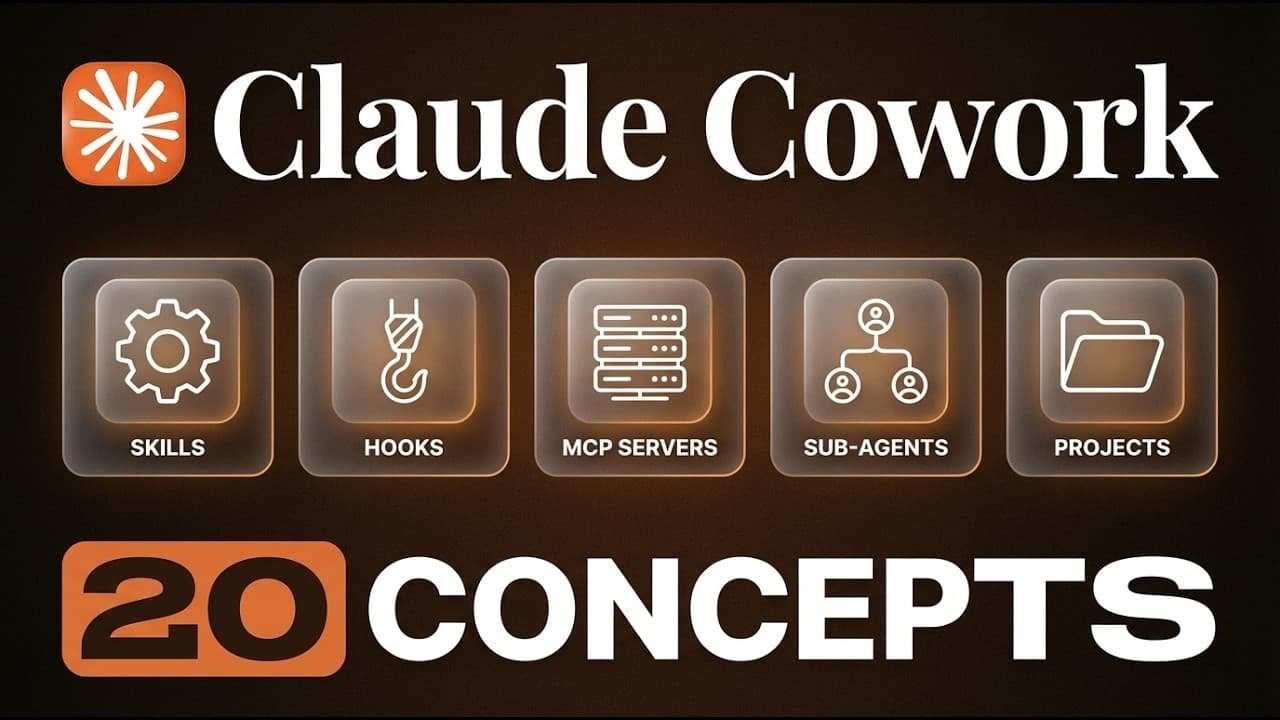
- Claude Cowork is presented through 20 concepts arranged from basic to advanced. The listed topics progress from workspace folders, Claude.md, instructions, memory, context, and multimodal input to tools and features such as skills, plugins, connectors, scheduled tasks, dispatch mode, and sub-agents.
- More videos from this channel:
- More from this channel: Brock Mesarich | AI for Non Techies
Install to Summarize YouTube Videos and Get Transcripts
Explore YouTube Video Summarizer or Get YouTube Transcript Extractor
Questions & Answers
Q: How do you set up a workspace folder in Claude Cowork?
Download and open the Claude desktop app, switch from normal chat mode to Cowork, and choose or create a folder from the workspace interface. A beginner can create a new empty folder, open it, and grant Claude access. Files generated during later work can populate that folder, and additional folders can be selected as the workspace grows.
Q: What is a Claude.md file in Claude Cowork?
Claude.md is a document inside a project folder that tells Claude how to operate for that specific workspace. It loads at the beginning of every session and can contain information about the user, the project, goals, rules, and desired behavior. The transcript describes it as the project brain because its guidance applies only to that particular workspace.
Q: What is the difference between Claude.md and global instructions?
Claude.md belongs to a specific project folder and provides rules or context only for work performed in that workspace. Global instructions represent persistent identity, preferences, and conventions across Claude Cowork sessions. A user might keep project details in Claude.md while placing general response preferences, personal context, or a preferred professional or friendly tone in global instructions.
Q: How does memory work in Claude Cowork?
Memory stores context that Claude can use across later conversations, such as personal preferences, recurring workflows, and feedback about how tasks should be completed. The memory area can contain multiple markdown files and develop over time. When a detail is especially important, the user can explicitly ask Claude to save it to memory instead of assuming it will be retained automatically.
Q: What is the context window in Claude Cowork?
The context window is the working space available to Claude during a conversation, compared in the transcript to a desk with limited room. It can hold Claude.md, memory files, system prompts, messages, documents, and tool outputs. The stated capacity is up to 1 million tokens, though long interactions can still fill that space and require condensation.
Q: What happens when a Claude conversation gets too long?
A long conversation can eventually crowd the context window with instructions, memories, messages, documents, and tool results. Claude may then condense the available context and push out information judged less relevant so the session can continue. This means the active working material is limited even though the stated context window can contain up to 1 million tokens.
Q: What types of input can Claude process as multimodal content?
Claude can process multiple forms of input rather than only typed conversation. The examples provided include text, files, images, screenshots, charts, and PDFs. Calling Claude multimodal refers to this ability to read documents and interpret visible material. The transcript also identifies a clear limitation: video is not an input format that Claude is able to see.
Q: What concepts should beginners understand in Claude Cowork?
The described learning path contains 20 concepts, beginning with workspace folders, Claude.md, global instructions, memory, the context window, and multimodal input. It then lists web search, extended thinking, artifacts, projects, the Bash tool, skills, slash commands, plugins, connectors, the Chrome extension, computer use, scheduled tasks, dispatch mode, and sub-agents, progressing from basic setup toward more advanced capabilities.
Summary & Key Takeaways
-
Claude Cowork begins with a workspace folder that grants access to selected files on the user’s computer. A beginner can create an empty folder, allow access, and use it as the location for generated and existing materials, including documents, HTML files, Python scripts, and CSV files.
-
Claude.md provides project-specific operating instructions and loads at the beginning of each session. Global instructions apply more broadly across Cowork sessions, while memory accumulates useful preferences, context, workflow details, and feedback that the user wants Claude to retain for later conversations within a project.
-
The context window acts like a limited desk containing instructions, memories, prompts, conversation history, files, and tool outputs. Claude can process multiple input types, including text, images, screenshots, charts, and PDFs. The course also introduces web search, skills, plugins, connectors, scheduled tasks, dispatch mode, and sub-agents.
Read in Other Languages (beta)
Share This Summary 📚
Summarize YouTube Videos and Get Video Transcripts with 1-Click
Try YouTube Summary with ChatGPT & Claude or YouTube Transcript Generator
Explore More Summaries from Brock Mesarich | AI for Non Techies 📚



Summarize YouTube Videos and Get Video Transcripts with 1-Click
Try YouTube Summary with ChatGPT & Claude or YouTube Transcript Generator