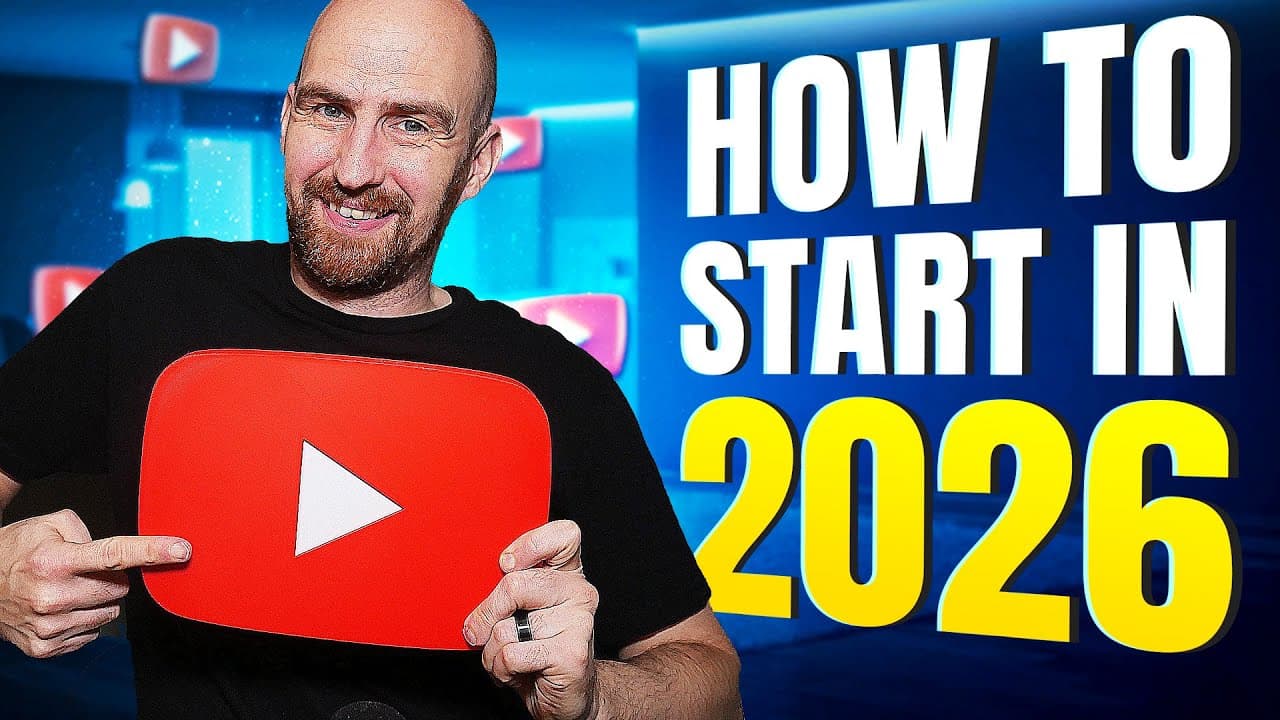
How to Start a YouTube Channel in 2026
TL;DR
Creating a YouTube channel involves setting up a Google account, verifying your channel, and customizing it with a unique handle and profile picture. It is crucial to treat the channel as a business, separate from personal accounts, and ensure security through verification. Finally, focus on creating engaging content and understanding your target audience to grow your channel successfully.
Transcript
- In this video, I'm going to show you how to create a brand new YouTube channel if you are a complete beginner. From creating an account to all of the key channel settings to get right so that don't hold you back, turning you into a YouTube pro, before you even press record. This step-by-step guide covers all of the latest updates in 2024 and will... Read More
Key Insights
- Creating a YouTube channel starts with setting up a Google account.
- Verification of your YouTube channel unlocks critical features like longer video uploads and custom thumbnails.
- Choosing a unique channel handle is important for branding and searchability.
- Channel settings should be configured for privacy and content management, including upload defaults and comment moderation.
- A channel's banner and description should clearly communicate the channel's value and target audience.
- Security measures such as two-factor authentication are crucial for protecting your channel.
- Focus on creating content that taps into audience emotions and curiosity rather than just keywords.
- Titles and thumbnails are essential for attracting viewers and should be crafted carefully.
Install to Summarize YouTube Videos and Get Transcripts
Explore YouTube Video Summarizer or Get YouTube Transcript Extractor
Questions & Answers
Q: How to create a YouTube channel in 2026?
To create a YouTube channel in 2026, start by setting up a Google account. Once you have the account, verify your YouTube channel to unlock features like longer video uploads and custom thumbnails. Customize your channel with a unique handle and profile picture, and configure settings for privacy and content management.
Q: Why is verifying your YouTube channel important?
Verifying your YouTube channel is crucial because it unlocks essential features such as the ability to upload videos longer than 15 minutes and add custom thumbnails. Verification also enhances security and is a prerequisite for accessing advanced features like monetization in the future.
Q: What is the difference between a channel name and a channel handle?
A channel name is the name displayed on the channel's homepage and under video thumbnails. A channel handle is a unique identifier similar to a social media username and is used for searchability and branding. While multiple channels can have the same name, handles must be unique.
Q: What are the essential settings for a new YouTube channel?
Essential settings for a new YouTube channel include upload defaults, comment moderation, and privacy settings. It's important to set the default video visibility to private or unlisted to prepare content before publishing. Additionally, configure comment settings to manage interactions effectively.
Q: How should a YouTube channel banner be designed?
A YouTube channel banner should be simple and communicate the channel's value proposition quickly. Use objects related to the channel's topic, and ensure the design is consistent with thumbnails for branding. Center important elements to avoid them being cut off on mobile devices.
Q: What role do titles and thumbnails play in a YouTube channel?
Titles and thumbnails are crucial for attracting viewers as they are the first elements noticed. They should be engaging and reflect the content's theme, tapping into the audience's curiosity and emotions. Well-crafted titles and thumbnails can significantly increase click-through rates.
Q: How can channel security be enhanced on YouTube?
Channel security can be enhanced by enabling two-factor authentication, which adds an extra layer of protection. It's also important to use a separate email for channel management, distinct from the login email, to prevent unauthorized access and maintain digital separation from personal accounts.
Q: What is the significance of a channel's description?
A channel's description is significant as it provides an opportunity to communicate the channel's purpose and value to potential viewers. It should be concise, focusing on the benefits to the audience, and include relevant keywords to help YouTube understand the channel's content for better search visibility.
Summary & Key Takeaways
-
Setting up a YouTube channel involves creating a Google account, verifying the channel, and setting important privacy and content settings. A unique channel handle and profile picture help in branding. It's important to treat the channel as a separate business entity for security and management purposes.
-
Verification of the YouTube channel is crucial for accessing features like longer video uploads and custom thumbnails. Proper security measures, including two-factor authentication, are recommended to protect the channel from unauthorized access.
-
Creating engaging content that resonates with the target audience is vital. The channel's visual elements, such as banners and thumbnails, should align with the channel's theme and appeal to the intended audience. Titles and thumbnails play a significant role in attracting viewers.
Read in Other Languages (beta)
Share This Summary 📚
Summarize YouTube Videos and Get Video Transcripts with 1-Click
Try YouTube Summary with ChatGPT & Claude or YouTube Transcript Generator
Explore More Summaries from vidIQ 📚
Summarize YouTube Videos and Get Video Transcripts with 1-Click
Try YouTube Summary with ChatGPT & Claude or YouTube Transcript Generator