How to build a no-code AI UGC ad system
TL;DR
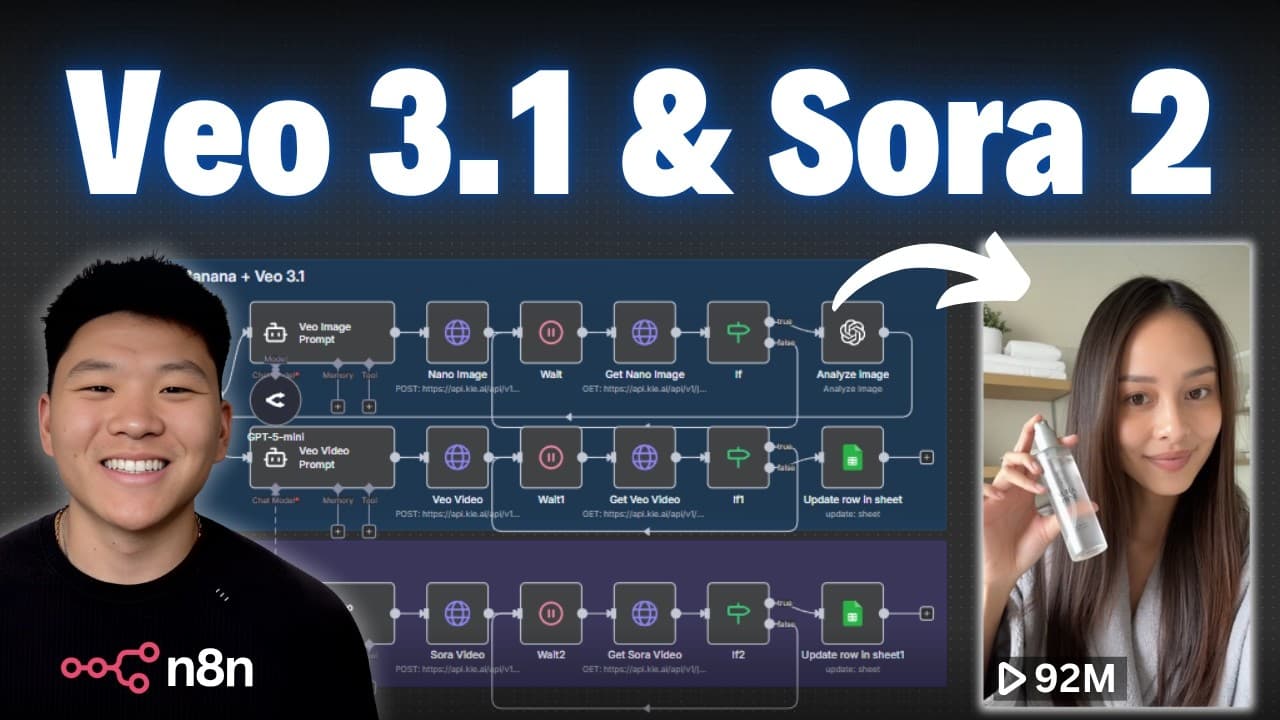
The video shows a no code workflow to generate UGC ads using AI agents. It explains three paths for model testing and how to feed product data into a Google sheet to produce multi model video content. The system is offered for free through a community and can create 10 second videos for about 0.15 each.
Transcript
VO3.1 Nano Banana Sora 2. There are all of these amazing models dropping. So, I figured why not just build a system where we can use all of them. So, what we're going to be looking at today is the ultimate UGC ads system where all you have to do is fill in some raw information on a Google sheet like a product photo, the ICP, the features of that pr... Read More
Key Insights
- AI driven UGC creation is achievable without code by linking product data to a Google sheet and routing prompts to multiple AI models.
- Testing multiple AI models in parallel helps identify the best combination for ads, improving efficiency and output quality.
- The workflow integrates product photos, ICP details, features, and video settings to generate realistic ads across VO3.1, Nano Banana, and Sora 2.
- A system prompt layer defines the AI role for image prompt generation, focusing on realism, product accuracy, composition, lighting, and style for UGC content.
- The solution uses a switch mechanism to route tasks to the selected model path, enabling flexible experimentation and optimization.
- A Google sheet status filter ensures only ready rows are processed, preventing duplication and maintaining workflow order.
- The template is designed as a starting point for customization, allowing users to adapt prompts and prompts’ guidelines to their own products and brand voice
- More videos from this channel:
- More from this channel: Nate Herk | AI Automation
Install to Summarize YouTube Videos and Get Transcripts
Explore YouTube Video Summarizer or Get YouTube Transcript Extractor
Questions & Answers
Q: What is the basic goal of the no code AI UGC system shown?
The basic goal is to automate the creation of user generated content ads by feeding product data into a Google sheet and using AI agents to generate image prompts and video outputs across multiple models. This enables rapid testing of different creative approaches and model combinations to find the best fit for ads.
Q: How are different AI models used in the workflow?
The workflow routes data to three main paths corresponding to VO3.1, Nano Banana plus VO3.1, and Sora 2. Each path uses a specific combination of prompts and settings to generate visuals, allowing side by side comparisons to determine which model delivers the most effective UGC content.
Q: What data is required in the Google sheet for the system to work?
The sheet should include product photos, the ICP (ideal customer profile), product features, and a video setting. This information feeds the AI prompts and helps produce on brand visuals that match the target audience and the intended video style.
Q: Why is image prompting used before video generation in some paths?
Image prompting helps ensure the product image looks correct in the final copy, especially when using models that accept image inputs. This step creates a realistic hold or wear scenario that can be turned into a video, enhancing authenticity of the UGC content.
Q: What is the purpose of the switch node in the workflow?
The switch node directs the process to the appropriate model path based on the selected model in the data row. This enables parallel testing and organized routing so each row is handled by the right AI model without manual intervention.
Q: What is the role of the image prompt agent in the system?
The image prompt agent generates detailed prompts for AI image creation, focusing on realism, product accuracy, composition, lighting, and environment. It outputs prompts that are then used by the image generation service to create the visuals for the video.
Q: How does the system ensure it processes only new or ready tasks?
The system uses a status check on the data sheet to pull in rows where the status equals ready. It also uses a first matching row option to prevent processing multiple rows at once, reducing duplication and maintaining workflow clarity.
Q: What benefits does the creator claim for this no-code system?
The creator claims the system makes it easy to generate on brand UGC visuals automatically, supports testing of different models, and offers a free template with ongoing support. It also highlights cost efficiency with short form videos, quoted as about 0.15 per 10 seconds.
Summary & Key Takeaways
-
The video demonstrates a no code workflow that automates UGC content creation using AI agents. It focuses on three model paths: VO3.1, Nano Banana plus VO3.1, and Sora 2, and emphasizes testing to find the best fit for ads.
-
A free template is provided to build the system, with steps to pull data from a sheet, generate prompts, and route these prompts to multiple AI video models through a centralized service.
-
The creator highlights the cost efficiency of producing short form UGC content and encourages joining a community to access the free template and ongoing support for customization.
Read in Other Languages (beta)
Share This Summary 📚
Summarize YouTube Videos and Get Video Transcripts with 1-Click
Try YouTube Summary with ChatGPT & Claude or YouTube Transcript Generator
Explore More Summaries from Nate Herk | AI Automation 📚






Summarize YouTube Videos and Get Video Transcripts with 1-Click
Try YouTube Summary with ChatGPT & Claude or YouTube Transcript Generator