Which Free Google AI Design Tool Should You Use?
TL;DR
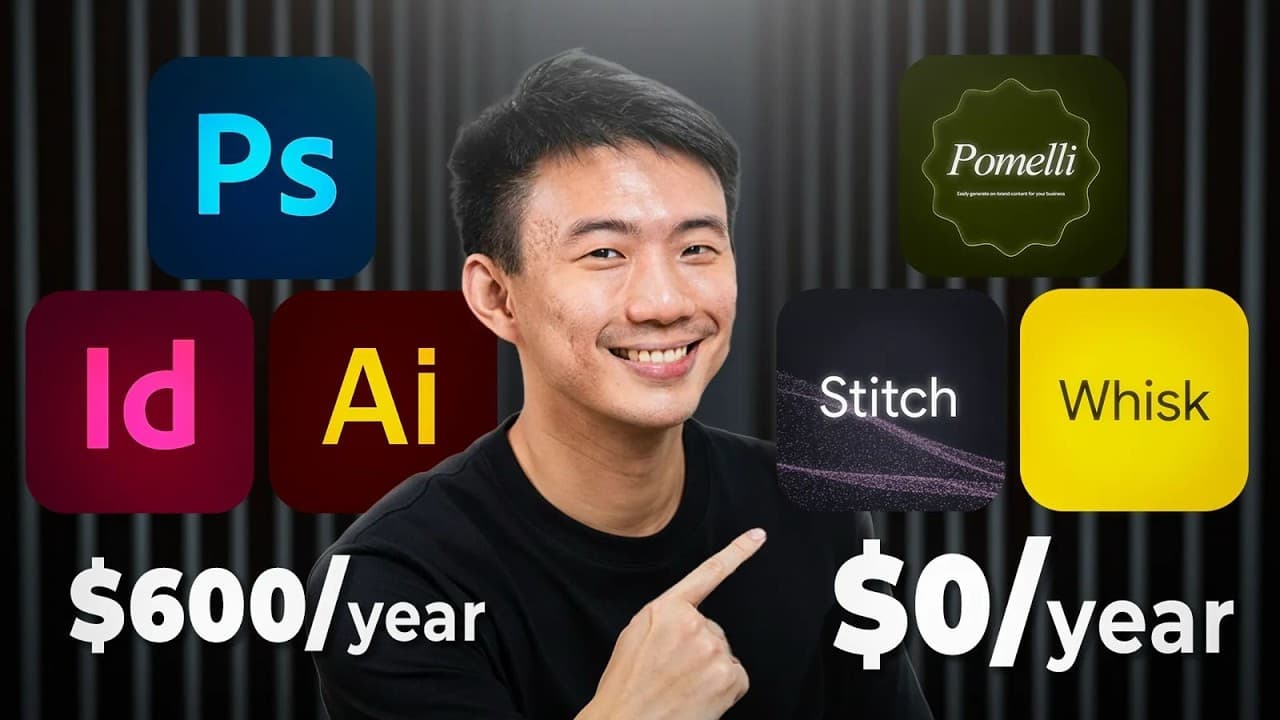
Use Google Stitch to build functional interfaces, Pomelli to create brand-consistent marketing campaigns, and Whisk to generate polished visuals quickly. Stitch offers the strongest structure and production-ready UI output, Pomelli learns a brand from its published website, and Whisk delivers two watermark-free image variations in about 25 seconds but lacks campaign and website-building features.
Transcript
Choosing the right AI creative tool can be confusing especially when you got so many free Google AI tools. You got stage, pomelli and whisk all from Google apps and all promising to automate your creative workflow. So if you are wondering which Google AI tool to actually use and you want a quick answer, according to our experience, we suggest Googl... Read More
Key Insights
- Google Stitch is an AI UI design and front-end development tool that converts text prompts, sketches, or screenshots into functional interfaces. It is designed for engineers, developers, and nontechnical founders who want to move from an idea to an app or website interface without writing code.
- Pomelli is a brand-focused creative tool that analyzes a published website to identify its visual style, copy, tone, colors, and fonts. It uses this brand DNA to create cohesive campaign ideas and marketing materials for marketers, freelancers, consultants, and small business owners.
- Whisk is a visual generation tool that transforms simple ideas into polished images through a minimal interface. In the test, it produced two variations in 25 seconds, followed the prompt accurately, handled text relatively well, and delivered outputs without watermarks for portfolios, client work, and advertising.
- The key to choosing among these tools is matching their capabilities to the workflow rather than selecting the most popular option. Stitch emphasizes functional production, Pomelli prioritizes branded campaign creation, and Whisk specializes in fast visuals without website mockups, campaign planning, or brand analysis.
- Google Stitch produced the most polished and structured result in the portfolio test, including a ready-to-publish preview. Its generation took about 3 minutes and 15 seconds, while its built-in editing tools were straightforward after generation, although prompt creation and refinement made the overall difficulty medium.
- Pomelli's strongest advantage is marketing alignment because it builds campaign ideas before producing visuals and adds useful copywriting. Its outputs were especially suited to mobile aspect ratios, but their image quality depended heavily on the existing website assets or images supplied to the tool.
- Whisk's main limitation is its narrow scope because it creates visuals without providing web mockups, campaign builders, or automated brand analysis. This makes it most effective as a companion tool used after Stitch establishes structure or Pomelli develops campaign strategy and brand direction.
- Output consistency is a business consideration because shifting colors, tones, or styles can weaken brand trust. Pomelli directly addresses consistency by learning from a website, while Stitch provides structured design output and Whisk offers rapid visual variations that may support creative selection and A/B testing.
Install to Summarize YouTube Videos and Get Transcripts
Explore YouTube Video Summarizer or Get YouTube Transcript Extractor
Questions & Answers
Q: How do I choose between Google Stitch, Pomelli, and Whisk?
Choose Google Stitch when the goal is to turn an idea into a functional app or website interface. Choose Pomelli when campaign materials must reflect an existing brand's tone, colors, fonts, visuals, and copy style. Choose Whisk when speed and standalone image quality matter most. The comparison recommends Stitch for building, Pomelli for branding, and Whisk for visuals.
Q: What is Google Stitch best used for?
Google Stitch is best used for creating functional user interfaces from text prompts, sketches, or screenshots. It combines AI-assisted UI design with front-end output, making it suitable for developers, engineers, and nontechnical founders. In the portfolio test, it created a clean layout, strong structure, accurate prompt compliance, and a ready-to-publish preview in about 3 minutes and 15 seconds.
Q: How does Pomelli create brand-consistent marketing content?
Pomelli begins by analyzing a published website and extracting what it calls brand DNA. This includes the site's visuals, copy, tone, colors, fonts, and writing style. It then develops campaign ideas and creates assets using that information. The approach helps posts, banners, decks, and other marketing materials look and sound more consistent with the source brand.
Q: Is a published website required to use Pomelli effectively?
A published website is needed to unlock Pomelli's full potential because the tool starts by requesting a website URL and analyzing its content. Although it can technically analyze another brand, the comparison says a business should have its own site online to create genuinely conversion-ready campaigns. Output quality also depends on the existing website media or uploaded images.
Q: How fast are Stitch, Pomelli, and Whisk at generating designs?
Whisk was the fastest tool in the test, producing its result in 25 seconds. Google Stitch required about 3 minutes and 15 seconds to generate the full portfolio design. Pomelli created a set of images in about 1 minute and 30 seconds, but its complete process took roughly 5 minutes when website analysis and campaign development were included.
Q: What are the main limitations of Google Stitch?
Google Stitch can require careful prompt crafting and refinement, which gives it a medium difficulty level despite its straightforward editing tools. The test also encountered generation errors in experimental mode, particularly with mobile app designs. Larger builds can take longer, and the testers made two attempts before switching from a mobile design to a web design.
Q: Why is Whisk useful as a companion design tool?
Whisk complements other tools because it focuses specifically on producing polished visuals quickly. It does not provide website mockups, campaign planning, or automated brand analysis, so it cannot replace Stitch or Pomelli for structure and strategy. Instead, users can build with Stitch or plan branded campaigns with Pomelli, then use Whisk for fast, watermark-free images and variations.
Q: Which Google AI design tool is best for marketers and small businesses?
Pomelli is the strongest fit for marketers, freelancers, consultants, and small business owners who prioritize fast, branded campaign production. It analyzes a website, develops campaign ideas, reuses existing media, adds copywriting, and offers background generation and text-polishing tools. Its mobile-oriented aspect ratios are especially useful for advertising campaigns, though image quality depends on the available source assets.
Summary & Key Takeaways
-
Google Stitch, Pomelli, and Whisk address different creative needs despite appearing similar. The comparison evaluates them through a branded product portfolio project, focusing on speed, image quality, prompt compliance, control, cost, scalability, and output consistency. The central recommendation is to choose according to workflow, team role, and growth stage.
-
Google Stitch produced a clean, structured portfolio and ready-to-publish preview in about 3 minutes and 15 seconds. Pomelli generated images in roughly 1 minute and 30 seconds, or about 5 minutes including website and campaign analysis. Whisk completed two visual variations in only 25 seconds, making it the fastest option tested.
-
Stitch is recommended for founders and developers who need working interfaces, while Pomelli suits marketers and small businesses seeking branded campaign assets. Whisk is best for creators needing fast, polished, watermark-free visuals. Whisk works particularly well as a companion to Stitch or Pomelli because it adds imagery without duplicating their strategic functions.
Read in Other Languages (beta)
Share This Summary 📚
Summarize YouTube Videos and Get Video Transcripts with 1-Click
Try YouTube Summary with ChatGPT & Claude or YouTube Transcript Generator
Explore More Summaries from Andy Lo 📚



Summarize YouTube Videos and Get Video Transcripts with 1-Click
Try YouTube Summary with ChatGPT & Claude or YouTube Transcript Generator