How to Build a Live RAG Pipeline with Drive and Supabase
TL;DR
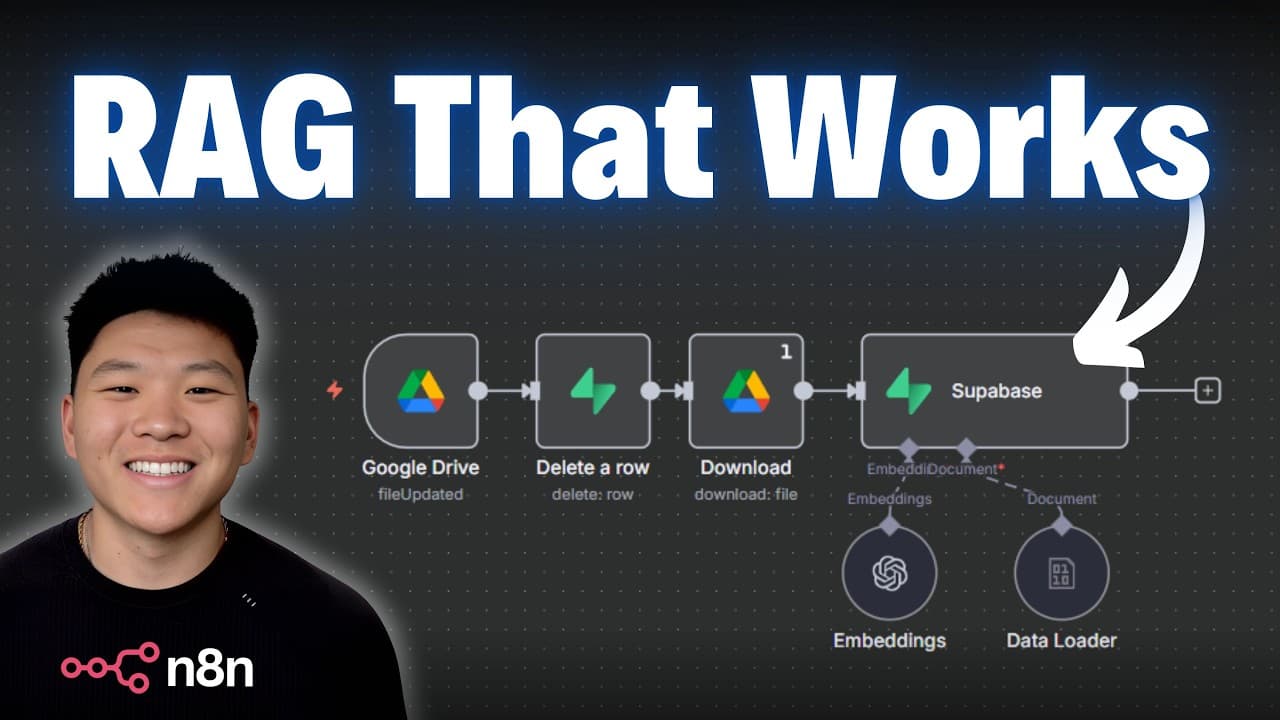
A live RAG pipeline keeps your vector database up to date by syncing with Google Drive when files are added, updated, or deleted. The video covers triggers, processing, and metadata to ensure accurate knowledge bases for AI agents, using n8n, Google Drive, and Supabase. It demonstrates a PDF flow from upload to embedding and querying.
Transcript
Today we're going to be talking about rag pipelines and the importance of keeping your database up to date. At this point, I'm assuming you've already built some sort of vector database rag agent before. If you haven't, I built a full course on that. You can go watch that video up here. And then when you're done with that video, come back over here... Read More
Key Insights
- A data pipeline consists of a trigger, inputs, and a final storage destination to keep data synchronized for AI agents.
- Automation is used to ensure updates in Google Drive are reflected in the vector database, preventing outdated information in the knowledge base.
- Metadata like file name and upload date are essential for tracking changes and enabling precise updates or deletions in the database.
- Converting Google Docs to PDFs in the pipeline ensures consistent ingestion of different document types into the vector store.
- Embedding models must match across the pipeline to maintain consistent vector representations for retrieval.
- A quick AI agent test demonstrates that the ingested document content is understood and can be queried effectively.
- Predictability of data formats and processing steps reduces errors and keeps the RAG system reliable.
- The workflow includes a pathway to scale by handling multiple file types beyond PDFs, all funneled into a single vector database.
- More videos from this channel:
- More from this channel: Nate Herk | AI Automation
Install to Summarize YouTube Videos and Get Transcripts
Explore YouTube Video Summarizer or Get YouTube Transcript Extractor
Questions & Answers
Q: What is a RAG pipeline and why is it important for AI agents?
A RAG pipeline, or Retrieval-Augmented Generation pipeline, combines retrieval with generation to provide up-to-date and trustworthy answers from a knowledge base. It is important because the AI agents rely on accurate data, and an automated pipeline ensures the vector database reflects the latest content, preventing outdated or inconsistent responses.
Q: How does the video propose to trigger data ingestion into the vector store?
The video proposes using a trigger that watches for changes in a specific Google Drive folder, focusing on events like a new file creation. This trigger starts the flow to download the file, convert it if needed, and then ingest it into the vector store with accompanying metadata, ensuring new content is captured promptly.
Q: What metadata is added when ingesting documents into Supabase, and why is it useful?
Metadata added includes file name and date. This metadata is useful to track the source and time of ingestion, enabling later updates or deletions to be accurately mapped to the corresponding vector entries, and helping maintain a clean, auditable knowledge base.
Q: Why is converting Google Docs to PDFs part of the pipeline in the video?
Converting Google Docs to PDFs standardizes the ingestion format so different document types can be processed uniformly. This step helps ensure consistent binary data handling and reliable embedding generation for the vector database, reducing edge cases from varying document formats.
Q: What role does embedding play in the RAG pipeline described in the video?
Embedding converts document content into numerical vectors that can be stored in the vector database and later retrieved by similarity search. The video uses a compatible embedding model to ensure retrieved results align with user queries, enabling accurate retrieval of relevant document segments.
Q: How does the video verify that the ingested document can be queried successfully?
The presenter runs a quick AI agent test connected to the vector store to ask about the policy, then checks that the answer correctly reflects the ingested document content, demonstrating that the pipeline delivers correct and retrievable information.
Q: What is the purpose of adding a Google Drive trigger for updates or removals in the pipeline?
Adding a trigger for updates or removals ensures that when a file changes or is deleted, the corresponding vectors in the database are updated or removed as well. This keeps the knowledge base synchronized with the source files and prevents stale data from being used by AI agents.
Q: What future scalability considerations are mentioned for handling multiple file types?
The video notes that the workflow can scale by supporting additional file types beyond PDFs, such as Word and Excel files, while routing them through the same ingestion flow so they feed into the existing vector database for unified retrieval.
Summary & Key Takeaways
-
The video demonstrates designing a data pipeline with three core components: inputs, processing, and storage, focusing on predictability and automation for up-to-date knowledge bases.
-
It shows a workflow that watches a Google Drive folder, downloads new files, converts them to PDFs, and ingests them into a Supabase vector store with metadata such as file name and date.
-
The presenter validates the setup by querying the vector database with a simple AI agent to verify that the document content is retrievable and accurate.
Read in Other Languages (beta)
Share This Summary 📚
Summarize YouTube Videos and Get Video Transcripts with 1-Click
Try YouTube Summary with ChatGPT & Claude or YouTube Transcript Generator
Explore More Summaries from Nate Herk | AI Automation 📚






Summarize YouTube Videos and Get Video Transcripts with 1-Click
Try YouTube Summary with ChatGPT & Claude or YouTube Transcript Generator