How to Build a One-Prompt App with Gemini 3
TL;DR
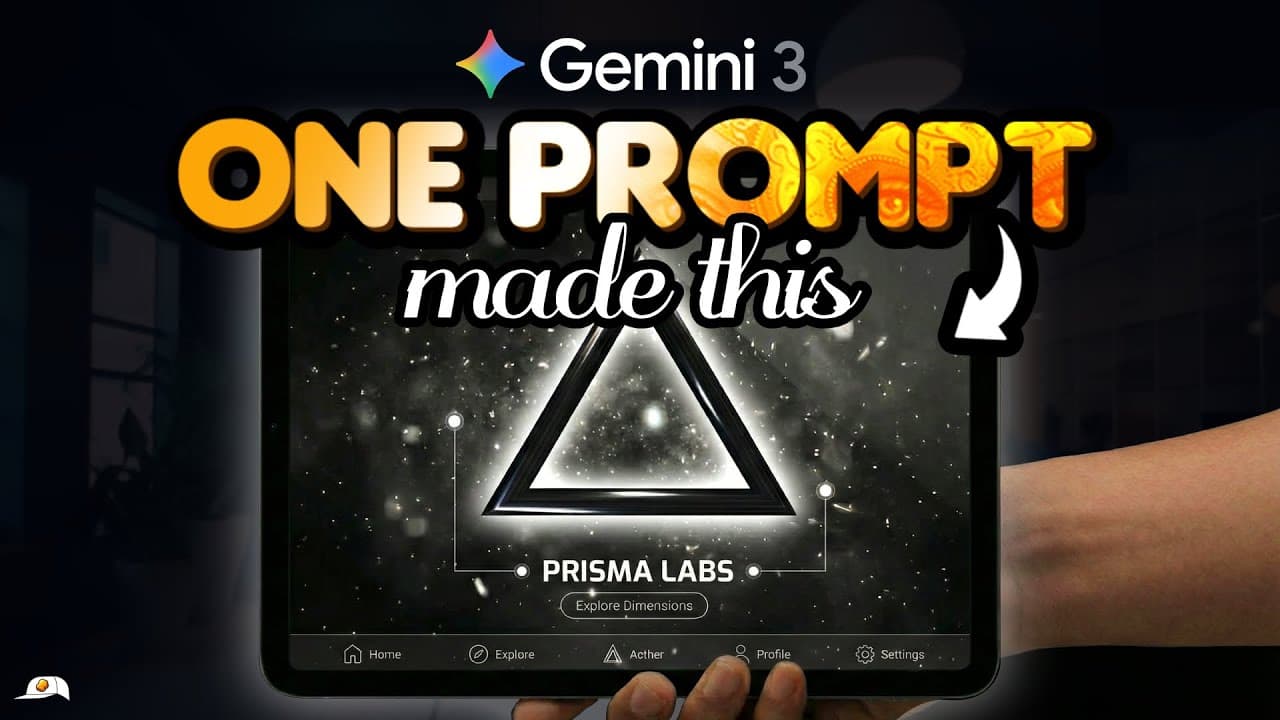
Use the VIBE framework to specify an app’s visuals, interface, back end, and exclusions in one detailed Gemini prompt. Generate the front end in Gemini with Thinking mode and Canvas enabled, connect the form to an N8N workflow for processing, then deploy the single-file application to a custom website domain so people can access it globally.
Transcript
Google just launched Gemini Tree. It creates fully functional applications so well-designed, you would swear they took dozens of hours to build. But the truth is, anyone can do it in seconds with just a single prompt. Once you understand this simple new framework to tell Gemini exactly what you want. So in this lesson, I'll teach you the easiest an... Read More
Key Insights
- Application development is presented as three stages: create the visible app, power its functionality, and deploy it for public use. Gemini handles the initial application design, N8N provides no-code workflow processing, and deployment makes the finished app globally accessible.
- Gemini Tree is accessed in the demonstrated Gemini app workflow by selecting Thinking mode and enabling the Canvas tool. After receiving a prompt, Gemini generates the application and displays an interactive preview where users can test buttons and complete form fields.
- A detailed prompt is more effective than a minimal request because it supplies specific design and behavior guidance. The demonstrated detailed brief produces a more refined user interface and interactive 3D effects, creating a stronger foundation that requires less fine-tuning.
- The VIBE framework is a prompting structure covering Visuals, Interface, Back end, and Exclusions. These four categories tell Gemini how the application should look, what users should be able to do, how processing should work, and what limitations it must observe.
- Visual instructions are strongest when they identify style, layout, and design cues. Examples mentioned include glass morphism, soft shadows, and rounded cards, while people unfamiliar with design terminology can provide inspiration images and ask an AI model to translate them into precise visual directions.
- Interface guidance can be expressed through simple if-and-then logic. In the demonstrated app, if a user completes the form and presses submit, then the application requests an AI advertisement and sends the resulting output to the email address the user supplied.
- A simple interface mockup can improve generation accuracy by showing the intended arrangement of visible elements. The demonstrated mockup was created in PowerPoint, although Canva or another comfortable tool can also be used to communicate what the final application should contain.
- AI-generated designs are probabilistic, so the same instructions can produce different results across attempts. Because the demonstrated Gemini workflow is free, the suggested approach is to generate several alternatives in separate tabs, select a satisfactory starting point, and then refine it through typed or spoken instructions.
Install to Summarize YouTube Videos and Get Transcripts
Explore YouTube Video Summarizer or Get YouTube Transcript Extractor
Questions & Answers
Q: How do you build a one-prompt app with Gemini?
Open the Gemini app, select Thinking mode to access Gemini Tree, and enable the Canvas tool. Submit one detailed prompt that defines the application’s visuals, interface behavior, back-end connection, and exclusions. Gemini then generates the application and shows a working preview in Canvas. Test its buttons and form fields, regenerate if the starting design is unsatisfactory, and refine the chosen version with typed or spoken instructions.
Q: What is the VIBE framework for prompting Gemini?
VIBE is a framework developed by the Robo Group for writing a strong single application prompt. It covers Visuals, Interface, Back end, and Exclusions. Visuals describe the style and layout. Interface instructions define user actions and resulting behavior. Back-end guidance explains how processing will occur, such as sending form data to N8N. Exclusions specify limits and guardrails, including keeping the application in one file.
Q: How should visuals be described in a Gemini app prompt?
Visual directions should explain the intended style, layout, and specific design cues. The transcript gives glass morphism, soft shadows, and rounded cards as examples of useful design language. If those terms are unfamiliar, provide an inspiration image to an AI model and ask it to identify and integrate the relevant visual characteristics into the final prompt. This gives Gemini more precise front-end guidance.
Q: How do you define an app interface without coding experience?
Describe the interface through straightforward user actions and outcomes, preferably using if-and-then statements. For example, if a user completes a form and presses submit, then the application creates an AI advertisement and emails the output. A basic mockup can provide additional clarity by showing the desired fields, buttons, and layout. The demonstrated mockup was made in PowerPoint, but Canva can also be used.
Q: What does N8N do in the Gemini application workflow?
N8N powers the application’s back-end functionality through a no-code workflow. In the demonstrated setup, the visible form sends its collected data to N8N, which handles the processing needed to provide the requested result. The transcript compares this role to a restaurant’s back of house, where the work happens out of view, while Gemini’s interface resembles the customer-facing front of house.
Q: Why should exclusions be included in a Gemini app prompt?
Exclusions tell Gemini about constraints, limits, and features that should not be included. Without those guardrails, the model may not understand the exact implementation the creator wants. In the demonstrated project, the principal exclusion is that everything must remain in a single file. That restriction supports a simpler drag-and-drop upload process when the application is launched on a website.
Q: Why can the same Gemini prompt produce different app designs?
Gemini’s results can differ because the AI model is probabilistic, meaning each generation may produce a somewhat different interpretation of the same instructions. The suggested response is to open several tabs and generate multiple designs because the demonstrated workflow is free. Once a promising version appears, use it as the starting point and fine-tune it through additional typed or spoken requests.
Q: What can the demonstrated AI advertising app do?
The demonstrated web application lets a user upload a photograph of a person and a separate photograph of a product, provide a simple request, and enter an email address. After submission, it sends a sample advertisement to that email. The output can be an image combining the person and product in one poster or a UGC-style video that incorporates both elements. It can support client demonstrations or email lead capture.
Summary & Key Takeaways
-
Application creation is divided into three stages: designing the app in Gemini, powering its functions with N8N, and deploying it for public access. The demonstrated project accepts a person’s photo, a product image, a request, and an email address, then generates and emails an AI advertisement to the user.
-
Gemini can create a working application from a short prompt when Thinking mode provides access to Gemini Tree and Canvas is enabled. However, a basic request may produce a basic interface. A detailed creative brief gives the model stronger direction and can produce interactive effects, improved layouts, and a more polished starting design.
-
The VIBE prompting framework covers Visuals, Interface, Back end, and Exclusions. Visuals define appearance, interface instructions describe user actions and outcomes, back-end guidance identifies how processing occurs, and exclusions establish constraints. The example keeps everything in one file so deployment can use a simple drag-and-drop upload process.
Read in Other Languages (beta)
Share This Summary 📚
Summarize YouTube Videos and Get Video Transcripts with 1-Click
Try YouTube Summary with ChatGPT & Claude or YouTube Transcript Generator
Explore More Summaries from Jay E | RoboNuggets 📚
Summarize YouTube Videos and Get Video Transcripts with 1-Click
Try YouTube Summary with ChatGPT & Claude or YouTube Transcript Generator