10 Best freeCodeCamp Courses on YouTube

Oct 21, 2026
12 min read
6 views
Last updated: October 2026
This list collects 10 freeCodeCamp.org courses on YouTube, ordered as a path that starts with what programming is and ends with data structures and algorithms. It is for complete beginners who want to learn to code for free and want a clear order to follow.
Together the 10 courses run about 41 hours, from a 68-minute Git course to John Smilga's eight-hour Node.js and Express.js course. The set covers the skills most coding paths share: how computers read instructions, web pages, two beginner languages, version control, databases, APIs, a backend framework, and computer science fundamentals.
The videos on this list, in the order to watch them, are:
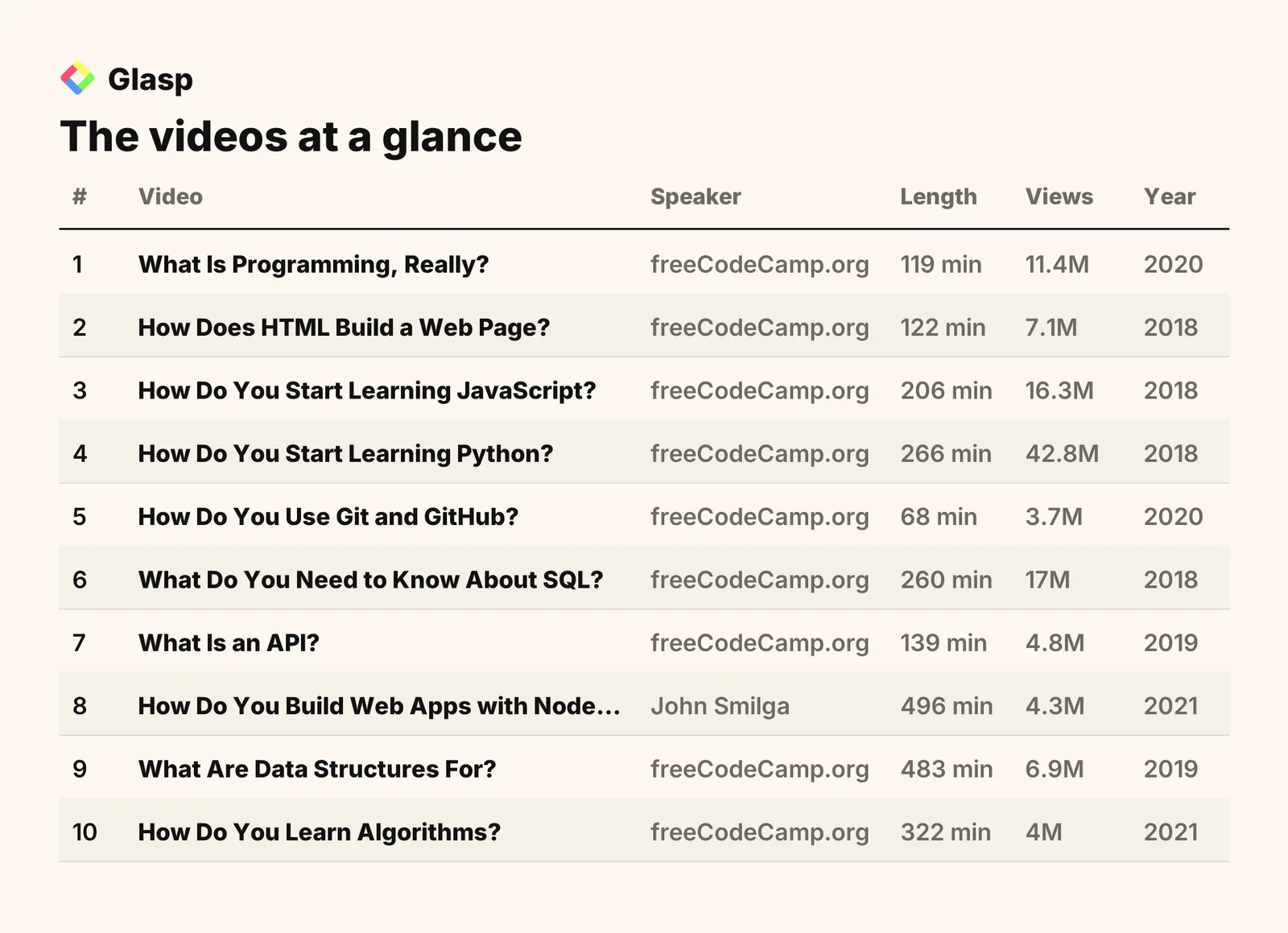
How Do You Build Web Apps with Node.js? (John Smilga)
Total: 10 videos, 2481 minutes of watch time (41 hours 21 minutes), and 118.3M combined views.
1. What Is Programming, Really?

"What Is Programming? A Beginner's Intro to Computer Science" · freeCodeCamp.org · 119 min · 11.4M views · 2020
In short: Programming is getting a computer to complete a specific task without mistakes by giving it extremely precise instructions written in a programming language.
Before you write any code, this course explains what code actually is and why computers need such exact instructions. It covers machine code, programming languages, IDEs, and syntax, which are the ideas every later course on this list assumes you know.
Key takeaways
Computers only understand machine code, a binary language of ones and zeros, so every instruction a program gives must be converted into that form.
Programming languages act as a middleman that translates human-readable instructions into machine code, which makes them far easier to learn than binary.
Low-level languages like assembly and C sit closer to machine code, while high-level languages like Java and Python sit further away from it.
Syntax is a programming language's grammar, and breaking its rules produces an error, just as broken grammar in everyday speech produces an unintended message.
Watch on YouTube · Read the summary and Q&A
2. How Does HTML Build a Web Page?

"How Does HTML Help You Build Websites?" · freeCodeCamp.org · 122 min · 7.1M views · 2018
In short: HTML, or Hypertext Markup Language, defines the layout and appearance of a web page using tags such as head, body, header, and footer.
HTML is the most visible first win in coding, because you can write a file and see a web page right away. This course shows how an HTML file is structured and what tools you need to start, which makes it a gentle first hands-on step.
Key takeaways
HTML is the language that defines the look and layout of a web page, so it is the starting point for building websites.
Learning HTML lets you build custom websites yourself instead of relying on pre-designed templates or drag-and-drop website builders.
Beginners can write HTML in simple text editors like Notepad or TextEdit, while programs like Atom or Sublime add extra features.
An HTML file is organized with structural tags such as html, head, body, header, main, footer, nav, article, and section.
Watch on YouTube · Read the summary and Q&A
3. How Do You Start Learning JavaScript?
"How to Learn JavaScript: A Complete Beginner Course" · freeCodeCamp.org · 206 min · 16.3M views · 2018
In short: Start with a beginner course covering JavaScript syntax, data types, variables, and functions, practicing each concept through hands-on examples and exercises.
Once you can build a page with HTML, JavaScript is the language that makes it do things. This course is built for complete novices and people who need a refresher, and it walks through the basic syntax one concept at a time.
Key takeaways
JavaScript data types include numbers, strings, booleans, undefined, null, symbols, and objects, and each one stores a different kind of value.
Variables in JavaScript are declared with var, let, or const, and each keyword follows different rules for scope and reassignment.
Arrays in JavaScript store multiple values in a single variable, and each value inside the array is accessed by its index position.
Functions in JavaScript are reusable blocks of code that can accept inputs called parameters and return outputs to the code that called them.
Watch on YouTube · Read the summary and Q&A
4. How Do You Start Learning Python?
"How to Start Learning Python as a Complete Beginner?" · freeCodeCamp.org · 266 min · 42.8M views · 2018
In short: Install Python 3 and an IDE such as PyCharm, then work through core concepts, since Python's simple syntax makes it beginner-friendly.
Python is the second language on this path because its simple syntax lets you focus on programming ideas instead of punctuation. This course starts from installation and builds confidence step by step, and the algorithms course at the end of this list uses Python too.
Key takeaways
The first setup step for learning Python is installing Python 3 along with an integrated development environment such as PyCharm.
Python is considered beginner-friendly because its simple syntax keeps the learning curve minimal for people writing code for the first time.
Python is a widely used and sought-after programming language, valued both for programming jobs and for automating everyday tasks.
Python offers a wide range of libraries and frameworks, which gives beginners plenty of room to grow once the basics are in place.
Watch on YouTube · Read the summary and Q&A
5. How Do You Use Git and GitHub?
"What Is Git and How Do I Use GitHub for Collaboration?" · freeCodeCamp.org · 68 min · 3.7M views · 2020
In short: Use Git to track code changes with commands like add and commit, then push and pull to share work through GitHub repositories.
Now that you are writing code in two languages, you need a way to save versions and share them. This is the shortest course on the list, and it covers the Git commands and GitHub workflow that almost every coding project uses.
Key takeaways
Git is a free and open-source version control system that tracks changes to code over time and helps developers collaborate effectively.
GitHub hosts Git repositories online, giving a project a central place where developers can store their code and work on it together.
Branching in Git lets you build a new feature or fix a bug without affecting the main codebase until you choose to merge it.
Merge conflicts happen when branches contain conflicting changes to the same code, and they must be resolved manually before the merge can finish.
Watch on YouTube · Read the summary and Q&A
6. What Do You Need to Know About SQL?
"What Do You Need to Know About SQL and Databases?" · freeCodeCamp.org · 260 min · 17M views · 2018
In short: SQL is the language for managing relational databases, where data lives in tables and is created, read, updated, and deleted through queries.
Most real applications store data somewhere, and this course explains how relational databases do it. It moves from what a database is to designing a schema and writing queries, using MySQL and PopSQL as beginner-friendly tools.
Key takeaways
Relational databases store data in structured tables of rows and columns, while non-relational databases use more flexible structures to hold information.
A primary key uniquely identifies each row in a table, and a foreign key establishes a relationship between rows in different tables.
MySQL is a popular relational database management system for beginners, and its MySQL Community Server version is free and open source.
PopSQL is a tool that gives you a friendly interface for writing SQL queries and viewing the results they return.
Watch on YouTube · Read the summary and Q&A
7. What Is an API?

"What Is an API and How Do You Use One?" · freeCodeCamp.org · 139 min · 4.8M views · 2019
In short: An API is a contract that defines how software can be used and what you get back, while hiding how it works internally.
APIs connect everything you have learned so far: your code, the databases behind apps, and services on the internet. This course explains the idea with everyday examples like a radio and a button, then shows that most people saying API today mean web-based APIs.
Key takeaways
A user interface is made for the people using an application, while an application programming interface is made for programmers who build on it.
A radio is an everyday interface example, because it exposes volume, station, and power controls while hiding everything that happens inside the device.
APIs provide abstractions at many levels, so a music streaming app can rely on a framework button, an operating system media player, and a web API.
Programming languages provide their own APIs, such as a string API that converts text to uppercase without you writing low-level bit math yourself.
Watch on YouTube · Read the summary and Q&A
8. How Do You Build Web Apps with Node.js?
"How Do You Build Web Apps with Node.js and Express.js? Full Course" · John Smilga · 496 min · 4.3M views · 2021
In short: Learn Node.js fundamentals to run JavaScript outside the browser, then use Express.js to build servers, REST APIs, and full MERN applications.
This course turns your JavaScript, database, and API knowledge into working backend code. It progresses from setup and core concepts to a complex REST API, a full MERN application with MongoDB and Mongoose, and deployment steps.
Key takeaways
Node.js runs JavaScript outside the browser, which is what makes server-side development possible with the same language you learned for web pages.
Express.js is a framework that simplifies building server-side applications on Node.js, including REST APIs that handle HTTP requests and responses.
The MERN stack combines MongoDB, Express.js, React, and Node.js into one set of tools for building full-stack web applications.
Middleware in Express.js runs code during a request, can modify the request and response, and can end the request-response cycle.
Watch on YouTube · Read the summary and Q&A
9. What Are Data Structures For?

"What Are Data Structures and How Are They Used?" · freeCodeCamp.org · 483 min · 6.9M views · 2019
In short: Data structures organize data so programs can access and change it efficiently, which makes them fundamental to fast algorithms and clean code.
After building real projects, this course explains why some code runs fast and some does not. It introduces Big O notation and walks through arrays, linked lists, stacks, queues, and priority queues, with the use cases for each.
Key takeaways
Big O notation is a way to evaluate how well an algorithm performs by focusing on its time complexity and its space complexity.
Stacks follow a last-in, first-out principle and show up in many programming contexts, including recursion.
Queues follow a first-in, first-out principle, which makes them a natural fit for modeling waiting lines and managing servers.
Priority queues use heaps to order elements by priority, and they are central to algorithms such as Dijkstra's and Huffman encoding.
Watch on YouTube · Read the summary and Q&A
10. How Do You Learn Algorithms?
"What Are Algorithms and How Can I Learn Them?" · freeCodeCamp.org · 322 min · 4M views · 2021
In short: Learn algorithms by practicing algorithmic thinking: break problems into steps, then evaluate and compare solutions such as linear and binary search in Python.
This course closes the path by teaching you to judge your own code, not just write it. It sets out to remove the fear around algorithms and uses Python examples to compare how different approaches perform.
Key takeaways
An algorithm is a set of steps for completing a task, and everyday examples of algorithms include recipes and driving directions.
Algorithmic thinking means breaking a complex problem into manageable steps and choosing the most suitable algorithm or data structure for each part.
Linear search checks every element sequentially, one at a time, and has a time complexity of O(n).
Binary search has a time complexity of O(log n) because it cuts the search space in half at every step, making it more efficient than linear search.
Watch on YouTube · Read the summary and Q&A
Frequently asked questions
Which freeCodeCamp course should a complete beginner watch first?
Start with freeCodeCamp's What Is Programming course, which explains machine code, programming languages, IDEs, and syntax before you write any code. It gives you the vocabulary every other beginner course assumes.
Should I learn Python or JavaScript first?
Both are good first languages: Python is known for its simple syntax and minimal learning curve, while JavaScript is the language that adds functionality to web pages. If you want to build websites, JavaScript is required alongside HTML and CSS.
What do I need to install to start learning Python?
You need Python 3 and an integrated development environment (IDE) such as PyCharm. freeCodeCamp's beginner Python course walks through this setup before teaching the language.
What is the difference between HTML, CSS, and JavaScript?
HTML provides the structure of a web page, CSS handles its visual styling, and JavaScript adds functionality and interactivity. Front-end developers need all three because they work together.
What is the difference between Git and GitHub?
Git is a free and open-source version control system that tracks changes to your code. GitHub is an online platform that hosts Git repositories so developers can store projects centrally and collaborate.
What is SQL used for?
SQL is used to create, read, update, and delete data in relational databases, which store information in tables of rows and columns. MySQL is a popular relational database for beginners.
What is the difference between a UI and an API?
A user interface is made for the people who use an application, while an application programming interface is made for programmers who use and extend that application in their own code.
What is Node.js used for?
Node.js lets you run JavaScript outside the browser, which makes server-side development possible. It is often paired with the Express.js framework to build REST APIs and full-stack MERN applications.
Why should beginners learn data structures and algorithms?
Data structures and algorithms determine how efficiently a program stores, finds, and processes data. Learning them helps you analyze how your code will perform and choose the right approach for each problem.
How to use this list
Watch these courses in the listed order, because each one builds on the last: first what programming is, then web pages and two beginner languages, then the tools and backend skills real projects use, and finally the computer science fundamentals that help you write efficient code. Code along with each course instead of only watching, and come back to the Git course whenever you start a new project. If you are short on time, watch What Is Programming first, since it explains the core ideas behind every other course here and is one of the shortest on the list.
Related lists
💡 Want summaries and transcripts for any YouTube video? Try YouTube Summary with ChatGPT & Claude.