What Is an API and How Do You Use One?
TL;DR
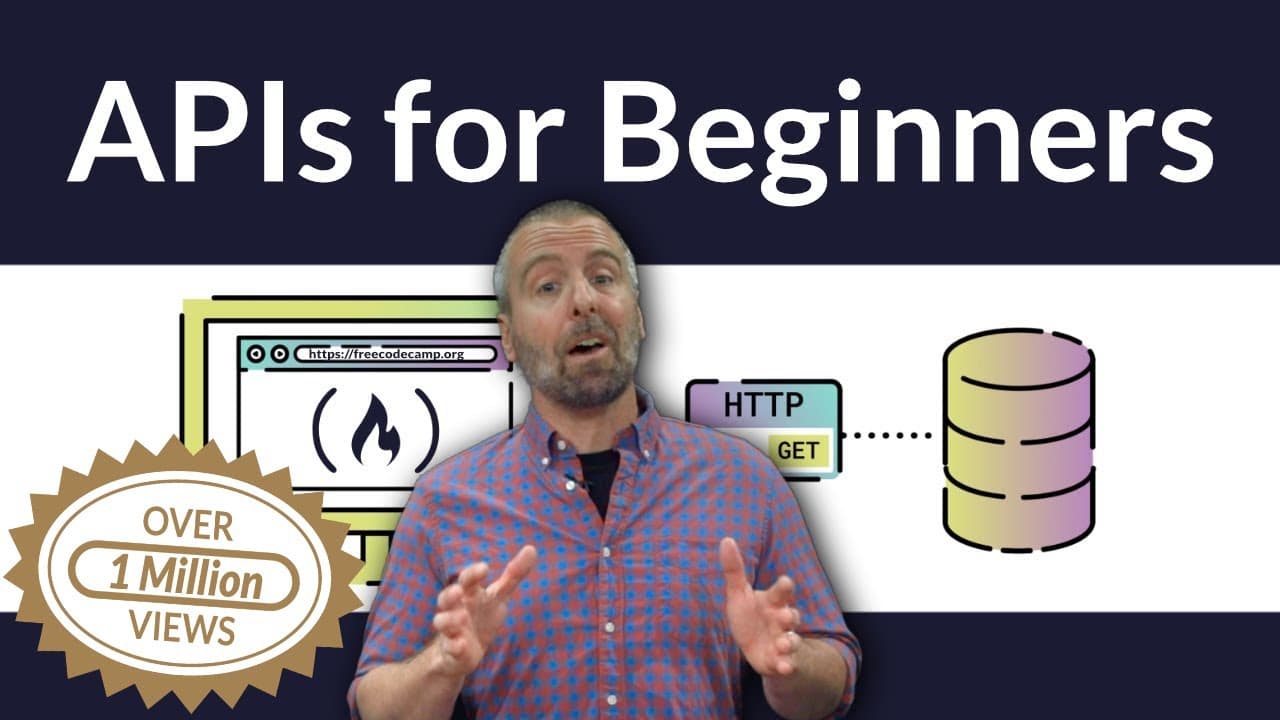
An API, or Application Programming Interface, is a contract that defines how software can be used and what you can expect back, while abstracting away the implementation. Like a radio's knobs or a play button, it exposes controls without requiring you to know how anything works internally. Most people saying "API" today mean web-based APIs.
Transcript
- Hello, I'm Craig, and I'm a developer. In this course we're gonna be exploring a term that you've probably heard quite a bit. That term is API, or Application Programming Interface. In addition to being able to recite what it stands for, when you complete this course, you'll be able to discuss what an API does, you'll understand why they exist, a... Read More
Key Insights
- An API is a contract of sorts that defines how it is expected to be used and what you can expect to receive by using it. It is a set of tools designed for software developers, giving access to data and an abstraction of the implementation.
- Interfaces are all around us, and they all share one trait: they define ways to interact or communicate with an object, whether that object is physical or software, without requiring the user to understand how it works implementation-wise.
- A radio is a familiar interface example. It lets you change the volume, change the station, and turn it off and on, while the magic happening inside is completely abstracted away from the person using it.
- The difference between UI and API is who they serve. The User Interface is made for the user of the application, while the Application Programming Interface is made for the application programmer to use and extend in their own applications.
- Buttons are themselves an interface. A developer writing an event handler does not have to write the code that makes the button interact and change on press, or the code producing the familiar clicking noise. It is already provided.
- It is APIs all the way down to the ones and zeros, providing abstractions at many levels. A streaming music app uses a button interface from the app framework, a media player API from the OS such as Android or iOS, and a web API over the internet.
- Programming languages all provide APIs, such as a string API. Converting text to uppercase could be done with low level bit math on each character, but the language abstracts that away because it is a common enough problem developers run into.
- Because programming language specifications are just interfaces, different operating systems can supply their own implementations, so the same code works properly in each environment. Windows and Mac OS maintaining files differently is an easy way to picture this.
Install to Summarize YouTube Videos and Get Transcripts
Explore YouTube Video Summarizer or Get YouTube Transcript Extractor
Questions & Answers
Q: What is an API in simple terms?
API stands for Application Programming Interface. It is a contract of sorts: it defines how it is expected to be used, and it defines what you can expect to receive by using it. Think of it as a set of tools designed for software developers. An API is created to make your life easier by giving you access to data and by providing an abstraction of the implementation, meaning you do not need to know how it is doing whatever it is doing. APIs save you from needing to create everything yourself, and when designed well they make nearly impossible things happen in just a few lines of code.
Q: What is the difference between a UI and an API?
Both are interfaces, but they serve different audiences. The UI, or User Interface, is made for the user of the application. The API, or Application Programming Interface, is made for the application programmer to use and extend in their applications. A play button in a streaming music app is part of the UI: the listener presses it and music starts, with no idea how it does it. The button itself is also part of an API provided by the application framework, because the developer who wrote the app attached an event handler to it without having to write the code that makes the button react to a press or make its clicking noise.
Q: Why do APIs exist?
APIs exist because certain problems are common enough that developers keep running into them, so an interface is created to solve them once. String handling is a clear example: every programming language provides a way to work with strings, such as making text uppercase. You could produce that uppercase string yourself with low level bit math on each character, but you do not need to, because the language has abstracted that away and provided a handy string API. More broadly, APIs give access to data, abstract away implementation details, and spare developers from building everything themselves.
Q: How does an interface abstract away implementation?
An interface exposes only what you are allowed to change or see, and hides everything else. A radio has controls for volume, station, and power. The person turning those knobs has no idea how anything inside works, yet still controls the device through the options that are exposed. An alarm clock radio adds features like setting the time and the alarm, still without exposing how any of it works internally. The same pattern applies in software: as a user of an interface, you do not need to understand the implementation, only what the interface permits.
Q: What do you need to know before learning APIs?
The prerequisites are deliberately light. You should have a touch of experience with coding: if you have written any program at all in any programming language, even the typical first program that prints hello world, you are pretty much ready. It also helps to have a basic understanding of how the web works with web servers and browsers, though the course touches on that as well. For anyone who has not yet met these requirements, the notes attached to the video point to resources for getting started with beginning web and programming concepts.
Q: Why do people say API when they mean web API?
The instructor gives an explicit word of warning about this naming issue. These days the term API is almost always used as a way to explain web-based APIs, and it is probably safe to assume that when you hear API in the wild, people are talking about a web-based API. However, web APIs are only a subset. Focusing on all types of APIs, including the ones in your programming language, your application framework, and your operating system, gives a better look into why web-based APIs became so popular in the first place.
Q: What will you build in this API course?
After learning the concepts, you explore existing APIs using Postman, a handy tool that provides a nice way to interact with web-based APIs. You use it to hit an external web API to send actual text messages, and to get interesting data back from a streaming music service API. Then you insert those APIs into a web application called Complimenter, which lets you send compliments to friends, family, and colleagues over text message and encourages recipients to visit your site and do the same. Final applications are provided in both JavaScript and Python.
Q: Does this course teach you how to design your own API?
No. The course is strictly about using APIs, not writing them. The instructor states plainly that you will not be writing your own APIs here, and while you will most likely end up picking up some best practices in API design along the way, that topic is not covered specifically. For anyone who wants to learn API creation, the instructor notes that there are many great courses available showing the creation thought process, and links to some favorites in the notes attached to the video.
Summary & Key Takeaways
-
The course, taught by Craig, a developer, covers what an API does, why APIs exist, and the benefits they provide. Prerequisites are light: a touch of coding experience, enough to have written a hello world program in any language, plus a wee bit of knowledge about how the web works with web servers and browsers.
-
The explanation starts with the last letter of the acronym, the I for interface. Radios, alarm clock radios, and graphical play buttons all expose controls while hiding implementation. Interfaces evolve over time, and as technology changes, new options make their way into new versions of the interface while still abstracting away the details.
-
APIs are stacked at every level. A streaming music app's play button comes from the application framework's API, the audio playback comes from the operating system's media player API, and the song itself arrives through a web-based API call made over the internet to fetch the data.
-
The course path moves from concepts to hands-on work. Learners explore existing APIs with Postman, hit an external web API to send actual text messages, pull data back from a streaming music service API, then build a web app called Complimenter in both JavaScript and Python.
-
The focus is strictly on using APIs, not writing them. Design best practices are not covered specifically, though learners will likely pick up some along the way. The instructor also notes that when people say API in the wild, they almost always mean a web-based API.
Read in Other Languages (beta)
Share This Summary 📚
Summarize YouTube Videos and Get Video Transcripts with 1-Click
Try YouTube Summary with ChatGPT & Claude or YouTube Transcript Generator
Explore More Summaries from freeCodeCamp.org 📚



Summarize YouTube Videos and Get Video Transcripts with 1-Click
Try YouTube Summary with ChatGPT & Claude or YouTube Transcript Generator