How Does a Fully Hallucinated AI OS Work?
TL;DR
Vibe OS creates interactive application interfaces entirely at runtime by asking AI to generate HTML and return diffs after each user action. Each window runs in a separate iframe and Copilot SDK session, which preserves enough conversational context to simulate state without conventional buttons, event handlers, or application logic behind the interface.
Transcript
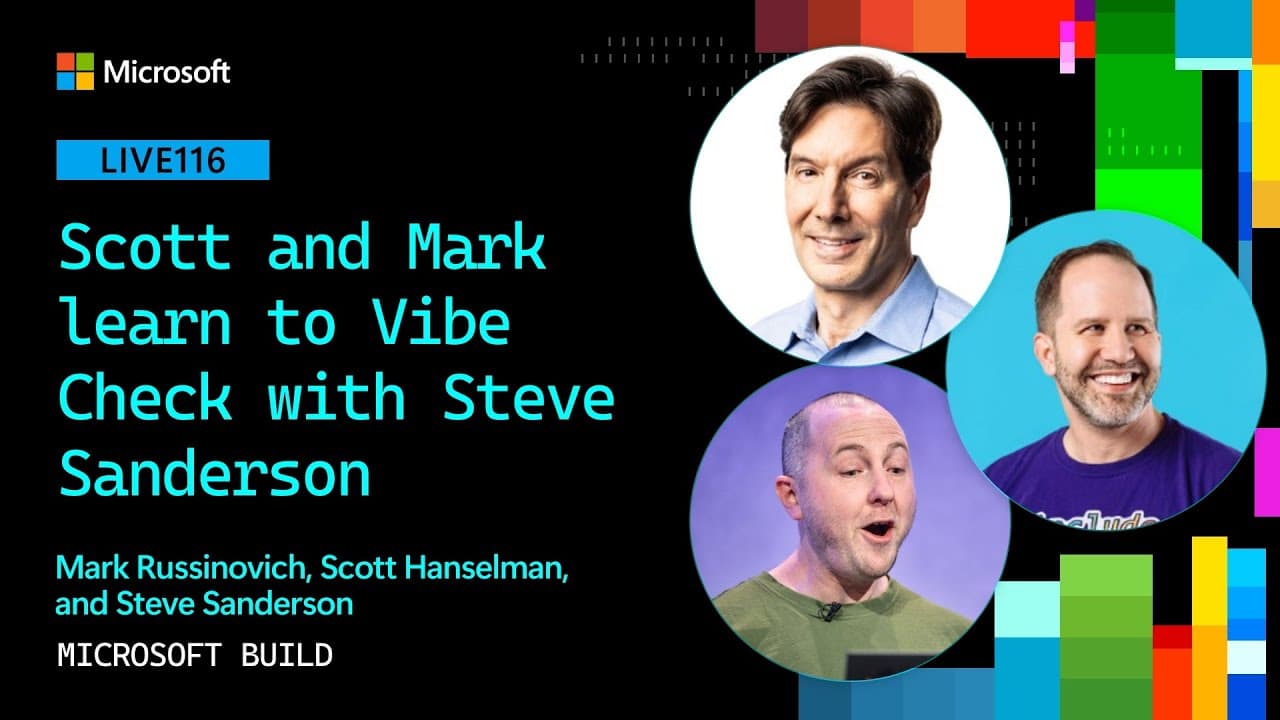
Hey friends, we are back. Thank you so much again to our sponsors for making this happen. This is Scott and Mark learn to vibe check. Our first guest today is the wonderful Steve Sanderson. Steve Sanderson is extremely well-known programmer. You've probably heard of things like knockout JS. He's worked on Blazer. He's done amazing things on the int... Read More
Key Insights
- Vibe OS is a hallucinated operating system that generates application interfaces and content through AI in real time. It can boot from a roughly 1.3-gigabyte VHDX file in Hyper-V, although Sanderson says it could also run on bare metal.
- The applications contain no conventional buttons, event handlers, or programmed business logic. Instead of executing predefined application behavior, the system asks AI to create the visible interface and determine how that interface should change after each interaction.
- HTML is the representation that made the experiment work effectively. Sanderson found that models could generate HTML much more successfully than raw bitmap updates, a custom domain-specific language, or a representation based on the native UI framework he tested.
- Each application window is isolated in a separate iframe and starts its own Copilot SDK session. This architecture lets multiple generated applications appear on the desktop while each session independently maintains the interaction history associated with its simulated application.
- User interactions are communicated through element identifiers embedded in the generated HTML. When a user clicks an element, Vibe OS tells the model which ID was selected and requests a diff that can be applied to update the current interface.
- Statefulness is simulated through the continuing Copilot session rather than a conventional application state model. Because the model receives prior interaction context and updates the existing HTML, applications can appear to remember actions even though no normal application logic exists behind them.
- On-demand application creation allows users to search for nearly any imagined program and receive a generated simulation. The demonstration includes personalized encyclopedia, finance, command-line, painting, and operating-system experiences whose details vary each time they are created.
- The project is intentional experimental software rather than a claim of production readiness. Sanderson describes trying several technical approaches over a few evenings, while the hosts frame the result as AI-augmented engineering deliberately used to create playful, unpredictable software.
- More videos from this channel:
- More from this channel: Microsoft Developer
Install to Summarize YouTube Videos and Get Transcripts
Explore YouTube Video Summarizer or Get YouTube Transcript Extractor
Questions & Answers
Q: What is Vibe OS and how does it work?
Vibe OS is an experimental operating system that uses AI to hallucinate application interfaces and behavior in real time. Its applications do not rely on conventional buttons, event handlers, or programmed logic. The model generates HTML for each interface, receives descriptions of user interactions, and returns diffs that the system applies to update what appears on screen.
Q: How does Vibe OS create applications without conventional code?
Vibe OS prompts the model to simulate a requested application and produce HTML representing its interface. The generated elements receive identifiers, allowing the system to report which element a user selected. The model then produces an HTML diff for the next interface state, so the application appears functional without predefined event handlers or conventional application logic.
Q: Why does Vibe OS use HTML for generated interfaces?
HTML produced substantially better results than the other representations Sanderson tested. Raw bitmap generation was slow and gave the model little useful structure when users clicked coordinates. A custom domain-specific language and a native UI approach also performed poorly. Models have encountered extensive HTML, so they can generate and modify that format more easily.
Q: How does Vibe OS simulate stateful application behavior?
Vibe OS creates a separate Copilot SDK session for each application window. That ongoing session retains the context of previous prompts and interactions. When a user clicks an identified element, the model receives that action and generates a diff for the current HTML, creating what Sanderson calls fake statefulness without a conventional application state model.
Q: What applications were demonstrated inside Vibe OS?
The demonstration begins with familiar applications including Notepad, Calculator, and Internet Explorer. It then generates customized experiences such as Encarta 98 about Mark Russinovich, a rude Commander-style tool, Microsoft Money 95 for Scott Hanselman, Paint with a generated portrait of Scott, and a nested operating-system simulation using mismatched Windows CE interface elements.
Q: Why did bitmap generation fail for the Vibe OS interface?
Bitmap generation was too slow and did not provide a useful structure for interaction. When a user clicked the generated desktop image, the system could only tell the model that particular coordinates had been selected. The model could not reliably understand which interface element was involved or how the existing screen should be updated in response.
Q: Does Vibe OS run as a real bootable operating system?
Sanderson presents Vibe OS as a real bootable operating system packaged in a VHDX file of about 1.3 gigabytes. He demonstrates it booting in Hyper-V and says it could run on bare metal, although he chooses virtualization for the presentation. Once started, it displays a desktop where generated application windows can be opened and used.
Q: How long did Steve Sanderson take to build Vibe OS?
Sanderson says the project took a few evenings. The work included experimenting with several implementation strategies before settling on HTML. He first tried generated bitmap images, then explored a custom domain-specific language and a native UI approach. The final design used separate iframes, Copilot SDK sessions, element identifiers, and model-generated HTML diffs.
Summary & Key Takeaways
-
Steve Sanderson demonstrates Vibe OS, an experimental operating system whose applications are hallucinated by AI in real time. Running as a VHDX file in Hyper-V, it can present familiar tools such as Notepad, Calculator, and Internet Explorer even though those applications contain no conventional interface code, event handlers, or programmed logic.
-
Users can request applications that do not already exist, and Vibe OS generates customized simulations on demand. Demonstrations include Encarta 98 about Mark Russinovich, a rude Commander-style application, Microsoft Money 95 for Scott Hanselman, Paint containing his portrait, and a nested operating-system simulation with intentionally mismatched interface elements.
-
The implementation uses HTML after experiments with bitmap generation, a custom DSL, and a native UI approach produced weaker results. Each window is an iframe with its own Copilot SDK session. User clicks are identified by element IDs, sent to the model, and answered with HTML diffs that update the displayed interface.
Read in Other Languages (beta)
Share This Summary 📚
Summarize YouTube Videos and Get Video Transcripts with 1-Click
Try YouTube Summary with ChatGPT & Claude or YouTube Transcript Generator
Explore More Summaries from Microsoft Developer 📚
![What are Environment variables? [10 of 20] | Bash for Beginners thumbnail](/_next/image?url=https%3A%2F%2Fi.ytimg.com%2Fvi%2FaKghi0hI1OA%2Fhqdefault.jpg&w=750&q=75)

Summarize YouTube Videos and Get Video Transcripts with 1-Click
Try YouTube Summary with ChatGPT & Claude or YouTube Transcript Generator