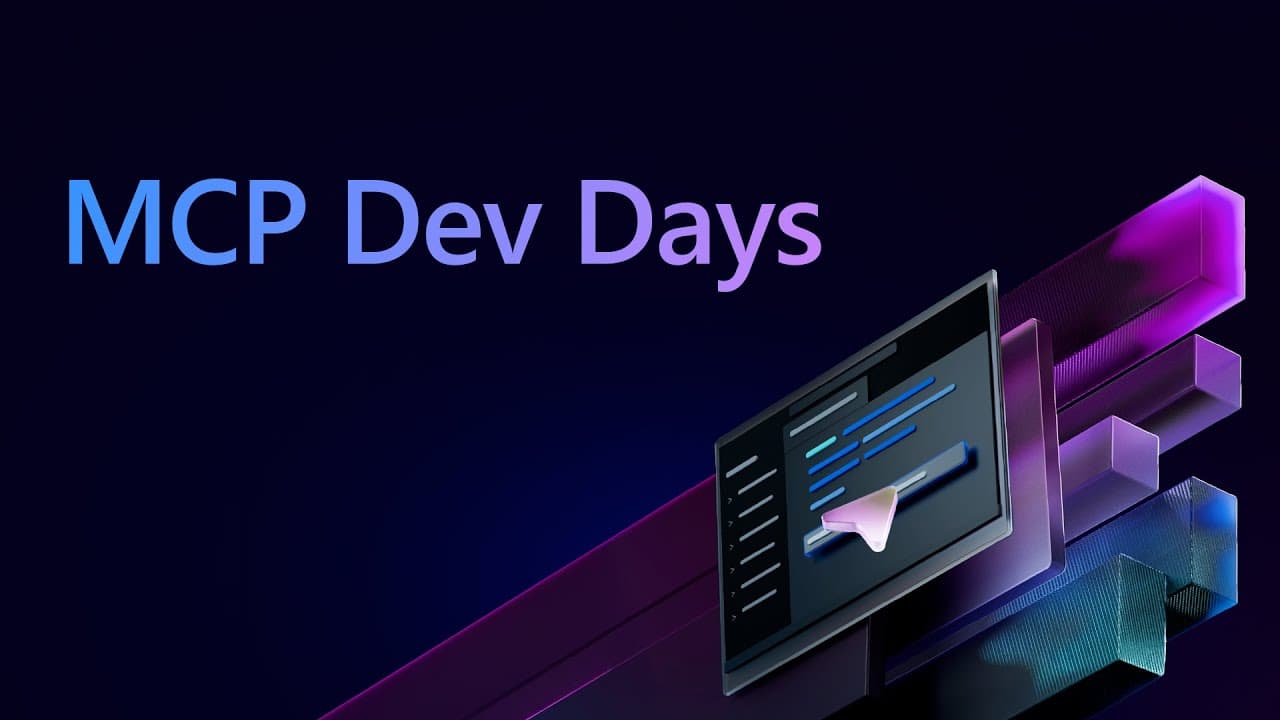
How to Use MCP DevTools in Visual Studio Code
TL;DR
MCP gives AI applications a standard way to connect with external data, tools, and resources through lightweight local or remote servers. In Visual Studio Code, developers can install MCP servers, authenticate remote services with OAuth, manage exposed tools and prompts, and let an agent retrieve information or perform actions such as searching GitHub repositories and forking a repository.
Transcript
WELCOME, THE EVENT WILL BEGIN SHORTLY. WELCOME, THE EVENT WILL BEGIN SHORTLY. WELCOME, THE EVENT WILL BEGIN SHORTLY. WELCOME, THE EVENT WILL BEGIN SHORTLY. WELCOME, THE EVENT WILL BEGIN SHORTLY. WELCOME, THE EVENT WILL BEGIN SHORTLY. WELCOME, THE EVENT WILL BEGIN SHORTLY. WELCOME, THE EVENT WILL BEGIN SHORTLY. WELCOME, THE EVENT WILL BE... Read More
Key Insights
- MCP is a protocol that provides AI models with a standard connection to data, tools, and resources. It reduces the need to build separate custom connections repeatedly for different data sources, AI applications, and clients.
- The MCP architecture is divided into hosts, clients, and servers. A host such as Visual Studio Code coordinates MCP clients, each client maintains a connection, and lightweight local or remote servers provide useful context and capabilities.
- MCP tools are functions or pieces of functionality that an agent can invoke. They can retrieve or submit data, open a browser, click interface elements, interact with external services, and perform actions requested through natural language.
- MCP resources can supply context such as API responses, files, and screenshots. A server can expose these materials directly to the AI application, reducing the need for users to gather and attach every relevant item manually.
- MCP prompts are reusable workflows exposed by a server. They can be bidirectional, ask the user for required information, incorporate the response into a prepared prompt, and then guide the agent toward an action.
- Visual Studio Code exposes MCP servers in its Extensions view. Developers can choose servers from a curated list, install them directly, inspect their configuration, and start servers that need to run locally.
- The GitHub MCP server connects the agent directly to the GitHub API. In the demonstration, OAuth uses an account already signed into Visual Studio Code, after which the agent searches repositories and can perform a repository fork.
- Visual Studio Code limits how many tools can be sent with a particular request. When too many tools are enabled, developers can open the tool configuration, disable irrelevant capabilities, and retain only tools needed for the current task.
Install to Summarize YouTube Videos and Get Transcripts
Explore YouTube Video Summarizer or Get YouTube Transcript Extractor
Questions & Answers
Q: What is the Model Context Protocol used for?
The Model Context Protocol provides a standard way to connect large language models and AI applications with external data, tools, and resources. It is described as a universal adapter for AI applications because it avoids repeatedly creating separate custom connections for every combination of data source and client. MCP servers can provide context and enable agents to retrieve information or take actions.
Q: How does the MCP host, client, and server architecture work?
The host is the AI application, such as Visual Studio Code, that coordinates and manages MCP clients. Each client maintains a connection and obtains context from an MCP server. The servers are lightweight applications that can run locally or remotely, supplying the clients with tools, resources, prompts, and access to connected systems such as databases or GitHub.
Q: How do you install an MCP server in Visual Studio Code?
Open the Extensions view in Visual Studio Code and locate the section for MCP servers. The interface provides a curated list intended to help developers get started, although it is not an exhaustive catalog. Selecting a server opens its installation page in Visual Studio Code, where it can be installed. Installed servers and their configurations can then be inspected from the same environment.
Q: What can MCP tools do inside an AI coding workflow?
MCP tools expose functions that an agent can invoke while responding to a request. Examples in the presentation include opening a browser, clicking interface elements, retrieving data, submitting data, searching GitHub repositories, and forking a repository. Database tools can also retrieve a schema so an agent can use that context when generating classes or completing related development work.
Q: How do MCP resources provide context to an agent?
MCP resources let a server expose supporting material such as an API response, file, or screenshot. This context can be attached automatically and sent to the agent, so the user does not need to make multiple separate requests or manually gather every item. The supplied material gives the model additional information needed to understand a task and produce an informed response.
Q: How does GitHub authentication work with MCP in Visual Studio Code?
When the GitHub MCP server needs access, the agent asks the user to sign in with GitHub. The demonstrated OAuth flow allows the user to select the GitHub account already signed into Visual Studio Code. After authorization, the agent can use the remote GitHub server and communicate directly with the GitHub API to search repositories or perform supported actions.
Q: What should you do when Visual Studio Code reports too many MCP tools?
Open the tool configuration and review all enabled capabilities. A particular request can include only a limited number of tools, so irrelevant tools should be deselected while the capabilities required for the current operation remain enabled. In the demonstration, the repository-forking tool was retained, allowing the request to be submitted again with a smaller and more relevant tool set.
Q: How does approval control affect MCP actions in Visual Studio Code?
Visual Studio Code can ask the user to approve actions proposed by an agent, either individually or across multiple requests. The demonstrated Auto Approve setting stops these repeated approval prompts and allows supported actions to run automatically. The setting is available in user settings by searching for Auto Approve, so developers can choose the approval behavior used in their workflow.
Summary & Key Takeaways
-
Model Context Protocol acts as a universal adapter between AI applications and external systems. Its architecture includes a host, clients that maintain connections, and lightweight local or remote servers. These servers supply models with tools, resources, and reusable prompts without requiring separate custom integrations for every client and data source.
-
Visual Studio Code implements the MCP specification and presents MCP servers through its Extensions view. Developers can install servers from a curated list, inspect their configurations, start local servers, and connect to remote services. Demonstrated examples include Playwright for automated testing, Context7 for documentation access, and GitHub for repository operations.
-
The GitHub demonstration shows an agent authenticating through OAuth, searching repositories directly through the GitHub API, and preparing to fork a selected repository. Visual Studio Code also lets users enable or disable individual tools when a request exceeds the supported tool count, while approval settings control whether proposed actions require confirmation.
Read in Other Languages (beta)
Share This Summary 📚
Summarize YouTube Videos and Get Video Transcripts with 1-Click
Try YouTube Summary with ChatGPT & Claude or YouTube Transcript Generator
Explore More Summaries from Microsoft Developer 📚

![Exploring and comparing different LLMs [Pt 2] | Generative AI for Beginners thumbnail](/_next/image?url=https%3A%2F%2Fi.ytimg.com%2Fvi%2FKIRUeDKscfI%2Fhqdefault.jpg&w=750&q=75)
![Setting up our Bash Environment [3 of 20] | Bash for Beginners thumbnail](/_next/image?url=https%3A%2F%2Fi.ytimg.com%2Fvi%2FdfYTrhQuSdA%2Fhqdefault.jpg&w=750&q=75)

Summarize YouTube Videos and Get Video Transcripts with 1-Click
Try YouTube Summary with ChatGPT & Claude or YouTube Transcript Generator