How to Work With Arrays of Objects in JavaScript
TL;DR
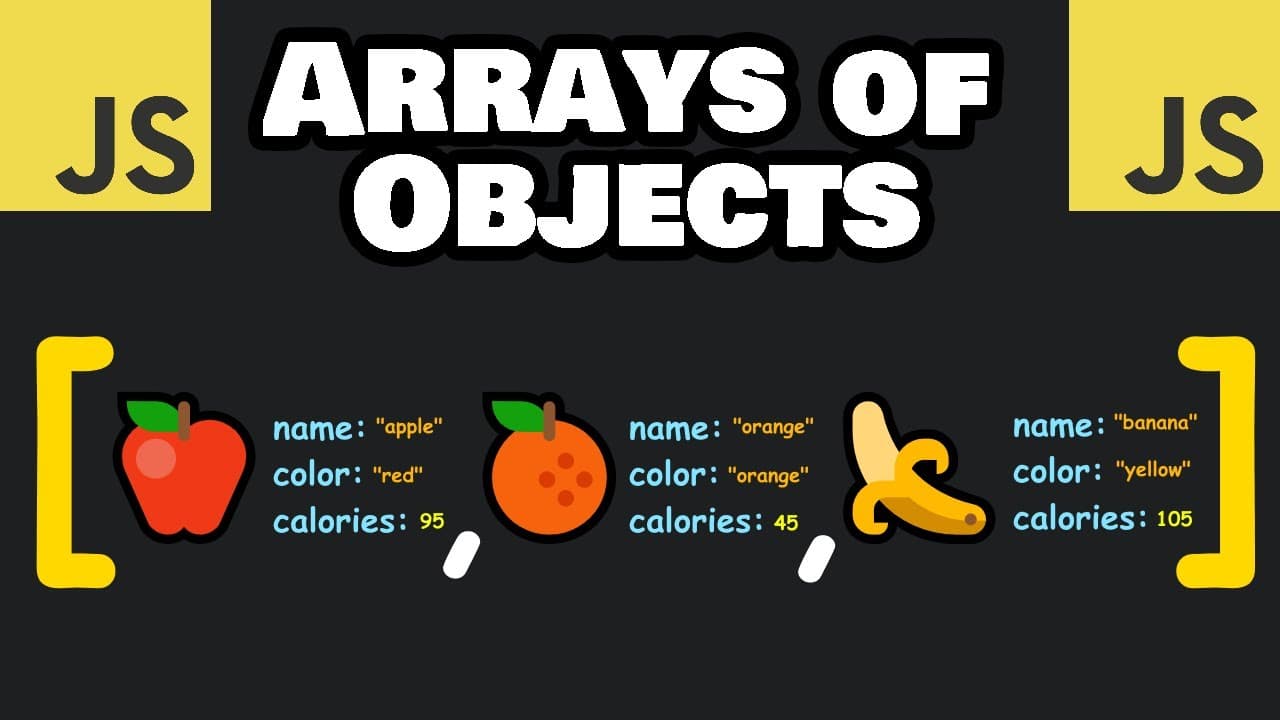
Access an object inside a JavaScript array with an index, then select its property with dot notation, such as fruits[0].calories. Use push, pop, or splice to modify the array, forEach to iterate, map and filter to create new arrays, and reduce to select a single result such as the fruit with the highest or lowest calories.
Transcript
hey what's up everybody so in today's video I'm going to show you how we can work with an array of objects in JavaScript what we'll do is create an array of fruit objects we'll create five fruit objects to create an object you need a set of curly braces each object will be comma separated just for my own readability I'm going to place each object o... Read More
Key Insights
- An array of objects is created by placing comma-separated objects inside an array, with each object enclosed in curly braces. The fruit collection contains five objects, and every object provides a name, color, and calories value that can be accessed or processed.
- A property inside an array object is accessed by selecting the object's index and then using dot notation. For example, fruits[0].name returns apple, while fruits[0].calories returns 95 because apple is the first object at index zero.
- The push method adds a new object to the end of the array. The example pushes a grapes object containing the color purple and 62 calories, increasing the fruit collection from five objects to six objects.
- The pop method removes the final object from an array. When it is applied to the original five-fruit collection, pineapple is removed because pineapple occupies the last position after apple, orange, banana, and coconut.
- The splice method removes elements at selected indices. Calling fruits.splice(1, 2) removes two objects beginning at index one, which removes orange and banana and leaves apple, coconut, and pineapple in the demonstrated collection.
- The forEach method runs a callback for every object in the array. An arrow function can log each complete fruit object or select one property with dot notation to display all names, colors, or calorie values individually.
- The map and filter methods both return new arrays for different purposes. Map extracts or transforms a property from every fruit, while filter includes only objects meeting a condition, such as yellow fruits or fruits with calories below 100.
- The reduce method returns a single value by comparing an accumulator with each following object. Comparing calories identifies coconut, with 159 calories, as the maximum fruit and pineapple, with 37 calories, as the minimum fruit in the example.
Install to Summarize YouTube Videos and Get Transcripts
Explore YouTube Video Summarizer or Get YouTube Transcript Extractor
Questions & Answers
Q: How do you create an array of objects in JavaScript?
Create the array with square brackets and place each object inside it using curly braces, separating the objects with commas. In the demonstrated fruits array, every object has name, color, and calories properties. The five initial objects represent apple, orange, banana, coconut, and pineapple, and each object may be placed on a separate line for readability.
Q: How do you access an object property inside a JavaScript array?
Use the array name followed by the object's index in square brackets, then add a period and the property name. For example, fruits[0].name accesses the name of the first object and returns apple. Using fruits[0].calories selects the calories property from that same apple object and returns the value 95.
Q: How do push and pop modify an array of objects?
The push method appends a new object to the end of an array. The example adds grapes with a purple color and 62 calories. The pop method removes the object's final element. Applied to the original fruit array, pop removes pineapple because pineapple is the last object after apple, orange, banana, and coconut.
Q: How does splice remove objects from a JavaScript array?
The splice method removes array elements beginning at a specified index and can remove a specified number of elements. In the example, fruits.splice(1, 2) starts at index one and removes two objects. Those objects are orange and banana, leaving apple, coconut, and pineapple in the remaining fruit array.
Q: How do you loop through an array of objects with forEach?
Call forEach on the array and supply a callback, such as an arrow function, that receives each object. Logging the callback parameter returns each complete fruit object. Adding a property selection, such as fruit.name, fruit.color, or fruit.calories, instead logs that chosen property for every fruit during the iteration.
Q: How does map work with an array of JavaScript objects?
The map method runs every array element through a callback and returns a new array. Mapping each fruit to fruit.name produces an array of fruit names. The same pattern can map fruit.color to produce red, orange, yellow, white, and yellow, or map fruit.calories to collect the calorie values in a separate array.
Q: How do you filter objects by color or calories in JavaScript?
Call filter with a callback that tests a condition for each object. Testing whether fruit.color is strictly equal to yellow returns banana and pineapple. Testing whether fruit.calories is less than 100 returns apple, orange, and pineapple, with 95, 45, and 37 calories. A greater-than-or-equal-to-100 condition returns banana and coconut.
Q: How does reduce find the highest or lowest value in an array of objects?
Use reduce with an accumulator representing the current record holder and a second parameter representing the next fruit. Compare their calories and return the next fruit when it beats the record, otherwise return the accumulator. A greater-than comparison selects coconut at 159 calories, while a less-than comparison selects pineapple at 37 calories.
Summary & Key Takeaways
-
A JavaScript array can contain multiple objects, with each object enclosed in curly braces and separated by commas. The example defines five fruits with name, color, and calories properties. A specific value is accessed by combining the array name, an index, and a property name, as in fruits[0].calories.
-
The original array can be modified with push, pop, and splice. Push appends a new object, such as grapes with a purple color and 62 calories. Pop removes the final object, while splice removes objects at specified indices. These methods provide different ways to manage the collection's contents.
-
The forEach method visits every fruit and can display an entire object or one selected property. Map creates new arrays of names, colors, or calories. Filter creates arrays that satisfy conditions, while reduce compares successive objects to return one object, such as coconut for maximum calories or pineapple for minimum calories.
Read in Other Languages (beta)
Share This Summary 📚
Summarize YouTube Videos and Get Video Transcripts with 1-Click
Try YouTube Summary with ChatGPT & Claude or YouTube Transcript Generator
Explore More Summaries from Bro Code 📚






Summarize YouTube Videos and Get Video Transcripts with 1-Click
Try YouTube Summary with ChatGPT & Claude or YouTube Transcript Generator