How to Build an AI Lead Magnet App with Base44 and n8n
TL;DR
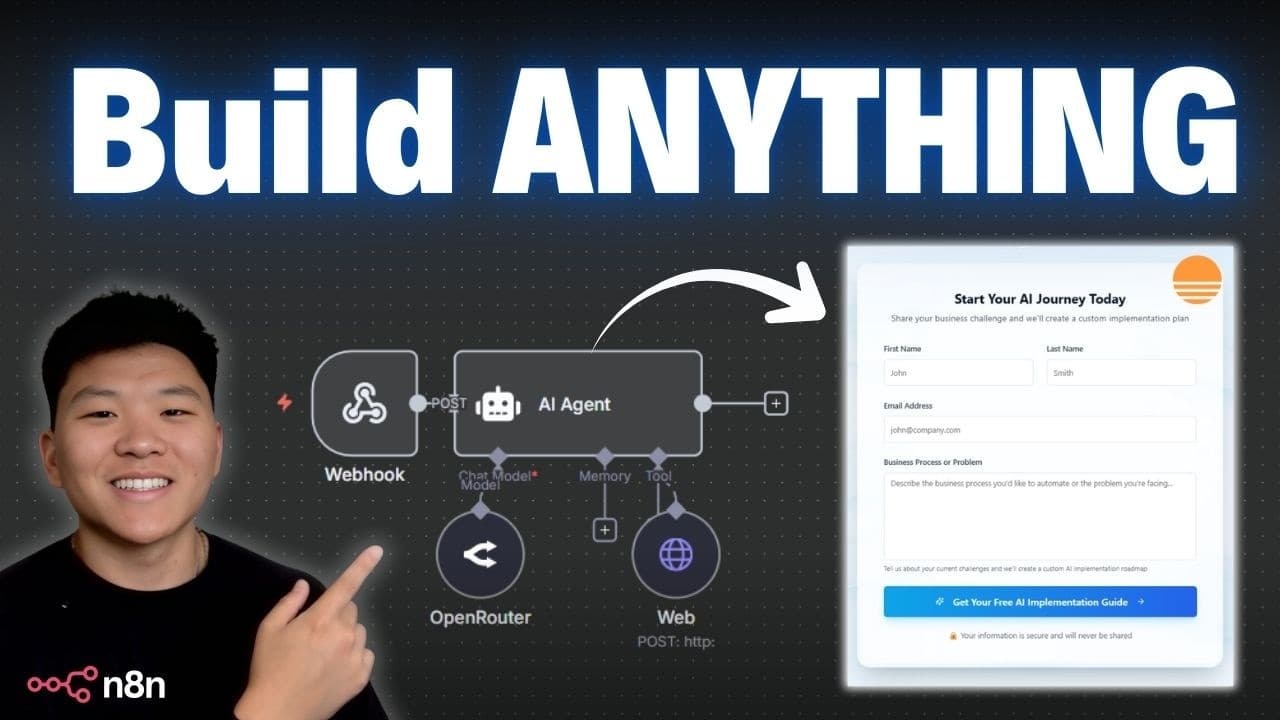
Build an AI lead magnet app by using Base44 for the front end and an n8n AI agent for the back-end workflow. The Base44 form collects a prospect’s first name, last name, email address, and business problem; n8n then creates an AI implementation roadmap and emails it with a book-a-call invitation. Read on for the exact app flow, initial prompt, design options, and follow-up experience.
Transcript
Today we're going to be talking about how you can build anything with B 44 and NAN AI agents. If you've never heard of B 44, it allows you to spin up really beautiful looking web apps with just your words. So it's almost like you're just having a conversation with a software engineer. They've also got some native integrations in there like OpenAI, ... Read More
Key Insights
- Base44 lets you spin up beautiful web apps by describing them in plain words, functioning almost like having a conversation with a software engineer, and it was recently acquired by Wix.
- Base44 includes native integrations such as OpenAI, text to image, eToro, Gemini, Resend, 11 Labs, Claude, Twilio, monday.com, Slack, and Google Places, but lacks fully custom integrations and workflows.
- Connecting Base44 to n8n lets AI agents power the entire back end of a web app, handling data processing, sending emails, uploading to CRMs, or triggering automations when users click buttons.
- The demo lead magnet system captures a client's first name, last name, email, and a described business problem, then sends that data to an n8n AI agent trained to conduct an AI implementation roadmap.
- The n8n agent generates a professional-looking free report emailed straight to the client's inbox, ending with a call-to-action to book a call, adding credibility even if the client does not convert immediately.
- 21st.dev is a site with reusable website elements whose code you can copy directly into Base44; it offers copy-prompt options for Bolt, Claude Code, Cursor, Lovable, Replit, and vo.
- Base44's visual edit feature lets you select specific elements or div containers and apply effects, change fonts, colors, or styling without writing code or using the AI chat.
- AI coding assistants are never perfect on the first try, so building requires going back and forth with the AI to refine results, but custom effects can still be added to a landing page in a matter of minutes.
Install to Summarize YouTube Videos and Get Transcripts
Explore YouTube Video Summarizer or Get YouTube Transcript Extractor
Questions & Answers
Q: How do you build an AI lead magnet app with Base44 and n8n?
Create the front end in Base44 by describing the landing page and the information its form should collect. Send each submission to an n8n AI agent trained to produce an AI implementation roadmap, then have n8n email the finished report to the prospect with an invitation to book a call.
Q: Why combine Base44 with n8n AI agents?
Base44 can create attractive web apps from plain-language descriptions, but it lacks some of the custom integrations and workflows available in n8n. Connecting them lets Base44 provide the front end while n8n AI agents power the app’s back end.
Q: What information does the AI lead magnet collect?
The form collects the prospect’s first name, last name, email address, and a description of a business process or problem. The prospect explains what they want to automate or where they want to implement AI.
Q: What happens after someone submits the Base44 form?
The submitted data is sent to an n8n AI agent trained to conduct an AI implementation roadmap. The user then sees a confirmation page saying the information was received and that the guide should arrive in their inbox in 3 to 5 minutes.
Q: What does the prospect receive from the n8n AI agent?
The agent creates a professional-looking AI implementation roadmap and sends it directly to the prospect’s inbox. The email ends with an invitation to book a call if the prospect wants more help.
Q: What prompt is used to create the Base44 landing page?
The prompt asks for a professional landing page for AI Automation Society AI Consulting with the headline “Get your free AI implementation roadmap.” It specifies fields for first name, last name, email address, and a business problem, plus a submission button and a confirmation page.
Q: How can you control the initial style of a Base44 app?
Base44 provides styling instructions that can be added before generating the app. The demonstrated options include neo-brutalism, neomorphism, and glass morphism, although the live build starts without a style guide and uses light blue as the main brand color.
Q: What native integrations does Base44 offer?
The transcript names OpenAI, text to image, eToro, Gemini, Resend, 11 Labs, Claude, and Twilio as native integrations. It also mentions monday.com, Slack, and Google Places while explaining Base44’s capabilities.
Summary & Key Takeaways
-
Base44 builds professional front-end web apps from plain-language descriptions with native integrations, but pairing it with n8n adds custom AI-agent-powered back-end workflows, making the combination extremely powerful for no-code builders who want fully functional, branded systems without writing any code.
-
The live build is an AI-powered lead magnet system for an AI consultant: a Base44 landing page collects a visitor's name, email, and business problem, promising a free AI implementation roadmap in exchange for their information to capture leads and provide value.
-
Submitted data flows to an n8n AI agent trained to build an AI implementation roadmap, which emails a professional free report to the client ending with a book-a-call CTA; 21st.dev elements and Base44's visual edit refine the design so it does not look vibecoded.
Read in Other Languages (beta)
Share This Summary 📚
Summarize YouTube Videos and Get Video Transcripts with 1-Click
Try YouTube Summary with ChatGPT & Claude or YouTube Transcript Generator
Explore More Summaries from Nate Herk | AI Automation 📚






Summarize YouTube Videos and Get Video Transcripts with 1-Click
Try YouTube Summary with ChatGPT & Claude or YouTube Transcript Generator