How to Learn Any Topic with a Stateful AI Tutor
TL;DR
Use the /teach skill in an empty directory to create a personalized learning workspace that remembers your mission, progress, resources, lessons, and preferences across sessions. Its focused HTML lessons adapt to your zone of proximal development, combining trusted knowledge, practical skill-building, feedback, reference materials, and eventual participation in relevant communities.
Transcript
I realized the other day I've been teaching stuff for 10 years. I was a voice coach for 6 years and I've been doing this job teaching devs for 4 years. And for a while I've been thinking, wouldn't it be great if I could take everything I know about teaching and put it inside a skill so that anyone could learn anything. I had a long bus ride to Lond... Read More
Key Insights
- The /teach skill is stateful because effective long-term teaching depends on remembering a learner's goal, completed work, current difficulties, and next appropriate challenge. It saves that context so a fresh agent session can continue from the learner's actual position.
- Stateful and stateless skills serve different purposes. A stateless skill does not save information for later runs, while a stateful skill records information locally or through MCP servers. The design choice should follow whether future sessions need information from earlier work.
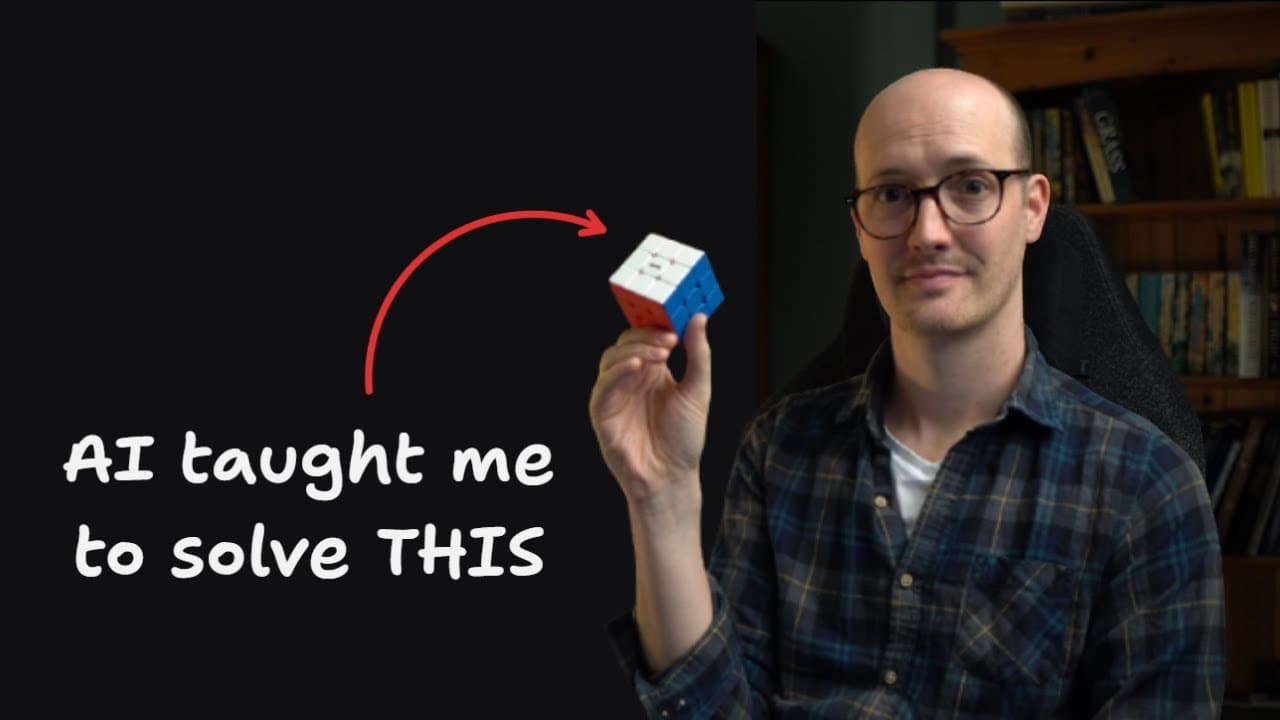
- A learner mission defines why the person wants to study the topic and what success means. In the Rubik's Cube example, the objective was to solve a scrambled 3x3 cube unaided at least once, without prioritizing speed or theory.
- The resource collection begins with primary-source, high-trust material found through web research. The skill uses these sources to create lessons, continues updating the collection as learning progresses, and can add citations to later explainers.
- HTML lessons provide richer teaching experiences than Markdown because they can include diagrams, callouts, quizzes, guided modes, and interactive controls. This browser-based flexibility allowed the Rubik's Cube lesson to turn an algorithm into a step-by-step tapping exercise.
- Learning records capture progress reported by the learner. When the learner says a task has been completed or identifies a persistent problem, the agent records that information and uses it to diagnose needs and tailor the next lesson.
- The zone of proximal development guides lesson difficulty. Each lesson should challenge the learner appropriately without causing boredom or intimidation, which requires concise material framed around the exact knowledge or skill the learner is ready to develop next.
- Knowledge, skills, and wisdom require different learning activities. Trusted resources support knowledge, relevant interactive lessons build practical skills, and participation in communities lets learners test ideas with practitioners rather than depending indefinitely on the agent.
Install to Summarize YouTube Videos and Get Transcripts
Explore YouTube Video Summarizer or Get YouTube Transcript Extractor
Questions & Answers
Q: How do you use the /teach skill to learn a topic?
Install the skill from the skills repository using the skills.sh installer, select the teach skill, open an empty directory, and invoke teach inside a coding agent with the topic you want to study. The skill first establishes your learning mission and gathers trusted resources, then creates a focused HTML lesson and saves the supporting state in the directory.
Q: Why is the /teach skill stateful?
The /teach skill is stateful because teaching across multiple sessions requires memory of what the learner wants, what they already understand, what they have practiced, and where they are struggling. It saves this information in a structured workspace, allowing a new agent context to inspect earlier work and create the next lesson at an appropriate level.
Q: What is the difference between stateful and stateless skills?
A stateless skill retains no memory from previous runs and saves nothing that helps it resume later. A stateful skill stores information on the local file system or through MCP servers, such as notes and records it can inspect in future sessions. Neither approach is inherently better because each is useful for different kinds of tasks.
Q: What files does the /teach skill create for a learner?
The skill creates a mission describing the learning objective, a set of trusted resources, numbered HTML lessons, simple learning records, reference materials such as a glossary and cheat sheets, and a notes.md file. The notes file stores preferences and watch-outs for the agent, while the other files preserve progress, terminology, guidance, and reusable learning material.
Q: Why does the /teach skill create lessons as HTML?
HTML gives lessons the expressive and interactive capabilities of a browser. A lesson can contain diagrams, concise explanations, callouts, quizzes, traps to avoid, guided controls, and interactive practice. In the Rubik's Cube example, the format supported a tap-based guided exercise for rehearsing a corner-cycle algorithm, making the lesson more practical than static Markdown.
Q: How does the /teach skill personalize later lessons?
The learner reports progress and difficulties as they would to a one-to-one teacher. The agent examines the saved mission, lessons, solve cards, learning records, and notes, then diagnoses the current obstacle. When the learner had conceptual understanding of a corner-cycle algorithm but lacked muscle memory, the skill created a focused practice lesson with a new mental model and guided interaction.
Q: What is the zone of proximal development in the /teach skill?
The zone of proximal development is the area where a learner is appropriately challenged but not intimidated. The skill uses this teaching principle to keep each lesson concise, compact, and focused on the learner's current needs. The intended result is material that is neither boring nor overwhelming and practice that targets the next achievable improvement.
Q: How does the /teach skill develop knowledge, skills, and wisdom?
The skill develops knowledge through high-quality, high-trust resources and focused explanations. It develops skills through relevant practice, interactive lessons, and feedback loops such as quizzes when richer feedback is unavailable. For wisdom, it directs a prepared learner toward communities where ideas can be questioned, tested, and discussed with other learners and practitioners.
Summary & Key Takeaways
-
The /teach skill treats learning as a continuing, stateful process rather than a one-time answer. It creates a workspace containing a learner mission, trusted resources, numbered lessons, progress records, reference materials, and internal notes. These saved files let the coding agent resume teaching with useful context during later sessions.
-
Each lesson is generated around the learner's immediate needs and current ability. HTML supports diagrams, callouts, quizzes, guided interactions, and other browser-based learning tools that are richer than plain Markdown. The lessons remain concise and focused so the learner is challenged without becoming bored, intimidated, or overloaded.
-
The teaching philosophy separates knowledge, skills, and wisdom. Trusted resources provide knowledge, interactive practice develops skills, and engagement with communities helps learners test ideas and build wisdom. Glossaries and cheat sheets preserve useful reference material, while learning records and preference notes help subsequent lessons respond to reported difficulties and progress.
Read in Other Languages (beta)
Share This Summary 📚
Summarize YouTube Videos and Get Video Transcripts with 1-Click
Try YouTube Summary with ChatGPT & Claude or YouTube Transcript Generator
Explore More Summaries from Matt Pocock 📚
Summarize YouTube Videos and Get Video Transcripts with 1-Click
Try YouTube Summary with ChatGPT & Claude or YouTube Transcript Generator