How to Use AI Coding Skills From Idea to Ship
TL;DR
Install the official skills with the skills.sh installer, configure them for your coding agent and issue tracker, then begin with a grill-with-docs interview. Use a prototype when an open question requires runnable evidence, move directly to implementation for smaller changes, or create a specification and tickets when the work requires multiple sessions, followed by code review.
Transcript
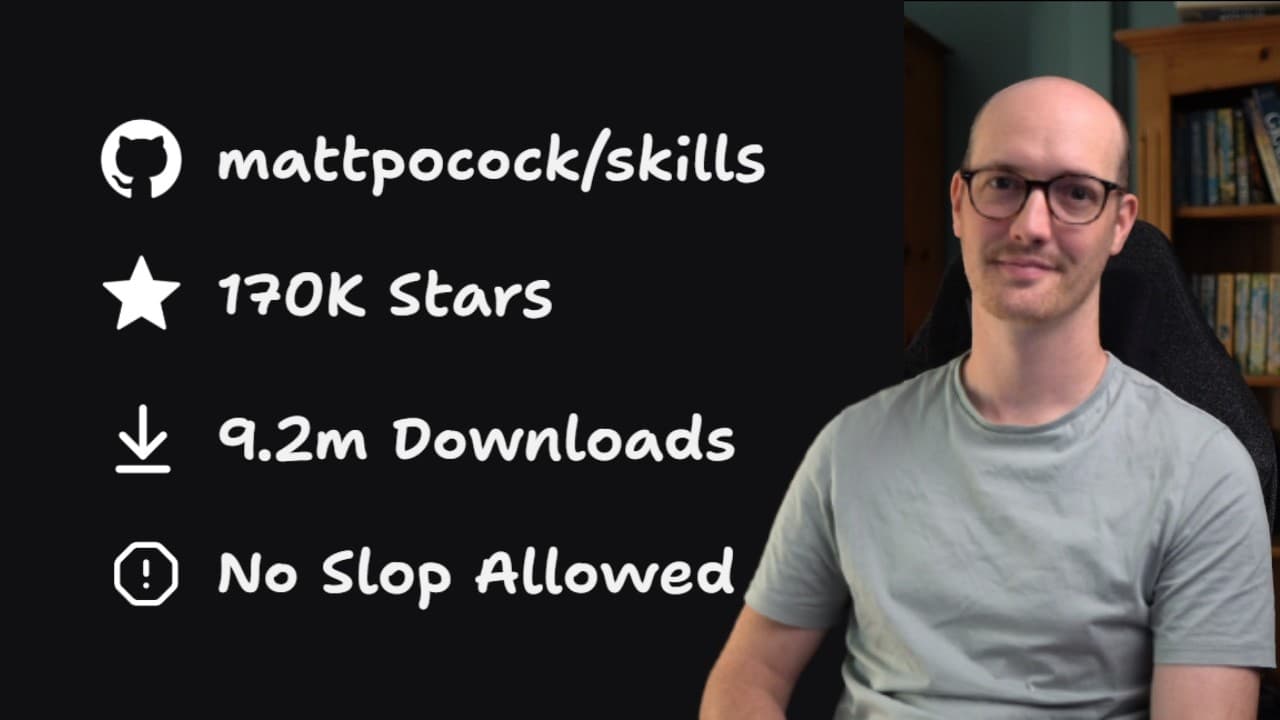
Hello friends, it occurs to me that I've never actually put together a proper tutorial for my skills repo. At the time of recording this repo is up to 162,000 stars. We have 7.5 million downloads and I've never made a tutorial for it. I get questions all the time like what is the sequence I should use these skills in, how should I install them, how... Read More
Key Insights
- The official skills can be installed by running
npx skills@latest add mattpocock/skills, which requires Node.js because NPX comes from Node.js. The installer retrieves the repository through the skills.sh command-line installer and presents the available skills and configuration choices. - The skill list is divided into public-facing skills approved by the creator and experimental skills that may be deleted later. The recommended starting choice is to select all official skills, giving users the supported core workflow without depending on unfinished experiments.
- Installation scope determines whether skills belong to the current project or the developer's global environment. Project-level installation is recommended for teams because everyone shares and contributes to the same skill set, while global installation is acceptable for an individual developer working independently.
- Symlink installation is the recommended method because it avoids copying the skills separately into multiple agent-specific folders. The installer can configure skills for several coding agents, although tools that use Claude-style skills may require explicit selection during the setup process.
- The installed skills have a light context footprint because most are invoked directly by the user and their descriptions are short and precise. In the demonstrated setup, downloading all selected skills added only 660 tokens to the displayed context.
- Repository setup creates configuration for issue tracking, triage labels, and domain documentation. The issue tracker is flexible because the agent reads local configuration, allowing local Markdown, GitHub, Jira, Linear, or another system to store specifications and tickets.
- A single domain context is suitable for 99% of users according to the tutorial, while multiple contexts are intended for large monorepos with separate bounded contexts. Setup also maintains a context file and an architectural decision record inside the repository documentation structure.
- The main workflow begins with grill-with-docs, which inspects the repository and asks follow-up questions until the developer and agent reach shared understanding. Prototype is used only when discussion cannot settle a question, followed by implementation directly or through specifications and tickets for multi-session work.
Install to Summarize YouTube Videos and Get Transcripts
Explore YouTube Video Summarizer or Get YouTube Transcript Extractor
Questions & Answers
Q: How do you install the mattpocock skills repository?
Run npx skills@latest add mattpocock/skills from the command line. This approach assumes Node.js is installed because NPX comes from Node.js, and it uses Vercel's skills.sh command-line installer. Select the official public-facing skills, choose the coding agents that should use them, decide whether installation should be project-specific or global, and select symlink as the recommended installation method.
Q: Should AI coding skills be installed per project or globally?
Project-level installation is the recommended choice for a team because every contributor uses the same skill set on that project. Team members can also contribute to the skills and make configuration decisions together. Global installation is a reasonable choice for a solo developer working independently. The appropriate scope therefore depends on whether consistency must be shared across a team or only one person's environment.
Q: Why should the skills installer use symlinks?
Symlinks are presented as the recommended and easiest installation method. The alternative involves copying the skills into agent-specific locations, such as both an agents folder and a Claude folder, which the tutorial characterizes as less convenient. Selecting symlink avoids that duplication and provides a simpler arrangement when configuring the same installed skills for the chosen coding agent or agents.
Q: How do you configure the skills for an issue tracker?
Run the repository setup skill and state which issue-tracking system should be used. The workflow can store specifications and tickets in GitHub, local Markdown, Jira, Linear, or another system supported through local configuration. No separate version of the skills is required for each tracker. In the demonstration, local Markdown is selected, and the generated configuration stores issues and specifications in a scratch file.
Q: What does the repository setup skill configure?
The setup process configures an issue tracker, triage labels, and domain documentation for the repository. It asks where specifications and tickets should be saved, offers default labels used to communicate ticket information, and determines whether the codebase needs one domain context or several. It then adds links for the issue tracker documentation, triage labels, and domain documents to the agent instruction file.
Q: When should a project use single-context or multi-context documentation?
A single context is the recommended choice for most projects, with the tutorial stating that it should be suitable for 99% of users. Multi-context documentation is intended for a large monorepo that contains several distinct bounded contexts. The selection controls how the skills organize repository knowledge, including the context file and architectural decision record used during later interviews and planning.
Q: How does the grill-with-docs skill start an AI coding workflow?
Grill-with-docs accepts an initial idea even when the request is vague, explores the existing repository, and asks focused follow-up questions. The interview continues until the developer and agent believe they have reached a shared understanding of the proposed change. Because the process is stateful inside a repository, it records relevant findings in the context documentation and architectural decision records, turning the initial idea into a clearer plan.
Q: When should you use prototypes, specifications, and tickets?
Use a prototype when an unresolved question needs a runnable answer and cannot be settled through discussion alone. Handoff connects the interview and prototype stages when that detour is necessary. After the grill-with-docs interview, a smaller change can go directly to implementation. If the work requires multiple sessions, convert the plan into a specification and tickets, then continue through implementation and code review.
Summary & Key Takeaways
-
The workflow begins by running the skills.sh installer through NPX, selecting the official skills, choosing compatible coding agents, and deciding between project or global installation. Project installation helps teams share and improve one skill set, while global installation suits a solo developer. Symlinking is presented as the recommended installation method.
-
Repository setup connects the skills to an issue tracker, triage labels, and domain documentation. The issue tracker can use GitHub, local Markdown, Jira, Linear, or another configured system. Most projects need one domain context, while large monorepos may need multiple bounded contexts. Setup adds documentation links to the agent instructions.
-
The main delivery flow starts with grill-with-docs, which explores the repository and interviews the developer until both share a clear understanding. Prototype is optional when questions need runnable answers. Smaller changes can proceed directly to implementation, while larger efforts can become specifications and tickets before implementation and code review.
Read in Other Languages (beta)
Share This Summary 📚
Summarize YouTube Videos and Get Video Transcripts with 1-Click
Try YouTube Summary with ChatGPT & Claude or YouTube Transcript Generator
Explore More Summaries from Matt Pocock 📚

Summarize YouTube Videos and Get Video Transcripts with 1-Click
Try YouTube Summary with ChatGPT & Claude or YouTube Transcript Generator