How to Use Claude Code for Large Engineering Tasks
TL;DR
Start large coding tasks in plan mode, let Claude Code inspect the repository, answer its clarifying questions, and divide the work into distinct implementation phases. Execute and review one phase at a time, monitor context usage, and preserve the checked plan in a GitHub issue before clearing context so work can continue reliably in a fresh session.
Transcript
What's up, friends? Uh, we're going to do a little bit of a different kind of video. I've been working a lot with Claude Code recently. I've been getting a lot of questions on how I use it. And so, I just sat down to do a little bit of work and I realized this is actually a really good opportunity to show a complicated multi-phase plan with Claude ... Read More
Key Insights
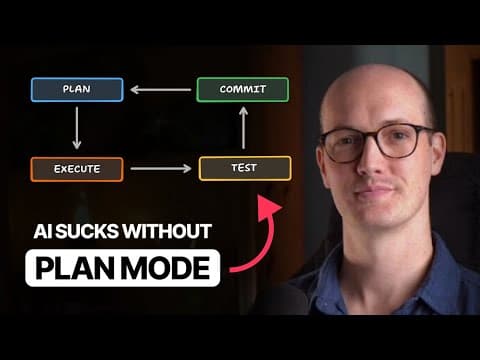
- Plan mode is the starting point for large features because it prompts Claude Code to explore the codebase, inspect relevant files and patterns, identify unclear requirements, and propose a plan before it writes implementation code.
- Clarifying questions are a practical planning tool because they expose choices hidden inside a rough specification, including whether a value should be a positional argument or required option, whether matching should be strict or flexible, and what filename components represent.
- Concise rules improve plan readability by instructing Claude Code to be extremely brief and sacrifice grammar for concision. The demonstrated user memory contains about 43 lines and also requests a short list of unresolved questions at the end of every plan.
- A multi-phase plan reduces context risk by separating a large feature into implementation stages that can be completed individually. The developer can explicitly reject a single large plan, continue planning, and request phases before any code is written.
- Context monitoring guides execution decisions by showing how much working space remains. After initial exploration and planning, 83.7 percent remained free and about 33,000 tokens had been used, while the first implementation phase consumed roughly 3,000 additional tokens.
- Phase boundaries make review easier because changes can be inspected, staged, or committed after each section. A code comment or to-do left for the next phase can also provide a useful implementation marker when work resumes.
- External edits must be brought back into Claude Code's awareness because changes made by an editor or automatic formatter are not automatically known to the active conversation. A direct instruction to reread the affected files refreshes the model's context without requesting further edits.
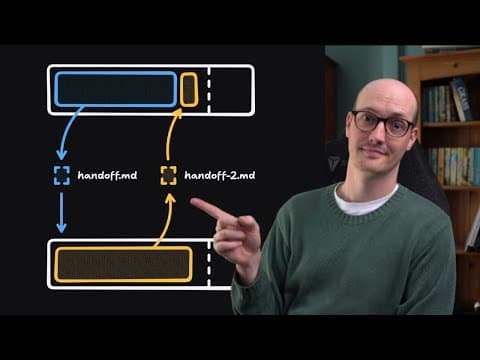
- GitHub issues can preserve plans across context resets by storing the phases and their checked status outside the conversation. After clearing context, Claude Code can retrieve the issue and execute the next unfinished phase without retaining the earlier planning messages.
Install to Summarize YouTube Videos and Get Transcripts
Explore YouTube Video Summarizer or Get YouTube Transcript Extractor
Questions & Answers
Q: How should Claude Code handle a large coding feature?
Claude Code should begin a large feature in plan mode rather than immediately editing files. It can first explore the repository, inspect the existing CLI structure, search relevant files and patterns, and return clarifying questions about ambiguous requirements. After those questions are answered, the plan should be divided into implementation phases that can be executed and reviewed one at a time.
Q: Why use plan mode before writing code with Claude Code?
Plan mode forces exploration and requirement clarification before implementation begins. In the demonstrated workflow, Claude Code examines the codebase and asks specific questions about CLI options, matching rules, filename sequences, and overwrite behavior. This process turns a loosely dictated request into a concrete plan while giving the developer a chance to resolve important choices before any files are changed.
Q: How can Claude Code plans be made more concise?
Claude Code plans can be shortened through a user memory rule that asks for extreme concision and permits sacrificing grammar for brevity. The same configuration can request a compact list of unresolved questions at the end of each plan. In the demonstrated setup, these instructions are part of a lightweight memory file of about 43 lines, alongside several workflow preferences.
Q: When should a Claude Code plan be split into phases?
A plan should be split into phases when the feature appears large enough to risk exceeding a single context window. The developer can choose to keep planning and explicitly request a multi-phase structure. Each phase then becomes a manageable unit that can be implemented, reviewed, and staged separately, while the remaining work stays clearly represented in the overall plan.
Q: How do you monitor context usage in Claude Code?
Context usage can be checked during planning and after individual implementation phases to judge whether the current conversation has enough capacity for the remaining work. In the example, planning left 83.7 percent of the context free after about 33,000 tokens had been used, and phase one consumed roughly 3,000 tokens. These checks informed whether execution could continue safely.
Q: How should code changes be reviewed between phases?
Code changes should be inspected after each phase using a familiar diff viewer, such as the one available in VS Code. The developer can exit Claude Code, open the repository, review new and modified files, and then resume the conversation with the continue command. Staging or committing each phase also creates a clear boundary showing exactly which changes belong to that phase.
Q: What should you do when an editor changes files outside Claude Code?
When an editor or automatic formatter changes files outside Claude Code, the model should be told directly to read those files again. The active conversation does not automatically know about an accidental save or formatting update. Asking it to pull the files into context refreshes its understanding, and the instruction can explicitly limit the action to reading rather than making further modifications.
Q: How can a Claude Code plan survive a context reset?
A multi-phase plan can survive a context reset by storing it in a GitHub issue, including all completed and unfinished checklist items. After the issue exists outside the conversation, the context can be cleared. Claude Code can then retrieve the specified issue and enact the next phase, preserving implementation continuity without keeping the original exploration, questions, and planning messages loaded.
Summary & Key Takeaways
-
Large engineering tasks begin with a rough dictated prompt and plan mode, which makes Claude Code explore the repository before editing files. Its investigation surfaces ambiguities as focused clarifying questions. The resulting answers improve the implementation plan while keeping the developer involved in decisions about arguments, matching behavior, file handling, and sequencing.
-
Complex features are converted into concise, multi-phase plans so implementation can proceed in controlled sections. Each phase is executed, reviewed in VS Code, and staged or committed to clarify what changed. Context usage is checked throughout, while auto-accept becomes practical after planning has established a clear implementation direction and shared understanding.
-
A GitHub issue can preserve the complete plan, including finished and unfinished checklist items, outside the model's context window. After clearing the conversation, Claude Code can retrieve that issue and resume from a specified phase. This workflow supports continuity across context resets without requiring the original exploration and planning conversation to remain loaded.
Read in Other Languages (beta)
Share This Summary 📚
Summarize YouTube Videos and Get Video Transcripts with 1-Click
Try YouTube Summary with ChatGPT & Claude or YouTube Transcript Generator
Explore More Summaries from Matt Pocock 📚
Summarize YouTube Videos and Get Video Transcripts with 1-Click
Try YouTube Summary with ChatGPT & Claude or YouTube Transcript Generator