How to Scale Facebook Ads With Post IDs
TL;DR
Reuse a winning Facebook ad’s post ID when moving it into a scaling campaign so its likes, comments, and shares remain attached. Find the ID through the ad preview’s Facebook post with comments option, then select “Use existing post” in Ads Manager. If the displayed number fails, locate the ad under Page Posts by searching its opening text and matching its engagement and date.
Transcript
Facebook ad post IDs what are they why are they important and how do I actually use them in my ad account let's dive into it hello everybody it's Spencer here if you're new to the channel I run a growth Focus agency by the name of Easy A media where we help multiple six and seven figure Shopify Brands scale their sales probably now today's video I'... Read More
Key Insights
- A Facebook post ID is a unique identifier attached to every post or advertisement created on Facebook. It allows the platform to track a specific post and enables advertisers to reuse that exact post in another campaign or ad set.
- Reusing a post ID preserves an ad’s existing likes, comments, and shares. Duplicating an ad without its original post ID can start the new version from zero, which the presenter identifies as one reason a previously successful creative may perform differently after duplication.
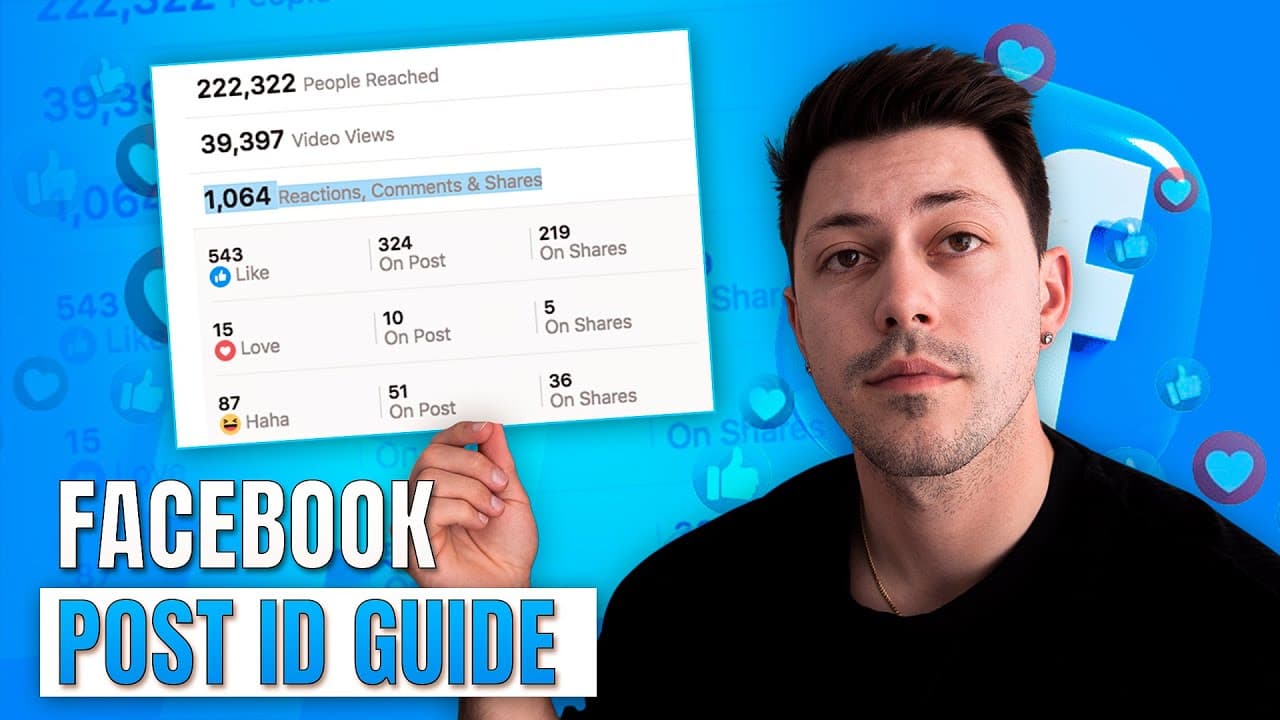
- Engagement can strengthen an advertisement’s ability to stop users as they scroll. The presenter argues that a post showing thousands of likes and shares, hundreds of comments, and positive customer feedback is more likely to attract attention than an otherwise identical post with no engagement.
- Positive comments can provide visible customer feedback beneath an advertisement. Comments such as customers saying they love the product or recently bought it can help other users evaluate the offer while they are viewing the ad and reading its discussion.
- The standard post ID workflow begins inside the campaign where creatives are tested. Advertisers select the best-performing ad, open Preview, choose Share, select Facebook post with comments, click the date beneath the page name, and copy the number shown in the post URL.
- The correct post ID reproduces the original engagement inside the preview window. After selecting “Use existing post” and entering the copied number, advertisers should confirm that the likes, comments, and shares match the source post before proceeding with the scaling ad.
- The Page Posts tool provides a workaround when Facebook rejects the number copied from the post URL. Advertisers can search Ad Posts using the first 50–100 characters of the ad copy, then match the creative, engagement totals, and posting date to find the correct ID.
- The most-engaged dynamic creative variation may be a practical scaling candidate. The agency was actively testing this approach because selecting a combination through the breakdown tool sometimes produced a scaling ad with zero spend, while engagement helped reveal the variation Facebook currently favored.
Install to Summarize YouTube Videos and Get Transcripts
Explore YouTube Video Summarizer or Get YouTube Transcript Extractor
Questions & Answers
Q: What is a Facebook ad post ID?
A Facebook ad post ID is the unique number attached to a specific post or advertisement created on Facebook. Facebook uses it to track that post on the platform. Advertisers can enter the ID when creating another ad to reuse the exact existing post, including the likes, comments, and shares it has already accumulated.
Q: Why should advertisers reuse Facebook post IDs when scaling?
Advertisers should reuse post IDs because doing so preserves the engagement already earned by a successful ad. A normal duplicate may begin with no likes, comments, or shares, even when the original performed well. Using the existing post lets additional spending continue on the same visible post and allows its engagement to keep accumulating during scaling.
Q: How can engagement help a Facebook ad perform?
Engagement can make an advertisement more noticeable while users scroll through Facebook. The presenter says ads with many likes, comments, and shares generally stop users more effectively than ads with no engagement. Positive comments can also show prospective customers that other people bought or enjoyed the product, supporting the ad through visible customer feedback.
Q: How do you find a Facebook ad post ID in Ads Manager?
Open the campaign used to test creatives, enter the relevant ad set, and select the ad with the strongest spend and performance. Click Preview, open the Share menu, and choose Facebook post with comments. When the post loads, click the date beneath the page name and copy the number displayed in the resulting post URL.
Q: How do you use a Facebook post ID in a scaling campaign?
Enter the winners campaign or scaling ad set and create a new ad. Give it the desired name, move to Ad Setup, and select “Use existing post.” Paste the copied number into the “Enter post ID” field. Confirm that the preview displays the same engagement as the source advertisement, which indicates that the correct post was selected.
Q: What should you do when Facebook rejects a post ID?
Return to the visible Facebook post and copy the first 50–100 characters from the opening line of its ad text. In Ads Manager, open All Tools, select Page Posts, and enter the Ad Posts section. Paste the copied text into the search bar, locate the matching advertisement, and copy the ID listed for that post.
Q: How can you identify the correct ad in Page Posts?
Compare each search result with the original advertisement using several visible details. Match the creative and verify that its likes, comments, and shares are the same as those shown in the original post. Check the posting or launch date as an additional signal. The presenter also notes that the relevant video will typically appear near the top.
Q: How should dynamic creative advertisers choose a post ID?
The agency described selecting the dynamic creative variation with the most engagement rather than relying only on the breakdown tool to assemble the best text, headline, and visual. This was still being actively tested. The reason was that breakdown-selected combinations sometimes received zero spend after scaling, while engagement indicated which variation Facebook currently considered strongest.
Summary & Key Takeaways
-
A Facebook post ID is the unique number Facebook attaches to each post or advertisement. Reusing that ID lets an advertiser place a proven ad into a winners campaign or scaling ad set while preserving its accumulated likes, comments, and shares instead of launching an engagement-free duplicate from the beginning.
-
To find a post ID, open the relevant testing campaign, select the strongest ad, choose Preview, open Share, and select Facebook post with comments. Click the date beneath the page name, copy the number from the resulting post URL, and paste it into the new ad’s “Use existing post” field.
-
If the copied number is rejected, copy the first 50–100 characters of the ad text and search for them under All Tools, Page Posts, and Ad Posts. Identify the correct post by comparing its likes, comments, shares, creative, and launch date, then copy its listed ID into the scaling ad.
Read in Other Languages (beta)
Share This Summary 📚
Summarize YouTube Videos and Get Video Transcripts with 1-Click
Try YouTube Summary with ChatGPT & Claude or YouTube Transcript Generator
Explore More Summaries from Spencer Pawliw 📚





Summarize YouTube Videos and Get Video Transcripts with 1-Click
Try YouTube Summary with ChatGPT & Claude or YouTube Transcript Generator