How to Connect Higgsfield API to Codex for Video
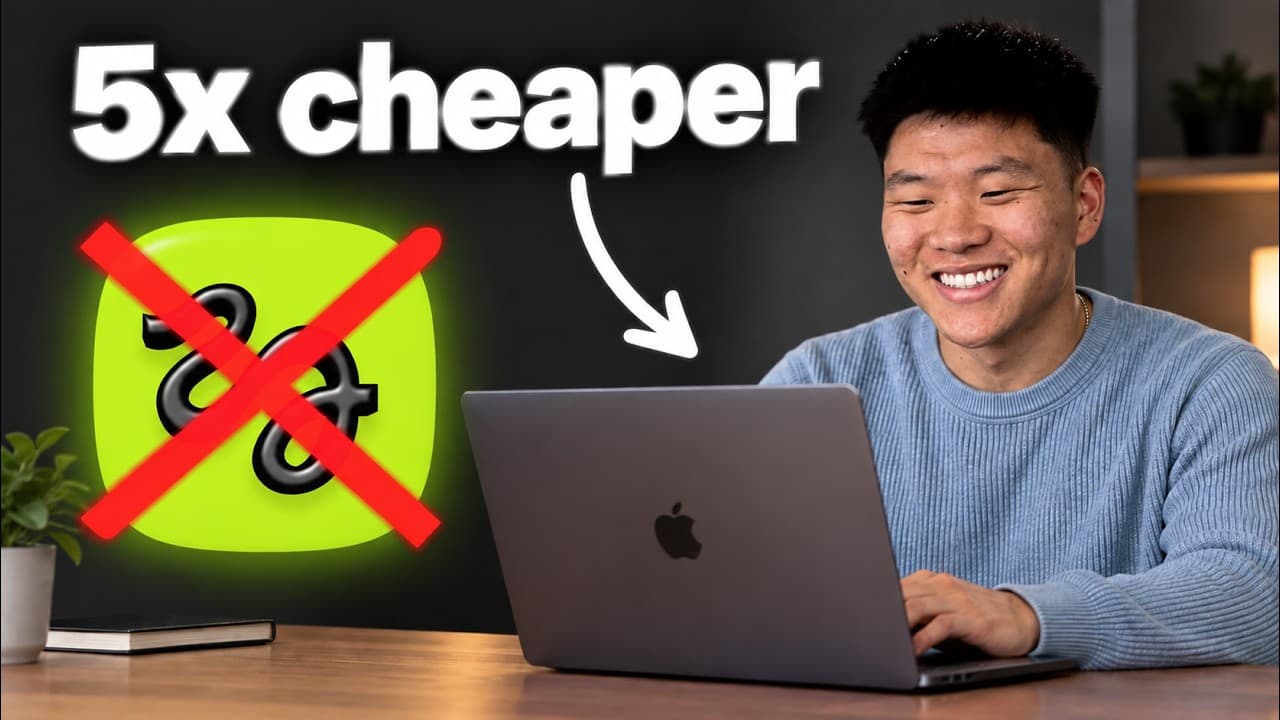
TL;DR
Connect the Higgsfield API to Codex by creating an API key, storing it in a .env file, and asking Codex to discover available models and launch a generation. Usage-based billing avoids a fixed monthly subscription, while testing identical prompts across Seedance, Kling, and MiniMax helps identify the best balance of output quality and cost.
Transcript
One of the great things about Codeex is that right inside of it, it can make images for you. As you can see right here, I gave it these three images and I said, "Hey, I need a YouTube thumbnail." I described what I want and then I got it right here. But if I asked it to turn this into an animated video, it wouldn't be able to do it with its native ... Read More
Key Insights
- The Higgsfield API gives Codex access to multiple image and video models through usage-based billing, allowing users to pay for individual requests instead of maintaining the $60 monthly plan previously required to access Seedance 2.5 through the subscription service.
- The API setup begins by creating a Higgsfield account and generating an API key from the dashboard. The key should be copied into a placeholder inside a local .env file, saved there, and never pasted directly into the Codex chat thread.
- A reusable Codex skill can contain Higgsfield model defaults, settings, functionality, and operating instructions. With that information available, Codex can process natural-language generation requests without repeatedly researching the API documentation, model options, or required configuration.
- The live Higgsfield catalog in the demonstration returned 76 endpoints. These included 18 text-to-video routes, 44 image-to-video routes, 11 text-to-image routes, and several other routes that Codex could discover after authenticating with the API key.
- API generation works by submitting a request and receiving a request ID. Codex then polls the request, meaning it checks repeatedly, waits when processing is incomplete, checks again, and downloads the finished MP4 file locally when generation completes.
- Testing one prompt across multiple models reveals practical differences in quality, specialization, and price. The comparison used Seedance 2.5, Kling 3.0, and MiniMax, showing that a more expensive model does not necessarily produce a noticeably better result for every specific prompt.
- Generation costs vary substantially by model and output. One comparison listed approximately $1.60, $0.20, and $0.50 for different video outputs, while UGC examples cost $3.23 with Seedance 2.5, about $0.60 with Kling 3.0, and $1.10 with MiniMax.
- Native Codex image generation remains an alternative when video is unnecessary. The presenter preferred GPT Image 2.5 and noted that using it can count toward an existing Codex or ChatGPT subscription instead of creating a separate usage-based Higgsfield charge.
- More videos from this channel:
- More from this channel: Nate Herk | AI Automation
Install to Summarize YouTube Videos and Get Transcripts
Explore YouTube Video Summarizer or Get YouTube Transcript Extractor
Questions & Answers
Q: How do you connect the Higgsfield API to Codex?
Create a Higgsfield account through its API dashboard, generate an API key, and ask Codex to create a Higgsfield API placeholder inside a .env file. Open that file, paste the key into the placeholder, and save it. Then tell Codex that the key has been added and ask it to discover available models or submit a test image or video generation.
Q: Where should you store a Higgsfield API key for Codex?
Store the Higgsfield API key in a local .env file using a dedicated Higgsfield key placeholder. The transcript specifically warns against pasting the credential directly into the Codex chat thread. After inserting the key, save the file before closing it, then return to Codex and confirm that the credential is ready for authentication and model discovery.
Q: Why use the Higgsfield API instead of a monthly subscription?
The API uses pay-per-request pricing, so users pay only when they generate an image or video. The subscription discussed in the transcript cost $60 per month for access to Seedance 2.5 and still included limited credits. API access can therefore be preferable when generation volume does not justify paying a recurring fee during months with little or no use.
Q: How does Codex know when a Higgsfield video is finished?
After Codex submits a generation request, Higgsfield returns a request ID. Codex uses that ID to poll the request, which means checking its status repeatedly. If the generation is not finished, Codex waits and checks again. Once processing completes, it can retrieve the output and download the resulting MP4 video to the local system.
Q: Why should the same prompt be tested across multiple AI video models?
Running an identical prompt through several models makes their quality, price, realism, text accuracy, and stylistic strengths easier to compare. In the examples, Seedance 2.5, Kling 3.0, and MiniMax produced visibly different results and costs. A model that performs best for people or product shots may not be the best option for cartoons or other animation styles.
Q: How did Seedance 2.5, Kling 3.0, and MiniMax compare for UGC video?
Seedance 2.5 was described as the leading video generation model and its UGC example cost $3.23. Kling 3.0 produced a realistic selfie-style character for about $0.60 and was not considered noticeably worse enough to create a major difference. MiniMax cost $1.10 and was judged the weakest of the three for those particular simple UGC examples.
Q: What does the reusable Higgsfield Codex skill do?
The reusable skill contains defaults, settings, functionality, and other information Codex needs to operate the Higgsfield API. It allows users to request images and videos in natural language without making the agent research every API detail again. It also reports the cost of each generation in the chat, reducing the need to inspect analytics in the Higgsfield dashboard.
Q: What Higgsfield API models and endpoints can Codex access?
In the demonstrated authenticated request, the live catalog returned 76 endpoints. The catalog included 18 text-to-video endpoints, 44 image-to-video endpoints, and 11 text-to-image endpoints, plus several other routes. The examples referenced video models including Seedance 2.5, Kling 3.0, and MiniMax, as well as image options such as Higgsfield Marketing Studio, Grok Imagine 2.0, and Soul 2.0.
Summary & Key Takeaways
-
Higgsfield provides an API that connects Codex to image and video generation models through usage-based pricing. After creating an account and API key, users can store the credential in a local .env file. The setup lets Codex authenticate, inspect available endpoints, submit generation requests, monitor progress, and download completed videos locally.
-
A reusable Higgsfield generation skill can give Codex model defaults, configuration details, and cost-tracking instructions. This reduces the need to research API endpoints and settings for every request. The demonstrated live catalog contained 76 endpoints, including 18 text-to-video, 44 image-to-video, and 11 text-to-image routes, plus several additional routes.
-
Sending the same prompt to several models makes quality and pricing differences easier to evaluate. In the demonstrations, Seedance 2.5 produced strong results but cost more, while Kling 3.0 delivered realistic selfie-style UGC for less. MiniMax performed worst in that particular comparison, although it could perform better with other visual styles.
Read in Other Languages (beta)
Share This Summary 📚
Summarize YouTube Videos and Get Video Transcripts with 1-Click
Try YouTube Summary with ChatGPT & Claude or YouTube Transcript Generator
Explore More Summaries from Nate Herk | AI Automation 📚






Summarize YouTube Videos and Get Video Transcripts with 1-Click
Try YouTube Summary with ChatGPT & Claude or YouTube Transcript Generator