How to Build Viral AI Videos with Claude
TL;DR
Build repeatable AI video workflows by creating and testing a Claude skill, then connecting it to the Higgsfield MCP for image and video generation. The demonstrated system covers POV history reels, era-morphing sequences, and consistent fictional characters, with automation for scripting, scene creation, clip assembly, and captions.
Transcript
What if I told you there are now social media accounts with purely AI generated content that are getting millions of views and hundreds of thousands of subscribers? They are making their creators tens of thousands of dollars every single month through sponsorships, affiliates, and product sales. So, what we're going to do in this video is reverse e... Read More
Key Insights
- Successful AI content can follow a repeatable format rather than relying on unrelated one-off ideas. The examples studied use recognizable structures, including first-person historical experiences, history films, and fictional-character stories that can be adapted into many episodes.
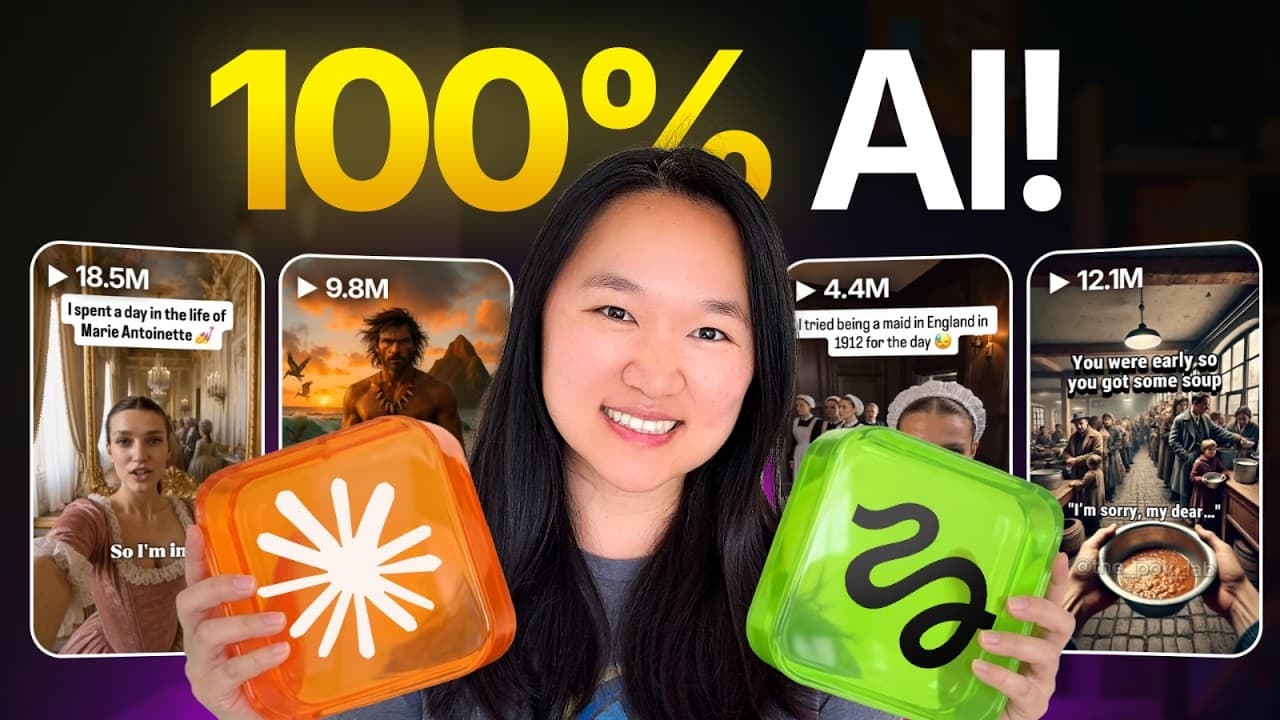
- POV Lab demonstrates demand for historical first-person videos. Its account was described as having 8 million likes and almost half a million followers, while one sequence portraying a child in Egypt in 1250 was shown with 21.5 million views.
- Consistent fictional characters can become reusable content assets. The Khloe versus History example keeps the same character across scenarios, sends her into different historical settings, and can place her in interviews with famous figures or other situations chosen by the creator.
- The Higgsfield MCP provides access to AI image and video generation platforms through one connection. Based on the user's prompt and intended task, the connector selects an appropriate API endpoint and model rather than requiring separate manual workflows across many accounts.
- A Claude skill is a saved, repeatable set of instructions. It can preserve a specialized workflow, such as writing POV reel scripts, so the creator does not need to reconstruct the same detailed prompt whenever a new character, setting, or historical period is selected.
- Effective skill development depends on incremental testing. The demonstrated process first checks whether the skill produces the desired script, then gives Claude specific feedback about missing or incorrect elements before expanding the workflow to video generation, editing, and caption placement.
- Goal-focused prompting is recommended for Fable 5. The creator argues that heavily specifying roles, actions, examples, and constraints can unnecessarily limit the model, while stating the desired outcome gives it more freedom to determine how the task should be completed.
- The completed workflow can automate several production stages. According to the description, it can write scripts, generate scenes, stitch clips, burn in captions, create era-morphing videos with a synchronized year counter, and maintain a consistent AI vlogger across multiple clips.
- More videos from this channel:
- More from this channel: Helena Liu
Install to Summarize YouTube Videos and Get Transcripts
Explore YouTube Video Summarizer or Get YouTube Transcript Extractor
Questions & Answers
Q: How do you create historical POV videos with AI?
Start by defining a character, place, period, and first-person premise, such as a poor child in London or a gladiator in Rome in 80 AD. Use a Claude skill to turn that premise into a sequence of scenes, with each scene showing a specific action from the character's perspective. Test the script before connecting it to Higgsfield for clip generation, assembly, and captions.
Q: What is the role of a Claude skill in AI video creation?
A Claude skill stores a repeatable set of instructions for a recurring task. In the demonstrated workflow, the skill writes structured POV reel scripts without requiring the creator to re-enter the full process each time. It can later be expanded to send prompts to Higgsfield, generate individual scenes, combine the clips, and add caption text in a specified position.
Q: How do you connect Higgsfield MCP to Claude?
Open Claude, go to Customize, select Connectors, and choose the option to add a custom connector. Enter the Higgsfield MCP service URL provided in the video, name the connector, add it, and press Connect. The setup then requires signing in to a Higgsfield account through its authorization system. Afterward, the connector appears in Claude's connector list.
Q: Why use Higgsfield MCP instead of separate AI tools?
Higgsfield is presented as a single MCP connection that provides access to multiple AI image and video generation platforms. It can interpret the prompt and call an appropriate API endpoint and model for the requested job. This removes much of the manual process of copying prompts between Claude or ChatGPT, individual generation tools, and a separate video editor.
Q: How should a new Claude video skill be tested?
Test the skill with one clear example, such as asking for the perspective of a poor child in London. Review whether the resulting script matches the intended structure and style. If it does not, tell Claude specifically what is missing or incorrect. Once the script is satisfactory, add the next production stage and continue testing the workflow one step at a time.
Q: How should Fable 5 be prompted for creative workflows?
The creator recommends describing the goal and allowing Fable 5 to determine how to accomplish it. She contrasts this with prompts that prescribe a role, exact actions, examples, and numerous constraints. Her stated reasoning is that excessive instructions can restrict what Fable 5 can do, while a clear outcome gives the model room to construct the required process.
Q: How can AI-generated clips be assembled into a finished reel?
After the script format has been tested, the Claude skill can be updated to connect with the Higgsfield MCP and send scene prompts to a video model such as Seed Dance. The requested workflow generates the clips, compiles them, stitches them into one reel, and adds caption text above the top third of the video to match the supplied visual reference.
Q: What AI video formats does the workflow support?
The description identifies three formats. The first is a historical POV reel with automated scripting, scene generation, clip stitching, and burned-in captions. The second is an era-morphing sequence in which characters change over time alongside a synchronized year counter. The third uses a consistent AI character, such as a fictional vlogger, whose appearance remains identical across separate clips.
Summary & Key Takeaways
-
The workflow begins by studying successful AI-generated social accounts and breaking their content into repeatable structures. Examples include historical POV sequences, history-focused films, and a consistent fictional character who travels through time and interviews famous figures. One referenced POV video about Egypt in 1250 received 21.5 million views.
-
Claude connects to Higgsfield through a custom MCP connector using the provided service URL and account authorization. After connecting, permissions can be configured to reduce repeated approval requests. Generated images and videos remain accessible through Higgsfield's assets area, which helps creators retrieve previous outputs without searching through long Claude conversations.
-
A reusable Claude skill can turn a simple subject into a scene-by-scene POV script. The creator recommends testing the script first, explaining any shortcomings, and updating the skill incrementally. Once the script works, Higgsfield can generate individual clips, stitch them together, and place caption text above the video's top third.
Read in Other Languages (beta)
Share This Summary 📚
Summarize YouTube Videos and Get Video Transcripts with 1-Click
Try YouTube Summary with ChatGPT & Claude or YouTube Transcript Generator
Explore More Summaries from Helena Liu 📚





Summarize YouTube Videos and Get Video Transcripts with 1-Click
Try YouTube Summary with ChatGPT & Claude or YouTube Transcript Generator