What Are the Best Notion Calendar Tips for Productivity?
TL;DR
To enhance productivity with Notion Calendar, use features like displaying multiple date properties from a single page, connecting complex templates, and employing time zone travel for event scheduling. Optimize your calendar view by left-aligning the today column, hiding weekends, and collapsing the all-day section. Utilize the 'meet with' feature to streamline scheduling with teammates.
Transcript
I've been using Notions brand new app notion calendar as my personal calendar daily driver for the past few weeks and in that time I have found some pretty cool tricks and features that I didn't talk about in my initial video on Ocean calendar and that you might not know about so in this video we're going to cover 10 brand new features and tricks i... Read More
Key Insights
- 🧑🤝🧑 Notion Calendar allows users to display multiple date properties from a single Notion page on different dates, optimizing productivity.
- 📽️ Connecting complex Notion templates to Notion Calendar enhances task management and project planning capabilities.
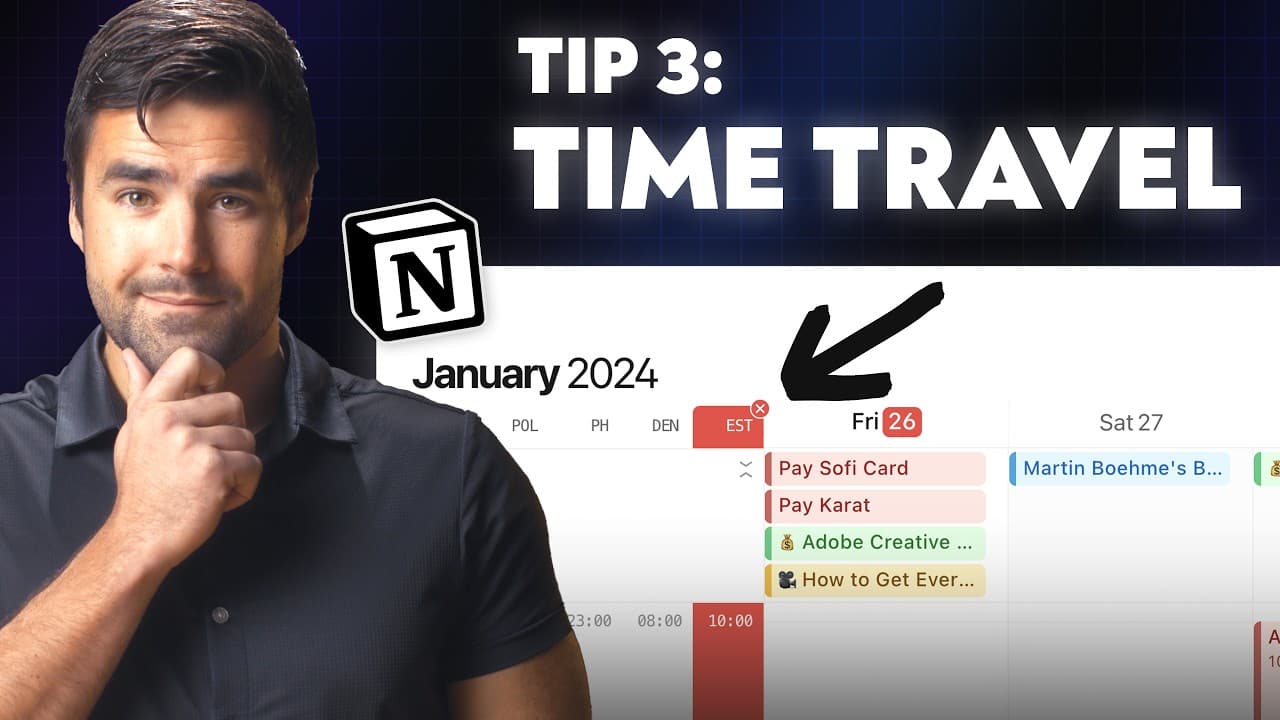
- 🗺️ Time zone travel feature enables easy scheduling and coordination across different time zones.
- 🔍 Left-aligning columns, hiding weekend days, and zooming in on work hours declutter the calendar view for improved focus.
- 🎵 Attaching databases instead of specific meeting notes simplifies recurring event management.
- 📅 Overlaying teammate calendars and using the "meet with" feature streamlines meeting scheduling.
- 🥳 Expanding the week view and collapsing the all-day section enhance long-term planning capabilities.
Install to Summarize YouTube Videos and Get Transcripts
Explore YouTube Video Summarizer or Get YouTube Transcript Extractor
Questions & Answers
Q: How can I display different date properties from a single Notion page on different dates in Notion Calendar?
In Notion Calendar, you can create multiple calendar views for different date properties from the same Notion page. Simply set up separate calendar views for each date property and add them to Notion Calendar.
Q: How can I connect complex Notion templates to Notion Calendar?
To connect complex Notion templates, such as task managers or productivity systems, to Notion Calendar, you need to add the calendar view directly to the source database of the template. Linked database views won't work for this purpose.
Q: Can I view events in different time zones in Notion Calendar?
Yes, you can add multiple time zones to Notion Calendar for easy time zone travel. Use the 'Z' key to enable time zone travel and see events in different time zones.
Q: How can I optimize the calendar view in Notion Calendar?
You can left-align the 'today' column, hide weekend days, zoom in on work hours, and collapse the all-day section to free up vertical space and focus on relevant events.
Summary & Key Takeaways
-
Notion Calendar allows users to display multiple date properties from a single Notion page on different dates in the calendar.
-
Connect complex Notion templates to Notion Calendar by adding the calendar view directly to the source database.
-
Use the time zone travel feature to easily view events in different time zones.
-
Left-align the today column and zoom in on work hours to optimize calendar view.
-
Attach a database instead of specific meeting notes to recurring events for easier access.
-
Overlay teammate's calendars and schedule meetings using the "meet with" feature.
-
Hide weekend days, zoom in on work hours, and collapse the all-day section for a cleaner calendar view.
-
Expand the week view to show more than seven days for long-term planning.
Read in Other Languages (beta)
Share This Summary 📚
Summarize YouTube Videos and Get Video Transcripts with 1-Click
Try YouTube Summary with ChatGPT & Claude or YouTube Transcript Generator
Explore More Summaries from Thomas Frank Explains 📚



Summarize YouTube Videos and Get Video Transcripts with 1-Click
Try YouTube Summary with ChatGPT & Claude or YouTube Transcript Generator