How to Build a Full Stack Netflix Clone with Next.js
TL;DR
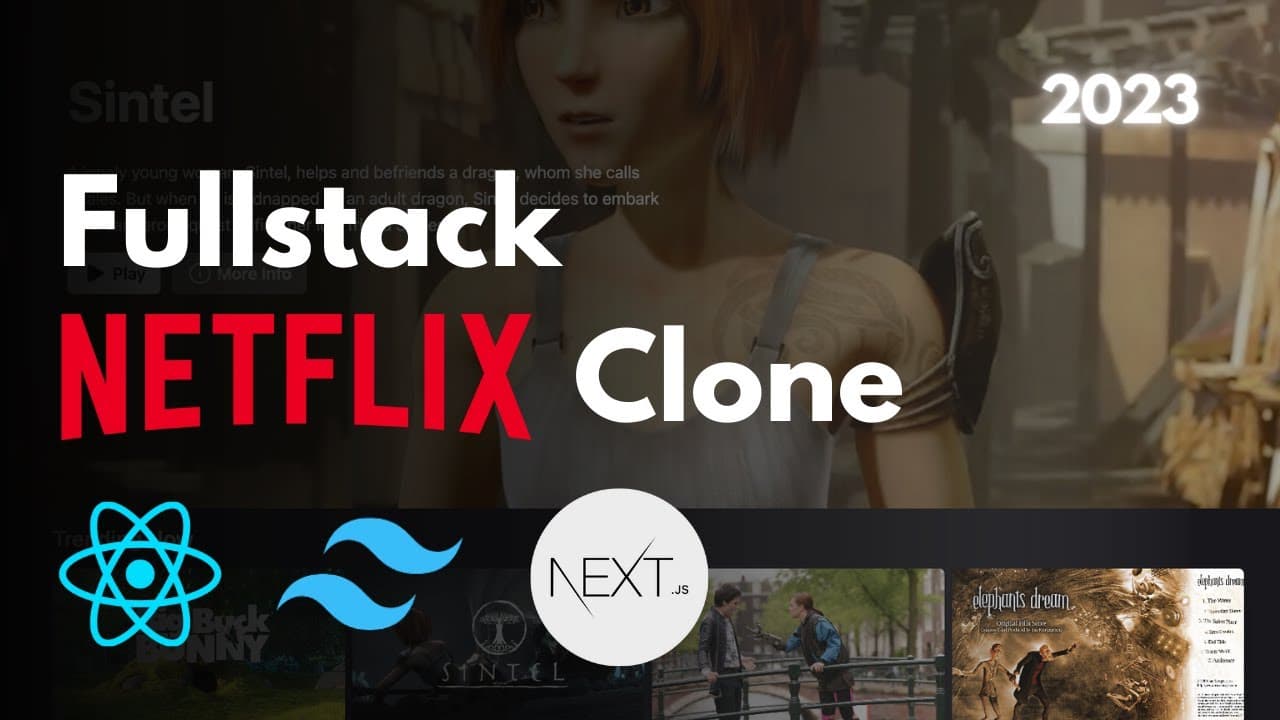
Building a full stack Netflix clone uses React for the front-end, Next.js for server-side rendering, Tailwind CSS for styling, Prisma as the data abstraction layer, MongoDB for storage, NextAuth for authentication, and Vercel for deployment. The app includes credential and Google OAuth login, auto-generated profiles, a random billboard movie, trending lists, favorites, and a fully responsive info modal.
Transcript
hey there my name is Antonio and in this video I'm going to show you how to create a powerful Netflix clone using some of the latest tech Trends we're going to be using reactor front-end next.js for our server-side rendering Tailwind CSS for our styling Prisma as our data abstraction layer mongodb for our storage needs next out for authentication a... Read More
Key Insights
- The tech stack combines React for the front-end, Next.js for server-side rendering, Tailwind CSS for styling, Prisma as the data abstraction layer, MongoDB for storage, NextAuth for authentication, and Vercel for deployment, all written in TypeScript.
- Credential login works only for users who registered with a username, email, and password method, and Google OAuth login is also implemented as an alternative sign-in option.
- Profiles are automatically generated once a user registers, and visiting the homepage loads a random movie in a component called the Billboard, mirroring what Netflix itself does.
- The Billboard component displays a random movie at the top of the homepage, and below it a list of trending movies is loaded directly from the database.
- Movie cards support a Netflix-like hover effect, letting users add titles to favorites, and a Chevron down button opens a modal showing more information about each movie.
- Initializing the project uses 'npx create-next-app' with TypeScript, and Tailwind is added by installing tailwindcss, postcss, and autoprefixer, then running 'npx tailwindcss init -p'.
- Next.js file-based routing means any file added to the Pages folder becomes a route automatically, demonstrated by creating a test.tsx file that instantly appears at localhost:3000/test.
- The app is fully responsive across all devices, and everything, from the info modal to the video player and favorites list, adapts to phone and large screen layouts.
Install to Summarize YouTube Videos and Get Transcripts
Explore YouTube Video Summarizer or Get YouTube Transcript Extractor
Questions & Answers
Q: What tech stack is used to build this Netflix clone?
The Netflix clone uses React for the front-end, Next.js for server-side rendering, Tailwind CSS for styling, Prisma as the data abstraction layer, MongoDB for storage needs, and NextAuth for authentication. The entire project is written in TypeScript and made fully responsive across all devices. Finally, the whole application is deployed on Vercel, combining several of the latest tech trends into one full stack build.
Q: How do you initialize the Next.js and Tailwind CSS project?
Open your terminal and run 'npx create-next-app' with the TypeScript flag, then answer the prompts for project name, ESLint, source directory, app directory, and import alias, keeping the defaults shown. After creating the folder, install Tailwind by running npm install for tailwindcss, postcss, and autoprefixer, then run 'npx tailwindcss init -p' to generate the tailwind.config.js and postcss.config.js files.
Q: How does authentication work in this Netflix clone?
Authentication uses NextAuth. The credential login works only if you registered using the username, email, and password method. In addition to credential login, Google OAuth login is implemented, so users can sign in with their Google email as an alternative. Once a user registers, profiles are automatically generated, and after selecting a profile they are taken to the homepage of the application.
Q: What is the Billboard component and how does it work?
The Billboard is the component that loads a random movie at the top of the homepage when a user visits it, which is the same thing Netflix does. It provides a prominent featured movie display. Below the Billboard, the app shows a list of trending movies that are loaded directly from the database, giving the homepage a layered, Netflix-like structure of featured and browsable content.
Q: How do users add movies to their favorites?
On the homepage, users can hover over movies in the trending list, which triggers a cool Netflix-like hover effect. From that hover state they can add a movie to their favorites, and the movie then appears in a dedicated favorites list below. Users can remove a movie from favorites either through the info modal or directly, giving full control over their personal My List of saved titles.
Q: How does routing work in Next.js according to the video?
Next.js uses file-based routing through the Pages folder. To demonstrate how easy it is, the tutorial creates a new file called test.tsx inside the Pages folder containing a small component that returns an H1 saying hello new page. Simply by adding that file, visiting localhost:3000/test instantly renders the route with no additional configuration, showing how quickly new pages can be created.
Q: How is Tailwind CSS configured in the project?
After installing tailwindcss, postcss, and autoprefixer and running 'npx tailwindcss init -p', you open tailwind.config.js and set the content array to include the pages and components paths with JS, TS, JSX, and TSX file extensions. Then in globals.css you add the three directives: @tailwind base, @tailwind components, and @tailwind utilities. This imports Tailwind's styles and resets the CSS, which you can test by adding utility classes like text-2xl and text-green-500.
Q: What features are included in the finished Netflix clone app?
The finished app includes credential login and Google OAuth login, automatically generated profiles, and a Billboard showing a random movie on the homepage. It has a trending movies list from the database, a Netflix-like hover effect on movie cards, favorites (My List) functionality, and an info modal opened via a Chevron down or More Info button. Users can watch movies with a video player, and everything is fully responsive across all devices.
Summary & Key Takeaways
-
This tutorial teaches building a powerful, scalable Netflix clone using current tech trends: React front-end, Next.js server-side rendering, Tailwind CSS styling, Prisma data abstraction, MongoDB storage, NextAuth authentication, and Vercel deployment, all in TypeScript and fully responsive across every device.
-
Key features shown include credential login for registered users, Google OAuth login, automatically generated profiles, a random Billboard movie on the homepage, a trending movies list from the database, favorites functionality with a Netflix-like hover effect, and a movie info modal.
-
The build begins by initializing Next.js and Tailwind through the terminal, cleaning the default project to an empty state, configuring tailwind.config.js content paths, adding Tailwind directives to globals.css, and then constructing the auth screen with a hero background, logo navigation, and sign-in container.
Read in Other Languages (beta)
Share This Summary 📚
Summarize YouTube Videos and Get Video Transcripts with 1-Click
Try YouTube Summary with ChatGPT & Claude or YouTube Transcript Generator
Explore More Summaries from Code With Antonio 📚

Summarize YouTube Videos and Get Video Transcripts with 1-Click
Try YouTube Summary with ChatGPT & Claude or YouTube Transcript Generator