How to Build a Real-Time Messenger with Next.js
TL;DR
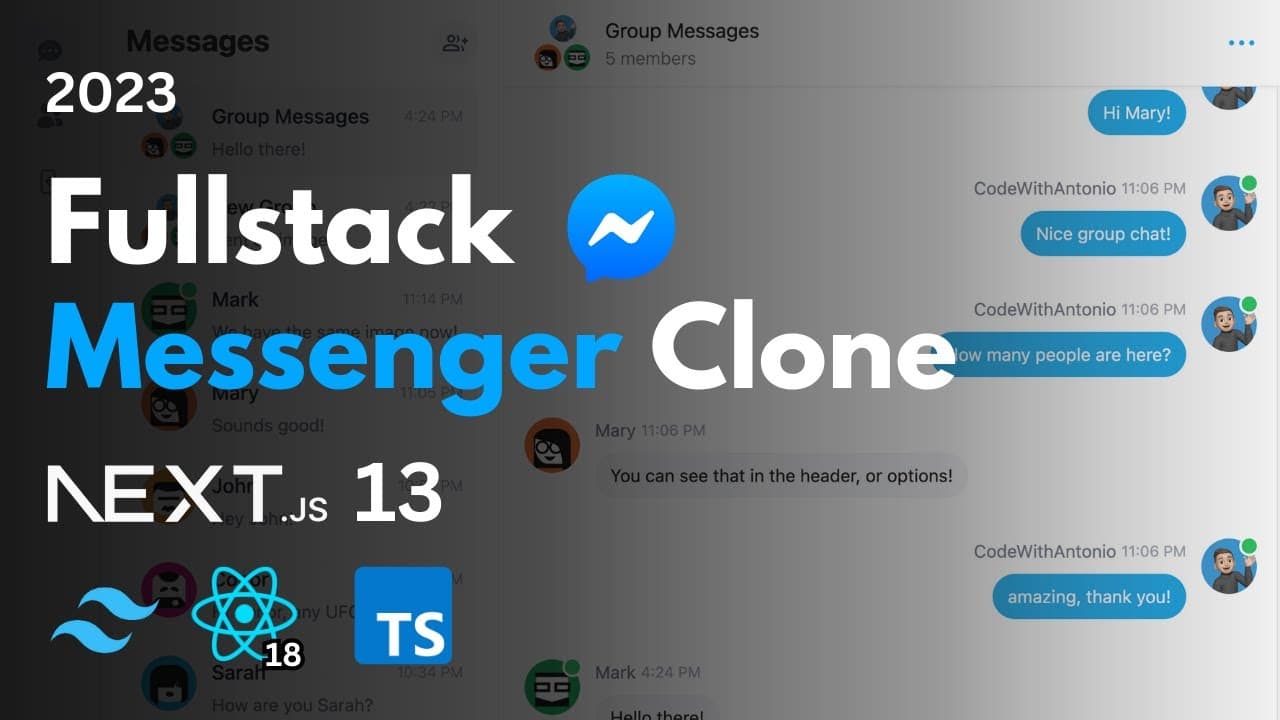
Learn to build a real-time chat application using Next.js 13, React, Tailwind, Prisma, MongoDB, and NextAuth for authentication. The tutorial covers setting up a real-time messaging system with Pusher, implementing user authentication with Google and GitHub, and creating a visually appealing UI with Tailwind CSS. You'll also learn about database handling with Prisma and MongoDB, and deploying the app on Vercel.
Transcript
hey there my name is Antonio and welcome to this comprehensive tutorial where we'll embark on an exciting journey to create a state-of-the-art real-time messenger clone using some of the most powerful and cutting-edge Technologies available today in this video we'll cover a wide range of features that will help you build a fully functional and Visu... Read More
Key Insights
- Next.js 13 uses the app router for efficient routing and dynamic page rendering.
- React is used for building reusable components, forming the backbone of the application.
- Tailwind CSS and Headless UI are employed for creating a sleek user interface.
- Prisma and MongoDB are combined for an efficient and scalable database solution.
- NextAuth manages user authentication, including social login with Google and GitHub.
- Pusher enables real-time messaging and notifications, enhancing user interactivity.
- Cloudinary is used for image uploads, ensuring efficient media handling.
- React-hook-form is utilized for efficient form handling, managing user input seamlessly.
Install to Summarize YouTube Videos and Get Transcripts
Explore YouTube Video Summarizer or Get YouTube Transcript Extractor
Questions & Answers
Q: How to set up a real-time messaging system in Next.js?
To set up a real-time messaging system in Next.js, you can use Pusher, which allows you to implement real-time notifications and messaging. Pusher integrates seamlessly with Next.js and provides a robust solution for handling real-time data updates, ensuring users receive messages instantly.
Q: What is the role of Prisma and MongoDB in the application?
Prisma and MongoDB are used to manage the application's database. Prisma acts as an ORM, providing a type-safe database client for MongoDB. This combination allows for efficient data handling and scalability, making it suitable for applications with numerous users and conversations.
Q: How does NextAuth handle user authentication?
NextAuth manages user authentication by providing a flexible authentication solution that supports credentials, Google, and GitHub logins. It simplifies the process of securing your application by handling sessions, JWT tokens, and user accounts, ensuring a secure and seamless login experience.
Q: Why is Tailwind CSS used for the UI?
Tailwind CSS is used for the UI because it offers a utility-first approach to styling, allowing developers to build custom designs quickly. It provides a comprehensive set of classes for styling elements, enabling the creation of a visually appealing and responsive user interface with minimal effort.
Q: What is the purpose of Cloudinary in the application?
Cloudinary is used for handling image uploads in the application. It provides a robust solution for managing and delivering media files, ensuring efficient image processing and optimization. This is crucial for applications that require frequent image uploads, such as a chat application with profile pictures and attachments.
Q: How can server errors be handled effectively?
Server errors can be handled effectively using react-toast, which provides a simple way to display error messages to users. By integrating react-toast, you can ensure that users receive immediate feedback on any issues, improving the overall user experience and aiding in debugging during development.
Q: What are the benefits of deploying on Vercel?
Deploying on Vercel offers several benefits, including seamless integration with Next.js, automatic deployments on push to the main branch, and optimized performance through serverless functions. Vercel also provides a global CDN, ensuring fast and reliable access to your application for users worldwide.
Q: How to customize user profiles in the application?
User profiles can be customized by allowing users to update their personal information, profile pictures, and settings within the application. This can be achieved by creating a user-friendly interface with forms powered by react-hook-form, ensuring that updates are seamless and validated before submission.
Summary & Key Takeaways
-
The tutorial guides you through creating a real-time chat application using cutting-edge technologies like Next.js, React, and Tailwind CSS. You'll learn to implement real-time messaging with Pusher and manage user authentication with NextAuth, including Google and GitHub login options.
-
Prisma and MongoDB are used to build a scalable database, ensuring the app can handle numerous users and conversations. The tutorial also covers deploying the application on Vercel, making it accessible to a wider audience.
-
Additional features include message notifications, user profile customization, and handling server errors with react-toast. By the end of the tutorial, you'll have a fully functional messenger clone ready for deployment.
Read in Other Languages (beta)
Share This Summary 📚
Summarize YouTube Videos and Get Video Transcripts with 1-Click
Try YouTube Summary with ChatGPT & Claude or YouTube Transcript Generator
Explore More Summaries from Code With Antonio 📚
Summarize YouTube Videos and Get Video Transcripts with 1-Click
Try YouTube Summary with ChatGPT & Claude or YouTube Transcript Generator