How to Build an AI-Powered B2B SaaS Support Platform
TL;DR
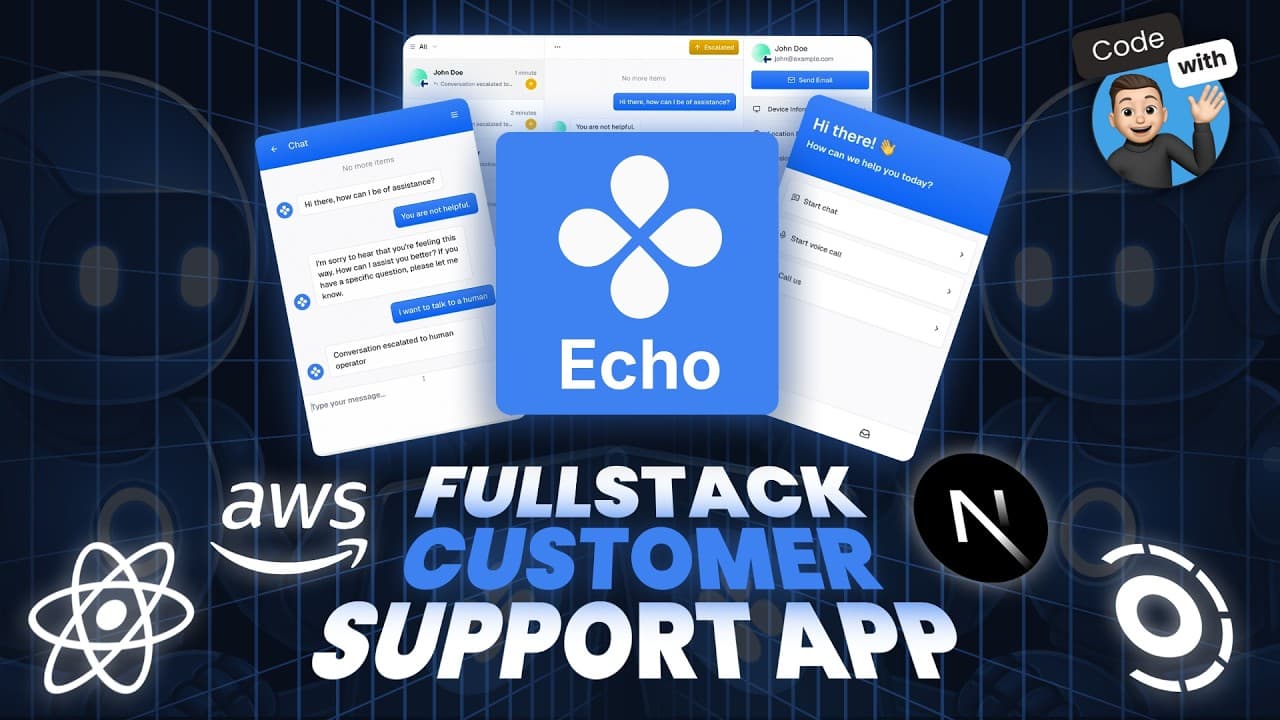
Build a full-stack AI-powered customer support platform from scratch using Next.js, React, and various tools like Convex and Clerk. The platform features real-time AI chat, voice support, a smart knowledge base, and team management. Learn to embed chat widgets, manage API keys with AWS, and track errors with Sentry. The course provides a production-ready B2B SaaS template.
Transcript
What if you could build your own AI powered customer support platform? Something that feels like intercom but runs on your stack with voice agents, AI, and multi-tenant B2B baked in. This is Echo and in this full course, you'll build it from scratch. The AI handles support on its own and knows when to escalate. If a customer gets frustrated, Echo f... Read More
Key Insights
- Echo is an AI-powered customer support platform that mimics Intercom but runs on your stack.
- The platform uses Convex agents for real-time AI chat and retrieval-augmented generation for responses.
- Echo supports voice agents and phone calls powered by VAPI, and can be white-labeled for B2B use.
- Clerk manages authentication, team roles, and subscription billing, all scoped to an organization.
- Sentry provides error tracking with full-stack visibility, session replays, and trace logs.
- Echo is structured as a monorepo using Turborepo, with shared packages and separate apps.
- The platform supports multiple AI models like OpenAI, Anthropic, and Grok.
- The tutorial includes setting up a GitHub repository and using CodeRabbit for pull request reviews.
Install to Summarize YouTube Videos and Get Transcripts
Explore YouTube Video Summarizer or Get YouTube Transcript Extractor
Questions & Answers
Q: How to set up real-time AI chat with Convex Agents?
To set up real-time AI chat with Convex Agents, you need to integrate Convex into your application as a backend service. Convex provides a sync engine that automatically updates the UI when new data is written to the database, eliminating the need for manual WebSocket management. This setup allows for seamless real-time communication, ideal for chat applications.
Q: What is the role of VAPI in Echo?
VAPI is used in Echo to provide voice support capabilities. It enables the platform to handle voice agents and phone calls, both inbound and outbound. VAPI supports the integration of voice features into the AI-powered customer support platform, allowing for more interactive and versatile communication options with users.
Q: How does Clerk manage authentication and billing?
Clerk manages authentication by providing user sign-in and sign-up capabilities, along with session management. It also handles team management by allowing the assignment of roles and management of workspaces. For billing, Clerk supports subscription management, enabling the platform to offer different tiers of service and manage payments effectively.
Q: How are API keys managed in Echo?
API keys in Echo are managed using AWS Secrets Manager. This service securely stores API credentials per tenant, ensuring that sensitive information is protected. The 'bring your own keys' method is used, allowing tenants to provide their own API keys, which are then securely stored and managed by AWS Secrets Manager.
Q: What is the purpose of using Turborepo in Echo?
Turborepo is used in Echo to manage the monorepo architecture. It allows for the organization of separate applications and shared packages within a single repository. This setup facilitates easier code sharing and collaboration across different parts of the platform, enhancing development efficiency and maintainability.
Q: How does Echo support multiple AI models?
Echo supports multiple AI models by allowing integration with various AI providers such as OpenAI, Anthropic, and Grok. This flexibility enables users to choose and switch between different AI models according to their needs, ensuring that the platform can leverage the best available AI technologies for customer support.
Q: What are the key features of Echo's smart knowledge base?
Echo's smart knowledge base uses embeddings and retrieval-augmented generation (RAG) to provide accurate and contextually relevant responses. It can learn from product documentation without the need for model tuning, offering a dynamic and intelligent support experience. The knowledge base helps the AI determine when to escalate issues to human agents or auto-resolve conversations.
Q: How is error tracking implemented in Echo?
Error tracking in Echo is implemented using Sentry, which provides full-stack visibility and real-time alerts. Sentry allows developers to replay sessions and trace logs across the front end and backend, helping to identify and fix errors quickly. This integration ensures a robust error management system, enhancing the platform's reliability and performance.
Summary & Key Takeaways
-
Echo is a modern AI-powered B2B SaaS support platform built with Next.js 15 and React 19. It offers real-time AI chat, voice support, and a smart knowledge base using Convex and VAPI. The platform supports team management, authentication, and billing through Clerk, and includes error tracking with Sentry.
-
The course guides you through setting up a monorepo with Turborepo, embedding chat widgets, and managing API keys with AWS. It provides a production-ready template for a full-stack SaaS application, complete with pull request reviews using CodeRabbit.
-
Echo supports multiple AI models and offers features like human handoff, auto-resolve, and a developer toolkit for embedding scripts. The tutorial covers everything from initial setup to deploying a scalable SaaS solution.
Read in Other Languages (beta)
Share This Summary 📚
Summarize YouTube Videos and Get Video Transcripts with 1-Click
Try YouTube Summary with ChatGPT & Claude or YouTube Transcript Generator
Explore More Summaries from Code With Antonio 📚


Summarize YouTube Videos and Get Video Transcripts with 1-Click
Try YouTube Summary with ChatGPT & Claude or YouTube Transcript Generator