How Do You Build and Deploy a SaaS AI Website Builder and Lovable Clone With Next.js 15, React, Inngest, and Prisma?
TL;DR
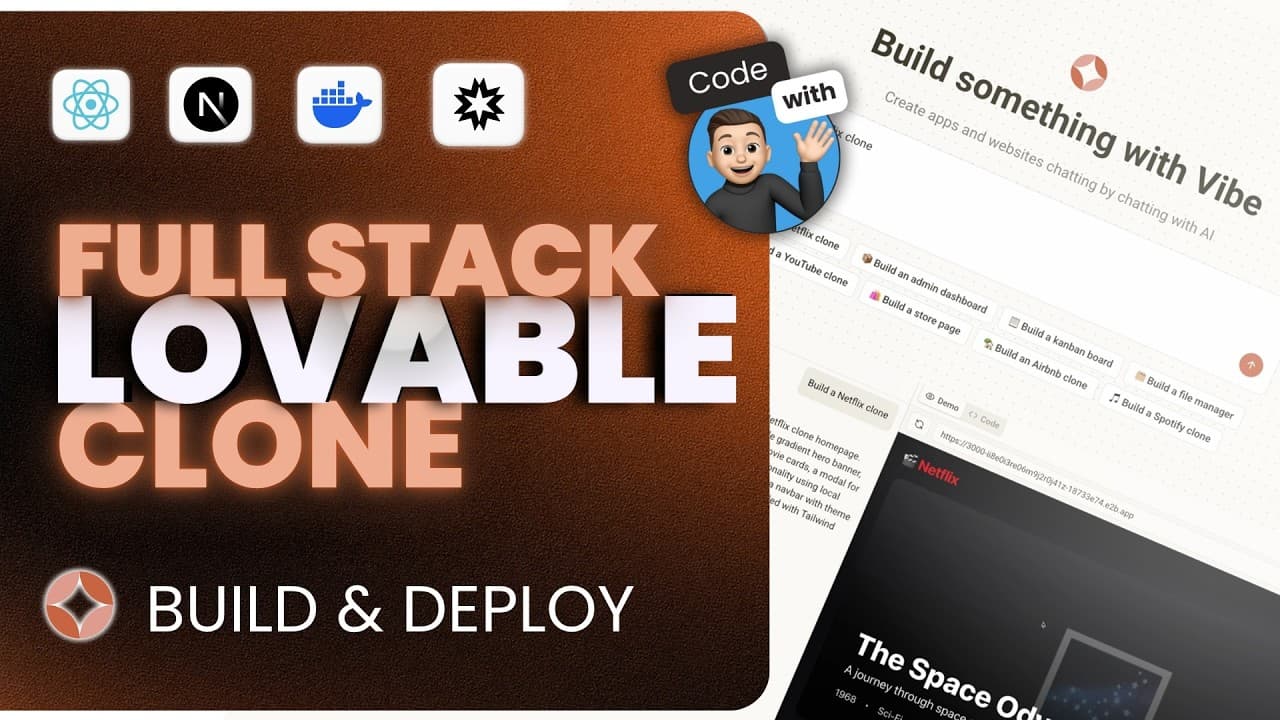
Build and deploy a SaaS AI website builder by combining Next.js 15 and React 19 with an AI coding agent, Inngest background tasks, E2B sandboxes, Prisma, Neon, and Clerk. Vibe turns prompts into functional applications with interactive previews, live URLs, inspectable code, saved projects, and credit-based billing. Read on to understand how each part supports generation, execution, storage, and deployment.
Transcript
Imagine building your next startup with nothing more than a sentence. This is Vibe, an AI powered app builder that makes that possible. And in this course, you're going to learn how to build it yourself. Let's try it out by entering a simple prompt and hitting submit. What you're about to see next is something you'd normally expect from high-end to... Read More
Key Insights
-
- Vibe is an AI-powered app builder that converts a written prompt into a functional Next.js application, including its layout, interactions, components, utilities, and supporting files. Demonstrated outputs include a Netflix-style homepage, a draggable kanban board, and an admin dashboard with searchable data.
-
- Inngest is responsible for background task orchestration and agent tooling in the platform. Its developer server displays the task started by each submitted prompt, including installed packages, executed commands, and files that the coding agent created or modified during generation.
-
- The AI coding agent is equipped with tools for running terminal commands and creating, reading, or updating project files. Its objective is to produce a complete Next.js application tailored to the user's request rather than merely generating a static visual mockup.
-
- E2B provides a secure cloud sandbox that runs AI-generated code in a real development environment. The sandbox exposes a live URL, allowing users to open, share, test, and interact with the generated application in a browser before examining its implementation.
-
- Prisma and Neon Postgres form the persistence layer for the platform. Finished applications are saved to the database so users can find previously generated projects on the homepage, reopen them, and confirm that their live previews and code remain available.
-
- Clerk manages both authentication and billing without requiring the tutorial's developer to configure webhooks or a complicated Stripe integration. After upgrading, the demonstrated account immediately shows premium status, 100 remaining credits, and the exact time when those credits will reset.
-
- The credit system limits application generation according to account usage. Each generation consumes one credit, an attempted generation fails when no credits remain, and upgrading the account provides additional credits while exposing plan information through the user settings and Clerk dashboard.
-
- The project stack centers on Next.js 15.3.4, React 19, TypeScript 5, Tailwind version 4, and the App Router. The setup also enables a source directory and Turbopack for development, while shadcn/ui supplies open-code components built around composition patterns.
- "This is Vibe, an AI powered app builder that makes that possible." (0:00)
- "The result, a fully functional Netflix style homepage generated entirely by AI." (0:30)
- "It can run commands in the terminal, create, read, or even update files." (1:34)
- "That's right. Each generation uses a credit." (2:34)
- "E2B for executing AI generated code in secure cloud sandboxes." (6:33)
Install to Summarize YouTube Videos and Get Transcripts
Explore YouTube Video Summarizer or Get YouTube Transcript Extractor
Questions & Answers
Q: How does Vibe generate a functional application from a prompt?
Submitting a prompt starts an Inngest background task handled by an AI coding agent. The agent can run terminal commands and create, read, or update files to produce a functional Next.js application tailored to the request.
Q: What can users do with an AI-generated application in Vibe?
Users can interact with the application in an embedded preview and open its live URL in a new tab. They can also share the URL, test the application in a real browser environment, and inspect every generated component, utility, and file in the code tab.
Q: How does Inngest support the AI coding agent?
Inngest starts the background task when a user submits a prompt and provides the agent tooling used by the platform. Its developer server shows each step, including installed packages, executed commands, and files that were created or modified.
Q: Why does the AI website builder use an E2B sandbox?
E2B provides a secure container that runs the generated application in a real development environment. It exposes a live URL so users can preview and interact with the result like a deployed project.
Q: How are generated Vibe projects saved and reopened?
Finished applications are saved to a Postgres database powered by Neon. Previously generated apps, called vibes, appear beneath the homepage and can be reopened to confirm they are still live and working.
Q: How do credits and Clerk billing work in Vibe?
Each application generation uses one credit, and a new prompt returns an error when no credits remain. Clerk powers billing, and the demonstrated premium upgrade immediately shows 100 remaining credits and the exact time when they will reset.
Q: What technology stack powers the SaaS AI website builder?
The platform uses Next.js 15, React 19, tRPC, TanStack Query, Prisma, Neon Postgres, Tailwind version 4, and shadcn/ui. Clerk handles authentication and billing, Inngest handles background jobs and agent tooling, E2B executes generated code in secure cloud sandboxes, and Docker creates custom sandbox templates.
Q: How does the course handle Git workflow and code review?
The course follows a Git workflow with commits, new branches, and real pull requests. CodeRabbit reviews every pull request and automatically flags actionable insights and critical mistakes involving logic issues and best practices.
Summary & Key Takeaways
-
The course builds Vibe, a prompt-driven platform that generates functional applications such as a Netflix-style homepage, a draggable kanban board, and an admin dashboard. Users can interact with each result through a live preview, open its public URL, inspect generated files, and revisit previously saved projects.
-
A background task starts when a user submits a prompt. An AI coding agent then uses tools to run terminal commands and create, read, or update files. E2B provides a secure cloud sandbox for executing the generated Next.js application, while Inngest exposes the task steps and their execution history.
-
The application combines Next.js 15, React 19, Tailwind version 4, shadcn/ui, tRPC, TanStack Query, Prisma, Neon Postgres, Clerk, Inngest, E2B, and Docker. The course also follows a Git workflow involving commits, branches, pull requests, and CodeRabbit reviews before deploying the completed platform to production.
Read in Other Languages (beta)
Share This Summary 📚
Summarize YouTube Videos and Get Video Transcripts with 1-Click
Try YouTube Summary with ChatGPT & Claude or YouTube Transcript Generator
Explore More Summaries from Code With Antonio 📚
Summarize YouTube Videos and Get Video Transcripts with 1-Click
Try YouTube Summary with ChatGPT & Claude or YouTube Transcript Generator