How to Make Motion Graphics With Claude Design
TL;DR
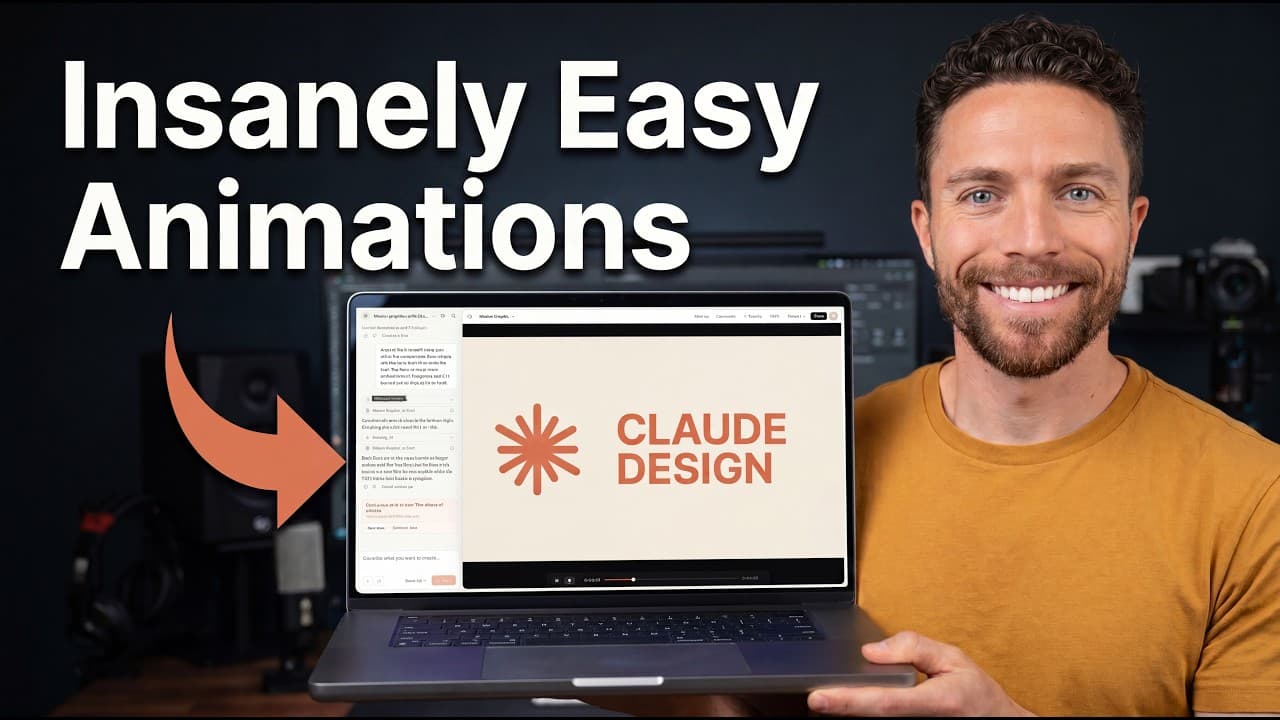
Start by selecting the animation template in Claude Design, then create motion graphics from copied templates, reference screenshots, or timestamped transcripts. Clear descriptions of movement and targeted follow-up prompts improve the result, while uploaded brand references and the markup tool help align styling, spacing, timing, and individual elements without requiring code, a terminal, or complicated storyboards.
Transcript
Most of the videos on YouTube that teach you how to create motion graphics with AI use code, the terminal, or complicated storyboards. My system is much simpler. I use Claw Design, which is one of the easiest tools for creating motion graphics. And I've basically come up with three or four different tricks to easily get it to create motion graphics... Read More
Key Insights
- Claude Design is accessed through claude.ai/design and is included with a Claude subscription. Motion graphic projects begin by selecting the animation template, although the location of that control may change because the homepage interface has been revised repeatedly.
- Templates are the easiest starting point because they show Claude Design exactly what the finished motion graphic should resemble. Users can paste copied template code, identify the desired text or visual substitutions, and generate a customized animation with a single prompt.
- Multiple templates can be combined into one motion sequence. The demonstrated workflow joined a title-screen template with a progress-bar design, showing that copied examples can serve as modular components rather than strict designs that must be used separately or without modification.
- Screenshots can replace template code when a desired animation has no reusable template. A useful reference set includes the first frame, the last frame, and one or two intermediate frames when significant transitions need to be identified more precisely.
- Animation descriptions must specify both visual states and movement behavior. In the checklist example, the prompt described orange loading circles, blue check marks, scratched-out words, and a progress bar that advanced as five bullet points were completed.
- Precise wording is essential when correcting motion. Asking for a smooth progress bar did not eliminate its jerky progression, but requesting that it steadily increase for the entire duration and reach full at the end produced the intended result.
- Timestamped transcripts can direct animations for talking-head videos, presentations, or audio files. The demonstrated process created an SRT-style transcript, pasted it into Claude Design, and used its timing to coordinate visuals with the spoken content.
- Brand assets give Claude Design a visual reference for matching an animation to its subject. A screenshot of the Claude Design homepage supplied styling cues, while follow-up prompts and the markup tool corrected overlaps, concealed text, and adjusted spacing in selected elements.
Install to Summarize YouTube Videos and Get Transcripts
Explore YouTube Video Summarizer or Get YouTube Transcript Extractor
Questions & Answers
Q: How do you start a motion graphic in Claude Design?
Go to claude.ai/design, locate the template dropdown, and select the animation template before entering the prompt. The interface has changed several times, so the animation option may appear in a different location. Once animation is selected, use the prompt box to describe the graphic, paste template code, or provide reference materials such as screenshots and transcript text.
Q: How can templates simplify motion graphics in Claude Design?
Templates give Claude Design a concrete example of the intended appearance and behavior, which reduces the need to explain every design choice through repeated prompts. Copy the code from a motion graphic you like, paste it into Claude Design, and add instructions describing the exact text, labels, or visual details that should change for your project.
Q: Can multiple motion graphic templates be combined?
Multiple templates can be pasted into Claude Design and combined through a prompt that explains how they should form one sequence. The demonstrated example joined a title screen with a progress bar. This approach allows existing designs to function as reusable building blocks, so users can extend, rearrange, or merge templates instead of treating each one as a fixed standalone animation.
Q: How can you recreate a motion graphic from screenshots?
Capture the animation's first frame and last frame, then add one or two middle screenshots if important transitions occur between them. Attach those images in Claude Design, select the animation template, and describe what moves, how each state changes, and which visual content must be replaced. The screenshots establish the appearance, while the prompt defines the behavior.
Q: Why are precise animation instructions important in Claude Design?
General descriptions can be interpreted differently from what the user intends. In the demonstrated progress-bar correction, asking for smooth movement still produced a jerky progression because the movement was smooth only within separate jumps. Telling Claude Design to increase the bar steadily for the entire duration and reach full when the graphic ended communicated the required continuous behavior more accurately.
Q: How can a transcript generate motion graphics for a talking-head video?
Create a transcript of the video, presentation, or audio file with timestamps in an SRT-style format, then paste that transcript beneath the motion-graphics prompt in Claude Design. The timestamps connect visual events to specific spoken moments. Because this method does not begin with a complete animation template, the first result may need one or two targeted follow-up prompts.
Q: How do brand assets improve Claude Design animations?
Uploaded brand references provide visual styling that Claude Design can apply to the animation. In the demonstrated workflow, a screenshot of the Claude Design homepage was attached because the source video focused on that product. Adding more relevant assets can make the presentation and animation feel more consistent with the video's subject, interface, and established visual identity.
Q: How can you fix specific problems in a generated animation?
Describe the problem with its location or timestamp and state the exact change required. Examples include moving storyboards that overlap text or blurring the names of tricks during a particular section. For a more focused edit, open the markup tool, select the affected element, describe the correction, send it to Claude, and refresh the animation to review the revision.
Summary & Key Takeaways
-
Claude Design provides an animation template for creating motion graphics through prompts. The simplest workflow starts with copying code from a motion graphic template, pasting it into Claude Design, and describing the required text or visual changes. Existing templates give Claude a precise reference and reduce the need for repeated clarification during creation.
-
When no reusable template exists, screenshots can define the desired visual sequence. Capture the first and last frames, plus important middle frames when necessary, then explain how elements move and what content should change. Precise motion language matters because a smooth animation may still fail to move continuously or at the intended rate.
-
Timestamped transcripts can guide motion graphics for talking-head videos, presentations, or audio. Uploading relevant brand references helps Claude Design match the subject's visual identity. Because transcript-based animations lack a complete template, they may require one or two follow-up prompts, while markup enables focused corrections to selected elements such as spacing.
Read in Other Languages (beta)
Share This Summary 📚
Summarize YouTube Videos and Get Video Transcripts with 1-Click
Try YouTube Summary with ChatGPT & Claude or YouTube Transcript Generator
Explore More Summaries from Paul J Lipsky 📚





Summarize YouTube Videos and Get Video Transcripts with 1-Click
Try YouTube Summary with ChatGPT & Claude or YouTube Transcript Generator