Why Is Claude Code Better for Building n8n Workflows?
TL;DR
Claude Code can build n8n workflows faster while creating a foundation for expanding automations into products with frontends, backends, databases, and payments. The setup combines Claude Code, the n8n MCP server, and seven n8n skills; the server provides information on over 500 nodes and a template library of 2,700 workflows. Read on for the configuration steps, Windows adjustment, and practical limitations.
Transcript
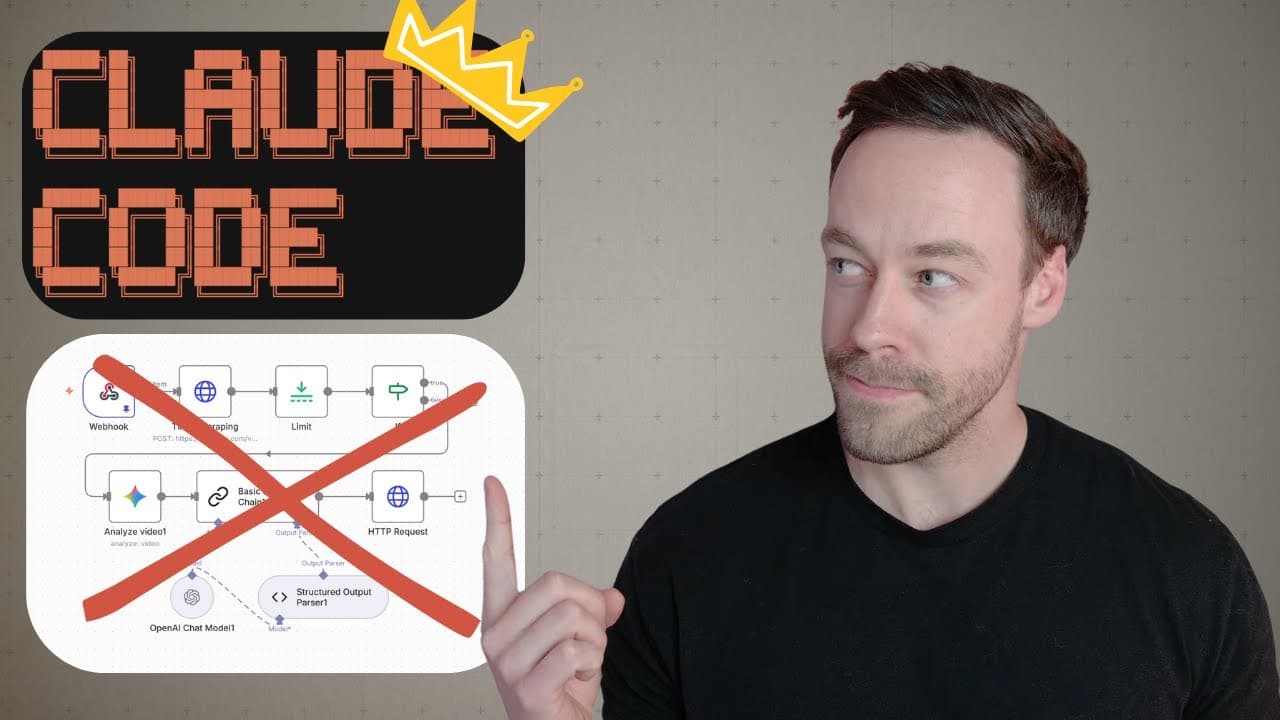
Stop building NADN workflows inside of NADN. Cloud code builds them faster anyways. But that's not actually even the point. The real point is this. When we build our AI systems using cloud code, we are creating an ecosystem. We are creating a foundation from which we can take our NN agents and automations inside of NAND and turn them into fully fle... Read More
Key Insights
- Claude Code is a powerful tool for building AI workflows more efficiently than traditional methods.
- The n8n MCP server enhances Claude Code by providing access to over 500 nodes and templates.
- n8n skills are custom instructions for Claude Code that optimize workflow creation without bloating the context window.
- Setting up the n8n MCP server involves configuring the API URL and API key for seamless interaction with n8n.
- Manual installation of n8n skills is recommended as the marketplace plugin may not be available.
- Claude Code can troubleshoot and edit workflows directly, saving time and effort in automation development.
- The video demonstrates creating a nutrition tracking automation using Claude Code and n8n.
- Building a scalable ecosystem is the ultimate goal, with future videos focusing on front-end development and payment integration.
Install to Summarize YouTube Videos and Get Transcripts
Explore YouTube Video Summarizer or Get YouTube Transcript Extractor
Questions & Answers
Q: Why use Claude Code instead of building workflows directly in n8n?
Claude Code can prompt its way toward n8n agents and automations while retaining knowledge of their workflows, nodes, and connections. That foundation can later support broader systems incorporating frontends, backends, databases, and payments, rather than leaving automations as isolated JSON files.
Q: How do you set up the n8n MCP server with Claude Code?
Create and open a new Claude Code project, then add a file named exactly mcp.json. Copy the full configuration with n8n management tools from the n8n MCP GitHub repository into that file, then replace the n8n API URL and API key values.
Q: How do you configure the n8n API URL and API key?
Copy your n8n instance URL only up to the part before “home,” remove the trailing forward slash, and paste it into the API URL field. In n8n, open Settings, select n8n API, create a new API key, copy it, and paste it into the n8n API key field.
Q: What does the n8n MCP server provide to Claude Code?
The server provides access to over 500 nodes, including their properties, documentation, and real-world examples. It also includes a template library of 2,700 workflows, helping Claude Code examine node behavior, expected schemas, and existing implementations before building.
Q: What are n8n skills in Claude Code?
n8n skills are custom instructions that tell Claude Code how to use the MCP server. The demonstrated repository contains seven skills that function like an instruction manual without being included in the system prompt.
Q: Why do n8n skills make Claude Code more efficient?
The skills let Claude Code consult targeted instructions instead of blindly calling MCP tools. Because those instructions do not live in the system prompt, they avoid bloating the context window and save tokens over time.
Q: Can Claude Code create an entire n8n automation in one attempt?
Not necessarily, especially when an automation is complicated. The presenter considers reaching an 80% solution useful, and notes that very large workflow JSON files can exceed the API call limit, while simpler workflows may be created automatically.
Q: What configuration change is required for Claude Code on Windows?
On Windows without WSL, change the command from npx to cmd. The args must also be changed to use /c, npx, and then the MCP command shown in the configuration; Mac users can save the original configuration after adding their API details.
Summary & Key Takeaways
-
Claude Code, n8n MCP server, and n8n skills form a powerful trio for creating AI workflows. Users can efficiently build and scale AI systems beyond basic automations. The video walks through setting up these tools and creating a sample nutrition tracking automation.
-
By leveraging Claude Code's capabilities, users can prompt their way to creating sophisticated AI agents. The video covers the setup process, troubleshooting tips, and the benefits of using Claude Code over traditional methods.
-
The video emphasizes building a scalable ecosystem for AI workflows. Future content will explore expanding these systems with front-end development and payment functionalities, showcasing the potential of Claude Code in creating comprehensive SaaS products.
Read in Other Languages (beta)
Share This Summary 📚
Summarize YouTube Videos and Get Video Transcripts with 1-Click
Try YouTube Summary with ChatGPT & Claude or YouTube Transcript Generator
Explore More Summaries from Chase AI 📚

Summarize YouTube Videos and Get Video Transcripts with 1-Click
Try YouTube Summary with ChatGPT & Claude or YouTube Transcript Generator