How to Design Better Websites With Impeccable 4.0
TL;DR
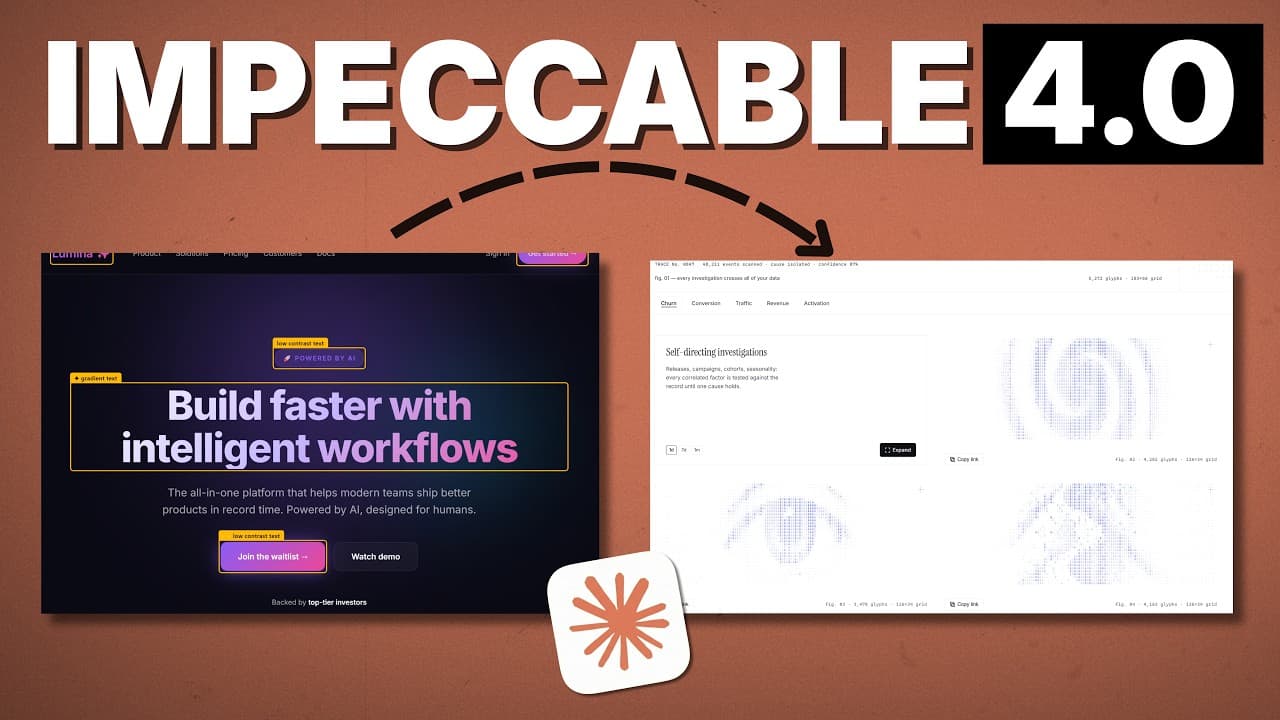
Use Impeccable 4.0 with Claude Code to generate several visual directions, select or steer an aesthetic, and review variations before committing to a build. Its upgraded live mode, 177 design worlds, 23 specialized commands, and final review subagent help replace generic AI patterns with cleaner, more customized front-end designs.
Transcript
There are a million in one skills and plugins that claim to solve Claude's front-end design problem. But as someone who has tested literally hundreds of them, there is one that stands above the rest and it just got a huge upgrade. Now, I'm talking about Impeccable 4.0 and it is the king of giving Claude Code the power to create front-end designs an... Read More
Key Insights
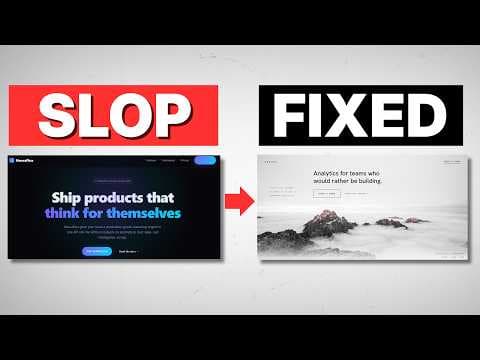
- Impeccable 4.0 is a free, open-source skill that gives Claude Code a structured way to improve front-end and web design outputs. Its central purpose is to identify generic AI patterns and replace them with cleaner, less predictable design choices.
- Live mode is the largest recent workflow improvement because it moves design iteration beyond the terminal. The updated experience is described as smoother and faster, allowing users to inspect options visually and make decisions through a locally displayed interface.
- The worlds feature includes 177 high-rated design directions that function as distinct templates or aesthetics. Instead of producing only one initial concept, Impeccable presents visibly different directions that users can evaluate, reroll, or refine with an optional written steer.
- Impeccable includes 23 commands addressing separate parts of the design continuum. These commands cover areas such as shaping, polishing, quieting, animation, onboarding, color, and typography, enabling focused improvements rather than relying on one broad prompt for every design problem.
- Impeccable identifies 64 patterns associated with AI defaults and production defects. Examples mentioned include purple and blue gradients, but the broader goal is to recognize evolving visual signals that make interfaces look generic or immediately identifiable as AI-generated.
- The initialization workflow begins by asking what the user wants to build, which technical stack to use, and what supporting evidence is available. Evidence can include screenshots or real numbers, while fabricated placeholder information can be requested when genuine project content is not yet ready.
- Visual approval happens in stages, first across different aesthetics and then across variations of the selected aesthetic. At both stages, users can provide additional direction, which gives them continuing control over the concept instead of accepting a single automatically generated interface.
- The finish reviewer is a separate subagent launched after the first implementation is complete. It uses a fresh context window as a second set of eyes, checking whether the finished page matches the approved direction and whether generic AI patterns appeared during construction.
Install to Summarize YouTube Videos and Get Transcripts
Explore YouTube Video Summarizer or Get YouTube Transcript Extractor
Questions & Answers
Q: What is Impeccable 4.0 for Claude Code?
Impeccable 4.0 is a free, open-source skill intended to improve the front-end and web designs produced with Claude Code. It looks for patterns associated with generic AI output and production defects, then offers cleaner alternatives. The skill combines 23 design commands, visual iteration through live mode, 177 design worlds, and a final review step.
Q: What changed in Impeccable 4.0?
The two largest changes highlighted are a more developed live mode and the addition of 177 high-rated worlds. Live mode is smoother and faster, making it easier to leave the terminal and evaluate designs visually. Worlds provide many different aesthetic directions, giving users concrete options they can inspect, reroll, select, and steer throughout the design process.
Q: How does Impeccable live mode improve web design?
Impeccable live mode displays generated design choices visually on localhost instead of requiring every decision to happen through terminal text. Users can compare concepts, select a preferred option, reroll designs they dislike, or enter an optional steer for new variations. This makes the iteration process more direct because choices are based on visible results rather than descriptions alone.
Q: What are Impeccable design worlds?
Design worlds are 177 high-rated aesthetic directions that Impeccable can use when creating a website from scratch. The tool presents an initial idea alongside several substantially different alternatives. When connected to the Higgsfield MCP, these directions can be shown using the user's specific website concept, making the comparison more relevant than looking at unrelated generic templates.
Q: How do you install and initialize Impeccable?
Impeccable can be installed by running "npx impeccable install." An alternative is to copy the Impeccable GitHub URL into Claude Code and ask it to perform the installation. After installation, run the Impeccable initialization command in the desired project folder. The tool then asks about the project type, technical stack, and evidence or content available for the site.
Q: Why connect the Higgsfield MCP to Impeccable?
The Higgsfield MCP supports the worlds workflow by helping Impeccable create visual representations of different website aesthetics. It is described as an aggregator for AI image and video generators. After setup and authentication, Impeccable can call it while preparing design directions, allowing users to see how contrasting styles could apply to their own proposed website.
Q: How can users steer designs generated by Impeccable?
Users can steer the design at multiple approval stages. They first compare different aesthetic worlds and may reroll the set or request more variations resembling a particular option. After selecting a broad style, they receive multiple variations within it and can add another written steer. The chosen option is then passed back to the terminal for implementation.
Q: What does the Impeccable finish reviewer do?
The Impeccable finish reviewer is a separate subagent launched after the first website iteration has been built. Working with a fresh context window, it performs an additional review as a second set of eyes. Its purpose is to check whether the implementation matches the approved design direction and whether unwanted AI-style patterns were introduced during the build process.
Summary & Key Takeaways
-
Impeccable is a free, open-source skill designed to help Claude Code avoid recognizable AI design defaults and production defects. It contains 23 commands covering different parts of the design process, including shaping, polishing, animation, onboarding, color, and typography, while leaving users room to steer the resulting interface.
-
Version 4.0 emphasizes visual iteration through a smoother live mode and 177 high-rated design worlds. Users can inspect substantially different aesthetic directions on localhost, reroll unsatisfactory options, add written guidance, select a preferred world, and then compare multiple variations within that chosen style before approving the actual website build.
-
The demonstrated workflow installs Impeccable and the Higgsfield MCP, runs the initialization command, answers questions about the project, stack, and available evidence, and reviews generated design directions. After building the selected concept, a fresh-context finish reviewer checks whether the result matches the approved brief and avoids unwanted AI patterns.
Read in Other Languages (beta)
Share This Summary 📚
Summarize YouTube Videos and Get Video Transcripts with 1-Click
Try YouTube Summary with ChatGPT & Claude or YouTube Transcript Generator
Explore More Summaries from Chase AI 📚


Summarize YouTube Videos and Get Video Transcripts with 1-Click
Try YouTube Summary with ChatGPT & Claude or YouTube Transcript Generator