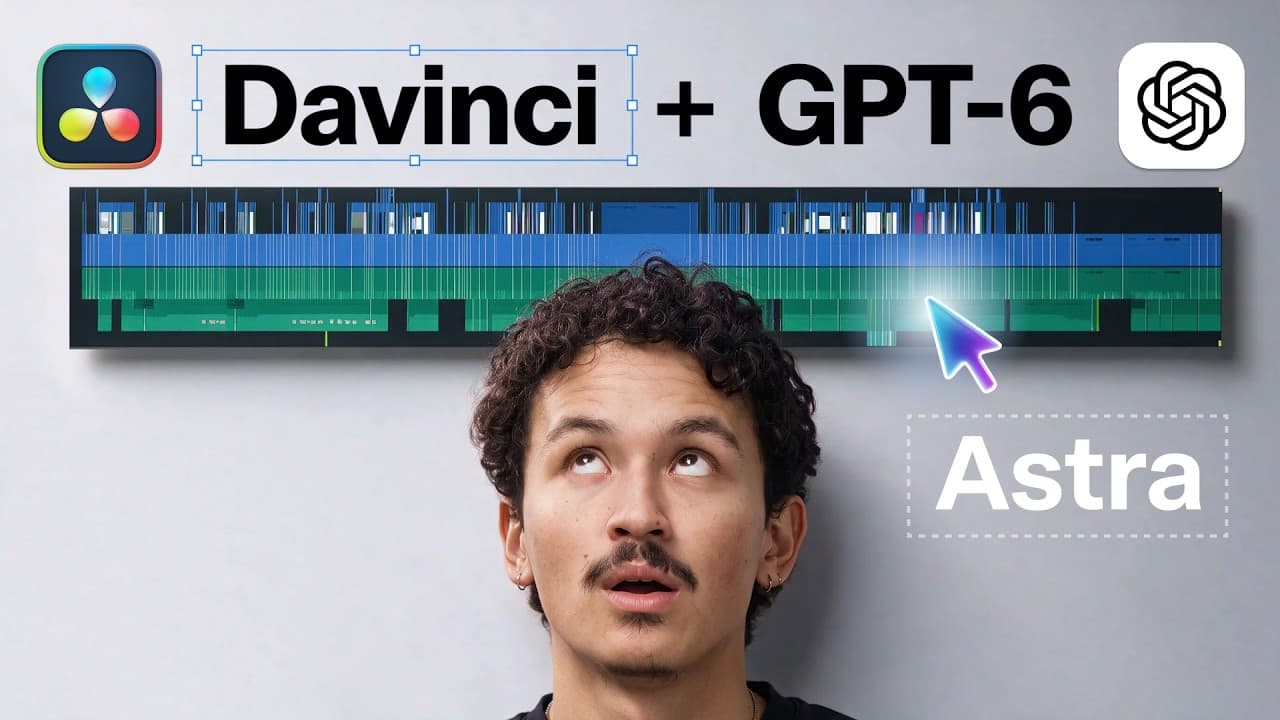
How does Astra edit videos with AI in DaVinci Resolve?
TL;DR
Astra edits video by generating scenes, characters, and prompts to build edits in Resolve, then refining color, sound, motion graphics, and pacing. It can convert long-form content into Shorts and 60 second trailers, with human tweaks reducing manual labor while preserving the creator’s style.
Transcript
AI can edit videos now. >> Editing has changed. >> Editing has changed. >> EDITING HAS CHANGED. >> Editing has changed. >> Yes, it has. Now Astra does the editing for you. >> What does that mean? Editing, color grading, motion graphics, sound design. Astra can handle all of it now. Hi, I'm Adil and today I'm putting Astra to the ultimate test. We'l... Read More
Key Insights
- Astra can generate characters and scenes from a detailed brief to construct a full edit.
- The system links Higgsfield MCP, Astra, and Resolve to automate color, sound design, and graphics.
- Astra creates first drafts rapidly, then the creator makes targeted tweaks to timing and cuts.
- Sound design is layered with dialogue, music from a drive, and library effects, ensuring clear mixes.
- Motion graphics are scripted and rendered automatically before being composited in Resolve.
- The workflow supports transforming long-form content into short clips for social platforms.
- Having a strong brief and references lets Astra match a creator’s personal style.
- The overall process reduces manual editing time while expanding output capacity across formats.
Install to Summarize YouTube Videos and Get Transcripts
Explore YouTube Video Summarizer or Get YouTube Transcript Extractor
Questions & Answers
Q: How does Astra generate an entire edit from a brief?
Astra uses a structured brief that describes characters, locations, camera moves, and dialogue. It then creates generation prompts, uses assets like scripts and reference materials, and builds a sequence in the video editor. The result is a first draft that mirrors the described vision, which the editor can refine further through notes and adjustments.
Q: What is the role of color grading in the Astra workflow?
Color grading is applied node by node to achieve a signature look that remains consistent across shots. Astra applies adjustments to match contrast and skin tones, and the result is saved with the project so future changes can be made quickly. This preserves the creator’s style while ensuring visual coherence across scenes.
Q: Can Astra handle sound design and audio mixing?
Yes, Astra pulls dialogue, selects music from a drive, layers effects, and assigns tracks to cleanly separated audio lanes. The system aims for a cohesive mix where dialogue is clear, the score supports mood, and FX are placed to match action. Final tweaks can still be made by the human editor.
Q: How long does the editing process take with Astra?
The video notes that a complex edit can take a couple of hours in total, including generation and rendering, with manual edits taking a portion of that time. The goal is to reduce repetitive tasks, freeing the editor to focus on creative decisions while Astra handles the bulk of routine work.
Q: What formats can Astra generate from long-form content?
Astra can extract and repurpose content into vertical and horizontal clips and even a 60-second trailer, demonstrating versatility in repackaging long-form material for different platforms. The system uses the same underlying edit timeline to ensure consistency across formats while adapting pacing and framing for each one.
Q: What setup is required to run Astra with DaVinci Resolve?
The workflow involves connecting Higgsfield MCP, Astra, and Resolve, enabling computer access to operate Resolve from the editor’s environment. It also requires scripts, references, and folders containing assets to guide the automated edits, with backups and careful permission handling to avoid unintended changes.
Q: How does Astra improve scalability for content creators?
By offloading repetitive tasks such as editing, color corrections, and basic motion graphics, Astra allows creators to undertake larger projects and produce more deliverables in less time. The system interprets briefs and references to maintain a consistent style, enabling rapid creation of shorts, trailers, and multi-format assets.
Q: What is the importance of providing references to Astra?
References help Astra reproduce a creator’s style and timing by giving it past projects, fonts, and audio packs. Supplying a script and a skill file for the editor clarifies how the creator works, leading to more accurate first drafts and fewer extensive revisions, thereby speeding up the overall workflow.
Summary & Key Takeaways
-
Astra acts as an automated editing assistant that creates a complete edit from a script and assets, then enables tweaks to pacing, color, and sound to match a reference style. The workflow demonstrates integration with DaVinci Resolve for first drafts and final refinements.
-
The process includes generating scenes and prompts, performing color grading, composing motion graphics, and producing vertical clips, all while tracking time spent on generation versus manual edits.
-
The video emphasizes the importance of supplying references and scripts to guide Astra, showing measurable results in time savings and the ability to reproduce a consistent look across multiple deliverables.
Read in Other Languages (beta)
Share This Summary 📚
Summarize YouTube Videos and Get Video Transcripts with 1-Click
Try YouTube Summary with ChatGPT & Claude or YouTube Transcript Generator
Explore More Summaries from Higgsfield AI 📚
Summarize YouTube Videos and Get Video Transcripts with 1-Click
Try YouTube Summary with ChatGPT & Claude or YouTube Transcript Generator