How to Build Your First AI Agent in n8n
TL;DR
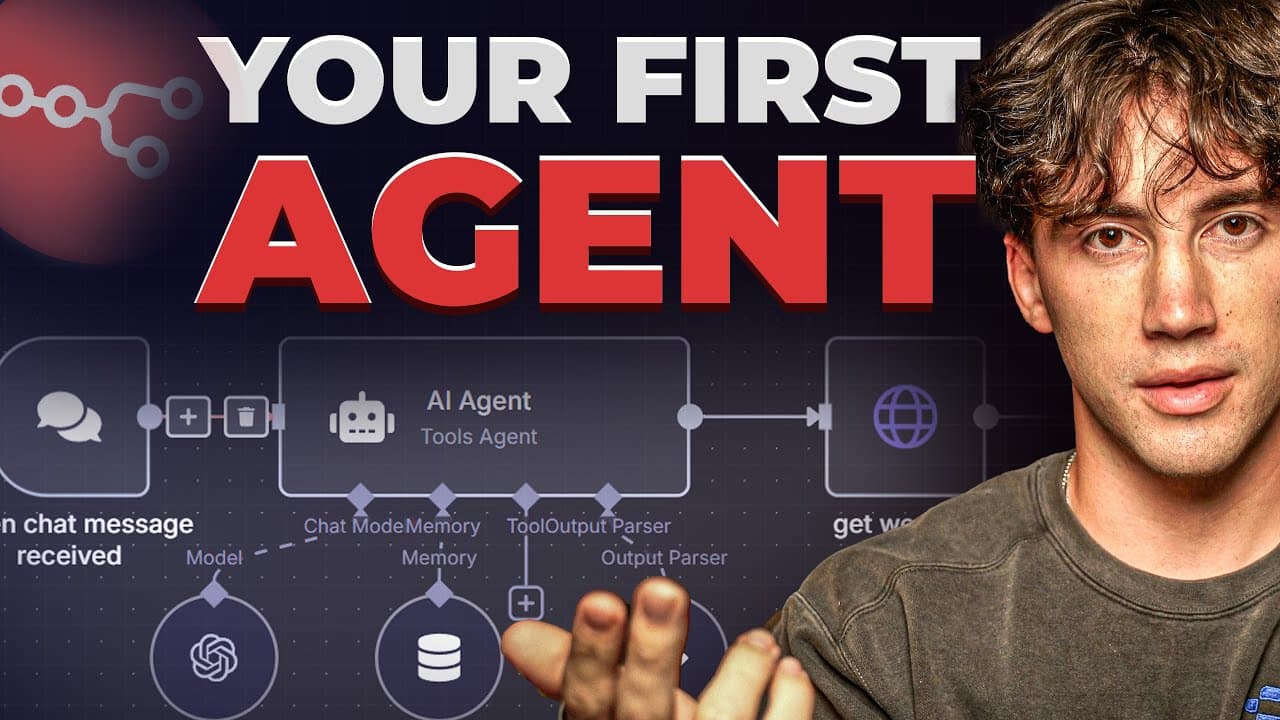
Build your first AI agent in n8n by learning prompt engineering, creating a small fixed workflow, and then adding AI that can adapt to changing inputs. The guide progresses from a weather-report automation to an agent with a chat trigger, AI Agent node, chat model, memory, and an HTTP Request tool. Read on for the workflow structure, node types, and exact beginner learning sequence.
Transcript
by the end of this video you will have built out a fully operating agent completely by yourself because today I'm going to give you everything that you need to know in order to build these AI agents using a tool called NAND from beginner to better now it does not matter what industry you are in a lot of people think just because they're a bluecolla... Read More
Key Insights
- n8n is a low-code to no-code tool for connecting applications and automating repetitive work. It includes AI capabilities and offers an open-source version that users can download to their computers and use without paying for the hosted service.
- Prompt engineering is a prerequisite for effective agent building because prompts and instructions guide the large language model powering an agent. Beginners who skip this foundation may struggle to understand the mechanism that turns a conventional automation into an AI-assisted workflow.
- An AI agent is an automation that replaces a fixed action with an AI action. The AI can process incoming information and access tools, libraries, spreadsheets, tables, or databases before producing a result suited to the particular situation.
- A conventional automation is predefined and fixed, while an agent is adaptable to unique situations. An automation performs the same instructed sequence each time, but an agent can produce different results when the information entering the workflow changes.
- Every n8n workflow requires a trigger node that tells the workflow when to run. Available examples include manual execution, form input, schedules, webhooks, received chat messages, execution by another workflow, and events occurring within connected applications.
- Action nodes perform operations inside connected external applications. Gmail, Airtable, and Google Sheets are presented as examples, while n8n provides hundreds of application connections that can support many different actions after a workflow has been triggered.
- Utility nodes transform data already present on the n8n canvas, while code nodes support requests, code, and extra customization. These node categories help prepare incoming information and shape it into the format required by later actions or agent components.
- A beginner-friendly learning sequence is to master terminology, create small automations, add AI, and keep building. The guide applies this progression through a weather-report automation before introducing chat input, an AI Agent node, a chat model, memory, and tools.
Install to Summarize YouTube Videos and Get Transcripts
Explore YouTube Video Summarizer or Get YouTube Transcript Extractor
Questions & Answers
Q: How do you build your first AI agent in n8n?
First learn n8n terminology and prompt engineering, then build a small fixed automation before integrating AI. For the agent, connect a chat trigger to an AI Agent node, add a chat model and memory, and give the agent tools such as an HTTP Request tool.
Q: What should beginners learn before building AI agents in n8n?
Beginners should learn prompt engineering so they understand how prompts, instructions, and questions guide the large language model powering an agent. They should also learn n8n terminology and node types, build small workflows, integrate AI, and continue learning through practice and problem solving.
Q: What is the difference between an n8n automation and an AI agent?
A conventional automation follows predefined, fixed instructions and performs the same sequence each time. An AI agent replaces a fixed action with an AI action that can interpret incoming information, use connected tools or data sources, and adapt its result to each situation.
Q: What is n8n used for?
n8n is a low-code to no-code tool for connecting applications and automating repetitive tasks. It includes AI capabilities, and its open-source version can be downloaded to a computer and used for free.
Q: What types of nodes are used in an n8n workflow?
Trigger nodes start workflows, action nodes perform operations in connected applications, utility nodes transform information, and code nodes provide requests or additional customization. AI Agent nodes add adaptable AI behavior, while data from one node can be passed to later nodes.
Q: What can trigger an n8n workflow?
A workflow can begin with manual execution, a form input, a schedule, a webhook, a received chat message, another workflow, or an event in a connected application. The trigger is the opening component that tells the remaining nodes when to run.
Q: How is the weather-report automation built in n8n?
The example starts with an automation trigger and an HTTP request using a weather API URL. A code node converts the returned data into a custom message, and Gmail is connected to send the completed weather report.
Q: What components make an n8n AI agent adaptable?
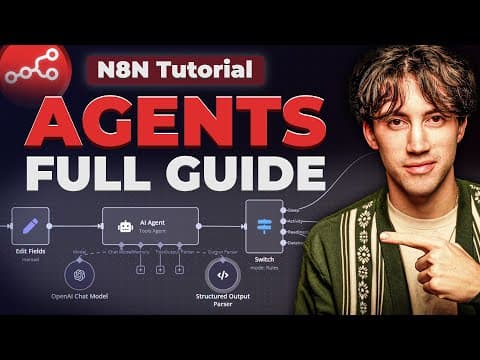
The demonstrated agent combines incoming chat input, an AI Agent node, a chat model, memory, and tools. Memory preserves relevant conversational context, while tools such as an HTTP Request tool let the agent access additional capabilities when responding to changing inputs.
Summary & Key Takeaways
-
n8n is a low-code to no-code automation tool that connects applications and handles repetitive tasks. Its open-source version can be downloaded and used for free. Beginners should learn the terminology, build small workflows, integrate AI only after understanding those workflows, and continue improving through repeated practice and problem solving.
-
Every n8n workflow begins with a trigger that signals when it should run. Action nodes operate in connected applications, utility nodes transform information, and code nodes provide additional customization or send requests. Data passes between nodes, and dynamic mapping lets later steps use information produced by earlier steps in the workflow.
-
The practical progression starts with a weather-report automation using a trigger, an HTTP request, a code node that creates a custom message, and Gmail. The agent-building section then adds chat input, an AI Agent node, a chat model, memory, and an HTTP Request tool so the system can respond adaptively.
-
Key Insights
Read in Other Languages (beta)
Share This Summary 📚
Summarize YouTube Videos and Get Video Transcripts with 1-Click
Try YouTube Summary with ChatGPT & Claude or YouTube Transcript Generator
Explore More Summaries from AI Foundations 📚

Summarize YouTube Videos and Get Video Transcripts with 1-Click
Try YouTube Summary with ChatGPT & Claude or YouTube Transcript Generator