Recall AI-Powered Note Taking: How to Build a Knowledge Base
TL;DR
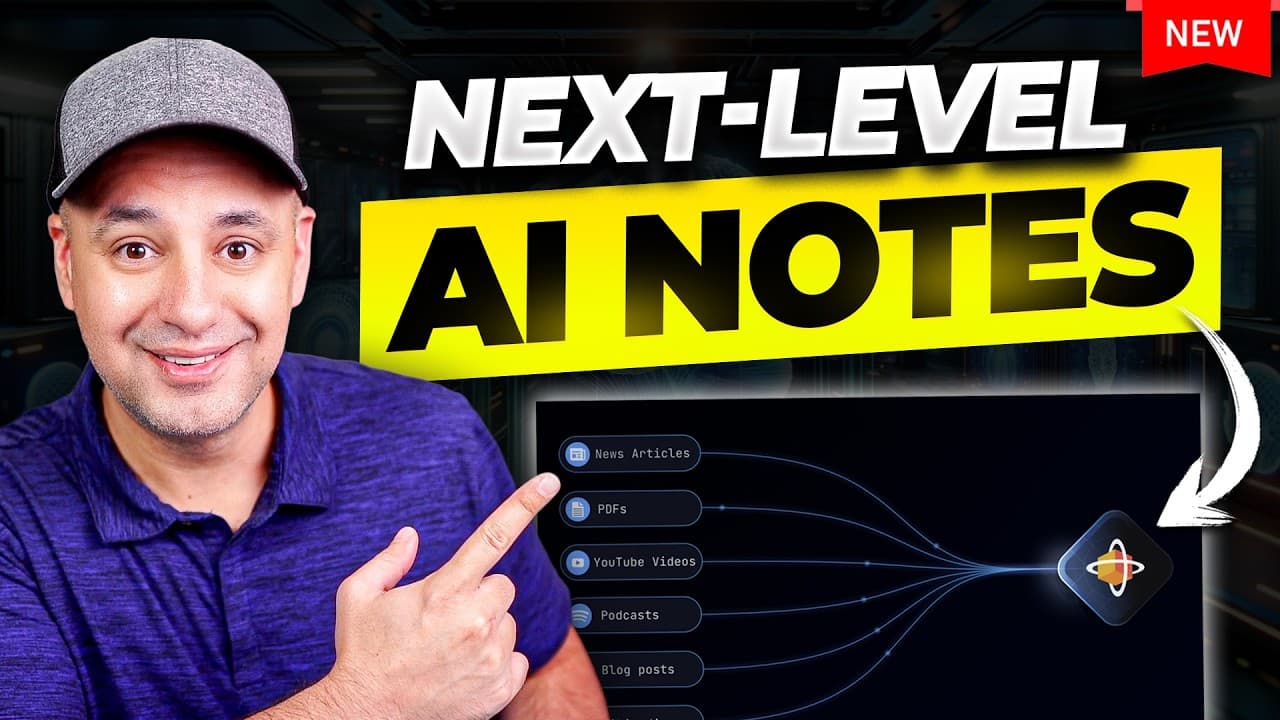
Recall builds an AI-powered knowledge base by capturing, summarizing, categorizing, and connecting articles, YouTube videos, podcasts, PDFs, and bookmarks. Its Chrome extension and iPhone and Android apps simplify saving content, while interactive cards support concise or detailed summaries, source-specific chat, personal notes, images, quizzes, and reviews. Read on to see how these features organize research and help previously consumed information resurface when needed.
Transcript
If you're like me, you probably watch a ton of YouTube videos. I don't know. I probably spend two or three hours a day watching YouTube videos. A lot of time just to learn new things, but I also consume different articles related to AI. I listen to podcasts and different topics, but most of the time you don't remember all that much after the fact, ... Read More
Key Insights
- Recall is an AI-powered knowledge base that captures, summarizes, categorizes, and connects material from multiple online formats. It can store YouTube videos, podcasts, articles, PDFs, and bookmarks, giving users one searchable location for information they may otherwise forget after consuming it.
- The Chrome extension is a convenient way to save content while browsing. It imports an article into a reader, generates either a concise or detailed summary, automatically tags the resulting card, and makes the saved material available in the user's central Recall knowledge base.
- Each Recall card is an interactive notebook rather than a simple bookmark. Users can ask specific questions about the source, switch between summary lengths, write and format their own notes, add images, and preserve firsthand observations alongside AI-generated information.
- Automatic categorization organizes saved research into topics and subtopics. Recall placed the demonstrated AI-agent material within relevant technology and AI categories, while still allowing cards to be dragged into different categories whenever the automatically chosen placement does not match the user's preferred structure.
- Connections are links between a saved source and related topics, people, corporations, software applications, or products. These links help users explore a subject more deeply and locate other cards that mention the same concepts, turning separate pieces of saved content into a connected research collection.
- Augmented browsing highlights webpage text that matches information already stored in Recall. Hovering over highlighted concepts reveals relevant saved cards, and a sidebar widget reports how many connections appear on the current page, allowing past research to resurface during ordinary web browsing.
- Recall's mobile app saves articles through the phone's share menu and is available for iPhone and Android. The app processes the article, creates an AI summary, preserves useful links, and synchronizes the resulting card with the desktop knowledge base for later, more detailed research.
- Recall reviews and generated quizzes support retention through question-and-answer practice. Users can review a topic from the dedicated Review section or generate a quiz from an individual card, which is particularly useful when revisiting videos, online courses, or information that was consumed but not fully remembered.
Install to Summarize YouTube Videos and Get Transcripts
Explore YouTube Video Summarizer or Get YouTube Transcript Extractor
Questions & Answers
Q: What is Recall, and how does it build an AI-powered knowledge base?
Recall is an AI-powered knowledge base that captures, summarizes, and connects material in one central location. It supports sources including articles, YouTube videos, podcasts, PDFs, and bookmarks, then stores them as cards that users can search, review, annotate, and explore.
Q: How does Recall organize online research?
Recall organizes saved cards by date and automatically places them into categories and subcategories. Users can manually drag a card into another category when the automatic placement does not fit. Connections also link related ideas, people, organizations, software, and products across saved sources.
Q: How do you save an article with the Recall Chrome extension?
Open an article and click the Recall extension in the browser. Recall imports the text into its reader, generates a concise summary, and can create a more detailed version on request. Saving the result adds a tagged card to the central knowledge base.
Q: How does Recall summarize YouTube videos?
Recall can capture a YouTube video and turn it into a saved, categorized card with a recap and summary of its key points. Users can then chat with the video’s contents, inspect related connections, add their own notes, or generate a quiz for later review.
Q: What can users add to a Recall notebook card?
A notebook card can combine a concise or detailed AI summary with the user’s own notes. Those notes can be formatted and supplemented with images, observations, test results, or conclusions. The card also retains chat access for asking specific questions about its source.
Q: What are connections in Recall?
Connections link a saved source with related topics, people, corporations, software applications, products, and concepts. Selecting one can reveal other cards that mention the same subject or lead back to the source where it appeared, helping users explore their research more deeply.
Q: How does augmented browsing work in Recall?
Augmented browsing highlights webpage concepts that match information already stored in the user’s Recall knowledge base. Hovering over highlighted text reveals relevant cards, while a sidebar reports how many connections appear on the page. The feature can be disabled for an individual site or globally.
Q: How do Recall’s mobile apps, quizzes, and reviews help users retain information?
On iPhone or Android, users can send an article to Recall through the phone’s share menu, producing a summarized card that synchronizes with the desktop knowledge base. Recall’s Review section and card-generated quizzes provide question-and-answer practice for revisiting videos, research, and online courses.
Summary & Key Takeaways
-
Recall serves as a central knowledge base for material collected from YouTube videos, articles, podcasts, PDFs, and bookmarks. Its AI creates concise or detailed summaries, assigns categories, and allows users to chat with individual sources. Each saved item becomes a card that can also contain formatted personal notes and images.
-
The Chrome extension lets users capture material without returning to the Recall website. Saved cards are organized by date and automatically categorized, although users can move them manually. Connection links identify related people, organizations, software, products, and concepts, helping users move from one source into deeper research across their knowledge base.
-
Augmented browsing highlights concepts on webpages when related cards exist in the user's Recall collection. A sidebar displays available connections, while mobile sharing saves and summarizes articles from iPhone or Android before synchronizing them to the desktop. Review sessions and generated quizzes support active recall for videos, research, and online courses.
Read in Other Languages (beta)
Share This Summary 📚
Summarize YouTube Videos and Get Video Transcripts with 1-Click
Try YouTube Summary with ChatGPT & Claude or YouTube Transcript Generator
Explore More Summaries from Skill Leap AI 📚





Summarize YouTube Videos and Get Video Transcripts with 1-Click
Try YouTube Summary with ChatGPT & Claude or YouTube Transcript Generator