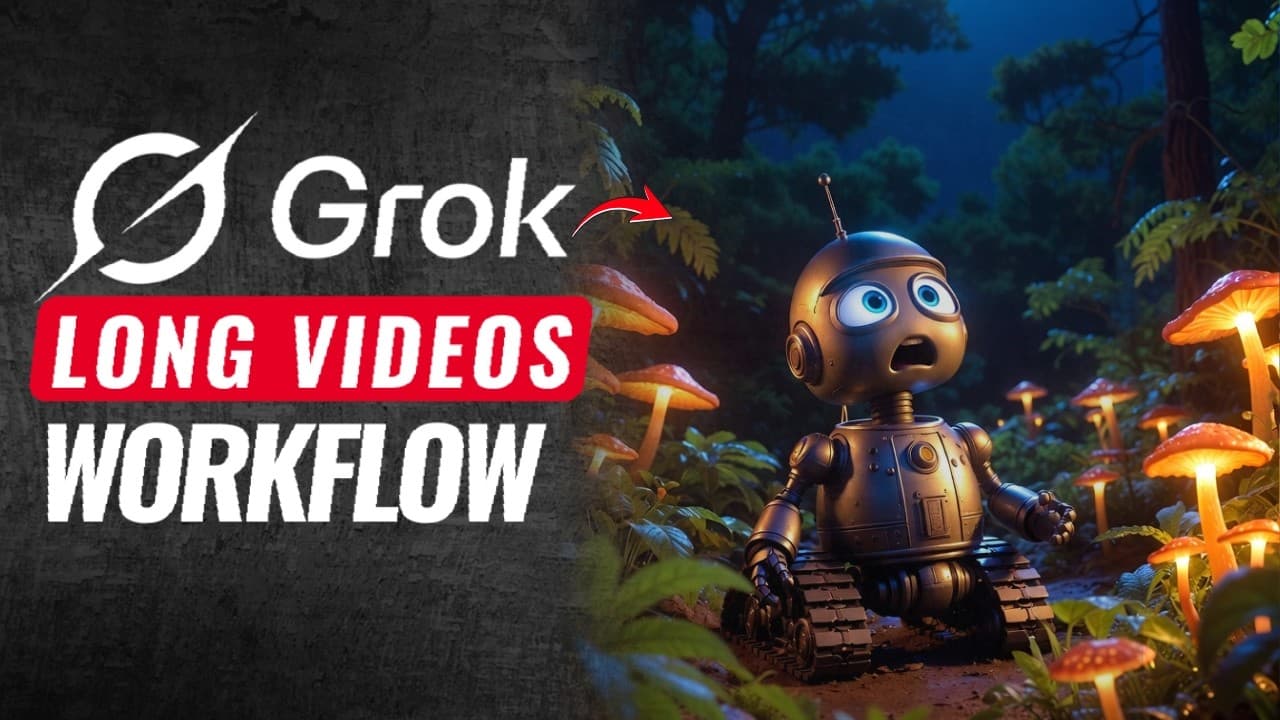
How to make a long YouTube video with free Grok AI
TL;DR
Grock is used to generate long videos with 100 percent character consistency by reusing the last frame and re-prompting for each scene. The workflow combines ChatGPT scripting, Grock scene prompts, Google AI Studio for voiceover, and Filmora for editing, timing, and captioning to produce a full video efficiently.
Transcript
Everyone knows Grock can generate unlimited images and short clips. But very few people know that Grock can create full long videos with 100% character consistency. Today I'll show you the exact trick I used to generate this 60-second video using Grock alone. Same character, same style, perfectly consistent. With this method, you can create highqua... Read More
Key Insights
- Grock can create long videos with 100 percent character consistency by using the last frame as a seed for the next scene, preventing design drift.
- The key to a smooth cinematic flow is generating scene prompts from ChatGPT and linking each scene to the previous one so visuals stay connected.
- Character consistency is achieved by copying the last frame into the imagine prompt box before generating the next scene, ensuring identical character design.
- A portrait mobile format is often chosen to fit vertical viewing, with a suggested scale of 123 percent to optimize for TikTok or Reels style deliveries.
- Voiceover is produced with Google AI Studio using a single speaker option, and the narration is edited to remove timestamps and unnecessary parts for clean delivery.
- Silence detection in Filmora accelerates editing by automatically removing silent gaps, speeding up the post production workflow.
- Scene timing is synchronized by adjusting clip speed and scale to align visuals with narration, creating a seamless viewing experience.
- The overall workflow combines free tools to produce a long video from script to final edit, enabling creators to grow a YouTube channel with AI assisted content creation.
- More videos from this channel:
- More from this channel: zapiwala ai
Install to Summarize YouTube Videos and Get Transcripts
Explore YouTube Video Summarizer or Get YouTube Transcript Extractor
Questions & Answers
Q: How can I start making a long video with Grock without losing character consistency?
To start, generate a short story with ChatGPT and create a prompt for each scene that stays connected to the previous one. Use Grock to render scene one, then copy the last frame of scene one into the imagine prompt box before generating scene two. This maintains a 100 percent consistent character across scenes and prevents design drift, allowing you to build a longer narrative smoothly.
Q: What role does the last frame play in ensuring consistency across scenes?
The last frame acts as a seed for the next scene. By copying the final frame of scene N into the Grock imagine prompt when generating scene N+1, the system aligns styles and character features. This technique minimizes variations and helps preserve the same character design, facial features, and overall look throughout the video.
Q: How do you structure prompts to link scenes together for a smooth flow?
Start with a short story and divide it into scenes with one clear instruction per prompt. Ensure each scene prompt references the ending of the previous scene and leads logically to the next. This creates continuity in actions, lighting, and character behavior, resulting in a cohesive and cinematic long form video.
Q: What is the recommended workflow for turning prompts into a finished video?
The recommended workflow begins with script generation via ChatGPT, followed by scene prompts for Grock, then iterating each scene using the last frame trick for consistency. After all scenes are generated, assemble them in a video editor, add voiceover from Google AI Studio, and use silence detection to remove gaps for a polished final product.
Q: How should I handle aspect ratio and vertical formats for long videos?
If creating vertical content for platforms like TikTok or Reels, adjust the final output to a portrait format with an approximate scale of 123 percent to fit the frame. This helps maintain visual impact while ensuring the video remains compatible with mobile viewing, which is common for long form AI video projects.
Q: How is the voiceover created and integrated into the video?
Voiceover is generated using Google AI Studio with a single chosen voice. The script is pasted into the tool, then timestamps are removed to keep a natural narration flow. The resulting audio file is imported into your video editor and aligned with the scene sequence to ensure clear, synchronized storytelling.
Q: What editing steps speed up the production of a long video?
Use Filmora to remove silent sections automatically via silence detection, then import and time each scene to match the narration. This reduces manual trimming. Adjust each clip’s scale and speed for consistency, add automatic captions, and ensure the final cut flows smoothly from scene to scene.
Q: Can this workflow be used with other AI video tools besides Grock and Google AI Studio?
The core idea is to chain AI generated visuals, coherent prompts, and AI voiceover with post production edits to create a long video. While Grock and Google AI Studio are used in the tutorial, the approach can be adapted to other image or video generation tools that support scene prompts and last frame continuity, as long as consistency and timing are preserved.
Summary & Key Takeaways
-
Grock enables full long videos by generating each scene from prompts and maintaining character consistency across frames. The approach also integrates script creation with ChatGPT, voiceover via Google AI Studio, and post production in Filmora for manual timing and captions.
-
The process hinges on a loop: prompt, generate scene, fix character continuity with the last frame, and reinitialize prompts for the next scene, ensuring smooth transitions and consistent visuals throughout the video.
-
Editing is streamlined by removing silent gaps, scaling vertical formats, and syncing visuals with narration to create a cohesive long-form YouTube video.
Read in Other Languages (beta)
Share This Summary 📚
Summarize YouTube Videos and Get Video Transcripts with 1-Click
Try YouTube Summary with ChatGPT & Claude or YouTube Transcript Generator
Explore More Summaries from zapiwala ai 📚

Summarize YouTube Videos and Get Video Transcripts with 1-Click
Try YouTube Summary with ChatGPT & Claude or YouTube Transcript Generator